#![forbid(unsafe_code)]
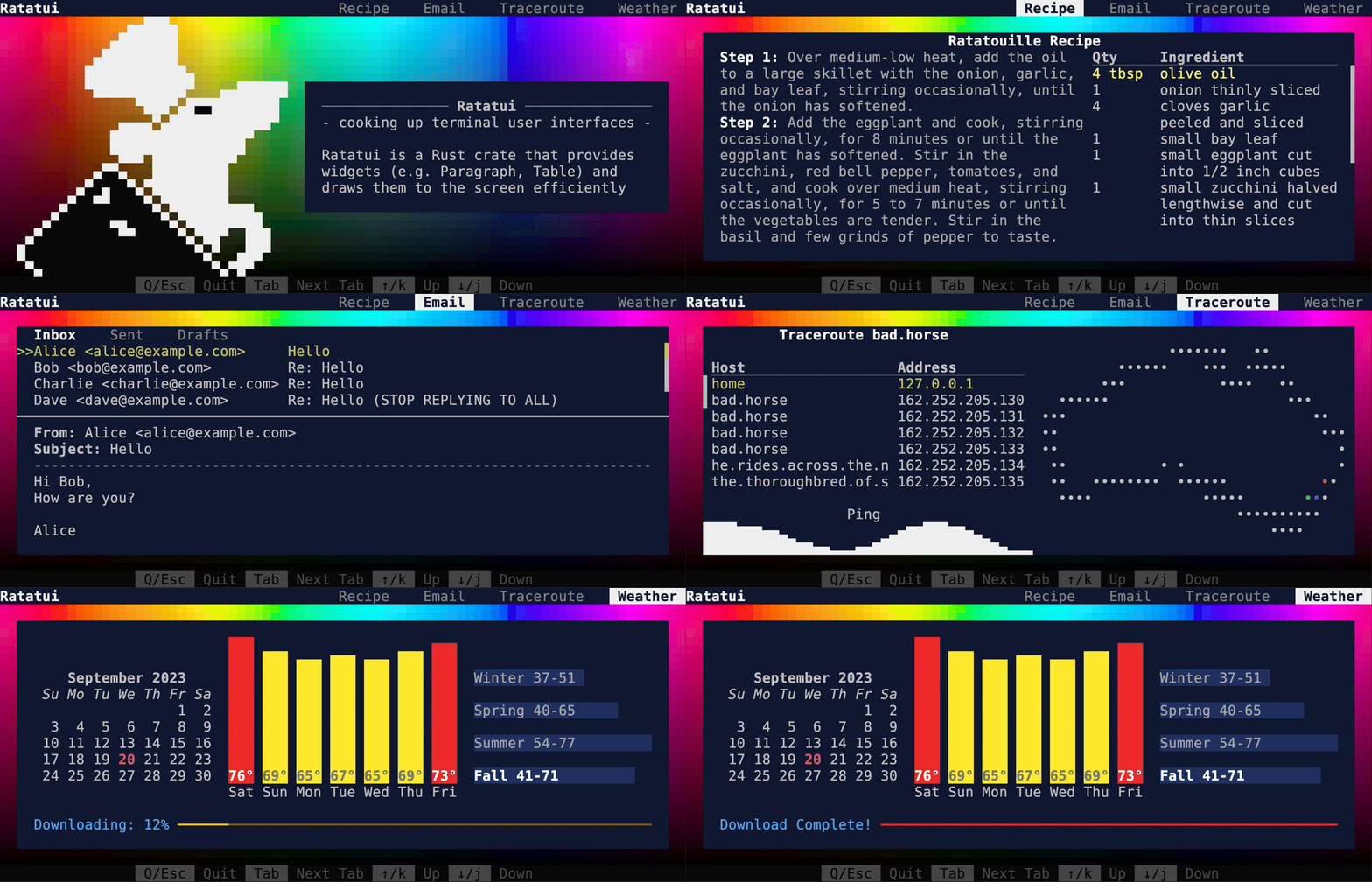
//! 
//!
//!
//!
//! [![Crate Badge]](https://crates.io/crates/ratatui) [![License Badge]](./LICENSE) [![CI
//! Badge]](https://github.com/ratatui-org/ratatui/actions?query=workflow%3ACI+) [![Docs
//! Badge]](https://docs.rs/crate/ratatui/)
//! [![Dependencies Badge]](https://deps.rs/repo/github/ratatui-org/ratatui) [![Codecov
//! Badge]](https://app.codecov.io/gh/ratatui-org/ratatui) [![Discord
//! Badge]](https://discord.gg/pMCEU9hNEj) [![Matrix
//! Badge]](https://matrix.to/#/#ratatui:matrix.org)
//! [Documentation](https://docs.rs/ratatui) · [Ratatui Book](https://ratatui.rs) ·
//! [Examples](https://github.com/ratatui-org/ratatui/tree/main/examples) · [Report a
//! bug](https://github.com/ratatui-org/ratatui/issues/new?labels=bug&projects=&template=bug_report.md)
//! · [Request a
//! Feature](https://github.com/ratatui-org/ratatui/issues/new?labels=enhancement&projects=&template=feature_request.md)
//! · [Send a Pull Request](https://github.com/ratatui-org/ratatui/compare)
//!
//!
//!
//! # Ratatui
//!
//! [Ratatui] is a crate for cooking up terminal user interfaces in rust. It is a lightweight
//! library that provides a set of widgets and utilities to build complex rust TUIs. Ratatui was
//! forked from the [Tui-rs crate] in 2023 in order to continue its development.
//!
//! ## Installation
//!
//! Add `ratatui` and `crossterm` as dependencies to your cargo.toml:
//!
//! ```shell
//! cargo add ratatui crossterm
//! ```
//!
//! Ratatui uses [Crossterm] by default as it works on most platforms. See the [Installation]
//! section of the [Ratatui Book] for more details on how to use other backends ([Termion] /
//! [Termwiz]).
//!
//! ## Introduction
//!
//! Ratatui is based on the principle of immediate rendering with intermediate buffers. This means
//! that for each frame, your app must render all widgets that are supposed to be part of the UI.
//! This is in contrast to the retained mode style of rendering where widgets are updated and then
//! automatically redrawn on the next frame. See the [Rendering] section of the [Ratatui Book] for
//! more info.
//!
//! ## Other documentation
//!
//! - [Ratatui Book] - explains the library's concepts and provides step-by-step tutorials
//! - [Examples] - a collection of examples that demonstrate how to use the library.
//! - [API Documentation] - the full API documentation for the library on docs.rs.
//! - [Changelog] - generated by [git-cliff] utilizing [Conventional Commits].
//! - [Contributing] - Please read this if you are interested in contributing to the project.
//! - [Breaking Changes] - a list of breaking changes in the library.
//!
//! ## Quickstart
//!
//! The following example demonstrates the minimal amount of code necessary to setup a terminal and
//! render "Hello World!". The full code for this example which contains a little more detail is in
//! [hello_world.rs]. For more guidance on different ways to structure your application see the
//! [Application Patterns] and [Hello World tutorial] sections in the [Ratatui Book] and the various
//! [Examples]. There are also several starter templates available:
//!
//! - [rust-tui-template]
//! - [ratatui-async-template] (book and template)
//! - [simple-tui-rs]
//!
//! Every application built with `ratatui` needs to implement the following steps:
//!
//! - Initialize the terminal
//! - A main loop to:
//! - Handle input events
//! - Draw the UI
//! - Restore the terminal state
//!
//! The library contains a [`prelude`] module that re-exports the most commonly used traits and
//! types for convenience. Most examples in the documentation will use this instead of showing the
//! full path of each type.
//!
//! ### Initialize and restore the terminal
//!
//! The [`Terminal`] type is the main entry point for any Ratatui application. It is a light
//! abstraction over a choice of [`Backend`] implementations that provides functionality to draw
//! each frame, clear the screen, hide the cursor, etc. It is parametrized over any type that
//! implements the [`Backend`] trait which has implementations for [Crossterm], [Termion] and
//! [Termwiz].
//!
//! Most applications should enter the Alternate Screen when starting and leave it when exiting and
//! also enable raw mode to disable line buffering and enable reading key events. See the [`backend`
//! module] and the [Backends] section of the [Ratatui Book] for more info.
//!
//! ### Drawing the UI
//!
//! The drawing logic is delegated to a closure that takes a [`Frame`] instance as argument. The
//! [`Frame`] provides the size of the area to draw to and allows the app to render any [`Widget`]
//! using the provided [`render_widget`] method. See the [Widgets] section of the [Ratatui Book] for
//! more info.
//!
//! ### Handling events
//!
//! Ratatui does not include any input handling. Instead event handling can be implemented by
//! calling backend library methods directly. See the [Handling Events] section of the [Ratatui
//! Book] for more info. For example, if you are using [Crossterm], you can use the
//! [`crossterm::event`] module to handle events.
//!
//! ### Example
//!
//! ```rust,no_run
//! use std::io::{self, stdout};
//! use crossterm::{
//! event::{self, Event, KeyCode},
//! ExecutableCommand,
//! terminal::{disable_raw_mode, enable_raw_mode, EnterAlternateScreen, LeaveAlternateScreen}
//! };
//! use ratatui::{prelude::*, widgets::*};
//!
//! fn main() -> io::Result<()> {
//! enable_raw_mode()?;
//! stdout().execute(EnterAlternateScreen)?;
//! let mut terminal = Terminal::new(CrosstermBackend::new(stdout()))?;
//!
//! let mut should_quit = false;
//! while !should_quit {
//! terminal.draw(ui)?;
//! should_quit = handle_events()?;
//! }
//!
//! disable_raw_mode()?;
//! stdout().execute(LeaveAlternateScreen)?;
//! Ok(())
//! }
//!
//! fn handle_events() -> io::Result {
//! if event::poll(std::time::Duration::from_millis(50))? {
//! if let Event::Key(key) = event::read()? {
//! if key.kind == event::KeyEventKind::Press && key.code == KeyCode::Char('q') {
//! return Ok(true);
//! }
//! }
//! }
//! Ok(false)
//! }
//!
//! fn ui(frame: &mut Frame) {
//! frame.render_widget(
//! Paragraph::new("Hello World!")
//! .block(Block::default().title("Greeting").borders(Borders::ALL)),
//! frame.size(),
//! );
//! }
//! ```
//!
//! Running this example produces the following output:
//!
//! ![docsrs-hello]
//!
//! ## Layout
//!
//! The library comes with a basic yet useful layout management object called [`Layout`] which
//! allows you to split the available space into multiple areas and then render widgets in each
//! area. This lets you describe a responsive terminal UI by nesting layouts. See the [Layout]
//! section of the [Ratatui Book] for more info.
//!
//! ```rust,no_run
//! use ratatui::{prelude::*, widgets::*};
//!
//! fn ui(frame: &mut Frame) {
//! let main_layout = Layout::default()
//! .direction(Direction::Vertical)
//! .constraints([
//! Constraint::Length(1),
//! Constraint::Min(0),
//! Constraint::Length(1),
//! ])
//! .split(frame.size());
//! frame.render_widget(
//! Block::new().borders(Borders::TOP).title("Title Bar"),
//! main_layout[0],
//! );
//! frame.render_widget(
//! Block::new().borders(Borders::TOP).title("Status Bar"),
//! main_layout[2],
//! );
//!
//! let inner_layout = Layout::default()
//! .direction(Direction::Horizontal)
//! .constraints([Constraint::Percentage(50), Constraint::Percentage(50)])
//! .split(main_layout[1]);
//! frame.render_widget(
//! Block::default().borders(Borders::ALL).title("Left"),
//! inner_layout[0],
//! );
//! frame.render_widget(
//! Block::default().borders(Borders::ALL).title("Right"),
//! inner_layout[1],
//! );
//! }
//! ```
//!
//! Running this example produces the following output:
//!
//! ![docsrs-layout]
//!
//! ## Text and styling
//!
//! The [`Text`], [`Line`] and [`Span`] types are the building blocks of the library and are used in
//! many places. [`Text`] is a list of [`Line`]s and a [`Line`] is a list of [`Span`]s. A [`Span`]
//! is a string with a specific style.
//!
//! The [`style` module] provides types that represent the various styling options. The most
//! important one is [`Style`] which represents the foreground and background colors and the text
//! attributes of a [`Span`]. The [`style` module] also provides a [`Stylize`] trait that allows
//! short-hand syntax to apply a style to widgets and text. See the [Styling Text] section of the
//! [Ratatui Book] for more info.
//!
//! ```rust,no_run
//! use ratatui::{prelude::*, widgets::*};
//!
//! fn ui(frame: &mut Frame) {
//! let areas = Layout::default()
//! .direction(Direction::Vertical)
//! .constraints([
//! Constraint::Length(1),
//! Constraint::Length(1),
//! Constraint::Length(1),
//! Constraint::Length(1),
//! Constraint::Min(0),
//! ])
//! .split(frame.size());
//!
//! let span1 = Span::raw("Hello ");
//! let span2 = Span::styled(
//! "World",
//! Style::new()
//! .fg(Color::Green)
//! .bg(Color::White)
//! .add_modifier(Modifier::BOLD),
//! );
//! let span3 = "!".red().on_light_yellow().italic();
//!
//! let line = Line::from(vec![span1, span2, span3]);
//! let text: Text = Text::from(vec![line]);
//!
//! frame.render_widget(Paragraph::new(text), areas[0]);
//! // or using the short-hand syntax and implicit conversions
//! frame.render_widget(
//! Paragraph::new("Hello World!".red().on_white().bold()),
//! areas[1],
//! );
//!
//! // to style the whole widget instead of just the text
//! frame.render_widget(
//! Paragraph::new("Hello World!").style(Style::new().red().on_white()),
//! areas[2],
//! );
//! // or using the short-hand syntax
//! frame.render_widget(Paragraph::new("Hello World!").blue().on_yellow(), areas[3]);
//! }
//! ```
//!
//! Running this example produces the following output:
//!
//! ![docsrs-styling]
#![cfg_attr(feature = "document-features", doc = "\n## Features")]
#![cfg_attr(feature = "document-features", doc = document_features::document_features!())]
#![cfg_attr(
feature = "document-features",
doc = "[`CrossTermBackend`]: backend::CrosstermBackend"
)]
#![cfg_attr(
feature = "document-features",
doc = "[`TermionBackend`]: backend::TermionBackend"
)]
#![cfg_attr(
feature = "document-features",
doc = "[`TermwizBackend`]: backend::TermwizBackend"
)]
#![cfg_attr(
feature = "document-features",
doc = "[`calendar`]: widgets::calendar::Monthly"
)]
//!
//! [Ratatui Book]: https://ratatui.rs
//! [Installation]: https://ratatui.rs/installation.html
//! [Rendering]: https://ratatui.rs/concepts/rendering/index.html
//! [Application Patterns]: https://ratatui.rs/concepts/application_patterns/index.html
//! [Hello World tutorial]: https://ratatui.rs/tutorial/hello_world.html
//! [Backends]: https://ratatui.rs/concepts/backends/index.html
//! [Widgets]: https://ratatui.rs/how-to/widgets/index.html
//! [Handling Events]: https://ratatui.rs/concepts/event_handling.html
//! [Layout]: https://ratatui.rs/how-to/layout/index.html
//! [Styling Text]: https://ratatui.rs/how-to/render/style-text.html
//! [rust-tui-template]: https://github.com/ratatui-org/rust-tui-template
//! [ratatui-async-template]: https://ratatui-org.github.io/ratatui-async-template/
//! [simple-tui-rs]: https://github.com/pmsanford/simple-tui-rs
//! [Examples]: https://github.com/ratatui-org/ratatui/tree/main/examples
//! [git-cliff]: https://github.com/orhun/git-cliff
//! [Conventional Commits]: https://www.conventionalcommits.org
//! [API Documentation]: https://docs.rs/ratatui
//! [Changelog]: https://github.com/ratatui-org/ratatui/blob/main/CHANGELOG.md
//! [Contributing]: https:://github.com/ratatui-org/ratatui/blob/main/CONTRIBUTING.md
//! [Breaking Changes]: https:://github.com/ratatui-org/ratatui/blob/main/BREAKING-CHANGES.md
//! [docsrs-hello]: https://github.com/ratatui-org/ratatui/blob/c3c3c289b1eb8d562afb1931adb4dc719cd48490/examples/docsrs-hello.png?raw=true
//! [docsrs-layout]: https://github.com/ratatui-org/ratatui/blob/c3c3c289b1eb8d562afb1931adb4dc719cd48490/examples/docsrs-layout.png?raw=true
//! [docsrs-styling]: https://github.com/ratatui-org/ratatui/blob/c3c3c289b1eb8d562afb1931adb4dc719cd48490/examples/docsrs-styling.png?raw=true
//! [`Frame`]: terminal::Frame
//! [`render_widget`]: terminal::Frame::render_widget
//! [`Widget`]: widgets::Widget
//! [`Layout`]: layout::Layout
//! [`Text`]: text::Text
//! [`Line`]: text::Line
//! [`Span`]: text::Span
//! [`Style`]: style::Style
//! [`style` module]: style
//! [`Stylize`]: style::Stylize
//! [`Backend`]: backend::Backend
//! [`backend` module]: backend
//! [`crossterm::event`]: https://docs.rs/crossterm/latest/crossterm/event/index.html
//! [Ratatui]: https://ratatui.rs
//! [Crossterm]: https://crates.io/crates/crossterm
//! [Termion]: https://crates.io/crates/termion
//! [Termwiz]: https://crates.io/crates/termwiz
//! [Tui-rs crate]: https://crates.io/crates/tui
//! [hello_world.rs]: https://github.com/ratatui-org/ratatui/blob/main/examples/hello_world.rs
//! [Crate Badge]: https://img.shields.io/crates/v/ratatui?logo=rust&style=flat-square
//! [CI Badge]:
//! https://img.shields.io/github/actions/workflow/status/ratatui-org/ratatui/ci.yml?style=flat-square&logo=github
//! [Codecov Badge]:
//! https://img.shields.io/codecov/c/github/ratatui-org/ratatui?logo=codecov&style=flat-square&token=BAQ8SOKEST
//! [Dependencies Badge]: https://deps.rs/repo/github/ratatui-org/ratatui/status.svg?style=flat-square
//! [Discord Badge]:
//! https://img.shields.io/discord/1070692720437383208?label=discord&logo=discord&style=flat-square
//! [Docs Badge]: https://img.shields.io/docsrs/ratatui?logo=rust&style=flat-square
//! [License Badge]: https://img.shields.io/crates/l/ratatui?style=flat-square
//! [Matrix Badge]:
//! https://img.shields.io/matrix/ratatui-general%3Amatrix.org?style=flat-square&logo=matrix&label=Matrix
// show the feature flags in the generated documentation
#![cfg_attr(docsrs, feature(doc_auto_cfg))]
#![doc(
html_logo_url = "https://raw.githubusercontent.com/ratatui-org/ratatui/main/assets/logo.png",
html_favicon_url = "https://raw.githubusercontent.com/ratatui-org/ratatui/main/assets/favicon.ico"
)]
pub mod backend;
pub mod buffer;
pub mod layout;
pub mod style;
pub mod symbols;
pub mod terminal;
pub mod text;
pub mod widgets;
#[doc(inline)]
pub use self::terminal::{CompletedFrame, Frame, Terminal, TerminalOptions, Viewport};
pub mod prelude;