Compare commits
5 Commits
docs/updat
...
jm/buffer-
| Author | SHA1 | Date | |
|---|---|---|---|

|
1ff292742c | ||
|
|
e084c9f013 | ||
|
|
f08640c53b | ||
|
|
2b391ac15d | ||
|
|
99ef8651aa |
@@ -1,2 +0,0 @@
|
||||
[alias]
|
||||
xtask = "run --package xtask --"
|
||||
22
.cz.toml
22
.cz.toml
@@ -32,17 +32,17 @@ schema_pattern = "(build|chore|ci|docs|feat|fix|perf|refactor|revert|style|test)
|
||||
type = "list"
|
||||
name = "change_type"
|
||||
choices = [
|
||||
{ value = "build", name = "build: Changes that affect the build system or external dependencies (example scopes: pip, docker, npm)", key = "b" },
|
||||
{ value = "chore", name = "chore: A modification that generally does not fall into any other category", key = "c" },
|
||||
{ value = "ci", name = "ci: Changes to our CI configuration files and scripts (example scopes: GitLabCI)", key = "i" },
|
||||
{ value = "docs", name = "docs: Documentation only changes", key = "d" },
|
||||
{ value = "feat", name = "feat: A new feature.", key = "f" },
|
||||
{ value = "fix", name = "fix: A bug fix.", key = "x" },
|
||||
{ value = "perf", name = "perf: A code change that improves performance", key = "p" },
|
||||
{ value = "refactor", name = "refactor: A code change that neither fixes a bug nor adds a feature", key = "r" },
|
||||
{ value = "revert", name = "revert: Revert previous commits", key = "v" },
|
||||
{ value = "style", name = "style: Changes that do not affect the meaning of the code (white-space, formatting, missing semi-colons, etc)", key = "s" },
|
||||
{ value = "test", name = "test: Adding missing or correcting existing tests", key = "t" },
|
||||
{ value = "build", name = "build: Changes that affect the build system or external dependencies (example scopes: pip, docker, npm)", key = "b" },
|
||||
{ value = "chore", name = "chore: A modification that generally does not fall into any other category", key = "c" },
|
||||
{ value = "ci", name = "ci: Changes to our CI configuration files and scripts (example scopes: GitLabCI)", key = "i" },
|
||||
{ value = "docs", name = "docs: Documentation only changes", key = "d" },
|
||||
{ value = "feat", name = "feat: A new feature.", key = "f" },
|
||||
{ value = "fix", name = "fix: A bug fix.", key = "x" },
|
||||
{ value = "perf", name = "perf: A code change that improves performance", key = "p" },
|
||||
{ value = "refactor", name = "refactor: A code change that neither fixes a bug nor adds a feature", key = "r" },
|
||||
{ value = "revert", name = "revert: Revert previous commits", key = "v" },
|
||||
{ value = "style", name = "style: Changes that do not affect the meaning of the code (white-space, formatting, missing semi-colons, etc)", key = "s" },
|
||||
{ value = "test", name = "test: Adding missing or correcting existing tests", key = "t" },
|
||||
]
|
||||
message = "Select the type of change you are committing"
|
||||
|
||||
|
||||
2
.github/FUNDING.yml
vendored
2
.github/FUNDING.yml
vendored
@@ -1,2 +0,0 @@
|
||||
github: ratatui
|
||||
open_collective: ratatui
|
||||
51
.github/workflows/bench_track_fork_pr.yml
vendored
51
.github/workflows/bench_track_fork_pr.yml
vendored
@@ -18,22 +18,43 @@ jobs:
|
||||
PR_EVENT: event.json
|
||||
steps:
|
||||
- name: Download Benchmark Results
|
||||
uses: dawidd6/action-download-artifact@v8
|
||||
uses: actions/github-script@v7
|
||||
with:
|
||||
name: ${{ env.BENCHMARK_RESULTS }}
|
||||
run_id: ${{ github.event.workflow_run.id }}
|
||||
- name: Download PR Event
|
||||
uses: dawidd6/action-download-artifact@v8
|
||||
with:
|
||||
name: ${{ env.PR_EVENT }}
|
||||
run_id: ${{ github.event.workflow_run.id }}
|
||||
script: |
|
||||
async function downloadArtifact(artifactName) {
|
||||
let allArtifacts = await github.rest.actions.listWorkflowRunArtifacts({
|
||||
owner: context.repo.owner,
|
||||
repo: context.repo.repo,
|
||||
run_id: context.payload.workflow_run.id,
|
||||
});
|
||||
let matchArtifact = allArtifacts.data.artifacts.filter((artifact) => {
|
||||
return artifact.name == artifactName
|
||||
})[0];
|
||||
if (!matchArtifact) {
|
||||
core.setFailed(`Failed to find artifact: ${artifactName}`);
|
||||
}
|
||||
let download = await github.rest.actions.downloadArtifact({
|
||||
owner: context.repo.owner,
|
||||
repo: context.repo.repo,
|
||||
artifact_id: matchArtifact.id,
|
||||
archive_format: 'zip',
|
||||
});
|
||||
let fs = require('fs');
|
||||
fs.writeFileSync(`${process.env.GITHUB_WORKSPACE}/${artifactName}.zip`, Buffer.from(download.data));
|
||||
}
|
||||
await downloadArtifact(process.env.BENCHMARK_RESULTS);
|
||||
await downloadArtifact(process.env.PR_EVENT);
|
||||
- name: Unzip Benchmark Results
|
||||
run: |
|
||||
unzip $BENCHMARK_RESULTS.zip
|
||||
unzip $PR_EVENT.zip
|
||||
- name: Export PR Event Data
|
||||
uses: actions/github-script@v7
|
||||
with:
|
||||
script: |
|
||||
let fs = require('fs');
|
||||
let prEvent = JSON.parse(fs.readFileSync(process.env.PR_EVENT, {encoding: 'utf8'}));
|
||||
core.exportVariable("PR_HEAD", prEvent.pull_request.head.ref);
|
||||
core.exportVariable("PR_HEAD", `${prEvent.number}/merge`);
|
||||
core.exportVariable("PR_BASE", prEvent.pull_request.base.ref);
|
||||
core.exportVariable("PR_BASE_SHA", prEvent.pull_request.base.sha);
|
||||
core.exportVariable("PR_NUMBER", prEvent.number);
|
||||
@@ -43,14 +64,12 @@ jobs:
|
||||
bencher run \
|
||||
--project ratatui-org \
|
||||
--token '${{ secrets.BENCHER_API_TOKEN }}' \
|
||||
--branch "$PR_HEAD" \
|
||||
--start-point "$PR_BASE" \
|
||||
--start-point-hash "$PR_BASE_SHA" \
|
||||
--start-point-clone-thresholds \
|
||||
--start-point-reset \
|
||||
--branch '${{ env.PR_HEAD }}' \
|
||||
--branch-start-point '${{ env.PR_BASE }}' \
|
||||
--branch-start-point-hash '${{ env.PR_BASE_SHA }}' \
|
||||
--testbed ubuntu-latest \
|
||||
--adapter rust_criterion \
|
||||
--err \
|
||||
--github-actions '${{ secrets.GITHUB_TOKEN }}' \
|
||||
--ci-number "$PR_NUMBER" \
|
||||
--file "$BENCHMARK_RESULTS"
|
||||
--ci-number '${{ env.PR_NUMBER }}' \
|
||||
--file "$BENCHMARK_RESULTS"
|
||||
|
||||
138
.github/workflows/ci.yml
vendored
138
.github/workflows/ci.yml
vendored
@@ -9,6 +9,7 @@ on:
|
||||
pull_request:
|
||||
branches:
|
||||
- main
|
||||
merge_group:
|
||||
|
||||
# ensure that the workflow is only triggered once per PR, subsequent pushes to the PR will cancel
|
||||
# and restart the workflow. See https://docs.github.com/en/actions/using-jobs/using-concurrency
|
||||
@@ -20,93 +21,73 @@ concurrency:
|
||||
# typos, and missing tests as early as possible. This allows us to fix these and resubmit the PR
|
||||
# without having to wait for the comprehensive matrix of tests to complete.
|
||||
jobs:
|
||||
# Lint the formatting of the codebase.
|
||||
lint-formatting:
|
||||
name: Check Formatting
|
||||
rustfmt:
|
||||
runs-on: ubuntu-latest
|
||||
steps:
|
||||
- uses: actions/checkout@v4
|
||||
- uses: dtolnay/rust-toolchain@nightly
|
||||
with: { components: rustfmt }
|
||||
- uses: Swatinem/rust-cache@v2
|
||||
- uses: taiki-e/install-action@v2
|
||||
with:
|
||||
tool: taplo-cli
|
||||
- run: cargo xtask format --check
|
||||
components: rustfmt
|
||||
- run: cargo +nightly fmt --all --check
|
||||
|
||||
# Check for typos in the codebase.
|
||||
# See <https://github.com/crate-ci/typos/>
|
||||
lint-typos:
|
||||
name: Check Typos
|
||||
typos:
|
||||
runs-on: ubuntu-latest
|
||||
steps:
|
||||
- uses: actions/checkout@v4
|
||||
- uses: crate-ci/typos@master
|
||||
|
||||
# Check for any disallowed dependencies in the codebase due to license / security issues.
|
||||
# See <https://github.com/EmbarkStudios/cargo-deny>
|
||||
dependencies:
|
||||
name: Check Dependencies
|
||||
runs-on: ubuntu-latest
|
||||
steps:
|
||||
- uses: actions/checkout@v4
|
||||
- uses: dtolnay/rust-toolchain@stable
|
||||
- uses: taiki-e/install-action@cargo-deny
|
||||
- run: cargo deny --log-level info --all-features check
|
||||
- uses: EmbarkStudios/cargo-deny-action@v2
|
||||
|
||||
# Check for any unused dependencies in the codebase.
|
||||
# See <https://github.com/bnjbvr/cargo-machete/>
|
||||
cargo-machete:
|
||||
name: Check Unused Dependencies
|
||||
runs-on: ubuntu-latest
|
||||
steps:
|
||||
- uses: actions/checkout@v4
|
||||
- uses: Swatinem/rust-cache@v2
|
||||
- uses: bnjbvr/cargo-machete@v0.7.0
|
||||
|
||||
# Run cargo clippy.
|
||||
lint-clippy:
|
||||
name: Check Clippy
|
||||
clippy:
|
||||
runs-on: ubuntu-latest
|
||||
steps:
|
||||
- uses: actions/checkout@v4
|
||||
- uses: dtolnay/rust-toolchain@stable
|
||||
with: { components: clippy }
|
||||
with:
|
||||
components: clippy
|
||||
- uses: taiki-e/install-action@cargo-make
|
||||
- uses: Swatinem/rust-cache@v2
|
||||
- run: cargo xtask clippy
|
||||
- run: cargo make clippy
|
||||
|
||||
# Run markdownlint on all markdown files in the repository.
|
||||
lint-markdown:
|
||||
name: Check Markdown
|
||||
markdownlint:
|
||||
runs-on: ubuntu-latest
|
||||
steps:
|
||||
- uses: actions/checkout@v4
|
||||
- uses: DavidAnson/markdownlint-cli2-action@v19
|
||||
- uses: DavidAnson/markdownlint-cli2-action@v17
|
||||
with:
|
||||
globs: |
|
||||
'**/*.md'
|
||||
'!target'
|
||||
|
||||
# Run cargo coverage. This will generate a coverage report and upload it to codecov.
|
||||
# <https://app.codecov.io/gh/ratatui/ratatui>
|
||||
coverage:
|
||||
name: Coverage Report
|
||||
runs-on: ubuntu-latest
|
||||
steps:
|
||||
- uses: actions/checkout@v4
|
||||
- uses: dtolnay/rust-toolchain@stable
|
||||
with:
|
||||
components: llvm-tools
|
||||
- uses: taiki-e/install-action@cargo-llvm-cov
|
||||
- uses: taiki-e/install-action@v2
|
||||
with:
|
||||
tool: cargo-llvm-cov,cargo-make
|
||||
- uses: Swatinem/rust-cache@v2
|
||||
- run: cargo xtask coverage
|
||||
- uses: codecov/codecov-action@v5
|
||||
- run: cargo make coverage
|
||||
- uses: codecov/codecov-action@v4
|
||||
with:
|
||||
token: ${{ secrets.CODECOV_TOKEN }}
|
||||
fail_ci_if_error: true
|
||||
|
||||
# Run cargo check. This is a fast way to catch any obvious errors in the code.
|
||||
check:
|
||||
name: Check ${{ matrix.os }} ${{ matrix.toolchain }}
|
||||
strategy:
|
||||
fail-fast: false
|
||||
matrix:
|
||||
@@ -118,23 +99,13 @@ jobs:
|
||||
- uses: dtolnay/rust-toolchain@master
|
||||
with:
|
||||
toolchain: ${{ matrix.toolchain }}
|
||||
- uses: taiki-e/install-action@cargo-make
|
||||
- uses: Swatinem/rust-cache@v2
|
||||
- run: cargo xtask check --all-features
|
||||
- run: cargo make check
|
||||
env:
|
||||
RUST_BACKTRACE: full
|
||||
|
||||
# Check if README.md is up-to-date with the crate's documentation.
|
||||
check-readme:
|
||||
name: Check README
|
||||
runs-on: ubuntu-latest
|
||||
steps:
|
||||
- uses: actions/checkout@v4
|
||||
- uses: Swatinem/rust-cache@v2
|
||||
- uses: taiki-e/install-action@cargo-rdme
|
||||
- run: cargo xtask readme --check
|
||||
|
||||
# Run cargo rustdoc with the same options that would be used by docs.rs, taking into account the
|
||||
# package.metadata.docs.rs configured in Cargo.toml. https://github.com/dtolnay/cargo-docs-rs
|
||||
lint-docs:
|
||||
name: Check Docs
|
||||
runs-on: ubuntu-latest
|
||||
env:
|
||||
RUSTDOCFLAGS: -Dwarnings
|
||||
@@ -143,48 +114,47 @@ jobs:
|
||||
- uses: dtolnay/rust-toolchain@nightly
|
||||
- uses: dtolnay/install@cargo-docs-rs
|
||||
- uses: Swatinem/rust-cache@v2
|
||||
- run: cargo xtask docs
|
||||
# Run cargo rustdoc with the same options that would be used by docs.rs, taking into account
|
||||
# the package.metadata.docs.rs configured in Cargo.toml.
|
||||
# https://github.com/dtolnay/cargo-docs-rs
|
||||
- run: cargo +nightly docs-rs
|
||||
|
||||
# Run cargo test on the documentation of the crate. This will catch any code examples that don't
|
||||
# compile, or any other issues in the documentation.
|
||||
test-docs:
|
||||
name: Test Docs
|
||||
runs-on: ubuntu-latest
|
||||
steps:
|
||||
- uses: actions/checkout@v4
|
||||
- uses: dtolnay/rust-toolchain@stable
|
||||
- uses: Swatinem/rust-cache@v2
|
||||
- run: cargo xtask test-docs
|
||||
|
||||
# Run cargo test on the libraries of the crate.
|
||||
test-libs:
|
||||
name: Test Libs ${{ matrix.toolchain }}
|
||||
runs-on: ubuntu-latest
|
||||
strategy:
|
||||
fail-fast: false
|
||||
matrix:
|
||||
toolchain: ["1.74.0", "stable"]
|
||||
steps:
|
||||
- uses: actions/checkout@v4
|
||||
- uses: dtolnay/rust-toolchain@stable
|
||||
- uses: Swatinem/rust-cache@v2
|
||||
- run: cargo xtask test-libs
|
||||
|
||||
# Run cargo test on all the backends.
|
||||
test-backends:
|
||||
name: Test ${{matrix.backend}} on ${{ matrix.os }}
|
||||
runs-on: ${{ matrix.os }}
|
||||
test-doc:
|
||||
strategy:
|
||||
fail-fast: false
|
||||
matrix:
|
||||
os: [ubuntu-latest, windows-latest, macos-latest]
|
||||
runs-on: ${{ matrix.os }}
|
||||
steps:
|
||||
- uses: actions/checkout@v4
|
||||
- uses: dtolnay/rust-toolchain@stable
|
||||
- uses: taiki-e/install-action@cargo-make
|
||||
- uses: Swatinem/rust-cache@v2
|
||||
- run: cargo make test-doc
|
||||
env:
|
||||
RUST_BACKTRACE: full
|
||||
|
||||
test:
|
||||
strategy:
|
||||
fail-fast: false
|
||||
matrix:
|
||||
os: [ubuntu-latest, windows-latest, macos-latest]
|
||||
toolchain: ["1.74.0", "stable"]
|
||||
backend: [crossterm, termion, termwiz]
|
||||
exclude:
|
||||
# termion is not supported on windows
|
||||
- os: windows-latest
|
||||
backend: termion
|
||||
runs-on: ${{ matrix.os }}
|
||||
steps:
|
||||
- uses: actions/checkout@v4
|
||||
- uses: dtolnay/rust-toolchain@stable
|
||||
- uses: dtolnay/rust-toolchain@master
|
||||
with:
|
||||
toolchain: ${{ matrix.toolchain }}
|
||||
- uses: taiki-e/install-action@v2
|
||||
with:
|
||||
tool: cargo-make,nextest
|
||||
- uses: Swatinem/rust-cache@v2
|
||||
- run: cargo xtask test-backend ${{ matrix.backend }}
|
||||
- run: cargo make test-backend ${{ matrix.backend }}
|
||||
env:
|
||||
RUST_BACKTRACE: full
|
||||
|
||||
52
.github/workflows/release-plz.yml
vendored
52
.github/workflows/release-plz.yml
vendored
@@ -1,52 +0,0 @@
|
||||
name: Release-plz
|
||||
|
||||
permissions:
|
||||
pull-requests: write
|
||||
contents: write
|
||||
|
||||
on:
|
||||
push:
|
||||
branches:
|
||||
- main
|
||||
|
||||
jobs:
|
||||
# Release unpublished packages.
|
||||
release-plz-release:
|
||||
name: Release-plz release
|
||||
runs-on: ubuntu-latest
|
||||
steps:
|
||||
- name: Checkout repository
|
||||
uses: actions/checkout@v4
|
||||
with:
|
||||
fetch-depth: 0
|
||||
- name: Install Rust toolchain
|
||||
uses: dtolnay/rust-toolchain@stable
|
||||
- name: Run release-plz
|
||||
uses: release-plz/action@v0.5
|
||||
with:
|
||||
command: release
|
||||
env:
|
||||
GITHUB_TOKEN: ${{ secrets.GITHUB_TOKEN }}
|
||||
CARGO_REGISTRY_TOKEN: ${{ secrets.CARGO_TOKEN }}
|
||||
|
||||
# Create a PR with the new versions and changelog, preparing the next release.
|
||||
release-plz-pr:
|
||||
name: Release-plz PR
|
||||
runs-on: ubuntu-latest
|
||||
concurrency:
|
||||
group: release-plz-${{ github.ref }}
|
||||
cancel-in-progress: false
|
||||
steps:
|
||||
- name: Checkout repository
|
||||
uses: actions/checkout@v4
|
||||
with:
|
||||
fetch-depth: 0
|
||||
- name: Install Rust toolchain
|
||||
uses: dtolnay/rust-toolchain@stable
|
||||
- name: Run release-plz
|
||||
uses: release-plz/action@v0.5
|
||||
with:
|
||||
command: release-pr
|
||||
env:
|
||||
GITHUB_TOKEN: ${{ secrets.GITHUB_TOKEN }}
|
||||
CARGO_REGISTRY_TOKEN: ${{ secrets.CARGO_TOKEN }}
|
||||
1
.gitignore
vendored
1
.gitignore
vendored
@@ -1,4 +1,5 @@
|
||||
target
|
||||
Cargo.lock
|
||||
*.log
|
||||
*.rs.rustfmt
|
||||
.gdb_history
|
||||
|
||||
12
.taplo.toml
12
.taplo.toml
@@ -1,12 +0,0 @@
|
||||
include = ["**/*.toml"]
|
||||
|
||||
[formatting]
|
||||
column_width = 100
|
||||
reorder_keys = false
|
||||
|
||||
[[rule]]
|
||||
include = ["**/Cargo.toml"]
|
||||
keys = ["dependencies", "dev-dependencies", "build-dependencies", "workspace.dependencies"]
|
||||
|
||||
[rule.formatting]
|
||||
reorder_keys = true
|
||||
@@ -10,16 +10,12 @@ GitHub with a [breaking change] label.
|
||||
|
||||
This is a quick summary of the sections below:
|
||||
|
||||
- [Unreleased](#unreleased)
|
||||
- The `From` impls for backend types are now replaced with more specific traits
|
||||
- `FrameExt` trait for `unstable-widget-ref` feature
|
||||
- [v0.29.0](#v0290)
|
||||
- `Sparkline::data` takes `IntoIterator<Item = SparklineBar>` instead of `&[u64]` and is no longer const
|
||||
- [v0.29.0](#unreleased)
|
||||
- `Terminal`, `Buffer`, `Cell`, `Frame` are no longer `Sync` / `RefUnwindSafe`
|
||||
- Removed public fields from `Rect` iterators
|
||||
- `Line` now implements `From<Cow<str>`
|
||||
- `Table::highlight_style` is now `Table::row_highlight_style`
|
||||
- `Tabs::select` now accepts `Into<Option<usize>>`
|
||||
- `Color::from_hsl` is now behind the `palette` feature
|
||||
- [v0.28.0](#v0280)
|
||||
- `Backend::size` returns `Size` instead of `Rect`
|
||||
- `Backend` trait migrates to `get/set_cursor_position`
|
||||
@@ -75,159 +71,26 @@ This is a quick summary of the sections below:
|
||||
- MSRV is now 1.63.0
|
||||
- `List` no longer ignores empty strings
|
||||
|
||||
## Unreleased (0.30.0)
|
||||
## Unreleased
|
||||
|
||||
### `FrameExt` trait for `unstable-widget-ref` feature ([#1530])
|
||||
### `Terminal`, `Buffer`, `Cell`, `Frame` are no longer `Sync` / `RefUnwindSafe` [#1339]
|
||||
|
||||
[#1530]: https://github.com/ratatui/ratatui/pull/1530
|
||||
[#1339]: https://github.com/ratatui/ratatui/pull/1339
|
||||
|
||||
To call `Frame::render_widget_ref()` or `Frame::render_stateful_widget_ref()` you now need to:
|
||||
In #1339, we added a cache of the Cell width which uses a std::cell::Cell. This causes `Cell` and
|
||||
all types that contain this (`Terminal`, `Buffer`, `Frame`, `CompletedFrame`, `TestBackend`) to no
|
||||
longer be `Sync`
|
||||
|
||||
1. Import the `FrameExt` trait from `ratatui::widgets`.
|
||||
2. Enable the `unstable-widget-ref` feature.
|
||||
This change is unlikely to cause problems as these types likely should not be sent between threads
|
||||
regardless due to their interaction with various things which mutated externally (e.g. stdio).
|
||||
|
||||
For example:
|
||||
|
||||
```rust
|
||||
use ratatui::{
|
||||
layout::Rect,
|
||||
widgets::{Block, FrameExt},
|
||||
};
|
||||
|
||||
let block = Block::new();
|
||||
let area = Rect::new(0, 0, 5, 5);
|
||||
frame.render_widget_ref(&block, area);
|
||||
```
|
||||
|
||||
### `WidgetRef` no longer has a blanket implementation of Widget
|
||||
|
||||
Previously there was a blanket implementation of Widget for WidgetRef. This has been reversed to
|
||||
instead be a blanket implementation of WidgetRef for all &W where W: Widget. Any widgets that
|
||||
previously implemented WidgetRef directly should now instead implement Widget for a reference to the
|
||||
type.
|
||||
|
||||
```diff
|
||||
-impl WidgetRef for Foo {
|
||||
- fn render_ref(&self, area: Rect, buf: &mut Buffer)
|
||||
+impl Widget for &Foo {
|
||||
+ fn render(self, area: Rect, buf: &mut Buffer)
|
||||
}
|
||||
```
|
||||
|
||||
### The `From` impls for backend types are now replaced with more specific traits [#1464]
|
||||
|
||||
[#1464]: https://github.com/ratatui/ratatui/pull/1464
|
||||
|
||||
Crossterm gains `ratatui::backend::crossterm::{FromCrossterm, IntoCrossterm}`
|
||||
Termwiz gains `ratatui::backend::termwiz::{FromTermwiz, IntoTermwiz}`
|
||||
|
||||
This is necessary in order to avoid the orphan rule when implementing `From` for crossterm types
|
||||
once the crossterm types are moved to a separate crate.
|
||||
|
||||
```diff
|
||||
+ use ratatui::backend::crossterm::{FromCrossterm, IntoCrossterm};
|
||||
|
||||
let crossterm_color = crossterm::style::Color::Black;
|
||||
- let ratatui_color = crossterm_color.into();
|
||||
- let ratatui_color = ratatui::style::Color::from(crossterm_color);
|
||||
+ let ratatui_color = ratatui::style::Color::from_crossterm(crossterm_color);
|
||||
- let crossterm_color = ratatui_color.into();
|
||||
- let crossterm_color = crossterm::style::Color::from(ratatui_color);
|
||||
+ let crossterm_color = ratatui_color.into_crossterm();
|
||||
|
||||
let crossterm_attribute = crossterm::style::types::Attribute::Bold;
|
||||
- let ratatui_modifier = crossterm_attribute.into();
|
||||
- let ratatui_modifier = ratatui::style::Modifier::from(crossterm_attribute);
|
||||
+ let ratatui_modifier = ratatui::style::Modifier::from_crossterm(crossterm_attribute);
|
||||
- let crossterm_attribute = ratatui_modifier.into();
|
||||
- let crossterm_attribute = crossterm::style::types::Attribute::from(ratatui_modifier);
|
||||
+ let crossterm_attribute = ratatui_modifier.into_crossterm();
|
||||
```
|
||||
|
||||
Similar conversions for `ContentStyle` -> `Style` and `Attributes` -> `Modifier` exist for
|
||||
Crossterm and the various Termion and Termwiz types as well.
|
||||
|
||||
### `Bar::label()` and `BarGroup::label()` now accepts `Into<Line<'a>>`. ([#1471])
|
||||
|
||||
[#1471]: https://github.com/ratatui/ratatui/pull/1471
|
||||
|
||||
Previously `Bar::label()` and `BarGroup::label()` accepted `Line<'a>`, but they now accepts `Into<Line<'a>>`.
|
||||
|
||||
for `Bar::label()`:
|
||||
|
||||
```diff
|
||||
- Bar::default().label("foo".into());
|
||||
+ Bar::default().label("foo");
|
||||
```
|
||||
|
||||
for `BarGroup::label()`:
|
||||
|
||||
```diff
|
||||
- BarGroup::default().label("bar".into());
|
||||
+ BarGroup::default().label("bar");
|
||||
```
|
||||
|
||||
### `Bar::text_value` now accepts `Into<String>` ([#1471])
|
||||
|
||||
Previously `Bar::text_value` accepted `String`, but now it accepts `Into<String>`.
|
||||
|
||||
for `Bar::text_value()`:
|
||||
|
||||
```diff
|
||||
- Bar::default().text_value("foobar".into());
|
||||
+ Bar::default().text_value("foobar");
|
||||
```
|
||||
|
||||
## [v0.29.0](https://github.com/ratatui/ratatui/releases/tag/v0.29.0)
|
||||
|
||||
### `Sparkline::data` takes `IntoIterator<Item = SparklineBar>` instead of `&[u64]` and is no longer const ([#1326])
|
||||
|
||||
[#1326]: https://github.com/ratatui/ratatui/pull/1326
|
||||
|
||||
The `Sparkline::data` method has been modified to accept `IntoIterator<Item = SparklineBar>`
|
||||
instead of `&[u64]`.
|
||||
|
||||
`SparklineBar` is a struct that contains an `Option<u64>` value, which represents an possible
|
||||
_absent_ value, as distinct from a `0` value. This change allows the `Sparkline` to style
|
||||
data points differently, depending on whether they are present or absent.
|
||||
|
||||
`SparklineBar` also contains an `Option<Style>` that will be used to apply a style the bar in
|
||||
addition to any other styling applied to the `Sparkline`.
|
||||
|
||||
Several `From` implementations have been added to `SparklineBar` to support existing callers who
|
||||
provide `&[u64]` and other types that can be converted to `SparklineBar`, such as `Option<u64>`.
|
||||
|
||||
If you encounter any type inference issues, you may need to provide an explicit type for the data
|
||||
passed to `Sparkline::data`. For example, if you are passing a single value, you may need to use
|
||||
`into()` to convert it to form that can be used as a `SparklineBar`:
|
||||
|
||||
```diff
|
||||
let value = 1u8;
|
||||
- Sparkline::default().data(&[value.into()]);
|
||||
+ Sparkline::default().data(&[u64::from(value)]);
|
||||
```
|
||||
|
||||
As a consequence of this change, the `data` method is no longer a `const fn`.
|
||||
|
||||
### `Color::from_hsl` is now behind the `palette` feature and accepts `palette::Hsl` ([#1418])
|
||||
|
||||
[#1418]: https://github.com/ratatui/ratatui/pull/1418
|
||||
|
||||
Previously `Color::from_hsl` accepted components as individual f64 parameters. It now accepts a
|
||||
single `palette::Hsl` value and is gated behind a `palette` feature flag.
|
||||
|
||||
```diff
|
||||
- Color::from_hsl(360.0, 100.0, 100.0)
|
||||
+ Color::from_hsl(Hsl::new(360.0, 100.0, 100.0))
|
||||
```
|
||||
|
||||
### Removed public fields from `Rect` iterators ([#1358], [#1424])
|
||||
### Removed public fields from `Rect` iterators ([#1358])
|
||||
|
||||
[#1358]: https://github.com/ratatui/ratatui/pull/1358
|
||||
[#1424]: https://github.com/ratatui/ratatui/pull/1424
|
||||
|
||||
The `pub` modifier has been removed from fields on the `Columns`,`Rows`, and `Positions` iterators.
|
||||
These fields were not intended to be public and should not have been accessed directly.
|
||||
The `pub` modifier has been removed from fields on the `layout::rect::Columns` and
|
||||
`layout::rect::Rows`. These fields were not intended to be public and should not have been accessed
|
||||
directly.
|
||||
|
||||
### `Rect::area()` now returns u32 instead of u16 ([#1378])
|
||||
|
||||
@@ -279,7 +142,7 @@ implementation on `TableState`) may have to be refactored if the "selected_colum
|
||||
accounted for. This does not affect users who rely on the `Deserialize`, or `Serialize`
|
||||
implementation on the state.
|
||||
|
||||
## [v0.28.0](https://github.com/ratatui/ratatui/releases/tag/v0.28.0)
|
||||
## v0.28.0
|
||||
|
||||
### `Backend::size` returns `Size` instead of `Rect` ([#1254])
|
||||
|
||||
|
||||
764
CHANGELOG.md
764
CHANGELOG.md
@@ -1,768 +1,6 @@
|
||||
# Changelog
|
||||
|
||||
All notable changes to this project will be documented in this file.
|
||||
<!-- ignore lint rules that are often triggered by content generated from commits / git-cliff -->
|
||||
<!-- markdownlint-disable line-length no-bare-urls ul-style emphasis-style -->
|
||||
|
||||
## [0.30.0-alpha.1](https://github.com/ratatui/ratatui/releases/tag/0.30.0-alpha.1) - 2025-01-14
|
||||
|
||||
0.30.0-alpha.1 is a pre-release of the upcoming 0.30.0 release. It is intended for testing and
|
||||
feedback. Please report any issues you encounter. The primary change is that we've split the crate
|
||||
into multiple crates. The main crate is now `ratatui-core` and the widgets are in `ratatui-widgets`.
|
||||
This allows for widget crates to depend on a stable core crate, and for the core crate to be used
|
||||
without widgets.
|
||||
|
||||
### Features
|
||||
|
||||
- [56d5e05](https://github.com/ratatui/ratatui/commit/56d5e057625378f1bdf732dabb57208453fb84d6) *(bar)* Update label and text_value to accept Into<> by @Emivvvvv in [#1471](https://github.com/ratatui/ratatui/pull/1471) [**breaking**]
|
||||
|
||||
- [b76ad3b](https://github.com/ratatui/ratatui/commit/b76ad3b02ea1c3381b6434c40e620f28d642948e) *(bar)* Impl Styled for Bar by @Emivvvvv in [#1476](https://github.com/ratatui/ratatui/pull/1476)
|
||||
|
||||
- [369b18e](https://github.com/ratatui/ratatui/commit/369b18eef2e4220147e7c7264ad7f8e023a1d2dd) *(barchart)* Reduce barchart creation verbosity by @Emivvvvv in [#1453](https://github.com/ratatui/ratatui/pull/1453)
|
||||
|
||||
- [9275d34](https://github.com/ratatui/ratatui/commit/9275d3421c088174bcf9de0832340bcbea76367a) *(layout)* Add Offset::new() constructor by @joshka in [#1547](https://github.com/ratatui/ratatui/pull/1547)
|
||||
|
||||
- [ff729b7](https://github.com/ratatui/ratatui/commit/ff729b7607e0099a155f10dfe0ce42320641b74d) *(scrollbar)* Support retrieving the current position of state by @orhun in [#1552](https://github.com/ratatui/ratatui/pull/1552)
|
||||
|
||||
- [ce4856a](https://github.com/ratatui/ratatui/commit/ce4856a65f3c76db714a45338ba3be9b638c6c35) *(widgets)* Add the missing constructor to canvas types by @orhun in [#1538](https://github.com/ratatui/ratatui/pull/1538)
|
||||
|
||||
- [50ba965](https://github.com/ratatui/ratatui/commit/50ba96518f01454cff185784a1e9676093ce06cf) *(uncategorized)* Add a new RatatuiMascot widget by @Its-Just-Nans in [#1584](https://github.com/ratatui/ratatui/pull/1584)
|
||||
|
||||
- [1d28c89](https://github.com/ratatui/ratatui/commit/1d28c89fe50f1a11cf1719233acca1a12d5e2d7b) *(uncategorized)* Add conversions for anstyle by @joshka in [#1581](https://github.com/ratatui/ratatui/pull/1581)
|
||||
|
||||
### Bug Fixes
|
||||
|
||||
- [860e48b](https://github.com/ratatui/ratatui/commit/860e48b0f0ec51c8596bc12985a8b37bad4fba00) *(buffer)* Buffer::get_pos() now correctly handles index > u16::MAX by @joshka in [#1447](https://github.com/ratatui/ratatui/pull/1447)
|
||||
|
||||
- [ec30390](https://github.com/ratatui/ratatui/commit/ec30390446b998cba97a25db63b2e3d27db7a12d) *(canvas)* Round coordinates to nearest grid cell by @joshka in [#1507](https://github.com/ratatui/ratatui/pull/1507)
|
||||
|
||||
- [afd1ce1](https://github.com/ratatui/ratatui/commit/afd1ce179b74f10ea786ed6f9b2999288bc94e7a) *(canvas)* Lines that start outside the visible grid are now drawn by @renesat in [#1501](https://github.com/ratatui/ratatui/pull/1501)
|
||||
|
||||
- [18e70d3](https://github.com/ratatui/ratatui/commit/18e70d3d51b654bb895843224edf0c21a3114dc9) *(crossterm)* Terminal should keep Bold when removing Dim by @MarSik in [#1541](https://github.com/ratatui/ratatui/pull/1541)
|
||||
|
||||
- [a692a6e](https://github.com/ratatui/ratatui/commit/a692a6e37114f39a3eb15b0cdc486dee8a7e91ff) *(lint)* Apply rust 1.84 clippy suggestions by @joshka in [#1612](https://github.com/ratatui/ratatui/pull/1612)
|
||||
|
||||
- [3b13240](https://github.com/ratatui/ratatui/commit/3b13240728597a8c459c4bb5f913372185e9df91) *(scrollbar)* Check for area.is_empty() before rendering by @farmeroy in [#1529](https://github.com/ratatui/ratatui/pull/1529)
|
||||
|
||||
- [f57b696](https://github.com/ratatui/ratatui/commit/f57b696fdc3bac381bccda0414400453f5abecf2) *(span)* Dont render control characters by @EdJoPaTo in [#1312](https://github.com/ratatui/ratatui/pull/1312)
|
||||
|
||||
- [2ce958e](https://github.com/ratatui/ratatui/commit/2ce958e38cf1ebab49b1817b669631dc349a0ebb) *(table)* Allow display of additional table row, if row height > 1 by @Lunderberg in [#1452](https://github.com/ratatui/ratatui/pull/1452)
|
||||
|
||||
- [2892bdd](https://github.com/ratatui/ratatui/commit/2892bddce66daf0b285a6d9f6fb3fdb2581cda2b) *(uncategorized)* Rust 1.83 clippy lints by @joshka in [#1527](https://github.com/ratatui/ratatui/pull/1527)
|
||||
|
||||
- [36e2d1b](https://github.com/ratatui/ratatui/commit/36e2d1bda1d8b4e1d0fbd09ba2894d56bd7eeeca) *(uncategorized)* Add feature(doc_cfg) when generating docs by @joshka in [#1506](https://github.com/ratatui/ratatui/pull/1506)
|
||||
|
||||
- [4d7704f](https://github.com/ratatui/ratatui/commit/4d7704fba5dcebda34c8c04bf4b5ac48e3a22008) *(uncategorized)* Make StatefulWidget and Ref work with unsized State by @thscharler in [#1505](https://github.com/ratatui/ratatui/pull/1505)
|
||||
|
||||
- [7b87509](https://github.com/ratatui/ratatui/commit/7b875091e18b894f53af6331a8ad5b7101a75d1e) *(uncategorized)* Typo by @marcoieni in [#1480](https://github.com/ratatui/ratatui/pull/1480)
|
||||
|
||||
### Refactor
|
||||
|
||||
- [f132fa1](https://github.com/ratatui/ratatui/commit/f132fa1715ea0893c52e35c65d505abadb75cec6) *(table)* Small readability improvements by @joshka in [#1510](https://github.com/ratatui/ratatui/pull/1510)
|
||||
|
||||
- [904b0aa](https://github.com/ratatui/ratatui/commit/904b0aa723e63d3fb68802b797949619506bf3a9) *(uncategorized)* Move symbols to modules by @joshka in [#1594](https://github.com/ratatui/ratatui/pull/1594)
|
||||
|
||||
- [7c8573f](https://github.com/ratatui/ratatui/commit/7c8573f5750ea8cf87101f81314803c834ea4942) *(uncategorized)* Rearrange selection_spacing code by @raylu in [#1540](https://github.com/ratatui/ratatui/pull/1540)
|
||||
|
||||
- [217c57c](https://github.com/ratatui/ratatui/commit/217c57cd60628abde1ca2f0c39b014e22c9edc4e) *(uncategorized)* Modularize backends by @orhun in [#1508](https://github.com/ratatui/ratatui/pull/1508)
|
||||
|
||||
- [e461b72](https://github.com/ratatui/ratatui/commit/e461b724a6b010fe242f9bd6d9746007cbf24219) *(uncategorized)* Move {Stateful,}Widget{,Ref} types into individual files by @joshka in [#1479](https://github.com/ratatui/ratatui/pull/1479)
|
||||
|
||||
### Documentation
|
||||
|
||||
- [d291042](https://github.com/ratatui/ratatui/commit/d291042e69ad930ae0d3c5d1f991d9e68320c00e) *(block)* Revise the block example by @orhun in [#1520](https://github.com/ratatui/ratatui/pull/1520)
|
||||
|
||||
- [fcde9cb](https://github.com/ratatui/ratatui/commit/fcde9cb9c3c5e9752fefbcc7cdeac95e2db9d684) *(changelog)* Fix typo by @orhun in [#1463](https://github.com/ratatui/ratatui/pull/1463)
|
||||
|
||||
- [3ae6bf1](https://github.com/ratatui/ratatui/commit/3ae6bf1d6f24407de400024dcb5924d841a2e1ba) *(contributing)* Use cargo-xtask for instructions by @orhun in [#1509](https://github.com/ratatui/ratatui/pull/1509)
|
||||
|
||||
- [04e1b32](https://github.com/ratatui/ratatui/commit/04e1b32cd2e77653266fa8e7269a2e08d774220e) *(layout)* Rename cassowary-rs references to cassowary by @miroim in [#1448](https://github.com/ratatui/ratatui/pull/1448)
|
||||
|
||||
- [088aac1](https://github.com/ratatui/ratatui/commit/088aac136d8b22557081ab4c657f5c9f5cde80d8) *(readme)* Tweak links and badges by @joshka in [#1598](https://github.com/ratatui/ratatui/pull/1598)
|
||||
|
||||
- [6e43672](https://github.com/ratatui/ratatui/commit/6e436725e4f8c58be527b07c464a0d8b5d306eb6) *(readme)* Reimagine README.md by @orhun in [#1569](https://github.com/ratatui/ratatui/pull/1569)
|
||||
|
||||
- [8f28247](https://github.com/ratatui/ratatui/commit/8f282473b21d7693f20b5f0cdad2f12b9ed209ff) *(readme)* Correct examples links by @HoKim98 in [#1484](https://github.com/ratatui/ratatui/pull/1484)
|
||||
|
||||
- [9f90f74](https://github.com/ratatui/ratatui/commit/9f90f7495fd46b3b7ac34160f094bc1583f82b70) *(readme)* Fix broken link by @nilsmartel in [#1485](https://github.com/ratatui/ratatui/pull/1485)
|
||||
|
||||
- [260af68](https://github.com/ratatui/ratatui/commit/260af68a347b527281265f7bf259eb1336aa49b2) *(readme)* Include iocraft as an alternative by @kdheepak in [#1483](https://github.com/ratatui/ratatui/pull/1483)
|
||||
|
||||
- [dafb716](https://github.com/ratatui/ratatui/commit/dafb716f9d8acb5dda303dc1e155dc90eb54b926) *(widgets)* Add example for grouped barchart by @orhun in [#1566](https://github.com/ratatui/ratatui/pull/1566)
|
||||
|
||||
- [ed5dd73](https://github.com/ratatui/ratatui/commit/ed5dd73084e2c8ccf3d36bc23048d67755a90e6a) *(widgets)* Add example for tabs by @orhun in [#1559](https://github.com/ratatui/ratatui/pull/1559)
|
||||
|
||||
- [fab5321](https://github.com/ratatui/ratatui/commit/fab532171d1c8e9639298550565e4eefb8737275) *(widgets)* Add example for scrollbar by @orhun in [#1545](https://github.com/ratatui/ratatui/pull/1545)
|
||||
|
||||
- [898aef6](https://github.com/ratatui/ratatui/commit/898aef6e2f38655e58684a2d842f03bcde0ebf0c) *(widgets)* Add example for list by @orhun in [#1542](https://github.com/ratatui/ratatui/pull/1542)
|
||||
|
||||
- [452366a](https://github.com/ratatui/ratatui/commit/452366aa9e666f26946ebccf6046a0bed393f5c1) *(widgets)* Add example for sparkline by @orhun in [#1556](https://github.com/ratatui/ratatui/pull/1556)
|
||||
|
||||
- [6ddde0e](https://github.com/ratatui/ratatui/commit/6ddde0e8a84b0909ba5631afac2dfc7878764786) *(widgets)* Add example for table by @orhun in [#1557](https://github.com/ratatui/ratatui/pull/1557)
|
||||
|
||||
- [93ad6b8](https://github.com/ratatui/ratatui/commit/93ad6b828c3a34be982447390d17b7953a9c328e) *(widgets)* Update values in chart example by @orhun in [#1558](https://github.com/ratatui/ratatui/pull/1558)
|
||||
|
||||
- [15f442a](https://github.com/ratatui/ratatui/commit/15f442a71ed4ce3faeaac3b2a3a7798940eb1846) *(widgets)* Add example for paragraph by @orhun in [#1544](https://github.com/ratatui/ratatui/pull/1544)
|
||||
|
||||
- [17bba14](https://github.com/ratatui/ratatui/commit/17bba14540449ae584a9cafbe2a39cc7fa451ef4) *(widgets)* Move the logo example to widgets by @orhun in [#1543](https://github.com/ratatui/ratatui/pull/1543)
|
||||
|
||||
- [f2451e7](https://github.com/ratatui/ratatui/commit/f2451e7f1ed1d5bd38e8901f139bc2916a4b005e) *(widgets)* Add example for gauge by @orhun in [#1539](https://github.com/ratatui/ratatui/pull/1539)
|
||||
|
||||
- [4f0a8b2](https://github.com/ratatui/ratatui/commit/4f0a8b21af49b825debb13695f8c1f368f4f56b5) *(widgets)* Add example for canvas by @orhun in [#1533](https://github.com/ratatui/ratatui/pull/1533)
|
||||
|
||||
- [91147c4](https://github.com/ratatui/ratatui/commit/91147c4d75bee207052b06a7dca4b610df321de1) *(widgets)* Add example for chart by @orhun in [#1536](https://github.com/ratatui/ratatui/pull/1536)
|
||||
|
||||
- [6dd25a3](https://github.com/ratatui/ratatui/commit/6dd25a311152abf3e0938c9a59e54c98e2a327a6) *(widgets)* Add example for calendar by @orhun in [#1532](https://github.com/ratatui/ratatui/pull/1532)
|
||||
|
||||
- [99ac005](https://github.com/ratatui/ratatui/commit/99ac005b06f807c79060dba43b33ec9b1f7c1a3a) *(widgets)* Add simple barchart example by @joshka in [#1511](https://github.com/ratatui/ratatui/pull/1511)
|
||||
|
||||
- [da05957](https://github.com/ratatui/ratatui/commit/da05957fa01fcc420519400d82ef9df6acace0e8) *(uncategorized)* Add widget-ref-container example by @joshka in [#1603](https://github.com/ratatui/ratatui/pull/1603)
|
||||
|
||||
- [1798512](https://github.com/ratatui/ratatui/commit/1798512e94b277fdfafeddb4043f7174ce2ac64a) *(uncategorized)* Fix wording in user_input example by @dawedawe in [#1611](https://github.com/ratatui/ratatui/pull/1611)
|
||||
|
||||
- [03066d8](https://github.com/ratatui/ratatui/commit/03066d81bfc7fb4356e8d188f3d6a15b45509c15) *(uncategorized)* Fix punctuation in canvas.rs documentation by @dawedawe in [#1583](https://github.com/ratatui/ratatui/pull/1583)
|
||||
|
||||
- [e411d9e](https://github.com/ratatui/ratatui/commit/e411d9ec3e921e812b7e8d2836c2ad0b60a0e6f8) *(uncategorized)* Add input form example by @joshka in [#1551](https://github.com/ratatui/ratatui/pull/1551)
|
||||
|
||||
- [ed071f3](https://github.com/ratatui/ratatui/commit/ed071f37232fae47a2193235d57934cc5c678baa) *(uncategorized)* Add mouse-drawing example by @joshka in [#1546](https://github.com/ratatui/ratatui/pull/1546)
|
||||
|
||||
- [46902f5](https://github.com/ratatui/ratatui/commit/46902f5587efe2b27c39b5e3c39109c62a636ba3) *(uncategorized)* Improve docs for workspace crates by @orhun in [#1490](https://github.com/ratatui/ratatui/pull/1490)
|
||||
|
||||
- [a6b5792](https://github.com/ratatui/ratatui/commit/a6b579223fd83c36e024428df49a3027cd1c21bc) *(uncategorized)* Fix example link in readme by @thomas-tacquet in [#1462](https://github.com/ratatui/ratatui/pull/1462)
|
||||
|
||||
### Miscellaneous Tasks
|
||||
|
||||
- [abe2f27](https://github.com/ratatui/ratatui/commit/abe2f273289d3798968a645a38a7a38571530065) *(backend)* Change From<T> impls to new backend specific IntoBackend and FromBackend traits by @joshka in [#1464](https://github.com/ratatui/ratatui/pull/1464) [**breaking**]
|
||||
|
||||
- [0a47ebd](https://github.com/ratatui/ratatui/commit/0a47ebd94bbc7a89c9e2aa893cf13a988756ec19) *(bencher)* Update bencher CLI usage by @epompeii in [#1470](https://github.com/ratatui/ratatui/pull/1470)
|
||||
|
||||
- [a0979d6](https://github.com/ratatui/ratatui/commit/a0979d68715b2c67b32b8909189bc103f0e81f6e) *(build)* Remove cargo lint by @joshka in [#1549](https://github.com/ratatui/ratatui/pull/1549)
|
||||
|
||||
- [eaa4038](https://github.com/ratatui/ratatui/commit/eaa403856ecb60338619e2e727a0388187ae017c) *(ci)* Install pre-built binaries for cargo-rdme by @orhun in [#1477](https://github.com/ratatui/ratatui/pull/1477)
|
||||
|
||||
- [e5e2316](https://github.com/ratatui/ratatui/commit/e5e2316451fb4c085f205b4884cc82ba8a4930e6) *(ci)* Add check for keeping README.md up-to-date by @orhun in [#1473](https://github.com/ratatui/ratatui/pull/1473)
|
||||
|
||||
- [2ef3583](https://github.com/ratatui/ratatui/commit/2ef3583effdeb6492d76d977177b4363129a8c8c) *(ci)* Replace cargo-make with a custom cargo-xtask by @joshka in [#1461](https://github.com/ratatui/ratatui/pull/1461)
|
||||
|
||||
- [98df774](https://github.com/ratatui/ratatui/commit/98df774d7f9b69a2a474d25adf38e38a428f1b77) *(core)* Move core types to ratatui-core by @joshka in [#1460](https://github.com/ratatui/ratatui/pull/1460)
|
||||
|
||||
- [35eba76](https://github.com/ratatui/ratatui/commit/35eba76b4dff047dde2d1e01bc427eb1b992b490) *(example)* Move demo2 to top level folder by @joshka in [#1524](https://github.com/ratatui/ratatui/pull/1524)
|
||||
|
||||
- [5f57d35](https://github.com/ratatui/ratatui/commit/5f57d3523436e944b60ccc7a937d69336c9f82b8) *(examples)* Add colors explorer demo app by @orhun in [#1580](https://github.com/ratatui/ratatui/pull/1580)
|
||||
|
||||
- [5c021bf](https://github.com/ratatui/ratatui/commit/5c021bf344b17fc4075e9663dfb270bead180e25) *(examples)* Add chart demo app by @orhun in [#1579](https://github.com/ratatui/ratatui/pull/1579)
|
||||
|
||||
- [9721300](https://github.com/ratatui/ratatui/commit/9721300a473096daf6b34f6cc7c13643d61a4e00) *(examples)* Add canvas demo app by @orhun in [#1578](https://github.com/ratatui/ratatui/pull/1578)
|
||||
|
||||
- [a6a1368](https://github.com/ratatui/ratatui/commit/a6a13682507846320a79538ffad673a58c1143f0) *(examples)* Add calendar explorer demo app by @orhun in [#1571](https://github.com/ratatui/ratatui/pull/1571)
|
||||
|
||||
- [819e92c](https://github.com/ratatui/ratatui/commit/819e92cd44b6bee7d21115ff465c2f3f8c82ed9b) *(examples)* Add weather demo app by @orhun in [#1567](https://github.com/ratatui/ratatui/pull/1567)
|
||||
|
||||
- [b5f7e44](https://github.com/ratatui/ratatui/commit/b5f7e4418364c9710d14567c73122af67e0a63ae) *(examples)* Move async example to apps by @joshka in [#1503](https://github.com/ratatui/ratatui/pull/1503)
|
||||
|
||||
- [17316ec](https://github.com/ratatui/ratatui/commit/17316ec5d0a4807600dd116736d66938b985e718) *(github)* Enable sponsorship button by @orhun in [#1478](https://github.com/ratatui/ratatui/pull/1478)
|
||||
|
||||
- [d3f01eb](https://github.com/ratatui/ratatui/commit/d3f01ebf6ea97e71bcda8c84b054943e1f24cd4e) *(lint)* Ensure lint config is correct by @joshka in [#1528](https://github.com/ratatui/ratatui/pull/1528)
|
||||
|
||||
- [2b7ec5c](https://github.com/ratatui/ratatui/commit/2b7ec5cb7f34edb65fc81d362d3b512b98d246ac) *(widgets)* Enable calendar widget as default by @orhun in [#1521](https://github.com/ratatui/ratatui/pull/1521)
|
||||
|
||||
- [d201b8e](https://github.com/ratatui/ratatui/commit/d201b8e5ddd98a1887252179dec8f09e1f342b0c) *(xtask)* Check lints for only library targets by @orhun in [#1531](https://github.com/ratatui/ratatui/pull/1531)
|
||||
|
||||
- [6f21319](https://github.com/ratatui/ratatui/commit/6f213191efd528fd7e0d5c99fda3e6d028ee0f98) *(uncategorized)* Rename examples with clashing names by @joshka in [#1597](https://github.com/ratatui/ratatui/pull/1597)
|
||||
|
||||
- [11cbb2b](https://github.com/ratatui/ratatui/commit/11cbb2ba87e557a04674973a39d59124d8683ed1) *(uncategorized)* Use cargo xtask for bacon clippy command by @joshka in [#1592](https://github.com/ratatui/ratatui/pull/1592)
|
||||
|
||||
- [b544e39](https://github.com/ratatui/ratatui/commit/b544e394c97fffdeddaccd44bea2214ebffa1616) *(uncategorized)* Use clap instead of argh for demo example by @joshka in [#1591](https://github.com/ratatui/ratatui/pull/1591)
|
||||
|
||||
- [9a54198](https://github.com/ratatui/ratatui/commit/9a541981b8accd9efe17c0893d18b520bc569b15) *(uncategorized)* Make source files non-executable by @orhun in [#1577](https://github.com/ratatui/ratatui/pull/1577)
|
||||
|
||||
- [357ae7e](https://github.com/ratatui/ratatui/commit/357ae7e251721f2e7fcb539de5e6fc60eaa30e29) *(uncategorized)* Move terminal types to ratatui-core by @joshka in [#1530](https://github.com/ratatui/ratatui/pull/1530) [**breaking**]
|
||||
|
||||
- [21e62d8](https://github.com/ratatui/ratatui/commit/21e62d84c2d2fa2d5563caf0c0974c2514e56ee5) *(uncategorized)* Move the demo example to main folder by @joshka in [#1523](https://github.com/ratatui/ratatui/pull/1523)
|
||||
|
||||
- [fbf6050](https://github.com/ratatui/ratatui/commit/fbf6050c867b63276ae3d6f5bca4d741c2ce355c) *(uncategorized)* Prepare alpha modularization release by @joshka in [#1525](https://github.com/ratatui/ratatui/pull/1525)
|
||||
|
||||
- [e4e95bc](https://github.com/ratatui/ratatui/commit/e4e95bcecf15deb09416a0e53193d261f012222a) *(uncategorized)* Remove --color always flags from bacon.toml by @joshka in [#1502](https://github.com/ratatui/ratatui/pull/1502)
|
||||
|
||||
- [a41c97b](https://github.com/ratatui/ratatui/commit/a41c97b413b28d0db6d1ea09dcc1d5b8556148b1) *(uncategorized)* Move unstable widget refs to ratatui by @joshka in [#1491](https://github.com/ratatui/ratatui/pull/1491) [**breaking**]
|
||||
|
||||
- [e7085e3](https://github.com/ratatui/ratatui/commit/e7085e3a3ec4b3b90a4e69d49add96e7ba65616c) *(uncategorized)* Move widgets into ratatui-widgets crate by @joshka in [#1474](https://github.com/ratatui/ratatui/pull/1474)
|
||||
|
||||
- [f1d0a18](https://github.com/ratatui/ratatui/commit/f1d0a1837564d69f00e4b5d9eb94cc001cd3a3a7) *(uncategorized)* Move ratatui crate into workspace folder by @joshka in [#1459](https://github.com/ratatui/ratatui/pull/1459)
|
||||
|
||||
- [55fb2d2](https://github.com/ratatui/ratatui/commit/55fb2d2e56b492f0f4131fde9d44951b504cf50c) *(uncategorized)* Update repo links to ratatui instead of ratatui-org by @joshka in [#1458](https://github.com/ratatui/ratatui/pull/1458)
|
||||
|
||||
### Continuous Integration
|
||||
|
||||
- [4a871f9](https://github.com/ratatui/ratatui/commit/4a871f993ea38069da513660707a072be299b791) *(uncategorized)* Refactor xtask / toml formatting by @joshka in [#1602](https://github.com/ratatui/ratatui/pull/1602)
|
||||
|
||||
### New Contributors
|
||||
|
||||
* @dawedawe made their first contribution in [#1611](https://github.com/ratatui/ratatui/pull/1611)
|
||||
* @Its-Just-Nans made their first contribution in [#1584](https://github.com/ratatui/ratatui/pull/1584)
|
||||
* @MarSik made their first contribution in [#1541](https://github.com/ratatui/ratatui/pull/1541)
|
||||
* @raylu made their first contribution in [#1540](https://github.com/ratatui/ratatui/pull/1540)
|
||||
* @renesat made their first contribution in [#1501](https://github.com/ratatui/ratatui/pull/1501)
|
||||
* @HoKim98 made their first contribution in [#1484](https://github.com/ratatui/ratatui/pull/1484)
|
||||
* @nilsmartel made their first contribution in [#1485](https://github.com/ratatui/ratatui/pull/1485)
|
||||
* @marcoieni made their first contribution in [#1480](https://github.com/ratatui/ratatui/pull/1480)
|
||||
* @epompeii made their first contribution in [#1470](https://github.com/ratatui/ratatui/pull/1470)
|
||||
* @thomas-tacquet made their first contribution in [#1462](https://github.com/ratatui/ratatui/pull/1462)
|
||||
* @miroim made their first contribution in [#1448](https://github.com/ratatui/ratatui/pull/1448)
|
||||
|
||||
**Full Changelog**: https://github.com/ratatui/ratatui/compare/v0.29.0...0.30.0-alpha.1
|
||||
|
||||
## [v0.29.0](https://github.com/ratatui/ratatui/releases/tag/v0.29.0) - 2024-10-21
|
||||
|
||||
> _"Food will come, Remy. Food always comes to those who love to cook."_ – Gusteau
|
||||
|
||||
We are excited to announce the new version of `ratatui` - a Rust library that's all about cooking up TUIs 👨🍳🐀
|
||||
|
||||
✨ **Release highlights**: <https://ratatui.rs/highlights/v029/>
|
||||
|
||||
⚠️ List of breaking changes can be found [here](https://github.com/ratatui/ratatui/blob/main/BREAKING-CHANGES.md).
|
||||
|
||||
### Features
|
||||
|
||||
- [3a43274](https://github.com/ratatui/ratatui/commit/3a43274881a79b4e593536c2ca915b509e557215) *(color)* Add hsluv support by @du-ob in [#1333](https://github.com/ratatui/ratatui/pull/1333)
|
||||
|
||||
- [4c4851c](https://github.com/ratatui/ratatui/commit/4c4851ca3d1437a50ed1f146c0849b58716b89a2) *(example)* Add drawing feature to the canvas example by @orhun in [#1429](https://github.com/ratatui/ratatui/pull/1429)
|
||||
|
||||
> 
|
||||
>
|
||||
>
|
||||
> fun fact: I had to do [35
|
||||
> pushups](https://www.youtube.com/watch?v=eS92stzBYXA) for this...
|
||||
>
|
||||
> ---------
|
||||
|
||||
- [e5a7609](https://github.com/ratatui/ratatui/commit/e5a76095884a4ce792846289f56d04a4acaaa6fa) *(line)* Impl From<Cow<str>> for Line by @joshka in [#1373](https://github.com/ratatui/ratatui/pull/1373) [**breaking**]
|
||||
>
|
||||
> BREAKING-CHANGES:`Line` now implements `From<Cow<str>`
|
||||
>
|
||||
> As this adds an extra conversion, ambiguous inferred values may no longer
|
||||
> compile.
|
||||
>
|
||||
> ```rust
|
||||
> // given:
|
||||
> struct Foo { ... }
|
||||
> impl From<Foo> for String { ... }
|
||||
> impl From<Foo> for Cow<str> { ... }
|
||||
>
|
||||
> let foo = Foo { ... };
|
||||
> let line = Line::from(foo); // now fails due to ambiguous type inference
|
||||
> // replace with
|
||||
> let line = Line::from(String::from(foo));
|
||||
> ```
|
||||
>
|
||||
> Fixes:https://github.com/ratatui/ratatui/issues/1367
|
||||
>
|
||||
> ---------
|
||||
|
||||
- [2805ddd](https://github.com/ratatui/ratatui/commit/2805dddf0527584da9c7865ff6a78a9c74731187) *(logo)* Add a Ratatui logo widget by @joshka in [#1307](https://github.com/ratatui/ratatui/pull/1307)
|
||||
|
||||
> This is a simple logo widget that can be used to render the Ratatui logo
|
||||
> in the terminal. It is used in the `examples/ratatui-logo.rs` example,
|
||||
> and may be used in your applications' help or about screens.
|
||||
>
|
||||
> ```rust
|
||||
> use ratatui::{Frame, widgets::RatatuiLogo};
|
||||
>
|
||||
> fn draw(frame: &mut Frame) {
|
||||
> frame.render_widget(RatatuiLogo::tiny(), frame.area());
|
||||
> }
|
||||
> ```
|
||||
|
||||
- [d72968d](https://github.com/ratatui/ratatui/commit/d72968d86b94100579feba80c5cd207c2e7e13e7) *(scrolling-regions)* Use terminal scrolling regions to stop Terminal::insert_before from flickering by @nfachan in [#1341](https://github.com/ratatui/ratatui/pull/1341) [**breaking**]
|
||||
|
||||
> The current implementation of Terminal::insert_before causes the
|
||||
> viewport to flicker. This is described in #584 .
|
||||
>
|
||||
> This PR removes that flickering by using terminal scrolling regions
|
||||
> (sometimes called "scroll regions"). A terminal can have its scrolling
|
||||
> region set to something other than the whole screen. When a scroll ANSI
|
||||
> sequence is sent to the terminal and it has a non-default scrolling
|
||||
> region, the terminal will scroll just inside of that region.
|
||||
>
|
||||
> We use scrolling regions to implement insert_before. We create a region
|
||||
> on the screen above the viewport, scroll that up to make room for the
|
||||
> newly inserted lines, and then draw the new lines. We may need to repeat
|
||||
> this process depending on how much space there is and how many lines we
|
||||
> need to draw.
|
||||
>
|
||||
> When the viewport takes up the entire screen, we take a modified
|
||||
> approach. We create a scrolling region of just the top line (could be
|
||||
> more) of the viewport, then use that to draw the lines we want to
|
||||
> output. When we're done, we scroll it up by one line, into the
|
||||
> scrollback history, and then redraw the top line from the viewport.
|
||||
>
|
||||
> A final edge case is when the viewport hasn't yet reached the bottom of
|
||||
> the screen. This case, we set up a different scrolling region, where the
|
||||
> top is the top of the viewport, and the bottom is the viewport's bottom
|
||||
> plus the number of lines we want to scroll by. We then scroll this
|
||||
> region down to open up space above the viewport for drawing the inserted
|
||||
> lines.
|
||||
>
|
||||
> Regardless of what we do, we need to reset the scrolling region. This PR
|
||||
> takes the approach of always resetting the scrolling region after every
|
||||
> operation. So the Backend gets new scroll_region_up and
|
||||
> scroll_region_down methods instead of set_scrolling_region, scroll_up,
|
||||
> scroll_down, and reset_scrolling_region methods. We chose that approach
|
||||
> for two reasons. First, we don't want Ratatui to have to remember that
|
||||
> state and then reset the scrolling region when tearing down. Second, the
|
||||
> pre-Windows-10 console code doesn't support scrolling region
|
||||
>
|
||||
> This PR:
|
||||
> - Adds a new scrolling-regions feature.
|
||||
> - Adds two new Backend methods: scroll_region_up and scroll_region_down.
|
||||
> - Implements those Backend methods on all backends in the codebase.
|
||||
> - The crossterm and termion implementations use raw ANSI escape
|
||||
> sequences. I'm trying to merge changes into those two projects
|
||||
> separately to support these functions.
|
||||
> - Adds code to Terminal::insert_before to choose between
|
||||
> insert_before_scrolling_regions and insert_before_no_scrolling_regions.
|
||||
> The latter is the old implementation.
|
||||
> - Adds lots of tests to the TestBackend to for the
|
||||
> scrolling-region-related Backend methods.
|
||||
> - Adds versions of terminal tests that show that insert_before doesn't
|
||||
> clobber the viewport. This is a change in behavior from before.
|
||||
|
||||
- [dc8d058](https://github.com/ratatui/ratatui/commit/dc8d0587ecfd46cde86c9e33a6fd385e2d4810a9) *(table)* Add support for selecting column and cell by @airblast-dev in [#1331](https://github.com/ratatui/ratatui/pull/1331) [**breaking**]
|
||||
|
||||
> Fixes https://github.com/ratatui-org/ratatui/issues/1250
|
||||
>
|
||||
> Adds support for selecting a column and cell in `TableState`. The
|
||||
> selected column, and cells style can be set by
|
||||
> `Table::column_highlight_style` and `Table::cell_highlight_style`
|
||||
> respectively.
|
||||
>
|
||||
> The table example has also been updated to display the new
|
||||
> functionality:
|
||||
>
|
||||
> https://github.com/user-attachments/assets/e5fd2858-4931-4ce1-a2f6-a5ea1eacbecc
|
||||
>
|
||||
> BREAKING CHANGE:The Serialized output of the state will now include the
|
||||
> "selected_column" field. Software that manually parse the serialized the
|
||||
> output (with anything other than the `Serialize` implementation on
|
||||
> `TableState`) may have to be refactored if the "selected_column" field
|
||||
> is not accounted for. This does not affect users who rely on the
|
||||
> `Deserialize`, or `Serialize` implementation on the state.
|
||||
>
|
||||
> BREAKING CHANGE:The `Table::highlight_style` is now deprecated in favor
|
||||
> of `Table::row_highlight_style`.
|
||||
>
|
||||
> ---------
|
||||
|
||||
- [ab6b1fe](https://github.com/ratatui/ratatui/commit/ab6b1feaec3ef0cf23bcfac219b95ec946180fa8) *(tabs)* Allow tabs to be deselected by @joshka in [#1413](https://github.com/ratatui/ratatui/pull/1413) [**breaking**]
|
||||
>
|
||||
> `Tabs::select()` now accepts `Into<Option<usize>>` instead of `usize`.
|
||||
> This allows tabs to be deselected by passing `None`.
|
||||
>
|
||||
> `Tabs::default()` is now also implemented manually instead of deriving
|
||||
> `Default`, and a new method `Tabs::titles()` is added to set the titles
|
||||
> of the tabs.
|
||||
>
|
||||
> Fixes:<https://github.com/ratatui/ratatui/pull/1412>
|
||||
>
|
||||
> BREAKING CHANGE:`Tabs::select()` now accepts `Into<Option<usize>>`
|
||||
> which breaks any code already using parameter type inference:
|
||||
>
|
||||
> ```diff
|
||||
> let selected = 1u8;
|
||||
> - let tabs = Tabs::new(["A", "B"]).select(selected.into())
|
||||
> + let tabs = Tabs::new(["A", "B"]).select(selected as usize)
|
||||
> ```
|
||||
|
||||
- [23c0d52](https://github.com/ratatui/ratatui/commit/23c0d52c29f27547d94448be44aa46e85f49fbb0) *(text)* Improve concise debug view for Span,Line,Text,Style by @joshka in [#1410](https://github.com/ratatui/ratatui/pull/1410)
|
||||
|
||||
> Improves https://github.com/ratatui/ratatui/pull/1383
|
||||
>
|
||||
> The following now round trips when formatted for debug.
|
||||
> This will make it easier to use insta when testing text related views of
|
||||
> widgets.
|
||||
>
|
||||
> ```rust
|
||||
> Text::from_iter([
|
||||
> Line::from("Hello, world!"),
|
||||
> Line::from("How are you?").bold().left_aligned(),
|
||||
> Line::from_iter([
|
||||
> Span::from("I'm "),
|
||||
> Span::from("doing ").italic(),
|
||||
> Span::from("great!").bold(),
|
||||
> ]),
|
||||
> ]).on_blue().italic().centered()
|
||||
> ```
|
||||
|
||||
- [60cc15b](https://github.com/ratatui/ratatui/commit/60cc15bbb064faa704f78ca51ae60584b5f7ca31) *(uncategorized)* Add support for empty bar style to `Sparkline` by @fujiapple852 in [#1326](https://github.com/ratatui/ratatui/pull/1326) [**breaking**]
|
||||
|
||||
> - distinguish between empty bars and bars with a value of 0
|
||||
> - provide custom styling for empty bars
|
||||
> - provide custom styling for individual bars
|
||||
> - inverts the rendering algorithm to be item first
|
||||
>
|
||||
> Closes:#1325
|
||||
>
|
||||
> BREAKING CHANGE:`Sparkline::data` takes `IntoIterator<Item = SparklineBar>`
|
||||
> instead of `&[u64]` and is no longer const
|
||||
|
||||
- [453a308](https://github.com/ratatui/ratatui/commit/453a308b46bbacba2ee7cba849cf0c19c88a1a27) *(uncategorized)* Add overlap to layout by @kdheepak in [#1398](https://github.com/ratatui/ratatui/pull/1398) [**breaking**]
|
||||
|
||||
> This PR adds a new feature for the existing `Layout::spacing` method,
|
||||
> and introducing a `Spacing` enum.
|
||||
>
|
||||
> Now `Layout::spacing` is generic and can take
|
||||
>
|
||||
> - zero or positive numbers, e.g. `Layout::spacing(1)` (current
|
||||
> functionality)
|
||||
> - negative number, e.g. `Layout::spacing(-1)` (new)
|
||||
> - variant of the `Spacing` (new)
|
||||
>
|
||||
> This allows creating layouts with a shared pixel for segments. When
|
||||
> `spacing(negative_value)` is used, spacing is ignored and all segments
|
||||
> will be adjacent and have pixels overlapping.
|
||||
> `spacing(zero_or_positive_value)` behaves the same as before. These are
|
||||
> internally converted to `Spacing::Overlap` or `Spacing::Space`.
|
||||
>
|
||||
> Here's an example output to illustrate the layout solve from this PR:
|
||||
>
|
||||
> ```rust
|
||||
> #[test]
|
||||
> fn test_layout() {
|
||||
> use crate::layout::Constraint::*;
|
||||
> let mut terminal = crate::Terminal::new(crate::backend::TestBackend::new(50, 4)).unwrap();
|
||||
> terminal
|
||||
> .draw(|frame| {
|
||||
> let [upper, lower] = Layout::vertical([Fill(1), Fill(1)]).areas(frame.area());
|
||||
>
|
||||
> let (segments, spacers) = Layout::horizontal([Length(10), Length(10), Length(10)])
|
||||
> .flex(Flex::Center)
|
||||
> .split_with_spacers(upper);
|
||||
>
|
||||
> for segment in segments.iter() {
|
||||
> frame.render_widget(
|
||||
> crate::widgets::Block::bordered()
|
||||
> .border_set(crate::symbols::border::DOUBLE),
|
||||
> *segment,
|
||||
> );
|
||||
> }
|
||||
> for spacer in spacers.iter() {
|
||||
> frame.render_widget(crate::widgets::Block::bordered(), *spacer);
|
||||
> }
|
||||
>
|
||||
> let (segments, spacers) = Layout::horizontal([Length(10), Length(10), Length(10)])
|
||||
> .flex(Flex::Center)
|
||||
> .spacing(-1) // new feature
|
||||
> .split_with_spacers(lower);
|
||||
>
|
||||
> for segment in segments.iter() {
|
||||
> frame.render_widget(
|
||||
> crate::widgets::Block::bordered()
|
||||
> .border_set(crate::symbols::border::DOUBLE),
|
||||
> *segment,
|
||||
> );
|
||||
> }
|
||||
> for spacer in spacers.iter() {
|
||||
> frame.render_widget(crate::widgets::Block::bordered(), *spacer);
|
||||
> }
|
||||
> })
|
||||
> .unwrap();
|
||||
> dbg!(terminal.backend());
|
||||
> }
|
||||
> ```
|
||||
>
|
||||
>
|
||||
> ```plain
|
||||
> ┌────────┐╔════════╗╔════════╗╔════════╗┌────────┐
|
||||
> └────────┘╚════════╝╚════════╝╚════════╝└────────┘
|
||||
> ┌─────────┐╔════════╔════════╔════════╗┌─────────┐
|
||||
> └─────────┘╚════════╚════════╚════════╝└─────────┘
|
||||
> ```
|
||||
>
|
||||
> Currently drawing a border on top of an existing border overwrites it.
|
||||
> Future PRs will allow for making the border drawing handle overlaps
|
||||
> better.
|
||||
>
|
||||
> ---------
|
||||
|
||||
- [7bdccce](https://github.com/ratatui/ratatui/commit/7bdccce3d56052306eb4121afe6b1ff56b198796) *(uncategorized)* Add an impl of `DoubleEndedIterator` for `Columns` and `Rows` by @fujiapple852 [**breaking**]
|
||||
>
|
||||
> BREAKING-CHANGE:The `pub` modifier has been removed from fields on the
|
||||
>
|
||||
> `layout::rect::Columns` and `layout::rect::Rows` iterators. These fields
|
||||
> were not intended to be public and should not have been accessed
|
||||
> directly.
|
||||
>
|
||||
> Fixes:#1357
|
||||
|
||||
### Bug Fixes
|
||||
|
||||
- [4f5503d](https://github.com/ratatui/ratatui/commit/4f5503dbf610290904a759a3f169a15111f11392) *(color)* Hsl and hsluv are now clamped before conversion by @joshka in [#1436](https://github.com/ratatui/ratatui/pull/1436) [**breaking**]
|
||||
|
||||
> The `from_hsl` and `from_hsluv` functions now clamp the HSL and HSLuv
|
||||
> values before converting them to RGB. This ensures that the input values
|
||||
> are within the expected range before conversion.
|
||||
>
|
||||
> Also note that the ranges of Saturation and Lightness values have been
|
||||
> aligned to be consistent with the palette crate. Saturation and Lightness
|
||||
> for `from_hsl` are now in the range [0.0..1.0] while `from_hsluv` are
|
||||
> in the range [0.0..100.0].
|
||||
>
|
||||
> Refs:- <https://github.com/Ogeon/palette/discussions/253>
|
||||
> - <https://docs.rs/palette/latest/palette/struct.Hsl.html>
|
||||
> - <https://docs.rs/palette/latest/palette/struct.Hsluv.html>
|
||||
>
|
||||
> Fixes:<https://github.com/ratatui/ratatui/issues/1433>
|
||||
|
||||
- [b7e4885](https://github.com/ratatui/ratatui/commit/b7e488507d23cbc91ac63d5249088ad0f4852205) *(color)* Fix doc test for from_hsl by @joshka in [#1421](https://github.com/ratatui/ratatui/pull/1421)
|
||||
|
||||
- [3df685e](https://github.com/ratatui/ratatui/commit/3df685e1144340935db2b1d929e2546f83c5e65f) *(rect)* Rect::area now returns u32 and Rect::new() no longer clamps area to u16::MAX by @joshka in [#1378](https://github.com/ratatui/ratatui/pull/1378) [**breaking**]
|
||||
|
||||
> This change fixes the unexpected behavior of the Rect::new() function to
|
||||
> be more intuitive. The Rect::new() function now clamps the width and
|
||||
> height of the rectangle to keep each bound within u16::MAX. The
|
||||
> Rect::area() function now returns a u32 instead of a u16 to allow for
|
||||
> larger areas to be calculated.
|
||||
>
|
||||
> Previously, the Rect::new() function would clamp the total area of the
|
||||
> rectangle to u16::MAX, by preserving the aspect ratio of the rectangle.
|
||||
>
|
||||
> BREAKING CHANGE:Rect::area() now returns a u32 instead of a u16.
|
||||
>
|
||||
> Fixes:<https://github.com/ratatui/ratatui/issues/1375>
|
||||
|
||||
- [514d273](https://github.com/ratatui/ratatui/commit/514d2738750d792a75fde6cc7666f9220bcf6b3a) *(terminal)* Use the latest, resized area when clearing by @roberth in [#1427](https://github.com/ratatui/ratatui/pull/1427)
|
||||
|
||||
- [0f48239](https://github.com/ratatui/ratatui/commit/0f4823977894cef51d5ffafe6ae35ca7ad56e1ac) *(terminal)* Resize() now resizes fixed viewports by @Patryk27 in [#1353](https://github.com/ratatui/ratatui/pull/1353)
|
||||
>
|
||||
> `Terminal::resize()` on a fixed viewport used to do nothing due to
|
||||
> an accidentally shadowed variable. This now works as intended.
|
||||
|
||||
- [a52ee82](https://github.com/ratatui/ratatui/commit/a52ee82fc716fafb2652b83a331c36f844104dda) *(text)* Truncate based on alignment by @Lunderberg in [#1432](https://github.com/ratatui/ratatui/pull/1432)
|
||||
|
||||
> This is a follow-up PR to https://github.com/ratatui/ratatui/pull/987,
|
||||
> which implemented alignment-aware truncation for the `Line` widget.
|
||||
> However, the truncation only checked the `Line::alignment` field, and
|
||||
> any alignment inherited from a parent's `Text::alignment` field would
|
||||
> not be used.
|
||||
>
|
||||
> This commit updates the truncation of `Line` to depend both on the
|
||||
> individual `Line::alignment`, and on any alignment inherited from the
|
||||
> parent's `Text::alignment`.
|
||||
|
||||
- [611086e](https://github.com/ratatui/ratatui/commit/611086eba4dc07dcef89502a3bedfc28015b879f) *(uncategorized)* Sparkline docs / doc tests by @joshka in [#1437](https://github.com/ratatui/ratatui/pull/1437)
|
||||
|
||||
- [b9653ba](https://github.com/ratatui/ratatui/commit/b9653ba05a468d3843499d8abd243158df823f82) *(uncategorized)* Prevent calender render panic when terminal height is small by @adrodgers in [#1380](https://github.com/ratatui/ratatui/pull/1380)
|
||||
>
|
||||
> Fixes:#1379
|
||||
|
||||
- [da821b4](https://github.com/ratatui/ratatui/commit/da821b431edd656973b4480d3d4f22e7eea6d369) *(uncategorized)* Clippy lints from rust 1.81.0 by @fujiapple852 in [#1356](https://github.com/ratatui/ratatui/pull/1356)
|
||||
|
||||
- [68886d1](https://github.com/ratatui/ratatui/commit/68886d1787b8e07d307dda4f36342d51d650345b) *(uncategorized)* Add `unstable-backend-writer` feature by @Patryk27 in [#1352](https://github.com/ratatui/ratatui/pull/1352)
|
||||
>
|
||||
> https://github.com/ratatui/ratatui/pull/991 created a new unstable
|
||||
> feature, but forgot to add it to Cargo.toml, making it impossible to use
|
||||
> on newer versions of rustc - this commit fixes it.
|
||||
|
||||
### Refactor
|
||||
|
||||
- [6db16d6](https://github.com/ratatui/ratatui/commit/6db16d67fc3cc97f1e5bd4b7df02ce9f00756a55) *(color)* Use palette types for Hsl/Hsluv conversions by @orhun in [#1418](https://github.com/ratatui/ratatui/pull/1418) [**breaking**]
|
||||
>
|
||||
> BREAKING-CHANGE:Previously `Color::from_hsl` accepted components
|
||||
> as individual f64 parameters. It now accepts a single `palette::Hsl`
|
||||
> value
|
||||
> and is gated behind a `palette` feature flag.
|
||||
>
|
||||
> ```diff
|
||||
> - Color::from_hsl(360.0, 100.0, 100.0)
|
||||
> + Color::from_hsl(Hsl::new(360.0, 100.0, 100.0))
|
||||
> ```
|
||||
>
|
||||
> Fixes:<https://github.com/ratatui/ratatui/issues/1414>
|
||||
>
|
||||
> ---------
|
||||
|
||||
- [edcdc8a](https://github.com/ratatui/ratatui/commit/edcdc8a8147a2f450d2c871b19da6d6383fd5497) *(layout)* Rename element to segment in layout by @kdheepak in [#1397](https://github.com/ratatui/ratatui/pull/1397)
|
||||
|
||||
> This PR renames `element` to `segment` in a couple of functions in the
|
||||
> layout calculations for clarity. `element` can refer to `segment`s or
|
||||
> `spacer`s and functions that take only `segment`s should use `segment`
|
||||
> as the variable names.
|
||||
|
||||
- [1153a9e](https://github.com/ratatui/ratatui/commit/1153a9ebaf0b98c45982002a659cb718e3c1d137) *(uncategorized)* Consistent result expected in layout tests by @farmeroy in [#1406](https://github.com/ratatui/ratatui/pull/1406)
|
||||
>
|
||||
> Fixes #1399
|
||||
> I've looked through all the `assert_eq` and made sure that they follow
|
||||
> the `expected, result` pattern. I wasn't sure if it was desired to
|
||||
> actually pass result and expected as variables to the assert_eq
|
||||
> statements, so I've left everything that seems to have followed the
|
||||
> pattern as is.
|
||||
|
||||
- [20c88aa](https://github.com/ratatui/ratatui/commit/20c88aaa5b9eb011a52240eab5edc1a8db23157a) *(uncategorized)* Avoid unneeded allocations by @mo8it in [#1345](https://github.com/ratatui/ratatui/pull/1345)
|
||||
|
||||
### Documentation
|
||||
|
||||
- [b13e2f9](https://github.com/ratatui/ratatui/commit/b13e2f94733afccfe02275fca263bde1dc532d2f) *(backend)* Added link to stdio FAQ by @Valentin271 in [#1349](https://github.com/ratatui/ratatui/pull/1349)
|
||||
|
||||
- [b88717b](https://github.com/ratatui/ratatui/commit/b88717b65f7f89276edd855c4a3f9da2eda44361) *(constraint)* Add note about percentages by @joshka in [#1368](https://github.com/ratatui/ratatui/pull/1368)
|
||||
|
||||
- [381ec75](https://github.com/ratatui/ratatui/commit/381ec75329866b3c1256113d1cb7716206b79fb7) *(readme)* Reduce the length by @joshka in [#1431](https://github.com/ratatui/ratatui/pull/1431)
|
||||
|
||||
> Motivation for this is that there's a bunch of stuff at the bottom of the Readme that we don't really keep up to date. Instead it's better to link to the places that we do keep this info.
|
||||
|
||||
- [4728f0e](https://github.com/ratatui/ratatui/commit/4728f0e68b41eabb7d4ebd041fd5a85a0e794287) *(uncategorized)* Tweak readme by @joshka in [#1419](https://github.com/ratatui/ratatui/pull/1419)
|
||||
>
|
||||
> Fixes:<https://github.com/ratatui/ratatui/issues/1417>
|
||||
|
||||
- [4069aa8](https://github.com/ratatui/ratatui/commit/4069aa82745585f53b4b3376af589bb1b6108427) *(uncategorized)* Fix missing breaking changes link by @joshka in [#1416](https://github.com/ratatui/ratatui/pull/1416)
|
||||
|
||||
- [870bc6a](https://github.com/ratatui/ratatui/commit/870bc6a64a680e9209d30e67e2e1f4e50a10a4bb) *(uncategorized)* Use `Frame::area()` instead of `size()` in examples by @hosseinnedaee in [#1361](https://github.com/ratatui/ratatui/pull/1361)
|
||||
>
|
||||
> `Frame::size()` is deprecated
|
||||
|
||||
### Performance
|
||||
|
||||
- [8db7a9a](https://github.com/ratatui/ratatui/commit/8db7a9a44a2358315dedaee3e7a2cb1a44ae1e58) *(uncategorized)* Implement size hints for `Rect` iterators by @airblast-dev in [#1420](https://github.com/ratatui/ratatui/pull/1420)
|
||||
|
||||
### Styling
|
||||
|
||||
- [e02947b](https://github.com/ratatui/ratatui/commit/e02947be6185643f906a97c453540676eade3f38) *(example)* Update panic message in minimal template by @orhun in [#1344](https://github.com/ratatui/ratatui/pull/1344)
|
||||
|
||||
### Miscellaneous Tasks
|
||||
|
||||
- [67c0ea2](https://github.com/ratatui/ratatui/commit/67c0ea243b5eb08159e41f922067247984902c1a) *(block)* Deprecate block::Title by @joshka in [#1372](https://github.com/ratatui/ratatui/pull/1372)
|
||||
>
|
||||
> `ratatui::widgets::block::Title` is deprecated in favor of using `Line`
|
||||
> to represent titles.
|
||||
> This removes an unnecessary layer of wrapping (string -> Span -> Line ->
|
||||
> Title).
|
||||
>
|
||||
> This struct will be removed in a future release of Ratatui (likely
|
||||
> 0.31).
|
||||
> For more information see:
|
||||
>
|
||||
> <https://github.com/ratatui/ratatui/issues/738>
|
||||
>
|
||||
> To update your code:
|
||||
>
|
||||
> ```rust
|
||||
>
|
||||
> Block::new().title(Title::from("foo"));
|
||||
> // becomes any of
|
||||
>
|
||||
> Block::new().title("foo");
|
||||
>
|
||||
> Block::new().title(Line::from("foo"));
|
||||
>
|
||||
> Block::new().title(Title::from("foo").position(Position::TOP));
|
||||
> // becomes any of
|
||||
>
|
||||
> Block::new().title_top("foo");
|
||||
>
|
||||
> Block::new().title_top(Line::from("foo"));
|
||||
>
|
||||
> Block::new().title(Title::from("foo").position(Position::BOTTOM));
|
||||
> // becomes any of
|
||||
>
|
||||
> Block::new().title_bottom("foo");
|
||||
>
|
||||
> Block::new().title_bottom(Line::from("foo"));
|
||||
> ```
|
||||
|
||||
- [6515097](https://github.com/ratatui/ratatui/commit/6515097434a10c08276b58f0cd10b9301b44e9fe) *(cargo)* Check in Cargo.lock by @joshka in [#1434](https://github.com/ratatui/ratatui/pull/1434)
|
||||
|
||||
> When kept up to date, this makes it possible to build any git version
|
||||
> with the same versions of crates that were used for any version, without
|
||||
> it, you can only use the current versions. This makes bugs in semver
|
||||
> compatible code difficult to detect.
|
||||
>
|
||||
> The Cargo.lock file is not used by downstream consumers of the crate, so
|
||||
> it is safe to include it in the repository (and recommended by the Rust
|
||||
> docs).
|
||||
>
|
||||
> See:- https://doc.rust-lang.org/cargo/faq.html#why-have-cargolock-in-version-control
|
||||
> - https://blog.rust-lang.org/2023/08/29/committing-lockfiles.html
|
||||
> - https://github.com/rust-lang/cargo/issues/8728
|
||||
|
||||
- [c777beb](https://github.com/ratatui/ratatui/commit/c777beb658ebab26890b52cbda8df5d945525221) *(ci)* Bump git-cliff-action to v4 by @orhun in [#1350](https://github.com/ratatui/ratatui/pull/1350)
|
||||
>
|
||||
> See:https://github.com/orhun/git-cliff-action/releases/tag/v4.0.0
|
||||
|
||||
- [69e0cd2](https://github.com/ratatui/ratatui/commit/69e0cd2fc4b126870b3381704260271904996c8f) *(deny)* Allow Zlib license in cargo-deny configuration by @orhun in [#1411](https://github.com/ratatui/ratatui/pull/1411)
|
||||
|
||||
- [bc10af5](https://github.com/ratatui/ratatui/commit/bc10af5931d1c1ec58a4181c01807ed3c52051c6) *(style)* Make Debug output for Text/Line/Span/Style more concise by @joshka in [#1383](https://github.com/ratatui/ratatui/pull/1383)
|
||||
>
|
||||
> Given:```rust
|
||||
>
|
||||
> Text::from_iter([
|
||||
> Line::from("without line fields"),
|
||||
> Line::from("with line fields").bold().centered(),
|
||||
> Line::from_iter([
|
||||
> Span::from("without span fields"),
|
||||
> Span::from("with span fields")
|
||||
> .green()
|
||||
> .on_black()
|
||||
> .italic()
|
||||
> .not_dim(),
|
||||
> ]),
|
||||
> ])
|
||||
>
|
||||
> ```
|
||||
>
|
||||
> Debug:```
|
||||
> Text [Line [Span("without line fields")], Line { style: Style::new().add_modifier(Modifier::BOLD), alignment: Some(Center), spans: [Span("with line fields")] }, Line [Span("without span fields"), Span { style: Style::new().green().on_black().add_modifier(Modifier::ITALIC).remove_modifier(Modifier::DIM), content: "with span fields" }]]
|
||||
> ```
|
||||
>
|
||||
> Fixes: https://github.com/ratatui/ratatui/issues/1382
|
||||
>
|
||||
> ---------
|
||||
|
||||
- [f6f7794](https://github.com/ratatui/ratatui/commit/f6f7794dd782d20cd41875c0578ffc4331692c1e) *(uncategorized)* Remove leftover prelude refs / glob imports from example code by @joshka in [#1430](https://github.com/ratatui/ratatui/pull/1430)
|
||||
>
|
||||
> Fixes:<https://github.com/ratatui/ratatui/issues/1150>
|
||||
|
||||
- [9fd1bee](https://github.com/ratatui/ratatui/commit/9fd1beedb25938bcc9565a52f1104ed45636c2dd) *(uncategorized)* Make Positions iterator fields private by @joshka in [#1424](https://github.com/ratatui/ratatui/pull/1424) [**breaking**]
|
||||
>
|
||||
> BREAKING CHANGE:The Rect Positions iterator no longer has public
|
||||
> fields. The `rect` and `current_position` fields have been made private
|
||||
> as they were not intended to be accessed directly.
|
||||
|
||||
- [c32baa7](https://github.com/ratatui/ratatui/commit/c32baa7cd8a29a370a71da07ee02cf32125c9bcf) *(uncategorized)* Add benchmark for `Table` by @airblast-dev in [#1408](https://github.com/ratatui/ratatui/pull/1408)
|
||||
|
||||
- [5ad623c](https://github.com/ratatui/ratatui/commit/5ad623c29b8f0b50fad742448902245f353ef19e) *(uncategorized)* Remove usage of prelude by @joshka in [#1390](https://github.com/ratatui/ratatui/pull/1390)
|
||||
|
||||
> This helps make the doc examples more explicit about what is being used.
|
||||
> It will also makes it a bit easier to do future refactoring of Ratatui,
|
||||
> into several crates, as the ambiguity of where types are coming from
|
||||
> will be reduced.
|
||||
>
|
||||
> Additionally, several doc examples have been simplified to use Stylize,
|
||||
> and necessary imports are no longer hidden.
|
||||
>
|
||||
> This doesn't remove the prelude. Only the internal usages.
|
||||
|
||||
- [f4880b4](https://github.com/ratatui/ratatui/commit/cc7497532ac50e7e15e8ee8ff506f4689c396f50) *(deps)* Pin unicode-width to 0.2.0 by @orhun in [#1403](https://github.com/ratatui/ratatui/pull/1403) [**breaking**]
|
||||
|
||||
> We pin unicode-width to avoid breaking applications when there are breaking changes in the library.
|
||||
>
|
||||
> Discussion in [#1271](https://github.com/ratatui/ratatui/pull/1271)
|
||||
|
||||
### Continuous Integration
|
||||
|
||||
- [5635b93](https://github.com/ratatui/ratatui/commit/5635b930c7196ef8f12824341a7bd8b7323aabcd) *(uncategorized)* Add cargo-machete and remove unused deps by @Veetaha in [#1362](https://github.com/ratatui/ratatui/pull/1362)
|
||||
>
|
||||
> https://github.com/bnjbvr/cargo-machete
|
||||
|
||||
### New Contributors
|
||||
|
||||
* @roberth made their first contribution in [#1427](https://github.com/ratatui/ratatui/pull/1427)
|
||||
* @du-ob made their first contribution in [#1333](https://github.com/ratatui/ratatui/pull/1333)
|
||||
* @farmeroy made their first contribution in [#1406](https://github.com/ratatui/ratatui/pull/1406)
|
||||
* @adrodgers made their first contribution in [#1380](https://github.com/ratatui/ratatui/pull/1380)
|
||||
* @Veetaha made their first contribution in [#1362](https://github.com/ratatui/ratatui/pull/1362)
|
||||
* @hosseinnedaee made their first contribution in [#1361](https://github.com/ratatui/ratatui/pull/1361)
|
||||
* @Patryk27 made their first contribution in [#1352](https://github.com/ratatui/ratatui/pull/1352)
|
||||
|
||||
**Full Changelog**: https://github.com/ratatui/ratatui/compare/v0.28.1...v0.29.0
|
||||
|
||||
## [v0.28.1](https://github.com/ratatui/ratatui/releases/tag/v0.28.1) - 2024-08-25
|
||||
|
||||
@@ -5387,7 +4625,7 @@ Also, we created various tutorials and walkthroughs in [Ratatui Book](https://gi
|
||||
|
||||
```text
|
||||
The `Spans` type (plural, not singular) was replaced with a more ergonomic `Line` type
|
||||
in Ratatui v0.21.0 and marked deprecated but left for backwards compatibility. This is now
|
||||
in Ratatui v0.21.0 and marked deprecated byt left for backwards compatibility. This is now
|
||||
removed.
|
||||
|
||||
- `Line` replaces `Spans`
|
||||
|
||||
@@ -31,7 +31,7 @@ guarantee that the behavior is unchanged.
|
||||
|
||||
### Code formatting
|
||||
|
||||
Run `cargo xtask format` before committing to ensure that code is consistently formatted with
|
||||
Run `cargo make format` before committing to ensure that code is consistently formatted with
|
||||
rustfmt. Configuration is in [`rustfmt.toml`](./rustfmt.toml).
|
||||
|
||||
### Search `tui-rs` for similar work
|
||||
@@ -56,7 +56,7 @@ documented.
|
||||
|
||||
### Run CI tests before pushing a PR
|
||||
|
||||
Running `cargo xtask ci` before pushing will perform the same checks that we do in the CI process.
|
||||
Running `cargo make ci` before pushing will perform the same checks that we do in the CI process.
|
||||
It's not mandatory to do this before pushing, however it may save you time to do so instead of
|
||||
waiting for GitHub to run the checks.
|
||||
|
||||
@@ -71,17 +71,17 @@ in GitHub docs.
|
||||
|
||||
### Setup
|
||||
|
||||
TL;DR: Clone the repo and build it using `cargo xtask`.
|
||||
Clone the repo and build it using [cargo-make](https://sagiegurari.github.io/cargo-make/)
|
||||
|
||||
Ratatui is an ordinary Rust project where common tasks are managed with
|
||||
[cargo-xtask](https://github.com/matklad/cargo-xtask). It wraps common `cargo` commands with sane
|
||||
[cargo-make](https://github.com/sagiegurari/cargo-make/). It wraps common `cargo` commands with sane
|
||||
defaults depending on your platform of choice. Building the project should be as easy as running
|
||||
`cargo xtask build`.
|
||||
`cargo make build`.
|
||||
|
||||
```shell
|
||||
git clone https://github.com/ratatui/ratatui.git
|
||||
cd ratatui
|
||||
cargo xtask build
|
||||
cargo make build
|
||||
```
|
||||
|
||||
### Tests
|
||||
@@ -182,7 +182,7 @@ We use GitHub Actions for the CI where we perform the following checks:
|
||||
- The code should conform to the default format enforced by `rustfmt`.
|
||||
- The code should not contain common style issues `clippy`.
|
||||
|
||||
You can also check most of those things yourself locally using `cargo xtask ci` which will offer you
|
||||
You can also check most of those things yourself locally using `cargo make ci` which will offer you
|
||||
a shorter feedback loop than pushing to github.
|
||||
|
||||
## Relationship with `tui-rs`
|
||||
|
||||
4428
Cargo.lock
generated
4428
Cargo.lock
generated
File diff suppressed because it is too large
Load Diff
380
Cargo.toml
380
Cargo.toml
@@ -1,20 +1,8 @@
|
||||
[workspace]
|
||||
resolver = "2"
|
||||
members = ["ratatui", "ratatui-*", "xtask", "examples/apps/*"]
|
||||
default-members = [
|
||||
"ratatui",
|
||||
"ratatui-core",
|
||||
"ratatui-crossterm",
|
||||
# this is not included as it doesn't compile on windows
|
||||
# "ratatui-termion",
|
||||
"ratatui-macros",
|
||||
"ratatui-termwiz",
|
||||
"ratatui-widgets",
|
||||
"examples/apps/*",
|
||||
]
|
||||
|
||||
[workspace.package]
|
||||
[package]
|
||||
name = "ratatui"
|
||||
version = "0.28.1" # crate version
|
||||
authors = ["Florian Dehau <work@fdehau.com>", "The Ratatui Developers"]
|
||||
description = "A library that's all about cooking up terminal user interfaces"
|
||||
documentation = "https://docs.rs/ratatui/latest/ratatui/"
|
||||
repository = "https://github.com/ratatui/ratatui"
|
||||
homepage = "https://ratatui.rs"
|
||||
@@ -22,45 +10,71 @@ keywords = ["tui", "terminal", "dashboard"]
|
||||
categories = ["command-line-interface"]
|
||||
readme = "README.md"
|
||||
license = "MIT"
|
||||
exclude = ["assets/*", ".github", "Makefile.toml", "CONTRIBUTING.md", "*.log", "tags"]
|
||||
exclude = [
|
||||
"assets/*",
|
||||
".github",
|
||||
"Makefile.toml",
|
||||
"CONTRIBUTING.md",
|
||||
"*.log",
|
||||
"tags",
|
||||
]
|
||||
edition = "2021"
|
||||
rust-version = "1.74.0"
|
||||
|
||||
[workspace.dependencies]
|
||||
bitflags = "2.7.0"
|
||||
color-eyre = "0.6.3"
|
||||
crossterm = "0.28.1"
|
||||
document-features = "0.2.7"
|
||||
indoc = "2.0.5"
|
||||
instability = "0.3.7"
|
||||
itertools = "0.13.0"
|
||||
pretty_assertions = "1.4.1"
|
||||
ratatui = { path = "ratatui", version = "0.30.0-alpha.1" }
|
||||
ratatui-core = { path = "ratatui-core", version = "0.1.0-alpha.2" }
|
||||
ratatui-crossterm = { path = "ratatui-crossterm", version = "0.1.0-alpha.1" }
|
||||
ratatui-macros = { path = "ratatui-macros", version = "0.7.0-alpha.0" }
|
||||
ratatui-termion = { path = "ratatui-termion", version = "0.1.0-alpha.1" }
|
||||
ratatui-termwiz = { path = "ratatui-termwiz", version = "0.1.0-alpha.1" }
|
||||
ratatui-widgets = { path = "ratatui-widgets", version = "0.3.0-alpha.1" }
|
||||
rstest = "0.24.0"
|
||||
serde = { version = "1.0.217", features = ["derive"] }
|
||||
serde_json = "1.0.138"
|
||||
[dependencies]
|
||||
bitflags = "2.3"
|
||||
cassowary = "0.3"
|
||||
compact_str = "0.8.0"
|
||||
crossterm = { version = "0.28.1", optional = true }
|
||||
document-features = { version = "0.2.7", optional = true }
|
||||
indoc = "2"
|
||||
instability = "0.3.1"
|
||||
itertools = "0.13"
|
||||
lru = "0.12.0"
|
||||
paste = "1.0.2"
|
||||
palette = { version = "0.7.6", optional = true }
|
||||
serde = { version = "1", optional = true, features = ["derive"] }
|
||||
strum = { version = "0.26.3", features = ["derive"] }
|
||||
termion = "4.0.0"
|
||||
termwiz = { version = "0.22.0" }
|
||||
unicode-segmentation = "1.12.0"
|
||||
# See <https://github.com/ratatui/ratatui/issues/1271> for information about why we pin unicode-width
|
||||
unicode-width = "=0.2.0"
|
||||
termwiz = { version = "0.22.0", optional = true }
|
||||
time = { version = "0.3.11", optional = true, features = ["local-offset"] }
|
||||
unicode-segmentation = "1.10"
|
||||
unicode-truncate = "1"
|
||||
unicode-width = "=0.1.13"
|
||||
|
||||
# Improve benchmark consistency
|
||||
[profile.bench]
|
||||
codegen-units = 1
|
||||
lto = true
|
||||
[target.'cfg(not(windows))'.dependencies]
|
||||
# termion is not supported on Windows
|
||||
termion = { version = "4.0.0", optional = true }
|
||||
|
||||
[workspace.lints.rust]
|
||||
[dev-dependencies]
|
||||
argh = "0.1.12"
|
||||
color-eyre = "0.6.2"
|
||||
criterion = { version = "0.5.1", features = ["html_reports"] }
|
||||
crossterm = { version = "0.28.1", features = ["event-stream"] }
|
||||
fakeit = "1.1"
|
||||
font8x8 = "0.3.1"
|
||||
futures = "0.3.30"
|
||||
indoc = "2"
|
||||
octocrab = "0.41.0"
|
||||
pretty_assertions = "1.4.0"
|
||||
rand = "0.8.5"
|
||||
rand_chacha = "0.3.1"
|
||||
rstest = "0.23.0"
|
||||
serde_json = "1.0.109"
|
||||
tokio = { version = "1.39.2", features = [
|
||||
"rt",
|
||||
"macros",
|
||||
"time",
|
||||
"rt-multi-thread",
|
||||
] }
|
||||
tracing = "0.1.40"
|
||||
tracing-appender = "0.2.3"
|
||||
tracing-subscriber = { version = "0.3.18", features = ["env-filter"] }
|
||||
|
||||
[lints.rust]
|
||||
unsafe_code = "forbid"
|
||||
|
||||
[workspace.lints.clippy]
|
||||
[lints.clippy]
|
||||
cargo = { level = "warn", priority = -1 }
|
||||
pedantic = { level = "warn", priority = -1 }
|
||||
cast_possible_truncation = "allow"
|
||||
cast_possible_wrap = "allow"
|
||||
@@ -97,3 +111,275 @@ string_slice = "warn"
|
||||
string_to_string = "warn"
|
||||
unnecessary_self_imports = "warn"
|
||||
use_self = "warn"
|
||||
|
||||
[features]
|
||||
#! The crate provides a set of optional features that can be enabled in your `cargo.toml` file.
|
||||
#!
|
||||
## By default, we enable the crossterm backend as this is a reasonable choice for most applications
|
||||
## as it is supported on Linux/Mac/Windows systems. We also enable the `underline-color` feature
|
||||
## which allows you to set the underline color of text.
|
||||
default = ["crossterm", "underline-color"]
|
||||
#! Generally an application will only use one backend, so you should only enable one of the following features:
|
||||
## enables the [`CrosstermBackend`](backend::CrosstermBackend) backend and adds a dependency on [`crossterm`].
|
||||
crossterm = ["dep:crossterm"]
|
||||
## enables the [`TermionBackend`](backend::TermionBackend) backend and adds a dependency on [`termion`].
|
||||
termion = ["dep:termion"]
|
||||
## enables the [`TermwizBackend`](backend::TermwizBackend) backend and adds a dependency on [`termwiz`].
|
||||
termwiz = ["dep:termwiz"]
|
||||
|
||||
#! The following optional features are available for all backends:
|
||||
## enables serialization and deserialization of style and color types using the [`serde`] crate.
|
||||
## This is useful if you want to save themes to a file.
|
||||
serde = ["dep:serde", "bitflags/serde", "compact_str/serde"]
|
||||
|
||||
## enables the [`border!`] macro.
|
||||
macros = []
|
||||
|
||||
## enables conversions from colors in the [`palette`] crate to [`Color`](crate::style::Color).
|
||||
palette = ["dep:palette"]
|
||||
|
||||
## Use terminal scrolling regions to make some operations less prone to
|
||||
## flickering. (i.e. Terminal::insert_before).
|
||||
scrolling-regions = []
|
||||
|
||||
## enables all widgets.
|
||||
all-widgets = ["widget-calendar"]
|
||||
|
||||
#! Widgets that add dependencies are gated behind feature flags to prevent unused transitive
|
||||
#! dependencies. The available features are:
|
||||
## enables the [`calendar`](widgets::calendar) widget module and adds a dependency on [`time`].
|
||||
widget-calendar = ["dep:time"]
|
||||
|
||||
#! The following optional features are only available for some backends:
|
||||
|
||||
## enables the backend code that sets the underline color.
|
||||
## Underline color is only supported by the [`CrosstermBackend`](backend::CrosstermBackend) backend,
|
||||
## and is not supported on Windows 7.
|
||||
underline-color = ["dep:crossterm"]
|
||||
|
||||
#! The following features are unstable and may change in the future:
|
||||
|
||||
## Enable all unstable features.
|
||||
unstable = [
|
||||
"unstable-rendered-line-info",
|
||||
"unstable-widget-ref",
|
||||
"unstable-backend-writer",
|
||||
]
|
||||
|
||||
## Enables the [`Paragraph::line_count`](widgets::Paragraph::line_count)
|
||||
## [`Paragraph::line_width`](widgets::Paragraph::line_width) methods
|
||||
## which are experimental and may change in the future.
|
||||
## See [Issue 293](https://github.com/ratatui/ratatui/issues/293) for more details.
|
||||
unstable-rendered-line-info = []
|
||||
|
||||
## Enables the [`WidgetRef`](widgets::WidgetRef) and [`StatefulWidgetRef`](widgets::StatefulWidgetRef) traits which are experimental and may change in
|
||||
## the future.
|
||||
unstable-widget-ref = []
|
||||
|
||||
## Enables getting access to backends' writers.
|
||||
unstable-backend-writer = []
|
||||
|
||||
[package.metadata.docs.rs]
|
||||
all-features = true
|
||||
# see https://doc.rust-lang.org/nightly/rustdoc/scraped-examples.html
|
||||
cargo-args = ["-Zunstable-options", "-Zrustdoc-scrape-examples"]
|
||||
rustdoc-args = ["--cfg", "docsrs"]
|
||||
|
||||
# Improve benchmark consistency
|
||||
[profile.bench]
|
||||
codegen-units = 1
|
||||
lto = true
|
||||
|
||||
[lib]
|
||||
bench = false
|
||||
|
||||
[[bench]]
|
||||
name = "main"
|
||||
harness = false
|
||||
|
||||
[[example]]
|
||||
name = "async"
|
||||
required-features = ["crossterm"]
|
||||
doc-scrape-examples = true
|
||||
|
||||
[[example]]
|
||||
name = "barchart"
|
||||
required-features = ["crossterm"]
|
||||
doc-scrape-examples = true
|
||||
|
||||
[[example]]
|
||||
name = "barchart-grouped"
|
||||
required-features = ["crossterm"]
|
||||
doc-scrape-examples = true
|
||||
|
||||
[[example]]
|
||||
name = "block"
|
||||
required-features = ["crossterm"]
|
||||
doc-scrape-examples = true
|
||||
|
||||
[[example]]
|
||||
name = "calendar"
|
||||
required-features = ["crossterm", "widget-calendar"]
|
||||
doc-scrape-examples = true
|
||||
|
||||
[[example]]
|
||||
name = "canvas"
|
||||
required-features = ["crossterm"]
|
||||
doc-scrape-examples = true
|
||||
|
||||
[[example]]
|
||||
name = "chart"
|
||||
required-features = ["crossterm"]
|
||||
doc-scrape-examples = true
|
||||
|
||||
[[example]]
|
||||
name = "colors"
|
||||
required-features = ["crossterm"]
|
||||
# this example is a bit verbose, so we don't want to include it in the docs
|
||||
doc-scrape-examples = false
|
||||
|
||||
[[example]]
|
||||
name = "colors_rgb"
|
||||
required-features = ["crossterm", "palette"]
|
||||
doc-scrape-examples = true
|
||||
|
||||
[[example]]
|
||||
name = "constraint-explorer"
|
||||
required-features = ["crossterm"]
|
||||
doc-scrape-examples = true
|
||||
|
||||
[[example]]
|
||||
name = "constraints"
|
||||
required-features = ["crossterm"]
|
||||
doc-scrape-examples = false
|
||||
|
||||
[[example]]
|
||||
name = "custom_widget"
|
||||
required-features = ["crossterm"]
|
||||
doc-scrape-examples = true
|
||||
|
||||
[[example]]
|
||||
name = "demo"
|
||||
# this runs for all of the terminal backends, so it can't be built using --all-features or scraped
|
||||
doc-scrape-examples = false
|
||||
|
||||
[[example]]
|
||||
name = "demo2"
|
||||
required-features = ["crossterm", "palette", "widget-calendar"]
|
||||
doc-scrape-examples = true
|
||||
|
||||
[[example]]
|
||||
name = "docsrs"
|
||||
required-features = ["crossterm"]
|
||||
doc-scrape-examples = false
|
||||
|
||||
[[example]]
|
||||
name = "flex"
|
||||
required-features = ["crossterm"]
|
||||
doc-scrape-examples = true
|
||||
|
||||
[[example]]
|
||||
name = "gauge"
|
||||
required-features = ["crossterm"]
|
||||
doc-scrape-examples = true
|
||||
|
||||
[[example]]
|
||||
name = "hello_world"
|
||||
required-features = ["crossterm"]
|
||||
doc-scrape-examples = true
|
||||
|
||||
[[example]]
|
||||
name = "inline"
|
||||
required-features = ["crossterm"]
|
||||
doc-scrape-examples = true
|
||||
|
||||
[[example]]
|
||||
name = "layout"
|
||||
required-features = ["crossterm"]
|
||||
doc-scrape-examples = true
|
||||
|
||||
[[example]]
|
||||
name = "line_gauge"
|
||||
required-features = ["crossterm"]
|
||||
doc-scrape-examples = true
|
||||
|
||||
[[example]]
|
||||
name = "hyperlink"
|
||||
required-features = ["crossterm"]
|
||||
doc-scrape-examples = true
|
||||
|
||||
[[example]]
|
||||
name = "list"
|
||||
required-features = ["crossterm"]
|
||||
doc-scrape-examples = true
|
||||
|
||||
[[example]]
|
||||
name = "minimal"
|
||||
required-features = ["crossterm"]
|
||||
# prefer to show the more featureful examples in the docs
|
||||
doc-scrape-examples = false
|
||||
|
||||
[[example]]
|
||||
name = "modifiers"
|
||||
required-features = ["crossterm"]
|
||||
# this example is a bit verbose, so we don't want to include it in the docs
|
||||
doc-scrape-examples = false
|
||||
|
||||
[[example]]
|
||||
name = "panic"
|
||||
required-features = ["crossterm"]
|
||||
doc-scrape-examples = true
|
||||
|
||||
[[example]]
|
||||
name = "paragraph"
|
||||
required-features = ["crossterm"]
|
||||
doc-scrape-examples = true
|
||||
|
||||
[[example]]
|
||||
name = "popup"
|
||||
required-features = ["crossterm"]
|
||||
doc-scrape-examples = true
|
||||
|
||||
[[example]]
|
||||
name = "ratatui-logo"
|
||||
required-features = ["crossterm"]
|
||||
doc-scrape-examples = true
|
||||
|
||||
[[example]]
|
||||
name = "scrollbar"
|
||||
required-features = ["crossterm"]
|
||||
doc-scrape-examples = true
|
||||
|
||||
[[example]]
|
||||
name = "sparkline"
|
||||
required-features = ["crossterm"]
|
||||
doc-scrape-examples = true
|
||||
|
||||
[[example]]
|
||||
name = "table"
|
||||
required-features = ["crossterm"]
|
||||
doc-scrape-examples = true
|
||||
|
||||
[[example]]
|
||||
name = "tabs"
|
||||
required-features = ["crossterm"]
|
||||
doc-scrape-examples = true
|
||||
|
||||
[[example]]
|
||||
name = "tracing"
|
||||
required-features = ["crossterm"]
|
||||
doc-scrape-examples = true
|
||||
|
||||
[[example]]
|
||||
name = "user_input"
|
||||
required-features = ["crossterm"]
|
||||
doc-scrape-examples = true
|
||||
|
||||
[[example]]
|
||||
name = "widget_impl"
|
||||
required-features = ["crossterm", "unstable-widget-ref"]
|
||||
doc-scrape-examples = true
|
||||
|
||||
[[test]]
|
||||
name = "state_serde"
|
||||
required-features = ["serde"]
|
||||
|
||||
2
LICENSE
2
LICENSE
@@ -1,7 +1,7 @@
|
||||
The MIT License (MIT)
|
||||
|
||||
Copyright (c) 2016-2022 Florian Dehau
|
||||
Copyright (c) 2023-2025 The Ratatui Developers
|
||||
Copyright (c) 2023-2024 The Ratatui Developers
|
||||
|
||||
Permission is hereby granted, free of charge, to any person obtaining a copy
|
||||
of this software and associated documentation files (the "Software"), to deal
|
||||
|
||||
154
Makefile.toml
Normal file
154
Makefile.toml
Normal file
@@ -0,0 +1,154 @@
|
||||
# configuration for https://github.com/sagiegurari/cargo-make
|
||||
|
||||
[config]
|
||||
skip_core_tasks = true
|
||||
|
||||
[env]
|
||||
# all features except the backend ones
|
||||
NON_BACKEND_FEATURES = "all-widgets,macros,serde"
|
||||
|
||||
[tasks.default]
|
||||
alias = "ci"
|
||||
|
||||
[tasks.ci]
|
||||
description = "Run continuous integration tasks"
|
||||
dependencies = ["lint", "clippy", "check", "test"]
|
||||
|
||||
[tasks.lint]
|
||||
description = "Lint code style (formatting, typos, docs, markdown)"
|
||||
dependencies = ["lint-format", "lint-typos", "lint-docs"]
|
||||
|
||||
[tasks.lint-format]
|
||||
description = "Lint code formatting"
|
||||
toolchain = "nightly"
|
||||
command = "cargo"
|
||||
args = ["fmt", "--all", "--check"]
|
||||
|
||||
[tasks.format]
|
||||
description = "Fix code formatting"
|
||||
toolchain = "nightly"
|
||||
command = "cargo"
|
||||
args = ["fmt", "--all"]
|
||||
|
||||
[tasks.lint-typos]
|
||||
description = "Run typo checks"
|
||||
install_crate = { crate_name = "typos-cli", binary = "typos", test_arg = "--version" }
|
||||
command = "typos"
|
||||
|
||||
[tasks.lint-docs]
|
||||
description = "Check documentation for errors and warnings"
|
||||
toolchain = "nightly"
|
||||
command = "cargo"
|
||||
args = [
|
||||
"rustdoc",
|
||||
"--all-features",
|
||||
"--",
|
||||
"-Zunstable-options",
|
||||
"--check",
|
||||
"-Dwarnings",
|
||||
]
|
||||
|
||||
[tasks.lint-markdown]
|
||||
description = "Check markdown files for errors and warnings"
|
||||
command = "markdownlint-cli2"
|
||||
args = ["**/*.md", "!target"]
|
||||
|
||||
[tasks.check]
|
||||
description = "Check code for errors and warnings"
|
||||
command = "cargo"
|
||||
args = ["check", "--all-targets", "--all-features"]
|
||||
|
||||
[tasks.build]
|
||||
description = "Compile the project"
|
||||
command = "cargo"
|
||||
args = ["build", "--all-targets", "--all-features"]
|
||||
|
||||
[tasks.clippy]
|
||||
description = "Run Clippy for linting"
|
||||
command = "cargo"
|
||||
args = [
|
||||
"clippy",
|
||||
"--all-targets",
|
||||
"--all-features",
|
||||
"--tests",
|
||||
"--benches",
|
||||
"--",
|
||||
"-D",
|
||||
"warnings",
|
||||
]
|
||||
|
||||
[tasks.install-nextest]
|
||||
description = "Install cargo-nextest"
|
||||
install_crate = { crate_name = "cargo-nextest", binary = "cargo-nextest", test_arg = "--help" }
|
||||
|
||||
[tasks.test]
|
||||
description = "Run tests"
|
||||
run_task = { name = ["test-lib", "test-doc"] }
|
||||
|
||||
[tasks.test-lib]
|
||||
description = "Run default tests"
|
||||
dependencies = ["install-nextest"]
|
||||
command = "cargo"
|
||||
args = ["nextest", "run", "--all-targets", "--all-features"]
|
||||
|
||||
[tasks.test-doc]
|
||||
description = "Run documentation tests"
|
||||
command = "cargo"
|
||||
args = ["test", "--doc", "--all-features"]
|
||||
|
||||
[tasks.test-backend]
|
||||
# takes a command line parameter to specify the backend to test (e.g. "crossterm")
|
||||
description = "Run backend-specific tests"
|
||||
dependencies = ["install-nextest"]
|
||||
command = "cargo"
|
||||
args = [
|
||||
"nextest",
|
||||
"run",
|
||||
"--all-targets",
|
||||
"--no-default-features",
|
||||
"--features",
|
||||
"${NON_BACKEND_FEATURES},${@}",
|
||||
]
|
||||
|
||||
[tasks.coverage]
|
||||
description = "Generate code coverage report"
|
||||
command = "cargo"
|
||||
args = [
|
||||
"llvm-cov",
|
||||
"--lcov",
|
||||
"--output-path",
|
||||
"target/lcov.info",
|
||||
"--all-features",
|
||||
]
|
||||
|
||||
[tasks.run-example]
|
||||
private = true
|
||||
condition = { env_set = ["TUI_EXAMPLE_NAME"] }
|
||||
command = "cargo"
|
||||
args = [
|
||||
"run",
|
||||
"--release",
|
||||
"--example",
|
||||
"${TUI_EXAMPLE_NAME}",
|
||||
"--features",
|
||||
"all-widgets",
|
||||
]
|
||||
|
||||
[tasks.build-examples]
|
||||
description = "Compile project examples"
|
||||
command = "cargo"
|
||||
args = ["build", "--examples", "--release", "--features", "all-widgets"]
|
||||
|
||||
[tasks.run-examples]
|
||||
description = "Run project examples"
|
||||
dependencies = ["build-examples"]
|
||||
script = '''
|
||||
#!@duckscript
|
||||
files = glob_array ./examples/*.rs
|
||||
for file in ${files}
|
||||
name = basename ${file}
|
||||
name = substring ${name} -3
|
||||
set_env TUI_EXAMPLE_NAME ${name}
|
||||
cm_run_task run-example
|
||||
end
|
||||
'''
|
||||
477
README.md
477
README.md
@@ -1,170 +1,433 @@
|
||||
<details>
|
||||
<summary>Table of Contents</summary>
|
||||
|
||||
- [Quickstart](#quickstart)
|
||||
- [Documentation](#documentation)
|
||||
- [Templates](#templates)
|
||||
- [Built with Ratatui](#built-with-ratatui)
|
||||
- [Alternatives](#alternatives)
|
||||
- [Contributing](#contributing)
|
||||
- [Acknowledgements](#acknowledgements)
|
||||
- [License](#license)
|
||||
- [Ratatui](#ratatui)
|
||||
- [Installation](#installation)
|
||||
- [Introduction](#introduction)
|
||||
- [Other documentation](#other-documentation)
|
||||
- [Quickstart](#quickstart)
|
||||
- [Initialize and restore the terminal](#initialize-and-restore-the-terminal)
|
||||
- [Drawing the UI](#drawing-the-ui)
|
||||
- [Handling events](#handling-events)
|
||||
- [Example](#example)
|
||||
- [Layout](#layout)
|
||||
- [Text and styling](#text-and-styling)
|
||||
- [Status of this fork](#status-of-this-fork)
|
||||
- [Widgets](#widgets)
|
||||
- [Built in](#built-in)
|
||||
- [Third-party libraries, bootstrapping templates and widgets](#third-party-libraries-bootstrapping-templates-and-widgets)
|
||||
- [Apps](#apps)
|
||||
- [Alternatives](#alternatives)
|
||||
- [Acknowledgments](#acknowledgments)
|
||||
- [License](#license)
|
||||
|
||||
</details>
|
||||
|
||||
<!-- cargo-rdme start -->
|
||||
|
||||

|
||||
|
||||
<div align="center">
|
||||
|
||||
[![Crate Badge]][Crate] [![Repo Badge]][Repo] [![Docs Badge]][Docs] [![License Badge]][License] \
|
||||
[![CI Badge]][CI] [![Deps Badge]][Deps] [![Codecov Badge]][Codecov] [![Sponsors Badge]][Sponsors] \
|
||||
[Ratatui Website] · [Docs] · [Widget Examples] · [App Examples] · [Changelog] \
|
||||
[Breaking Changes] · [Contributing] · [Report a bug] · [Request a Feature]
|
||||
[![Crate Badge]][Crate] [![Docs Badge]][API Docs] [![CI Badge]][CI Workflow] [![Deps.rs
|
||||
Badge]][Deps.rs]<br> [![Codecov Badge]][Codecov] [![License Badge]](./LICENSE) [![Sponsors
|
||||
Badge]][GitHub Sponsors]<br> [![Discord Badge]][Discord Server] [![Matrix Badge]][Matrix]
|
||||
[![Forum Badge]][Forum]<br>
|
||||
|
||||
[Ratatui Website] · [API Docs] · [Examples] · [Changelog] · [Breaking Changes]<br>
|
||||
[Contributing] · [Report a bug] · [Request a Feature] · [Create a Pull Request]
|
||||
|
||||
</div>
|
||||
|
||||
[Ratatui][Ratatui Website] (_ˌræ.təˈtu.i_) is a Rust crate for cooking up terminal user interfaces
|
||||
(TUIs). It provides a simple and flexible way to create text-based user interfaces in the terminal,
|
||||
which can be used for command-line applications, dashboards, and other interactive console programs.
|
||||
# Ratatui
|
||||
|
||||
## Quickstart
|
||||
[Ratatui][Ratatui Website] is a crate for cooking up terminal user interfaces in Rust. It is a
|
||||
lightweight library that provides a set of widgets and utilities to build complex Rust TUIs.
|
||||
Ratatui was forked from the [tui-rs] crate in 2023 in order to continue its development.
|
||||
|
||||
Ratatui has [templates] available to help you get started quickly. You can use the
|
||||
[`cargo-generate`] command to create a new project with Ratatui:
|
||||
## Installation
|
||||
|
||||
Add `ratatui` as a dependency to your cargo.toml:
|
||||
|
||||
```shell
|
||||
cargo install --locked cargo-generate
|
||||
cargo generate ratatui/templates
|
||||
cargo add ratatui
|
||||
```
|
||||
|
||||
Selecting the Hello World template produces the following application:
|
||||
Ratatui uses [Crossterm] by default as it works on most platforms. See the [Installation]
|
||||
section of the [Ratatui Website] for more details on how to use other backends ([Termion] /
|
||||
[Termwiz]).
|
||||
|
||||
```rust
|
||||
use color_eyre::Result;
|
||||
use crossterm::event::{self, Event};
|
||||
use ratatui::{DefaultTerminal, Frame};
|
||||
## Introduction
|
||||
|
||||
fn main() -> Result<()> {
|
||||
color_eyre::install()?;
|
||||
let terminal = ratatui::init();
|
||||
let result = run(terminal);
|
||||
ratatui::restore();
|
||||
result
|
||||
}
|
||||
Ratatui is based on the principle of immediate rendering with intermediate buffers. This means
|
||||
that for each frame, your app must render all widgets that are supposed to be part of the UI.
|
||||
This is in contrast to the retained mode style of rendering where widgets are updated and then
|
||||
automatically redrawn on the next frame. See the [Rendering] section of the [Ratatui Website]
|
||||
for more info.
|
||||
|
||||
fn run(mut terminal: DefaultTerminal) -> Result<()> {
|
||||
loop {
|
||||
terminal.draw(render)?;
|
||||
if matches!(event::read()?, Event::Key(_)) {
|
||||
break Ok(());
|
||||
}
|
||||
}
|
||||
}
|
||||
You can also watch the [FOSDEM 2024 talk] about Ratatui which gives a brief introduction to
|
||||
terminal user interfaces and showcases the features of Ratatui, along with a hello world demo.
|
||||
|
||||
fn render(frame: &mut Frame) {
|
||||
frame.render_widget("hello world", frame.area());
|
||||
}
|
||||
```
|
||||
## Other documentation
|
||||
|
||||
## Documentation
|
||||
|
||||
- [Docs] - the full API documentation for the library on docs.rs.
|
||||
- [Ratatui Website] - explains the library's concepts and provides step-by-step tutorials.
|
||||
- [Ratatui Forum] - a place to ask questions and discuss the library.
|
||||
- [Widget Examples] - a collection of examples that demonstrate how to use the library.
|
||||
- [App Examples] - a collection of more complex examples that demonstrate how to build apps.
|
||||
- [Ratatui Website] - explains the library's concepts and provides step-by-step tutorials
|
||||
- [Ratatui Forum][Forum] - a place to ask questions and discuss the library
|
||||
- [API Docs] - the full API documentation for the library on docs.rs.
|
||||
- [Examples] - a collection of examples that demonstrate how to use the library.
|
||||
- [Contributing] - Please read this if you are interested in contributing to the project.
|
||||
- [Changelog] - generated by [git-cliff] utilizing [Conventional Commits].
|
||||
- [Breaking Changes] - a list of breaking changes in the library.
|
||||
|
||||
You can also watch the [EuroRust 2024 talk] to learn about common concepts in Ratatui and what's
|
||||
possible to build with it.
|
||||
## Quickstart
|
||||
|
||||
## Templates
|
||||
The following example demonstrates the minimal amount of code necessary to setup a terminal and
|
||||
render "Hello World!". The full code for this example which contains a little more detail is in
|
||||
the [Examples] directory. For more guidance on different ways to structure your application see
|
||||
the [Application Patterns] and [Hello World tutorial] sections in the [Ratatui Website] and the
|
||||
various [Examples]. There are also several starter templates available in the [templates]
|
||||
repository.
|
||||
|
||||
If you're looking to get started quickly, you can use one of the available templates from the
|
||||
[templates] repository using [`cargo-generate`]:
|
||||
Every application built with `ratatui` needs to implement the following steps:
|
||||
|
||||
```shell
|
||||
cargo generate ratatui/templates
|
||||
- Initialize the terminal
|
||||
- A main loop to:
|
||||
- Handle input events
|
||||
- Draw the UI
|
||||
- Restore the terminal state
|
||||
|
||||
The library contains a [`prelude`] module that re-exports the most commonly used traits and
|
||||
types for convenience. Most examples in the documentation will use this instead of showing the
|
||||
full path of each type.
|
||||
|
||||
### Initialize and restore the terminal
|
||||
|
||||
The [`Terminal`] type is the main entry point for any Ratatui application. It is a light
|
||||
abstraction over a choice of [`Backend`] implementations that provides functionality to draw
|
||||
each frame, clear the screen, hide the cursor, etc. It is parametrized over any type that
|
||||
implements the [`Backend`] trait which has implementations for [Crossterm], [Termion] and
|
||||
[Termwiz].
|
||||
|
||||
Most applications should enter the Alternate Screen when starting and leave it when exiting and
|
||||
also enable raw mode to disable line buffering and enable reading key events. See the [`backend`
|
||||
module] and the [Backends] section of the [Ratatui Website] for more info.
|
||||
|
||||
### Drawing the UI
|
||||
|
||||
The drawing logic is delegated to a closure that takes a [`Frame`] instance as argument. The
|
||||
[`Frame`] provides the size of the area to draw to and allows the app to render any [`Widget`]
|
||||
using the provided [`render_widget`] method. After this closure returns, a diff is performed and
|
||||
only the changes are drawn to the terminal. See the [Widgets] section of the [Ratatui Website]
|
||||
for more info.
|
||||
|
||||
### Handling events
|
||||
|
||||
Ratatui does not include any input handling. Instead event handling can be implemented by
|
||||
calling backend library methods directly. See the [Handling Events] section of the [Ratatui
|
||||
Website] for more info. For example, if you are using [Crossterm], you can use the
|
||||
[`crossterm::event`] module to handle events.
|
||||
|
||||
### Example
|
||||
|
||||
```rust
|
||||
use std::io::{self, stdout};
|
||||
|
||||
use ratatui::{
|
||||
backend::CrosstermBackend,
|
||||
crossterm::{
|
||||
event::{self, Event, KeyCode},
|
||||
terminal::{
|
||||
disable_raw_mode, enable_raw_mode, EnterAlternateScreen, LeaveAlternateScreen,
|
||||
},
|
||||
ExecutableCommand,
|
||||
},
|
||||
widgets::{Block, Paragraph},
|
||||
Frame, Terminal,
|
||||
};
|
||||
|
||||
fn main() -> io::Result<()> {
|
||||
enable_raw_mode()?;
|
||||
stdout().execute(EnterAlternateScreen)?;
|
||||
let mut terminal = Terminal::new(CrosstermBackend::new(stdout()))?;
|
||||
|
||||
let mut should_quit = false;
|
||||
while !should_quit {
|
||||
terminal.draw(ui)?;
|
||||
should_quit = handle_events()?;
|
||||
}
|
||||
|
||||
disable_raw_mode()?;
|
||||
stdout().execute(LeaveAlternateScreen)?;
|
||||
Ok(())
|
||||
}
|
||||
|
||||
fn handle_events() -> io::Result<bool> {
|
||||
if event::poll(std::time::Duration::from_millis(50))? {
|
||||
if let Event::Key(key) = event::read()? {
|
||||
if key.kind == event::KeyEventKind::Press && key.code == KeyCode::Char('q') {
|
||||
return Ok(true);
|
||||
}
|
||||
}
|
||||
}
|
||||
Ok(false)
|
||||
}
|
||||
|
||||
fn ui(frame: &mut Frame) {
|
||||
frame.render_widget(
|
||||
Paragraph::new("Hello World!").block(Block::bordered().title("Greeting")),
|
||||
frame.area(),
|
||||
);
|
||||
}
|
||||
```
|
||||
|
||||
## Built with Ratatui
|
||||
Running this example produces the following output:
|
||||
|
||||
[][awesome-ratatui]
|
||||
![docsrs-hello]
|
||||
|
||||
Check out the [showcase] section of the website, or the [awesome-ratatui] repository for a curated
|
||||
list of awesome apps and libraries built with Ratatui!
|
||||
## Layout
|
||||
|
||||
## Alternatives
|
||||
The library comes with a basic yet useful layout management object called [`Layout`] which
|
||||
allows you to split the available space into multiple areas and then render widgets in each
|
||||
area. This lets you describe a responsive terminal UI by nesting layouts. See the [Layout]
|
||||
section of the [Ratatui Website] for more info.
|
||||
|
||||
- [Cursive](https://crates.io/crates/cursive) - a ncurses-based TUI library.
|
||||
- [iocraft](https://crates.io/crates/iocraft) - a declarative TUI library.
|
||||
```rust
|
||||
use ratatui::{
|
||||
layout::{Constraint, Layout},
|
||||
widgets::Block,
|
||||
Frame,
|
||||
};
|
||||
|
||||
## Contributing
|
||||
fn ui(frame: &mut Frame) {
|
||||
let [title_area, main_area, status_area] = Layout::vertical([
|
||||
Constraint::Length(1),
|
||||
Constraint::Min(0),
|
||||
Constraint::Length(1),
|
||||
])
|
||||
.areas(frame.area());
|
||||
let [left_area, right_area] =
|
||||
Layout::horizontal([Constraint::Percentage(50), Constraint::Percentage(50)])
|
||||
.areas(main_area);
|
||||
|
||||
[![Discord Badge]][Discord Server] [![Matrix Badge]][Matrix] [![Forum Badge]][Ratatui Forum]
|
||||
frame.render_widget(Block::bordered().title("Title Bar"), title_area);
|
||||
frame.render_widget(Block::bordered().title("Status Bar"), status_area);
|
||||
frame.render_widget(Block::bordered().title("Left"), left_area);
|
||||
frame.render_widget(Block::bordered().title("Right"), right_area);
|
||||
}
|
||||
```
|
||||
|
||||
Feel free to join our [Discord server](https://discord.gg/pMCEU9hNEj) for discussions and questions!
|
||||
There is also a [Matrix](https://matrix.org/) bridge available at
|
||||
[#ratatui:matrix.org](https://matrix.to/#/#ratatui:matrix.org). We have also recently launched the
|
||||
[Ratatui Forum].
|
||||
Running this example produces the following output:
|
||||
|
||||
We rely on GitHub for [bugs][Report a bug] and [feature requests][Request a Feature].
|
||||
![docsrs-layout]
|
||||
|
||||
Please make sure you read the [contributing](./CONTRIBUTING.md) guidelines before [creating a pull
|
||||
request][Create a Pull Request].
|
||||
## Text and styling
|
||||
|
||||
## Acknowledgements
|
||||
The [`Text`], [`Line`] and [`Span`] types are the building blocks of the library and are used in
|
||||
many places. [`Text`] is a list of [`Line`]s and a [`Line`] is a list of [`Span`]s. A [`Span`]
|
||||
is a string with a specific style.
|
||||
|
||||
Ratatui was forked from the [tui-rs] crate in 2023 in order to continue its development. None of
|
||||
this could be possible without [Florian Dehau] who originally created [tui-rs] which inspired many
|
||||
Rust TUIs.
|
||||
The [`style` module] provides types that represent the various styling options. The most
|
||||
important one is [`Style`] which represents the foreground and background colors and the text
|
||||
attributes of a [`Span`]. The [`style` module] also provides a [`Stylize`] trait that allows
|
||||
short-hand syntax to apply a style to widgets and text. See the [Styling Text] section of the
|
||||
[Ratatui Website] for more info.
|
||||
|
||||
Special thanks to [Pavel Fomchenkov] for his work in designing an awesome logo for the Ratatui
|
||||
project and organization.
|
||||
```rust
|
||||
use ratatui::{
|
||||
layout::{Constraint, Layout},
|
||||
style::{Color, Modifier, Style, Stylize},
|
||||
text::{Line, Span},
|
||||
widgets::{Block, Paragraph},
|
||||
Frame,
|
||||
};
|
||||
|
||||
## License
|
||||
fn ui(frame: &mut Frame) {
|
||||
let areas = Layout::vertical([Constraint::Length(1); 4]).split(frame.area());
|
||||
|
||||
This project is licensed under the [MIT License][License].
|
||||
let line = Line::from(vec![
|
||||
Span::raw("Hello "),
|
||||
Span::styled(
|
||||
"World",
|
||||
Style::new()
|
||||
.fg(Color::Green)
|
||||
.bg(Color::White)
|
||||
.add_modifier(Modifier::BOLD),
|
||||
),
|
||||
"!".red().on_light_yellow().italic(),
|
||||
]);
|
||||
frame.render_widget(line, areas[0]);
|
||||
|
||||
// using the short-hand syntax and implicit conversions
|
||||
let paragraph = Paragraph::new("Hello World!".red().on_white().bold());
|
||||
frame.render_widget(paragraph, areas[1]);
|
||||
|
||||
// style the whole widget instead of just the text
|
||||
let paragraph = Paragraph::new("Hello World!").style(Style::new().red().on_white());
|
||||
frame.render_widget(paragraph, areas[2]);
|
||||
|
||||
// use the simpler short-hand syntax
|
||||
let paragraph = Paragraph::new("Hello World!").blue().on_yellow();
|
||||
frame.render_widget(paragraph, areas[3]);
|
||||
}
|
||||
```
|
||||
|
||||
Running this example produces the following output:
|
||||
|
||||
![docsrs-styling]
|
||||
|
||||
[Repo]: https://github.com/ratatui/ratatui
|
||||
[Ratatui Website]: https://ratatui.rs/
|
||||
[Ratatui Forum]: https://forum.ratatui.rs
|
||||
[Docs]: https://docs.rs/ratatui
|
||||
[Widget Examples]: https://github.com/ratatui/ratatui/tree/main/ratatui-widgets/examples
|
||||
[App Examples]: https://github.com/ratatui/ratatui/tree/main/examples
|
||||
[Changelog]: https://github.com/ratatui/ratatui/blob/main/CHANGELOG.md
|
||||
[git-cliff]: https://git-cliff.org
|
||||
[Conventional Commits]: https://www.conventionalcommits.org
|
||||
[Breaking Changes]: https://github.com/ratatui/ratatui/blob/main/BREAKING-CHANGES.md
|
||||
[EuroRust 2024 talk]: https://www.youtube.com/watch?v=hWG51Mc1DlM
|
||||
[Installation]: https://ratatui.rs/installation/
|
||||
[Rendering]: https://ratatui.rs/concepts/rendering/
|
||||
[Application Patterns]: https://ratatui.rs/concepts/application-patterns/
|
||||
[Hello World tutorial]: https://ratatui.rs/tutorials/hello-world/
|
||||
[Backends]: https://ratatui.rs/concepts/backends/
|
||||
[Widgets]: https://ratatui.rs/how-to/widgets/
|
||||
[Handling Events]: https://ratatui.rs/concepts/event-handling/
|
||||
[Layout]: https://ratatui.rs/how-to/layout/
|
||||
[Styling Text]: https://ratatui.rs/how-to/render/style-text/
|
||||
[templates]: https://github.com/ratatui/templates/
|
||||
[Examples]: https://github.com/ratatui/ratatui/tree/main/examples/README.md
|
||||
[Report a bug]: https://github.com/ratatui/ratatui/issues/new?labels=bug&projects=&template=bug_report.md
|
||||
[Request a Feature]: https://github.com/ratatui/ratatui/issues/new?labels=enhancement&projects=&template=feature_request.md
|
||||
[Create a Pull Request]: https://github.com/ratatui/ratatui/compare
|
||||
[git-cliff]: https://git-cliff.org
|
||||
[Conventional Commits]: https://www.conventionalcommits.org
|
||||
[API Docs]: https://docs.rs/ratatui
|
||||
[Changelog]: https://github.com/ratatui/ratatui/blob/main/CHANGELOG.md
|
||||
[Contributing]: https://github.com/ratatui/ratatui/blob/main/CONTRIBUTING.md
|
||||
[Breaking Changes]: https://github.com/ratatui/ratatui/blob/main/BREAKING-CHANGES.md
|
||||
[FOSDEM 2024 talk]: https://www.youtube.com/watch?v=NU0q6NOLJ20
|
||||
[docsrs-hello]: https://github.com/ratatui/ratatui/blob/c3c3c289b1eb8d562afb1931adb4dc719cd48490/examples/docsrs-hello.png?raw=true
|
||||
[docsrs-layout]: https://github.com/ratatui/ratatui/blob/c3c3c289b1eb8d562afb1931adb4dc719cd48490/examples/docsrs-layout.png?raw=true
|
||||
[docsrs-styling]: https://github.com/ratatui/ratatui/blob/c3c3c289b1eb8d562afb1931adb4dc719cd48490/examples/docsrs-styling.png?raw=true
|
||||
[`Frame`]: terminal::Frame
|
||||
[`render_widget`]: terminal::Frame::render_widget
|
||||
[`Widget`]: widgets::Widget
|
||||
[`Layout`]: layout::Layout
|
||||
[`Text`]: text::Text
|
||||
[`Line`]: text::Line
|
||||
[`Span`]: text::Span
|
||||
[`Style`]: style::Style
|
||||
[`style` module]: style
|
||||
[`Stylize`]: style::Stylize
|
||||
[`Backend`]: backend::Backend
|
||||
[`backend` module]: backend
|
||||
[`crossterm::event`]: https://docs.rs/crossterm/latest/crossterm/event/index.html
|
||||
[Crate]: https://crates.io/crates/ratatui
|
||||
[Crossterm]: https://crates.io/crates/crossterm
|
||||
[Termion]: https://crates.io/crates/termion
|
||||
[Termwiz]: https://crates.io/crates/termwiz
|
||||
[tui-rs]: https://crates.io/crates/tui
|
||||
[Sponsors]: https://github.com/sponsors/ratatui
|
||||
[Crate Badge]: https://img.shields.io/crates/v/ratatui?logo=rust&style=flat-square&color=E05D44
|
||||
[Repo Badge]: https://img.shields.io/badge/repo-ratatui/ratatui-1370D3?style=flat-square&logo=github
|
||||
[GitHub Sponsors]: https://github.com/sponsors/ratatui
|
||||
[Crate Badge]: https://img.shields.io/crates/v/ratatui?logo=rust&style=flat-square&logoColor=E05D44&color=E05D44
|
||||
[License Badge]: https://img.shields.io/crates/l/ratatui?style=flat-square&color=1370D3
|
||||
[CI Badge]: https://img.shields.io/github/actions/workflow/status/ratatui/ratatui/ci.yml?style=flat-square&logo=github
|
||||
[CI]: https://github.com/ratatui/ratatui/actions/workflows/ci.yml
|
||||
[Codecov Badge]: https://img.shields.io/codecov/c/github/ratatui/ratatui?logo=codecov&style=flat-square&token=BAQ8SOKEST&color=C43AC3
|
||||
[CI Workflow]: https://github.com/ratatui/ratatui/actions/workflows/ci.yml
|
||||
[Codecov Badge]: https://img.shields.io/codecov/c/github/ratatui/ratatui?logo=codecov&style=flat-square&token=BAQ8SOKEST&color=C43AC3&logoColor=C43AC3
|
||||
[Codecov]: https://app.codecov.io/gh/ratatui/ratatui
|
||||
[Deps Badge]: https://deps.rs/repo/github/ratatui/ratatui/status.svg?path=ratatui&style=flat-square
|
||||
[Deps]: https://deps.rs/repo/github/ratatui/ratatui?path=ratatui
|
||||
[Deps.rs Badge]: https://deps.rs/repo/github/ratatui/ratatui/status.svg?style=flat-square
|
||||
[Deps.rs]: https://deps.rs/repo/github/ratatui/ratatui
|
||||
[Discord Badge]: https://img.shields.io/discord/1070692720437383208?label=discord&logo=discord&style=flat-square&color=1370D3&logoColor=1370D3
|
||||
[Discord Server]: https://discord.gg/pMCEU9hNEj
|
||||
[Docs Badge]: https://img.shields.io/badge/docs-ratatui-1370D3?style=flat-square&logo=rust
|
||||
[Docs Badge]: https://img.shields.io/docsrs/ratatui?logo=rust&style=flat-square&logoColor=E05D44
|
||||
[Matrix Badge]: https://img.shields.io/matrix/ratatui-general%3Amatrix.org?style=flat-square&logo=matrix&label=Matrix&color=C43AC3
|
||||
[Matrix]: https://matrix.to/#/#ratatui:matrix.org
|
||||
[Forum Badge]: https://img.shields.io/discourse/likes?server=https%3A%2F%2Fforum.ratatui.rs&style=flat-square&logo=discourse&label=forum&color=C43AC3
|
||||
[Forum]: https://forum.ratatui.rs
|
||||
[Sponsors Badge]: https://img.shields.io/github/sponsors/ratatui?logo=github&style=flat-square&color=1370D3
|
||||
[templates]: https://github.com/ratatui/templates/
|
||||
[showcase]: https://ratatui.rs/showcase/
|
||||
[awesome-ratatui]: https://github.com/ratatui/awesome-ratatui
|
||||
[Pavel Fomchenkov]: https://github.com/nawok
|
||||
[Florian Dehau]: https://github.com/fdehau
|
||||
[`cargo-generate`]: https://crates.io/crates/cargo-generate
|
||||
[License]: ./LICENSE
|
||||
|
||||
<!-- cargo-rdme end -->
|
||||
|
||||
## Status of this fork
|
||||
|
||||
In response to the original maintainer [**Florian Dehau**](https://github.com/fdehau)'s issue
|
||||
regarding the [future of `tui-rs`](https://github.com/fdehau/tui-rs/issues/654), several members of
|
||||
the community forked the project and created this crate. We look forward to continuing the work
|
||||
started by Florian 🚀
|
||||
|
||||
In order to organize ourselves, we currently use a [Discord server](https://discord.gg/pMCEU9hNEj),
|
||||
feel free to join and come chat! There is also a [Matrix](https://matrix.org/) bridge available at
|
||||
[#ratatui:matrix.org](https://matrix.to/#/#ratatui:matrix.org).
|
||||
|
||||
While we do utilize Discord for coordinating, it's not essential for contributing. We have recently
|
||||
launched the [Ratatui Forum][Forum], and our primary open-source workflow is centered around GitHub.
|
||||
For bugs and features, we rely on GitHub. Please [Report a bug], [Request a Feature] or [Create a
|
||||
Pull Request].
|
||||
|
||||
Please make sure you read the updated [contributing](./CONTRIBUTING.md) guidelines, especially if
|
||||
you are interested in working on a PR or issue opened in the previous repository.
|
||||
|
||||
## Widgets
|
||||
|
||||
### Built in
|
||||
|
||||
The library comes with the following
|
||||
[widgets](https://docs.rs/ratatui/latest/ratatui/widgets/index.html):
|
||||
|
||||
- [BarChart](https://docs.rs/ratatui/latest/ratatui/widgets/struct.BarChart.html)
|
||||
- [Block](https://docs.rs/ratatui/latest/ratatui/widgets/block/struct.Block.html)
|
||||
- [Calendar](https://docs.rs/ratatui/latest/ratatui/widgets/calendar/index.html)
|
||||
- [Canvas](https://docs.rs/ratatui/latest/ratatui/widgets/canvas/struct.Canvas.html) which allows
|
||||
rendering [points, lines, shapes and a world
|
||||
map](https://docs.rs/ratatui/latest/ratatui/widgets/canvas/index.html)
|
||||
- [Chart](https://docs.rs/ratatui/latest/ratatui/widgets/struct.Chart.html)
|
||||
- [Clear](https://docs.rs/ratatui/latest/ratatui/widgets/struct.Clear.html)
|
||||
- [Gauge](https://docs.rs/ratatui/latest/ratatui/widgets/struct.Gauge.html)
|
||||
- [List](https://docs.rs/ratatui/latest/ratatui/widgets/struct.List.html)
|
||||
- [Paragraph](https://docs.rs/ratatui/latest/ratatui/widgets/struct.Paragraph.html)
|
||||
- [Scrollbar](https://docs.rs/ratatui/latest/ratatui/widgets/scrollbar/struct.Scrollbar.html)
|
||||
- [Sparkline](https://docs.rs/ratatui/latest/ratatui/widgets/struct.Sparkline.html)
|
||||
- [Table](https://docs.rs/ratatui/latest/ratatui/widgets/struct.Table.html)
|
||||
- [Tabs](https://docs.rs/ratatui/latest/ratatui/widgets/struct.Tabs.html)
|
||||
|
||||
Each widget has an associated example which can be found in the [Examples] folder. Run each example
|
||||
with cargo (e.g. to run the gauge example `cargo run --example gauge`), and quit by pressing `q`.
|
||||
|
||||
You can also run all examples by running `cargo make run-examples` (requires `cargo-make` that can
|
||||
be installed with `cargo install cargo-make`).
|
||||
|
||||
### Third-party libraries, bootstrapping templates and widgets
|
||||
|
||||
- [ansi-to-tui](https://github.com/uttarayan21/ansi-to-tui) — Convert ansi colored text to
|
||||
`ratatui::text::Text`
|
||||
- [color-to-tui](https://github.com/uttarayan21/color-to-tui) — Parse hex colors to
|
||||
`ratatui::style::Color`
|
||||
- [templates](https://github.com/ratatui/templates) — Starter templates for
|
||||
bootstrapping a Rust TUI application with Ratatui & crossterm
|
||||
- [tui-builder](https://github.com/jkelleyrtp/tui-builder) — Batteries-included MVC framework for
|
||||
Tui-rs + Crossterm apps
|
||||
- [tui-clap](https://github.com/kegesch/tui-clap-rs) — Use clap-rs together with Tui-rs
|
||||
- [tui-log](https://github.com/kegesch/tui-log-rs) — Example of how to use logging with Tui-rs
|
||||
- [tui-logger](https://github.com/gin66/tui-logger) — Logger and Widget for Tui-rs
|
||||
- [tui-realm](https://github.com/veeso/tui-realm) — Tui-rs framework to build stateful applications
|
||||
with a React/Elm inspired approach
|
||||
- [tui-realm-treeview](https://github.com/veeso/tui-realm-treeview) — Treeview component for
|
||||
Tui-realm
|
||||
- [tui-rs-tree-widgets](https://github.com/EdJoPaTo/tui-rs-tree-widget) — Widget for tree data
|
||||
structures.
|
||||
- [tui-windows](https://github.com/markatk/tui-windows-rs) — Tui-rs abstraction to handle multiple
|
||||
windows and their rendering
|
||||
- [tui-textarea](https://github.com/rhysd/tui-textarea) — Simple yet powerful multi-line text editor
|
||||
widget supporting several key shortcuts, undo/redo, text search, etc.
|
||||
- [tui-input](https://github.com/sayanarijit/tui-input) — TUI input library supporting multiple
|
||||
backends and tui-rs.
|
||||
- [tui-term](https://github.com/a-kenji/tui-term) — A pseudoterminal widget library
|
||||
that enables the rendering of terminal applications as ratatui widgets.
|
||||
|
||||
## Apps
|
||||
|
||||
Check out [awesome-ratatui](https://github.com/ratatui/awesome-ratatui) for a curated list of
|
||||
awesome apps/libraries built with `ratatui`!
|
||||
|
||||
## Alternatives
|
||||
|
||||
You might want to checkout [Cursive](https://github.com/gyscos/Cursive) for an alternative solution
|
||||
to build text user interfaces in Rust.
|
||||
|
||||
## Acknowledgments
|
||||
|
||||
Special thanks to [**Pavel Fomchenkov**](https://github.com/nawok) for his work in designing **an
|
||||
awesome logo** for the ratatui project and ratatui organization.
|
||||
|
||||
## License
|
||||
|
||||
[MIT](./LICENSE)
|
||||
|
||||
80
bacon.toml
80
bacon.toml
@@ -8,64 +8,101 @@
|
||||
default_job = "check"
|
||||
|
||||
[jobs.check]
|
||||
command = ["cargo", "xtask", "check"]
|
||||
command = ["cargo", "check", "--all-features", "--color", "always"]
|
||||
need_stdout = false
|
||||
|
||||
[jobs.check-all]
|
||||
command = ["cargo", "xtask", "check", "--all-features"]
|
||||
command = ["cargo", "check", "--all-targets", "--all-features", "--color", "always"]
|
||||
need_stdout = false
|
||||
|
||||
[jobs.check-crossterm]
|
||||
command = ["cargo", "xtask", "check-backend", "crossterm"]
|
||||
command = ["cargo", "check", "--color", "always", "--all-targets", "--no-default-features", "--features", "crossterm"]
|
||||
need_stdout = false
|
||||
|
||||
[jobs.check-termion]
|
||||
command = ["cargo", "xtask", "check-backend", "termion"]
|
||||
command = ["cargo", "check", "--color", "always", "--all-targets", "--no-default-features", "--features", "termion"]
|
||||
need_stdout = false
|
||||
|
||||
[jobs.check-termwiz]
|
||||
command = ["cargo", "xtask", "check-backend", "termwiz"]
|
||||
command = ["cargo", "check", "--color", "always", "--all-targets", "--no-default-features", "--features", "termwiz"]
|
||||
need_stdout = false
|
||||
|
||||
[jobs.clippy-all]
|
||||
command = ["cargo", "xtask", "clippy"]
|
||||
[jobs.clippy]
|
||||
command = [
|
||||
"cargo", "clippy",
|
||||
"--all-targets",
|
||||
"--color", "always",
|
||||
]
|
||||
need_stdout = false
|
||||
|
||||
[jobs.test]
|
||||
command = ["cargo", "xtask", "test"]
|
||||
command = [
|
||||
"cargo", "test",
|
||||
"--all-features",
|
||||
"--color", "always",
|
||||
"--", "--color", "always", # see https://github.com/Canop/bacon/issues/124
|
||||
]
|
||||
need_stdout = true
|
||||
|
||||
[jobs.test-unit]
|
||||
command = ["cargo", "xtask", "test-libs"]
|
||||
command = [
|
||||
"cargo", "test",
|
||||
"--lib",
|
||||
"--all-features",
|
||||
"--color", "always",
|
||||
"--", "--color", "always", # see https://github.com/Canop/bacon/issues/124
|
||||
]
|
||||
need_stdout = true
|
||||
|
||||
[jobs.doc]
|
||||
command = ["cargo", "xtask", "docs"]
|
||||
command = [
|
||||
"cargo", "+nightly", "doc",
|
||||
"-Zunstable-options", "-Zrustdoc-scrape-examples",
|
||||
"--all-features",
|
||||
"--color", "always",
|
||||
"--no-deps",
|
||||
]
|
||||
env.RUSTDOCFLAGS = "--cfg docsrs"
|
||||
need_stdout = false
|
||||
|
||||
# If the doc compiles, then it opens in your browser and bacon switches
|
||||
# to the previous job
|
||||
[jobs.doc-open]
|
||||
command = ["cargo", "xtask", "docs", "--open"]
|
||||
on_success = "job:doc"
|
||||
command = [
|
||||
"cargo", "+nightly", "doc",
|
||||
"-Zunstable-options", "-Zrustdoc-scrape-examples",
|
||||
"--all-features",
|
||||
"--color", "always",
|
||||
"--no-deps",
|
||||
"--open",
|
||||
]
|
||||
env.RUSTDOCFLAGS = "--cfg docsrs"
|
||||
need_stdout = false
|
||||
on_success = "job:doc" # so that we don't open the browser at each change
|
||||
|
||||
[jobs.coverage]
|
||||
command = ["cargo", "xtask", "coverage"]
|
||||
command = [
|
||||
"cargo", "llvm-cov",
|
||||
"--lcov", "--output-path", "target/lcov.info",
|
||||
"--all-features",
|
||||
"--color", "always",
|
||||
]
|
||||
|
||||
[jobs.coverage-unit-tests-only]
|
||||
command = ["cargo", "xtask", "coverage", "--lib"]
|
||||
|
||||
[jobs.hack]
|
||||
command = ["cargo", "xtask", "hack"]
|
||||
|
||||
[jobs.format]
|
||||
command = ["cargo", "xtask", "format"]
|
||||
command = [
|
||||
"cargo", "llvm-cov",
|
||||
"--lcov", "--output-path", "target/lcov.info",
|
||||
"--lib",
|
||||
"--all-features",
|
||||
"--color", "always",
|
||||
]
|
||||
|
||||
# You may define here keybindings that would be specific to
|
||||
# a project, for example a shortcut to launch a specific job.
|
||||
# Shortcuts to internal functions (scrolling, toggling, etc.)
|
||||
# should go in your personal global prefs.toml file instead.
|
||||
[keybindings]
|
||||
ctrl-h = "job:hack"
|
||||
# alt-m = "job:my-job"
|
||||
ctrl-c = "job:check-crossterm"
|
||||
ctrl-t = "job:check-termion"
|
||||
ctrl-w = "job:check-termwiz"
|
||||
@@ -73,4 +110,3 @@ v = "job:coverage"
|
||||
ctrl-v = "job:coverage-unit-tests-only"
|
||||
u = "job:test-unit"
|
||||
n = "job:nextest"
|
||||
f = "job:format"
|
||||
|
||||
@@ -9,14 +9,14 @@ use ratatui::{
|
||||
/// Benchmark for rendering a barchart.
|
||||
fn barchart(c: &mut Criterion) {
|
||||
let mut group = c.benchmark_group("barchart");
|
||||
let mut rng = rand::rng();
|
||||
let mut rng = rand::thread_rng();
|
||||
|
||||
for data_count in [64, 256, 2048] {
|
||||
let data: Vec<Bar> = (0..data_count)
|
||||
.map(|i| {
|
||||
Bar::default()
|
||||
.label(format!("B{i}"))
|
||||
.value(rng.random_range(0..data_count))
|
||||
.label(format!("B{i}").into())
|
||||
.value(rng.gen_range(0..data_count))
|
||||
})
|
||||
.collect();
|
||||
|
||||
@@ -1,11 +1,14 @@
|
||||
use std::iter::zip;
|
||||
|
||||
use criterion::{black_box, BenchmarkId, Criterion};
|
||||
use ratatui::{
|
||||
buffer::{Buffer, Cell},
|
||||
layout::Rect,
|
||||
text::Line,
|
||||
widgets::Widget,
|
||||
};
|
||||
|
||||
criterion::criterion_group!(benches, empty, filled, with_lines);
|
||||
criterion::criterion_group!(benches, empty, filled, with_lines, diff);
|
||||
|
||||
const fn rect(size: u16) -> Rect {
|
||||
Rect::new(0, 0, size, size)
|
||||
@@ -58,3 +61,37 @@ fn with_lines(c: &mut Criterion) {
|
||||
}
|
||||
group.finish();
|
||||
}
|
||||
|
||||
fn diff(c: &mut Criterion) {
|
||||
const AREA: Rect = Rect {
|
||||
x: 0,
|
||||
y: 0,
|
||||
width: 200,
|
||||
height: 50,
|
||||
};
|
||||
c.bench_function("buffer/diff", |b| {
|
||||
let buffer_1 = create_random_buffer(AREA);
|
||||
let buffer_2 = create_random_buffer(AREA);
|
||||
b.iter(|| {
|
||||
let _ = black_box(&buffer_1).diff(black_box(&buffer_2));
|
||||
});
|
||||
});
|
||||
}
|
||||
|
||||
fn create_random_buffer(area: Rect) -> Buffer {
|
||||
const PARAGRAPH_COUNT: i64 = 15;
|
||||
const SENTENCE_COUNT: i64 = 5;
|
||||
const WORD_COUNT: i64 = 20;
|
||||
const SEPARATOR: &str = "\n\n";
|
||||
let paragraphs = fakeit::words::paragraph(
|
||||
PARAGRAPH_COUNT,
|
||||
SENTENCE_COUNT,
|
||||
WORD_COUNT,
|
||||
SEPARATOR.to_string(),
|
||||
);
|
||||
let mut buffer = Buffer::empty(area);
|
||||
for (line, row) in zip(paragraphs.lines(), area.rows()) {
|
||||
Line::from(line).render(row, &mut buffer);
|
||||
}
|
||||
buffer
|
||||
}
|
||||
@@ -8,19 +8,18 @@ use ratatui::{
|
||||
/// because the scroll offset is a u16, the maximum number of lines that can be scrolled is 65535.
|
||||
/// This is a limitation of the current implementation and may be fixed by changing the type of the
|
||||
/// scroll offset to a u32.
|
||||
const MAX_SCROLL_OFFSET: u16 = u16::MAX;
|
||||
const NO_WRAP_WIDTH: u16 = 200;
|
||||
const WRAP_WIDTH: u16 = 100;
|
||||
const PARAGRAPH_DEFAULT_HEIGHT: u16 = 50;
|
||||
|
||||
/// Benchmark for rendering a paragraph with a given number of lines. The design of this benchmark
|
||||
/// allows comparison of the performance of rendering a paragraph with different numbers of lines.
|
||||
/// as well as comparing with the various settings on the scroll and wrap features.
|
||||
fn paragraph(c: &mut Criterion) {
|
||||
let mut group = c.benchmark_group("paragraph");
|
||||
for line_count in [64, 2048, u16::MAX] {
|
||||
for line_count in [64, 2048, MAX_SCROLL_OFFSET] {
|
||||
let lines = random_lines(line_count);
|
||||
let lines = lines.as_str();
|
||||
let y_scroll = line_count - PARAGRAPH_DEFAULT_HEIGHT;
|
||||
|
||||
// benchmark that measures the overhead of creating a paragraph separately from rendering
|
||||
group.bench_with_input(BenchmarkId::new("new", line_count), lines, |b, lines| {
|
||||
@@ -37,14 +36,14 @@ fn paragraph(c: &mut Criterion) {
|
||||
// scroll the paragraph by half the number of lines and render
|
||||
group.bench_with_input(
|
||||
BenchmarkId::new("render_scroll_half", line_count),
|
||||
&Paragraph::new(lines).scroll((y_scroll / 2, 0)),
|
||||
&Paragraph::new(lines).scroll((0, line_count / 2)),
|
||||
|bencher, paragraph| render(bencher, paragraph, NO_WRAP_WIDTH),
|
||||
);
|
||||
|
||||
// scroll the paragraph by the full number of lines and render
|
||||
group.bench_with_input(
|
||||
BenchmarkId::new("render_scroll_full", line_count),
|
||||
&Paragraph::new(lines).scroll((y_scroll, 0)),
|
||||
&Paragraph::new(lines).scroll((0, line_count)),
|
||||
|bencher, paragraph| render(bencher, paragraph, NO_WRAP_WIDTH),
|
||||
);
|
||||
|
||||
@@ -60,7 +59,7 @@ fn paragraph(c: &mut Criterion) {
|
||||
BenchmarkId::new("render_wrap_scroll_full", line_count),
|
||||
&Paragraph::new(lines)
|
||||
.wrap(Wrap { trim: false })
|
||||
.scroll((y_scroll, 0)),
|
||||
.scroll((0, line_count)),
|
||||
|bencher, paragraph| render(bencher, paragraph, WRAP_WIDTH),
|
||||
);
|
||||
}
|
||||
@@ -69,7 +68,7 @@ fn paragraph(c: &mut Criterion) {
|
||||
|
||||
/// render the paragraph into a buffer with the given width
|
||||
fn render(bencher: &mut Bencher, paragraph: &Paragraph, width: u16) {
|
||||
let mut buffer = Buffer::empty(Rect::new(0, 0, width, PARAGRAPH_DEFAULT_HEIGHT));
|
||||
let mut buffer = Buffer::empty(Rect::new(0, 0, width, 50));
|
||||
// We use `iter_batched` to clone the value in the setup function.
|
||||
// See https://github.com/ratatui/ratatui/pull/377.
|
||||
bencher.iter_batched(
|
||||
24
benches/main/rect.rs
Normal file
24
benches/main/rect.rs
Normal file
@@ -0,0 +1,24 @@
|
||||
use criterion::{black_box, criterion_group, BenchmarkId, Criterion};
|
||||
use ratatui::layout::Rect;
|
||||
|
||||
fn rect_rows_benchmark(c: &mut Criterion) {
|
||||
let rect_sizes = vec![
|
||||
Rect::new(0, 0, 1, 16),
|
||||
Rect::new(0, 0, 1, 1024),
|
||||
Rect::new(0, 0, 1, 65535),
|
||||
];
|
||||
let mut group = c.benchmark_group("rect_rows");
|
||||
for rect in rect_sizes {
|
||||
group.bench_with_input(BenchmarkId::new("rows", rect.height), &rect, |b, rect| {
|
||||
b.iter(|| {
|
||||
for row in rect.rows() {
|
||||
// Perform any necessary operations on each row
|
||||
black_box(row);
|
||||
}
|
||||
});
|
||||
});
|
||||
}
|
||||
group.finish();
|
||||
}
|
||||
|
||||
criterion_group!(benches, rect_rows_benchmark);
|
||||
@@ -9,11 +9,11 @@ use ratatui::{
|
||||
/// Benchmark for rendering a sparkline.
|
||||
fn sparkline(c: &mut Criterion) {
|
||||
let mut group = c.benchmark_group("sparkline");
|
||||
let mut rng = rand::rng();
|
||||
let mut rng = rand::thread_rng();
|
||||
|
||||
for data_count in [64, 256, 2048] {
|
||||
let data: Vec<u64> = (0..data_count)
|
||||
.map(|_| rng.random_range(0..data_count))
|
||||
.map(|_| rng.gen_range(0..data_count))
|
||||
.collect();
|
||||
|
||||
// Render a basic sparkline
|
||||
30
cliff.toml
30
cliff.toml
@@ -24,15 +24,25 @@ body = """
|
||||
{%- if not version %}
|
||||
## [unreleased]
|
||||
{% else -%}
|
||||
## {{ package }} - [{{ version }}]({{ release_link }}) - {{ timestamp | date(format="%Y-%m-%d") }}
|
||||
## [{{ version }}](https://github.com/ratatui/ratatui/releases/tag/{{ version }}) - {{ timestamp | date(format="%Y-%m-%d") }}
|
||||
{% endif -%}
|
||||
|
||||
{% macro commit(commit) -%}
|
||||
- [{{ commit.id | truncate(length=7, end="") }}]({{ "https://github.com/ratatui/ratatui/commit/" ~ commit.id }}) \
|
||||
*({{commit.scope | default(value = "uncategorized") | lower }})* {{ commit.message | upper_first | trim }}\
|
||||
{% if commit.remote.username %} by @{{ commit.remote.username }}{%- endif -%}\
|
||||
{% if commit.remote.pr_number %} in [#{{ commit.remote.pr_number }}]({{ self::remote_url() }}/pull/{{ commit.remote.pr_number }}){%- endif %}\
|
||||
{% if commit.github.username %} by @{{ commit.github.username }}{%- endif -%}\
|
||||
{% if commit.github.pr_number %} in [#{{ commit.github.pr_number }}]({{ self::remote_url() }}/pull/{{ commit.github.pr_number }}){%- endif %}\
|
||||
{%- if commit.breaking %} [**breaking**]{% endif %}
|
||||
{%- if commit.body %}\n\n{{ commit.body | indent(prefix=" > ", first=true, blank=true) }}
|
||||
{%- endif %}
|
||||
{%- for footer in commit.footers %}\n
|
||||
{%- if footer.token != "Signed-off-by" and footer.token != "Co-authored-by" %}
|
||||
>
|
||||
{{ footer.token | indent(prefix=" > ", first=true, blank=true) }}
|
||||
{{- footer.separator }}
|
||||
{{- footer.value| indent(prefix=" > ", first=false, blank=true) }}
|
||||
{%- endif %}
|
||||
{%- endfor %}
|
||||
{% endmacro -%}
|
||||
|
||||
{% for group, commits in commits | group_by(attribute="group") %}
|
||||
@@ -47,16 +57,26 @@ body = """
|
||||
{%- endfor -%}
|
||||
{%- endfor %}
|
||||
|
||||
{% if github.contributors | filter(attribute="is_first_time", value=true) | length != 0 %}
|
||||
### New Contributors
|
||||
{%- endif %}\
|
||||
{% for contributor in github.contributors | filter(attribute="is_first_time", value=true) %}
|
||||
* @{{ contributor.username }} made their first contribution
|
||||
{%- if contributor.pr_number %} in \
|
||||
[#{{ contributor.pr_number }}]({{ self::remote_url() }}/pull/{{ contributor.pr_number }}) \
|
||||
{%- endif %}
|
||||
{%- endfor -%}
|
||||
|
||||
{% if version %}
|
||||
{% if previous.version %}
|
||||
**Full Changelog**: {{ release_link }}
|
||||
**Full Changelog**: {{ self::remote_url() }}/compare/{{ previous.version }}...{{ version }}
|
||||
{% endif %}
|
||||
{% else -%}
|
||||
{% raw %}\n{% endraw %}
|
||||
{% endif %}
|
||||
|
||||
{%- macro remote_url() -%}
|
||||
https://github.com/{{ remote.owner }}/{{ remote.repo }}\
|
||||
https://github.com/{{ remote.github.owner }}/{{ remote.github.repo }}\
|
||||
{% endmacro %}
|
||||
"""
|
||||
|
||||
|
||||
16
clippy.toml
16
clippy.toml
@@ -1 +1,17 @@
|
||||
avoid-breaking-exported-api = false
|
||||
|
||||
# https://rust-lang.github.io/rust-clippy/master/index.html#/multiple_crate_versions
|
||||
# ratatui -> bitflags v2.3
|
||||
# termwiz -> wezterm-blob-leases -> mac_address -> nix -> bitflags v1.3.2
|
||||
# crossterm -> all the windows- deps https://github.com/ratatui/ratatui/pull/1064#issuecomment-2078848980
|
||||
allowed-duplicate-crates = [
|
||||
"bitflags",
|
||||
"windows-targets",
|
||||
"windows_aarch64_gnullvm",
|
||||
"windows_aarch64_msvc",
|
||||
"windows_i686_gnu",
|
||||
"windows_i686_msvc",
|
||||
"windows_x86_64_gnu",
|
||||
"windows_x86_64_gnullvm",
|
||||
"windows_x86_64_msvc",
|
||||
]
|
||||
|
||||
30
deny.toml
30
deny.toml
@@ -4,16 +4,14 @@
|
||||
version = 2
|
||||
confidence-threshold = 0.8
|
||||
allow = [
|
||||
"Apache-2.0",
|
||||
"BSD-2-Clause",
|
||||
"BSD-3-Clause",
|
||||
"ISC",
|
||||
"MIT",
|
||||
"OpenSSL",
|
||||
"Unicode-3.0",
|
||||
"Unicode-DFS-2016",
|
||||
"WTFPL",
|
||||
"Zlib",
|
||||
"Apache-2.0",
|
||||
"BSD-2-Clause",
|
||||
"BSD-3-Clause",
|
||||
"ISC",
|
||||
"MIT",
|
||||
"Unicode-DFS-2016",
|
||||
"WTFPL",
|
||||
"Zlib",
|
||||
]
|
||||
|
||||
[advisories]
|
||||
@@ -26,15 +24,3 @@ multiple-versions = "allow"
|
||||
unknown-registry = "deny"
|
||||
unknown-git = "warn"
|
||||
allow-registry = ["https://github.com/rust-lang/crates.io-index"]
|
||||
|
||||
[[licenses.clarify]]
|
||||
crate = "ring"
|
||||
# SPDX considers OpenSSL to encompass both the OpenSSL and SSLeay licenses
|
||||
# https://spdx.org/licenses/OpenSSL.html
|
||||
# ISC - Both BoringSSL and ring use this for their new files
|
||||
# MIT - "Files in third_party/ have their own licenses, as described therein. The MIT
|
||||
# license, for third_party/fiat, which, unlike other third_party directories, is
|
||||
# compiled into non-test libraries, is included below."
|
||||
# OpenSSL - Obviously
|
||||
expression = "ISC AND MIT AND OpenSSL"
|
||||
license-files = [{ path = "LICENSE", hash = 0xbd0eed23 }]
|
||||
|
||||
@@ -1,18 +1,6 @@
|
||||
# Examples
|
||||
|
||||
This folder contains examples that are more application focused.
|
||||
There are also [widget examples] in `ratatui-widgets`.
|
||||
|
||||
[widget examples]: ../ratatui-widgets/examples
|
||||
|
||||
You can run these examples using:
|
||||
|
||||
```shell
|
||||
cargo run -p example-name
|
||||
```
|
||||
|
||||
This folder might use unreleased code. Consider viewing the examples in the `latest` branch instead
|
||||
of the `main` branch for code which is guaranteed to work with the released ratatui version.
|
||||
This folder might use unreleased code. View the examples for the latest release instead.
|
||||
|
||||
> [!WARNING]
|
||||
>
|
||||
@@ -23,7 +11,7 @@ of the `main` branch for code which is guaranteed to work with the released rata
|
||||
>
|
||||
> - View the examples as they were when the latest version was release by selecting the tag that
|
||||
> matches that version. E.g. <https://github.com/ratatui/ratatui/tree/v0.26.1/examples>.
|
||||
> - If you're viewing this file on GitHub, there is a combo box at the top of this page which
|
||||
> - If you're viewing this file on GitHub, there is a combo box at the top of this page which
|
||||
> allows you to select any previous tagged version.
|
||||
> - To view the code locally, checkout the tag. E.g. `git switch --detach v0.26.1`.
|
||||
> - Use the latest [alpha version of Ratatui] in your app. These are released weekly on Saturdays.
|
||||
@@ -40,196 +28,408 @@ of the `main` branch for code which is guaranteed to work with the released rata
|
||||
The examples contain some opinionated choices in order to make it easier for newer rustaceans to
|
||||
easily be productive in creating applications:
|
||||
|
||||
- Each example has an `App` struct, with methods that implement a main loop, handle events and drawing
|
||||
- Each example has an App struct, with methods that implement a main loop, handle events and drawing
|
||||
the UI.
|
||||
- We use `color_eyre` for handling errors and panics. See [How to use color-eyre with Ratatui] on the
|
||||
- We use color_eyre for handling errors and panics. See [How to use color-eyre with Ratatui] on the
|
||||
website for more information about this.
|
||||
- Common code is not extracted into a separate file. This makes each example self-contained and easy
|
||||
to read as a whole.
|
||||
|
||||
[How to use color-eyre with Ratatui]: https://ratatui.rs/recipes/apps/color-eyre/
|
||||
Not every example has been updated with all these points in mind yet, however over time they will
|
||||
be. None of the above choices are strictly necessary for Ratatui apps, but these choices make
|
||||
examples easier to run, maintain and explain. These choices are designed to help newer users fall
|
||||
into the pit of success when incorporating example code into their own apps. We may also eventually
|
||||
move some of these design choices into the core of Ratatui to simplify apps.
|
||||
|
||||
## Demo
|
||||
|
||||
This is the original demo example from the main README. It is available for each of the backends.
|
||||
[Source](./apps/demo/).
|
||||
|
||||

|
||||
[How to use color-eyre with Ratatui]: https://ratatui.rs/how-to/develop-apps/color_eyre/
|
||||
|
||||
## Demo2
|
||||
|
||||
This is the demo example from the main README and crate page. [Source](./apps/demo2/).
|
||||
This is the demo example from the main README and crate page. Source: [demo2](./demo2/).
|
||||
|
||||

|
||||
```shell
|
||||
cargo run --example=demo2 --features="crossterm widget-calendar"
|
||||
```
|
||||
|
||||
## Async GitHub
|
||||
![Demo2][demo2.gif]
|
||||
|
||||
Shows how to fetch data from GitHub API asynchronously. [Source](./apps/async-github/).
|
||||
## Demo
|
||||
|
||||
![Async GitHub demo][async-github.gif]
|
||||
This is the previous demo example from the main README. It is available for each of the backends. Source:
|
||||
[demo.rs](./demo/).
|
||||
|
||||
## Calendar Explorer
|
||||
```shell
|
||||
cargo run --example=demo --features=crossterm
|
||||
cargo run --example=demo --no-default-features --features=termion
|
||||
cargo run --example=demo --no-default-features --features=termwiz
|
||||
```
|
||||
|
||||
Shows how to render a calendar with different styles. [Source](./apps/calendar-explorer/).
|
||||
|
||||
![Calendar explorer demo][calendar-explorer.gif]
|
||||
|
||||
## Canvas
|
||||
|
||||
Shows how to render a canvas with different shapes. [Source](./apps/canvas/).
|
||||
|
||||
![Canvas demo][canvas.gif]
|
||||
|
||||
## Chart
|
||||
|
||||
Shows how to render line, bar, and scatter charts. [Source](./apps/chart/).
|
||||
|
||||
![Chart demo][chart.gif]
|
||||
|
||||
## Color Explorer
|
||||
|
||||
Shows how to handle the supported colors. [Source](./apps/color-explorer/).
|
||||
|
||||
![Color explorer demo][color-explorer.gif]
|
||||
|
||||
## Colors-RGB demo
|
||||
|
||||
Shows the full range of RGB colors in an animation. [Source](./apps/colors-rgb/).
|
||||
|
||||
![Colors-RGB demo][colors-rgb.gif]
|
||||
|
||||
## Constraint Explorer
|
||||
|
||||
Shows how different constraints can be used to layout widgets. [Source](./apps/constraint-explorer/).
|
||||
|
||||
![Constraint Explorer demo][constraint-explorer.gif]
|
||||
|
||||
## Constraints
|
||||
|
||||
Shows different types of constraints. [Source](./apps/constraints/).
|
||||
|
||||
![Constraints demo][constraints.gif]
|
||||
|
||||
## Custom Widget
|
||||
|
||||
Shows how to create a custom widget that can be interacted with the mouse. [Source](./apps/custom-widget/).
|
||||
|
||||
![Custom widget demo][custom-widget.gif]
|
||||
|
||||
## Hyperlink
|
||||
|
||||
Shows how to render hyperlinks in a terminal using [OSC
|
||||
8](https://gist.github.com/egmontkob/eb114294efbcd5adb1944c9f3cb5feda). [Source](./apps/hyperlink/).
|
||||
|
||||
![Hyperlink demo][hyperlink.gif]
|
||||
|
||||
## Flex
|
||||
|
||||
Shows how to use the flex layouts. [Source](./apps/flex/).
|
||||
|
||||
![Flex demo][flex.gif]
|
||||
![Demo][demo.gif]
|
||||
|
||||
## Hello World
|
||||
|
||||
Shows how to create a simple TUI with a text. [Source](./apps/hello-world/).
|
||||
This is a pretty boring example, but it contains some good documentation
|
||||
on writing tui apps. Source: [hello_world.rs](./hello_world.rs).
|
||||
|
||||
![Hello World demo][hello-world.gif]
|
||||
```shell
|
||||
cargo run --example=hello_world --features=crossterm
|
||||
```
|
||||
|
||||
![Hello World][hello_world.gif]
|
||||
|
||||
## Barchart
|
||||
|
||||
Demonstrates the [`BarChart`](https://docs.rs/ratatui/latest/ratatui/widgets/struct.BarChart.html)
|
||||
widget. Source: [barchart.rs](./barchart.rs).
|
||||
|
||||
```shell
|
||||
cargo run --example=barchart --features=crossterm
|
||||
```
|
||||
|
||||
![Barchart][barchart.gif]
|
||||
|
||||
## Barchart (Grouped)
|
||||
|
||||
Demonstrates the [`BarChart`](https://docs.rs/ratatui/latest/ratatui/widgets/struct.BarChart.html)
|
||||
widget with groups. Source: [barchart-grouped.rs](./barchart-grouped.rs).
|
||||
|
||||
```shell
|
||||
cargo run --example=barchart-grouped --features=crossterm
|
||||
```
|
||||
|
||||
![Barchart Grouped][barchart-grouped.gif]
|
||||
|
||||
## Block
|
||||
|
||||
Demonstrates the [`Block`](https://docs.rs/ratatui/latest/ratatui/widgets/block/struct.Block.html)
|
||||
widget. Source: [block.rs](./block.rs).
|
||||
|
||||
```shell
|
||||
cargo run --example=block --features=crossterm
|
||||
```
|
||||
|
||||
![Block][block.gif]
|
||||
|
||||
## Calendar
|
||||
|
||||
Demonstrates the [`Calendar`](https://docs.rs/ratatui/latest/ratatui/widgets/calendar/index.html)
|
||||
widget. Source: [calendar.rs](./calendar.rs).
|
||||
|
||||
```shell
|
||||
cargo run --example=calendar --features="crossterm widget-calendar"
|
||||
```
|
||||
|
||||
![Calendar][calendar.gif]
|
||||
|
||||
## Canvas
|
||||
|
||||
Demonstrates the [`Canvas`](https://docs.rs/ratatui/latest/ratatui/widgets/canvas/index.html) widget
|
||||
and related shapes in the
|
||||
[`canvas`](https://docs.rs/ratatui/latest/ratatui/widgets/canvas/index.html) module. Source:
|
||||
[canvas.rs](./canvas.rs).
|
||||
|
||||
```shell
|
||||
cargo run --example=canvas --features=crossterm
|
||||
```
|
||||
|
||||
![Canvas][canvas.gif]
|
||||
|
||||
## Chart
|
||||
|
||||
Demonstrates the [`Chart`](https://docs.rs/ratatui/latest/ratatui/widgets/struct.Chart.html) widget.
|
||||
Source: [chart.rs](./chart.rs).
|
||||
|
||||
```shell
|
||||
cargo run --example=chart --features=crossterm
|
||||
```
|
||||
|
||||
![Chart][chart.gif]
|
||||
|
||||
## Colors
|
||||
|
||||
Demonstrates the available [`Color`](https://docs.rs/ratatui/latest/ratatui/style/enum.Color.html)
|
||||
options. These can be used in any style field. Source: [colors.rs](./colors.rs).
|
||||
|
||||
```shell
|
||||
cargo run --example=colors --features=crossterm
|
||||
```
|
||||
|
||||
![Colors][colors.gif]
|
||||
|
||||
## Colors (RGB)
|
||||
|
||||
Demonstrates the available RGB
|
||||
[`Color`](https://docs.rs/ratatui/latest/ratatui/style/enum.Color.html) options. These can be used
|
||||
in any style field. Source: [colors_rgb.rs](./colors_rgb.rs). Uses a half block technique to render
|
||||
two square-ish pixels in the space of a single rectangular terminal cell.
|
||||
|
||||
```shell
|
||||
cargo run --example=colors_rgb --features=crossterm
|
||||
```
|
||||
|
||||
Note: VHs renders full screen animations poorly, so this is a screen capture rather than the output
|
||||
of the VHS tape.
|
||||
|
||||
<https://github.com/ratatui/ratatui/assets/381361/485e775a-e0b5-4133-899b-1e8aeb56e774>
|
||||
|
||||
## Constraint Explorer
|
||||
|
||||
Demonstrates the behaviour of each
|
||||
[`Constraint`](https://docs.rs/ratatui/latest/ratatui/layout/enum.Constraint.html) option with
|
||||
respect to each other across different `Flex` modes.
|
||||
|
||||
```shell
|
||||
cargo run --example=constraint-explorer --features=crossterm
|
||||
```
|
||||
|
||||
![Constraint Explorer][constraint-explorer.gif]
|
||||
|
||||
## Constraints
|
||||
|
||||
Demonstrates how to use
|
||||
[`Constraint`](https://docs.rs/ratatui/latest/ratatui/layout/enum.Constraint.html) options for
|
||||
defining layout element sizes.
|
||||
|
||||
![Constraints][constraints.gif]
|
||||
|
||||
```shell
|
||||
cargo run --example=constraints --features=crossterm
|
||||
```
|
||||
|
||||
## Custom Widget
|
||||
|
||||
Demonstrates how to implement the
|
||||
[`Widget`](https://docs.rs/ratatui/latest/ratatui/widgets/trait.Widget.html) trait. Also shows mouse
|
||||
interaction. Source: [custom_widget.rs](./custom_widget.rs).
|
||||
|
||||
```shell
|
||||
cargo run --example=custom_widget --features=crossterm
|
||||
```
|
||||
|
||||
![Custom Widget][custom_widget.gif]
|
||||
|
||||
## Gauge
|
||||
|
||||
Shows different types of gauges. [Source](./apps/gauge/).
|
||||
Demonstrates the [`Gauge`](https://docs.rs/ratatui/latest/ratatui/widgets/struct.Gauge.html) widget.
|
||||
Source: [gauge.rs](./gauge.rs).
|
||||
|
||||
```shell
|
||||
cargo run --example=gauge --features=crossterm
|
||||
```
|
||||
|
||||
![Gauge][gauge.gif]
|
||||
|
||||
## Flex
|
||||
|
||||
Demonstrates the different [`Flex`](https://docs.rs/ratatui/latest/ratatui/layout/enum.Flex.html)
|
||||
modes for controlling layout space distribution.
|
||||
|
||||
```shell
|
||||
cargo run --example=flex --features=crossterm
|
||||
```
|
||||
|
||||
![Flex][flex.gif]
|
||||
|
||||
## Line Gauge
|
||||
|
||||
Demonstrates the [`Line
|
||||
Gauge`](https://docs.rs/ratatui/latest/ratatui/widgets/struct.LineGauge.html) widget. Source:
|
||||
[line_gauge.rs](./line_gauge.rs).
|
||||
|
||||
```shell
|
||||
cargo run --example=line_gauge --features=crossterm
|
||||
```
|
||||
|
||||
![LineGauge][line_gauge.gif]
|
||||
|
||||
## Hyperlink
|
||||
|
||||
Demonstrates how to use OSC 8 to create hyperlinks in the terminal.
|
||||
|
||||
```shell
|
||||
cargo run --example=hyperlink --features="crossterm unstable-widget-ref"
|
||||
```
|
||||
|
||||
![Hyperlink][hyperlink.gif]
|
||||
|
||||
## Inline
|
||||
|
||||
Shows how to use the inlined viewport to render in a specific area of the screen. [Source](./apps/inline/).
|
||||
Demonstrates how to use the
|
||||
[`Inline`](https://docs.rs/ratatui/latest/ratatui/terminal/enum.Viewport.html#variant.Inline)
|
||||
Viewport mode for ratatui apps. Source: [inline.rs](./inline.rs).
|
||||
|
||||
![Inline demo][inline.gif]
|
||||
```shell
|
||||
cargo run --example=inline --features=crossterm
|
||||
```
|
||||
|
||||
## Input Form
|
||||
![Inline][inline.gif]
|
||||
|
||||
Shows how to render a form with input fields. [Source](./apps/input-form/).
|
||||
## Layout
|
||||
|
||||
Demonstrates the [`Layout`](https://docs.rs/ratatui/latest/ratatui/layout/struct.Layout.html) and
|
||||
interaction between each constraint. Source: [layout.rs](./layout.rs).
|
||||
|
||||
```shell
|
||||
cargo run --example=layout --features=crossterm
|
||||
```
|
||||
|
||||
![Layout][layout.gif]
|
||||
|
||||
## List
|
||||
|
||||
Demonstrates the [`List`](https://docs.rs/ratatui/latest/ratatui/widgets/struct.List.html) widget.
|
||||
Source: [list.rs](./list.rs).
|
||||
|
||||
```shell
|
||||
cargo run --example=list --features=crossterm
|
||||
```
|
||||
|
||||
![List][list.gif]
|
||||
|
||||
## Modifiers
|
||||
|
||||
Shows different types of modifiers. [Source](./apps/modifiers/).
|
||||
Demonstrates the style
|
||||
[`Modifiers`](https://docs.rs/ratatui/latest/ratatui/style/struct.Modifier.html). Source:
|
||||
[modifiers.rs](./modifiers.rs).
|
||||
|
||||
![Modifiers demo][modifiers.gif]
|
||||
```shell
|
||||
cargo run --example=modifiers --features=crossterm
|
||||
```
|
||||
|
||||
## Mouse Drawing
|
||||
|
||||
Shows how to handle mouse events. [Source](./apps/mouse-drawing/).
|
||||
![Modifiers][modifiers.gif]
|
||||
|
||||
## Minimal
|
||||
|
||||
Shows how to create a minimal application. [Source](./apps/minimal/).
|
||||
Demonstrates how to create a minimal `Hello World!` program.
|
||||
|
||||
![Minimal demo][minimal.gif]
|
||||
```shell
|
||||
cargo run --example=minimal --features=crossterm
|
||||
```
|
||||
|
||||
![Minimal][minimal.gif]
|
||||
|
||||
## Panic
|
||||
|
||||
Shows how to handle panics. [Source](./apps/panic/).
|
||||
Demonstrates how to handle panics by ensuring that panic messages are written correctly to the
|
||||
screen. Source: [panic.rs](./panic.rs).
|
||||
|
||||
![Panic demo][panic.gif]
|
||||
```shell
|
||||
cargo run --example=panic --features=crossterm
|
||||
```
|
||||
|
||||
![Panic][panic.gif]
|
||||
|
||||
## Paragraph
|
||||
|
||||
Demonstrates the [`Paragraph`](https://docs.rs/ratatui/latest/ratatui/widgets/struct.Paragraph.html)
|
||||
widget. Source: [paragraph.rs](./paragraph.rs)
|
||||
|
||||
```shell
|
||||
cargo run --example=paragraph --features=crossterm
|
||||
```
|
||||
|
||||
![Paragraph][paragraph.gif]
|
||||
|
||||
## Popup
|
||||
|
||||
Shows how to handle popups. [Source](./apps/popup/).
|
||||
Demonstrates how to render a widget over the top of previously rendered widgets using the
|
||||
[`Clear`](https://docs.rs/ratatui/latest/ratatui/widgets/struct.Clear.html) widget. Source:
|
||||
[popup.rs](./popup.rs).
|
||||
|
||||
![Popup demo][popup.gif]
|
||||
>
|
||||
```shell
|
||||
cargo run --example=popup --features=crossterm
|
||||
```
|
||||
|
||||
![Popup][popup.gif]
|
||||
|
||||
## Ratatui-logo
|
||||
|
||||
A fun example of using half blocks to render graphics Source:
|
||||
[ratatui-logo.rs](./ratatui-logo.rs).
|
||||
|
||||
>
|
||||
```shell
|
||||
cargo run --example=ratatui-logo --features=crossterm
|
||||
```
|
||||
|
||||
![Ratatui Logo][ratatui-logo.gif]
|
||||
|
||||
## Scrollbar
|
||||
|
||||
Shows how to render different types of scrollbars. [Source](./apps/scrollbar/).
|
||||
Demonstrates the [`Scrollbar`](https://docs.rs/ratatui/latest/ratatui/widgets/struct.Scrollbar.html)
|
||||
widget. Source: [scrollbar.rs](./scrollbar.rs).
|
||||
|
||||
![Scrollbar demo][scrollbar.gif]
|
||||
```shell
|
||||
cargo run --example=scrollbar --features=crossterm
|
||||
```
|
||||
|
||||
![Scrollbar][scrollbar.gif]
|
||||
|
||||
## Sparkline
|
||||
|
||||
Demonstrates the [`Sparkline`](https://docs.rs/ratatui/latest/ratatui/widgets/struct.Sparkline.html)
|
||||
widget. Source: [sparkline.rs](./sparkline.rs).
|
||||
|
||||
```shell
|
||||
cargo run --example=sparkline --features=crossterm
|
||||
```
|
||||
|
||||
![Sparkline][sparkline.gif]
|
||||
|
||||
## Table
|
||||
|
||||
Shows how to create an interactive table. [Source](./apps/table/).
|
||||
Demonstrates the [`Table`](https://docs.rs/ratatui/latest/ratatui/widgets/struct.Table.html) widget.
|
||||
Source: [table.rs](./table.rs).
|
||||
|
||||
![Table demo][table.gif]
|
||||
```shell
|
||||
cargo run --example=table --features=crossterm
|
||||
```
|
||||
|
||||
## Todo List
|
||||
![Table][table.gif]
|
||||
|
||||
Shows how to create a simple todo list application. [Source](./apps/todo-list/).
|
||||
## Tabs
|
||||
|
||||
![Todo List demo][todo-list.gif]
|
||||
Demonstrates the [`Tabs`](https://docs.rs/ratatui/latest/ratatui/widgets/struct.Tabs.html) widget.
|
||||
Source: [tabs.rs](./tabs.rs).
|
||||
|
||||
```shell
|
||||
cargo run --example=tabs --features=crossterm
|
||||
```
|
||||
|
||||
![Tabs][tabs.gif]
|
||||
|
||||
## Tracing
|
||||
|
||||
Shows how to use the [tracing](https://crates.io/crates/tracing) crate to log to a file. [Source](./apps/tracing/).
|
||||
Demonstrates how to use the [tracing crate](https://crates.io/crates/tracing) for logging. Creates
|
||||
a file named `tracing.log` in the current directory.
|
||||
|
||||
![Tracing demo][tracing.gif]
|
||||
```shell
|
||||
cargo run --example=tracing --features=crossterm
|
||||
```
|
||||
|
||||
![Tracing][tracing.gif]
|
||||
|
||||
## User Input
|
||||
|
||||
Shows how to handle user input. [Source](./apps/user-input/). [Source](./apps/user-input/).
|
||||
Demonstrates one approach to accepting user input. Source [user_input.rs](./user_input.rs).
|
||||
|
||||
![User input demo][user-input.gif]
|
||||
> [!NOTE]
|
||||
> Consider using [`tui-textarea`](https://crates.io/crates/tui-textarea) or
|
||||
> [`tui-input`](https://crates.io/crates/tui-input) crates for more functional text entry UIs.
|
||||
|
||||
## Weather
|
||||
```shell
|
||||
cargo run --example=user_input --features=crossterm
|
||||
```
|
||||
|
||||
Shows how to render weather data using barchart widget. [Source](./apps/weather/).
|
||||
![User Input][user_input.gif]
|
||||
|
||||
## WidgetRef Container
|
||||
|
||||
Shows how to use [`WidgetRef`](https://docs.rs/ratatui/latest/ratatui/widgets/trait.WidgetRef.html) to store widgets in a container. [Source](./apps/widget-ref-container/).
|
||||
|
||||
## Advanced Widget Implementation
|
||||
|
||||
Shows how to render the `Widget` trait in different ways.
|
||||
|
||||
![Advanced widget impl demo][advanced-widget-impl.gif]
|
||||
|
||||
---
|
||||
|
||||
<details>
|
||||
<summary>How to update these examples?</summary>
|
||||
## How to update these examples
|
||||
|
||||
These gifs were created using [VHS](https://github.com/charmbracelet/vhs). Each example has a
|
||||
corresponding `.tape` file that holds instructions for how to generate the images. Note that the
|
||||
images themselves are stored in a separate `images` git branch to avoid bloating the `main`
|
||||
branch.
|
||||
images themselves are stored in a separate `images` git branch to avoid bloating the main
|
||||
repository.
|
||||
|
||||
<!--
|
||||
|
||||
@@ -237,36 +437,42 @@ Links to images to make them easier to update in bulk. Use the following script
|
||||
the examples to the images branch. (Requires push access to the branch).
|
||||
|
||||
```shell
|
||||
vhs/generate.bash
|
||||
examples/vhs/generate.bash
|
||||
```
|
||||
-->
|
||||
|
||||
</details>
|
||||
|
||||
[advanced-widget-impl.gif]: https://github.com/ratatui/ratatui/blob/images/examples/advanced-widget-impl.gif?raw=true
|
||||
[async-github.gif]: https://github.com/ratatui/ratatui/blob/images/examples/async-github.gif?raw=true
|
||||
[calendar-explorer.gif]: https://github.com/ratatui/ratatui/blob/images/examples/calendar-explorer.gif?raw=true
|
||||
[barchart.gif]: https://github.com/ratatui/ratatui/blob/images/examples/barchart.gif?raw=true
|
||||
[barchart-grouped.gif]: https://github.com/ratatui/ratatui/blob/images/examples/barchart-grouped.gif?raw=true
|
||||
[block.gif]: https://github.com/ratatui/ratatui/blob/images/examples/block.gif?raw=true
|
||||
[calendar.gif]: https://github.com/ratatui/ratatui/blob/images/examples/calendar.gif?raw=true
|
||||
[canvas.gif]: https://github.com/ratatui/ratatui/blob/images/examples/canvas.gif?raw=true
|
||||
[chart.gif]: https://github.com/ratatui/ratatui/blob/images/examples/chart.gif?raw=true
|
||||
[color-explorer.gif]: https://github.com/ratatui/ratatui/blob/images/examples/color-explorer.gif?raw=true
|
||||
[colors-rgb.gif]: https://github.com/ratatui/ratatui/blob/images/examples/colors-rgb.gif?raw=true
|
||||
[colors.gif]: https://github.com/ratatui/ratatui/blob/images/examples/colors.gif?raw=true
|
||||
[constraint-explorer.gif]: https://github.com/ratatui/ratatui/blob/images/examples/constraint-explorer.gif?raw=true
|
||||
[constraints.gif]: https://github.com/ratatui/ratatui/blob/images/examples/constraints.gif?raw=true
|
||||
[custom-widget.gif]: https://github.com/ratatui/ratatui/blob/images/examples/custom-widget.gif?raw=true
|
||||
[demo2-destroy.gif]: https://github.com/ratatui/ratatui/blob/images/examples/demo2-destroy.gif?raw=true
|
||||
[demo2-social.gif]: https://github.com/ratatui/ratatui/blob/images/examples/demo2-social.gif?raw=true
|
||||
[demo2.gif]: https://github.com/ratatui/ratatui/blob/images/examples/demo2.gif?raw=true
|
||||
[custom_widget.gif]: https://github.com/ratatui/ratatui/blob/images/examples/custom_widget.gif?raw=true
|
||||
[demo.gif]: https://github.com/ratatui/ratatui/blob/images/examples/demo.gif?raw=true
|
||||
[demo2.gif]: https://github.com/ratatui/ratatui/blob/images/examples/demo2.gif?raw=true
|
||||
[flex.gif]: https://github.com/ratatui/ratatui/blob/images/examples/flex.gif?raw=true
|
||||
[hello-world.gif]: https://github.com/ratatui/ratatui/blob/images/examples/hello-world.gif?raw=true
|
||||
[gauge.gif]: https://github.com/ratatui/ratatui/blob/images/examples/gauge.gif?raw=true
|
||||
[hello_world.gif]: https://github.com/ratatui/ratatui/blob/images/examples/hello_world.gif?raw=true
|
||||
[hyperlink.gif]: https://github.com/ratatui/ratatui/blob/images/examples/hyperlink.gif?raw=true
|
||||
[inline.gif]: https://github.com/ratatui/ratatui/blob/images/examples/inline.gif?raw=true
|
||||
[layout.gif]: https://github.com/ratatui/ratatui/blob/images/examples/layout.gif?raw=true
|
||||
[list.gif]: https://github.com/ratatui/ratatui/blob/images/examples/list.gif?raw=true
|
||||
[line_gauge.gif]: https://github.com/ratatui/ratatui/blob/images/examples/line_gauge.gif?raw=true
|
||||
[minimal.gif]: https://github.com/ratatui/ratatui/blob/images/examples/minimal.gif?raw=true
|
||||
[modifiers.gif]: https://github.com/ratatui/ratatui/blob/images/examples/modifiers.gif?raw=true
|
||||
[panic.gif]: https://github.com/ratatui/ratatui/blob/images/examples/panic.gif?raw=true
|
||||
[paragraph.gif]: https://github.com/ratatui/ratatui/blob/images/examples/paragraph.gif?raw=true
|
||||
[popup.gif]: https://github.com/ratatui/ratatui/blob/images/examples/popup.gif?raw=true
|
||||
[ratatui-logo.gif]: https://github.com/ratatui/ratatui/blob/images/examples/ratatui-logo.gif?raw=true
|
||||
[scrollbar.gif]: https://github.com/ratatui/ratatui/blob/images/examples/scrollbar.gif?raw=true
|
||||
[table.gif]: https://github.com/ratatui/ratatui/blob/images/examples/table.gif?raw=true
|
||||
[todo-list.gif]: https://github.com/ratatui/ratatui/blob/images/examples/todo-list.gif?raw=true
|
||||
[sparkline.gif]: https://github.com/ratatui/ratatui/blob/images/examples/sparkline.gif?raw=true
|
||||
[table.gif]: https://vhs.charm.sh/vhs-6njXBytDf0rwPufUtmSSpI.gif
|
||||
[tabs.gif]: https://github.com/ratatui/ratatui/blob/images/examples/tabs.gif?raw=true
|
||||
[tracing.gif]: https://github.com/ratatui/ratatui/blob/images/examples/tracing.gif?raw=true
|
||||
[user-input.gif]: https://github.com/ratatui/ratatui/blob/images/examples/user-input.gif?raw=true
|
||||
[user_input.gif]: https://github.com/ratatui/ratatui/blob/images/examples/user_input.gif?raw=true
|
||||
|
||||
[alpha version of Ratatui]: https://crates.io/crates/ratatui/versions
|
||||
[BREAKING-CHANGES.md]: https://github.com/ratatui/ratatui/blob/main/BREAKING-CHANGES.md
|
||||
|
||||
@@ -1,14 +0,0 @@
|
||||
[package]
|
||||
name = "advanced-widget-impl"
|
||||
publish = false
|
||||
license.workspace = true
|
||||
edition.workspace = true
|
||||
rust-version.workspace = true
|
||||
|
||||
[dependencies]
|
||||
color-eyre.workspace = true
|
||||
crossterm.workspace = true
|
||||
ratatui = { workspace = true, features = ["unstable-widget-ref"] }
|
||||
|
||||
[lints]
|
||||
workspace = true
|
||||
@@ -1,9 +0,0 @@
|
||||
# Advanced Widget Implementation demo
|
||||
|
||||
This example shows how to render the `Widget` trait in different ways.
|
||||
|
||||
To run this demo:
|
||||
|
||||
```shell
|
||||
cargo run -p advanced-widget-impl
|
||||
```
|
||||
@@ -1,22 +0,0 @@
|
||||
[package]
|
||||
name = "async-github"
|
||||
version = "0.1.0"
|
||||
authors.workspace = true
|
||||
documentation.workspace = true
|
||||
repository.workspace = true
|
||||
homepage.workspace = true
|
||||
keywords.workspace = true
|
||||
categories.workspace = true
|
||||
readme.workspace = true
|
||||
license.workspace = true
|
||||
exclude.workspace = true
|
||||
edition.workspace = true
|
||||
rust-version.workspace = true
|
||||
|
||||
[dependencies]
|
||||
color-eyre = "0.6.3"
|
||||
crossterm = { workspace = true, features = ["event-stream"] }
|
||||
octocrab = "0.43.0"
|
||||
ratatui.workspace = true
|
||||
tokio = { version = "1.43.0", features = ["rt-multi-thread", "macros"] }
|
||||
tokio-stream = "0.1.17"
|
||||
@@ -1,9 +0,0 @@
|
||||
# Async GitHub demo
|
||||
|
||||
This example demonstrates how to use Ratatui with widgets that fetch data from GitHub API asynchronously.
|
||||
|
||||
To run this demo:
|
||||
|
||||
```shell
|
||||
cargo run -p async-github
|
||||
```
|
||||
@@ -1,15 +0,0 @@
|
||||
[package]
|
||||
name = "calendar-explorer"
|
||||
publish = false
|
||||
license.workspace = true
|
||||
edition.workspace = true
|
||||
rust-version.workspace = true
|
||||
|
||||
[dependencies]
|
||||
color-eyre.workspace = true
|
||||
crossterm.workspace = true
|
||||
ratatui.workspace = true
|
||||
time = { version = "0.3.37", features = ["formatting", "parsing"] }
|
||||
|
||||
[lints]
|
||||
workspace = true
|
||||
@@ -1,9 +0,0 @@
|
||||
# Calendar explorer demo
|
||||
|
||||
This example shows how to render a calendar with different styles.
|
||||
|
||||
To run this demo:
|
||||
|
||||
```shell
|
||||
cargo run -p calendar-explorer
|
||||
```
|
||||
@@ -1,248 +0,0 @@
|
||||
//! A Ratatui example that demonstrates how to render calendar with different styles.
|
||||
//!
|
||||
//! Marks the holidays and seasons on the calendar.
|
||||
//!
|
||||
//! This example runs with the Ratatui library code in the branch that you are currently reading.
|
||||
//! See the [`latest`] branch for the code which works with the most recent Ratatui release.
|
||||
//!
|
||||
//! [`latest`]: https://github.com/ratatui/ratatui/tree/latest
|
||||
//! [`BarChart`]: https://docs.rs/ratatui/latest/ratatui/widgets/struct.BarChart.html
|
||||
|
||||
use std::fmt;
|
||||
|
||||
use color_eyre::Result;
|
||||
use crossterm::event::{self, Event, KeyCode, KeyEventKind};
|
||||
use ratatui::{
|
||||
layout::{Constraint, Layout, Margin, Rect},
|
||||
style::{Color, Modifier, Style, Stylize},
|
||||
text::{Line, Text},
|
||||
widgets::calendar::{CalendarEventStore, Monthly},
|
||||
DefaultTerminal, Frame,
|
||||
};
|
||||
use time::{ext::NumericalDuration, Date, Month, OffsetDateTime};
|
||||
|
||||
fn main() -> Result<()> {
|
||||
color_eyre::install()?;
|
||||
let terminal = ratatui::init();
|
||||
let result = run(terminal);
|
||||
ratatui::restore();
|
||||
result
|
||||
}
|
||||
|
||||
/// Run the application.
|
||||
fn run(mut terminal: DefaultTerminal) -> Result<()> {
|
||||
let mut selected_date = OffsetDateTime::now_local()?.date();
|
||||
let mut calendar_style = StyledCalendar::Default;
|
||||
loop {
|
||||
terminal.draw(|frame| render(frame, calendar_style, selected_date))?;
|
||||
if let Event::Key(key) = event::read()? {
|
||||
if key.kind == KeyEventKind::Press {
|
||||
match key.code {
|
||||
KeyCode::Char('q') => break Ok(()),
|
||||
KeyCode::Char('s') => calendar_style = calendar_style.next(),
|
||||
KeyCode::Char('n') | KeyCode::Tab => selected_date = next_month(selected_date),
|
||||
KeyCode::Char('p') | KeyCode::BackTab => {
|
||||
selected_date = previous_month(selected_date);
|
||||
}
|
||||
KeyCode::Char('h') | KeyCode::Left => selected_date -= 1.days(),
|
||||
KeyCode::Char('j') | KeyCode::Down => selected_date += 1.weeks(),
|
||||
KeyCode::Char('k') | KeyCode::Up => selected_date -= 1.weeks(),
|
||||
KeyCode::Char('l') | KeyCode::Right => selected_date += 1.days(),
|
||||
_ => {}
|
||||
}
|
||||
}
|
||||
}
|
||||
}
|
||||
}
|
||||
|
||||
fn next_month(date: Date) -> Date {
|
||||
if date.month() == Month::December {
|
||||
date.replace_month(Month::January)
|
||||
.unwrap()
|
||||
.replace_year(date.year() + 1)
|
||||
.unwrap()
|
||||
} else {
|
||||
date.replace_month(date.month().next()).unwrap()
|
||||
}
|
||||
}
|
||||
|
||||
fn previous_month(date: Date) -> Date {
|
||||
if date.month() == Month::January {
|
||||
date.replace_month(Month::December)
|
||||
.unwrap()
|
||||
.replace_year(date.year() - 1)
|
||||
.unwrap()
|
||||
} else {
|
||||
date.replace_month(date.month().previous()).unwrap()
|
||||
}
|
||||
}
|
||||
|
||||
/// Draw the UI with a calendar.
|
||||
fn render(frame: &mut Frame, calendar_style: StyledCalendar, selected_date: Date) {
|
||||
let header = Text::from_iter([
|
||||
Line::from("Calendar Example".bold()),
|
||||
Line::from(
|
||||
"<q> Quit | <s> Change Style | <n> Next Month | <p> Previous Month, <hjkl> Move",
|
||||
),
|
||||
Line::from(format!(
|
||||
"Current date: {selected_date} | Current style: {calendar_style}"
|
||||
)),
|
||||
]);
|
||||
|
||||
let vertical = Layout::vertical([
|
||||
Constraint::Length(header.height() as u16),
|
||||
Constraint::Fill(1),
|
||||
]);
|
||||
let [text_area, area] = vertical.areas(frame.area());
|
||||
frame.render_widget(header.centered(), text_area);
|
||||
calendar_style
|
||||
.render_year(frame, area, selected_date)
|
||||
.unwrap();
|
||||
}
|
||||
|
||||
#[derive(Debug, Clone, Copy)]
|
||||
enum StyledCalendar {
|
||||
Default,
|
||||
Surrounding,
|
||||
WeekdaysHeader,
|
||||
SurroundingAndWeekdaysHeader,
|
||||
MonthHeader,
|
||||
MonthAndWeekdaysHeader,
|
||||
}
|
||||
|
||||
impl StyledCalendar {
|
||||
// Cycle through the different styles.
|
||||
const fn next(self) -> Self {
|
||||
match self {
|
||||
Self::Default => Self::Surrounding,
|
||||
Self::Surrounding => Self::WeekdaysHeader,
|
||||
Self::WeekdaysHeader => Self::SurroundingAndWeekdaysHeader,
|
||||
Self::SurroundingAndWeekdaysHeader => Self::MonthHeader,
|
||||
Self::MonthHeader => Self::MonthAndWeekdaysHeader,
|
||||
Self::MonthAndWeekdaysHeader => Self::Default,
|
||||
}
|
||||
}
|
||||
}
|
||||
|
||||
impl fmt::Display for StyledCalendar {
|
||||
fn fmt(&self, f: &mut fmt::Formatter<'_>) -> fmt::Result {
|
||||
match self {
|
||||
Self::Default => write!(f, "Default"),
|
||||
Self::Surrounding => write!(f, "Show Surrounding"),
|
||||
Self::WeekdaysHeader => write!(f, "Show Weekdays Header"),
|
||||
Self::SurroundingAndWeekdaysHeader => write!(f, "Show Surrounding and Weekdays Header"),
|
||||
Self::MonthHeader => write!(f, "Show Month Header"),
|
||||
Self::MonthAndWeekdaysHeader => write!(f, "Show Month Header and Weekdays Header"),
|
||||
}
|
||||
}
|
||||
}
|
||||
|
||||
impl StyledCalendar {
|
||||
fn render_year(self, frame: &mut Frame, area: Rect, date: Date) -> Result<()> {
|
||||
let events = events(date)?;
|
||||
|
||||
let area = area.inner(Margin {
|
||||
vertical: 1,
|
||||
horizontal: 1,
|
||||
});
|
||||
let rows = Layout::vertical([Constraint::Ratio(1, 3); 3]).split(area);
|
||||
let areas = rows.iter().flat_map(|row| {
|
||||
Layout::horizontal([Constraint::Ratio(1, 4); 4])
|
||||
.split(*row)
|
||||
.to_vec()
|
||||
});
|
||||
for (i, area) in areas.enumerate() {
|
||||
let month = date
|
||||
.replace_day(1)
|
||||
.unwrap()
|
||||
.replace_month(Month::try_from(i as u8 + 1).unwrap())
|
||||
.unwrap();
|
||||
self.render_month(frame, area, month, &events);
|
||||
}
|
||||
Ok(())
|
||||
}
|
||||
|
||||
fn render_month(self, frame: &mut Frame, area: Rect, date: Date, events: &CalendarEventStore) {
|
||||
let calendar = match self {
|
||||
Self::Default => Monthly::new(date, events)
|
||||
.default_style(Style::new().bold().bg(Color::Rgb(50, 50, 50)))
|
||||
.show_month_header(Style::default()),
|
||||
Self::Surrounding => Monthly::new(date, events)
|
||||
.default_style(Style::new().bold().bg(Color::Rgb(50, 50, 50)))
|
||||
.show_month_header(Style::default())
|
||||
.show_surrounding(Style::new().dim()),
|
||||
Self::WeekdaysHeader => Monthly::new(date, events)
|
||||
.default_style(Style::new().bold().bg(Color::Rgb(50, 50, 50)))
|
||||
.show_month_header(Style::default())
|
||||
.show_weekdays_header(Style::new().bold().green()),
|
||||
Self::SurroundingAndWeekdaysHeader => Monthly::new(date, events)
|
||||
.default_style(Style::new().bold().bg(Color::Rgb(50, 50, 50)))
|
||||
.show_month_header(Style::default())
|
||||
.show_surrounding(Style::new().dim())
|
||||
.show_weekdays_header(Style::new().bold().green()),
|
||||
Self::MonthHeader => Monthly::new(date, events)
|
||||
.default_style(Style::new().bold().bg(Color::Rgb(50, 50, 50)))
|
||||
.show_month_header(Style::default())
|
||||
.show_month_header(Style::new().bold().green()),
|
||||
Self::MonthAndWeekdaysHeader => Monthly::new(date, events)
|
||||
.default_style(Style::new().bold().bg(Color::Rgb(50, 50, 50)))
|
||||
.show_month_header(Style::default())
|
||||
.show_weekdays_header(Style::new().bold().dim().light_yellow()),
|
||||
};
|
||||
frame.render_widget(calendar, area);
|
||||
}
|
||||
}
|
||||
|
||||
/// Makes a list of dates for the current year.
|
||||
fn events(selected_date: Date) -> Result<CalendarEventStore> {
|
||||
const SELECTED: Style = Style::new()
|
||||
.fg(Color::White)
|
||||
.bg(Color::Red)
|
||||
.add_modifier(Modifier::BOLD);
|
||||
const HOLIDAY: Style = Style::new()
|
||||
.fg(Color::Red)
|
||||
.add_modifier(Modifier::UNDERLINED);
|
||||
const SEASON: Style = Style::new()
|
||||
.fg(Color::Green)
|
||||
.bg(Color::Black)
|
||||
.add_modifier(Modifier::UNDERLINED);
|
||||
|
||||
let mut list = CalendarEventStore::today(
|
||||
Style::default()
|
||||
.add_modifier(Modifier::BOLD)
|
||||
.bg(Color::Blue),
|
||||
);
|
||||
let y = selected_date.year();
|
||||
|
||||
// new year's
|
||||
list.add(Date::from_calendar_date(y, Month::January, 1)?, HOLIDAY);
|
||||
// next new_year's for December "show surrounding"
|
||||
list.add(Date::from_calendar_date(y + 1, Month::January, 1)?, HOLIDAY);
|
||||
// groundhog day
|
||||
list.add(Date::from_calendar_date(y, Month::February, 2)?, HOLIDAY);
|
||||
// april fool's
|
||||
list.add(Date::from_calendar_date(y, Month::April, 1)?, HOLIDAY);
|
||||
// earth day
|
||||
list.add(Date::from_calendar_date(y, Month::April, 22)?, HOLIDAY);
|
||||
// star wars day
|
||||
list.add(Date::from_calendar_date(y, Month::May, 4)?, HOLIDAY);
|
||||
// festivus
|
||||
list.add(Date::from_calendar_date(y, Month::December, 23)?, HOLIDAY);
|
||||
// new year's eve
|
||||
list.add(Date::from_calendar_date(y, Month::December, 31)?, HOLIDAY);
|
||||
|
||||
// seasons
|
||||
// spring equinox
|
||||
list.add(Date::from_calendar_date(y, Month::March, 22)?, SEASON);
|
||||
// summer solstice
|
||||
list.add(Date::from_calendar_date(y, Month::June, 21)?, SEASON);
|
||||
// fall equinox
|
||||
list.add(Date::from_calendar_date(y, Month::September, 22)?, SEASON);
|
||||
// winter solstice
|
||||
list.add(Date::from_calendar_date(y, Month::December, 21)?, SEASON);
|
||||
|
||||
// selected date
|
||||
list.add(selected_date, SELECTED);
|
||||
|
||||
Ok(list)
|
||||
}
|
||||
@@ -1,15 +0,0 @@
|
||||
[package]
|
||||
name = "canvas"
|
||||
publish = false
|
||||
license.workspace = true
|
||||
edition.workspace = true
|
||||
rust-version.workspace = true
|
||||
|
||||
[dependencies]
|
||||
color-eyre.workspace = true
|
||||
crossterm.workspace = true
|
||||
itertools.workspace = true
|
||||
ratatui.workspace = true
|
||||
|
||||
[lints]
|
||||
workspace = true
|
||||
@@ -1,9 +0,0 @@
|
||||
# Canvas demo
|
||||
|
||||
This example shows how to render various shapes and a map on a canvas.
|
||||
|
||||
To run this demo:
|
||||
|
||||
```shell
|
||||
cargo run -p canvas
|
||||
```
|
||||
@@ -1,14 +0,0 @@
|
||||
[package]
|
||||
name = "chart"
|
||||
publish = false
|
||||
license.workspace = true
|
||||
edition.workspace = true
|
||||
rust-version.workspace = true
|
||||
|
||||
[dependencies]
|
||||
color-eyre.workspace = true
|
||||
crossterm.workspace = true
|
||||
ratatui.workspace = true
|
||||
|
||||
[lints]
|
||||
workspace = true
|
||||
@@ -1,9 +0,0 @@
|
||||
# Chart demo
|
||||
|
||||
This example shows how to render line, bar, and scatter charts.
|
||||
|
||||
To run this demo:
|
||||
|
||||
```shell
|
||||
cargo run -p chart
|
||||
```
|
||||
@@ -1,15 +0,0 @@
|
||||
[package]
|
||||
name = "color-explorer"
|
||||
publish = false
|
||||
license.workspace = true
|
||||
edition.workspace = true
|
||||
rust-version.workspace = true
|
||||
|
||||
[dependencies]
|
||||
color-eyre.workspace = true
|
||||
crossterm.workspace = true
|
||||
itertools.workspace = true
|
||||
ratatui.workspace = true
|
||||
|
||||
[lints]
|
||||
workspace = true
|
||||
@@ -1,9 +0,0 @@
|
||||
# Color explorer demo
|
||||
|
||||
This example shows how to handle the supported colors.
|
||||
|
||||
To run this demo:
|
||||
|
||||
```shell
|
||||
cargo run -p color-explorer
|
||||
```
|
||||
@@ -1,15 +0,0 @@
|
||||
[package]
|
||||
name = "colors-rgb"
|
||||
version = "0.1.0"
|
||||
publish = false
|
||||
license.workspace = true
|
||||
edition.workspace = true
|
||||
rust-version.workspace = true
|
||||
|
||||
[dependencies]
|
||||
color-eyre.workspace = true
|
||||
palette = "0.7.6"
|
||||
ratatui.workspace = true
|
||||
|
||||
[lints]
|
||||
workspace = true
|
||||
@@ -1,9 +0,0 @@
|
||||
# Colors-RGB demo
|
||||
|
||||
This example shows the full range of RGB colors in an animation.
|
||||
|
||||
To run this demo:
|
||||
|
||||
```shell
|
||||
cargo run -p colors-rgb
|
||||
```
|
||||
@@ -1,16 +0,0 @@
|
||||
[package]
|
||||
name = "constraint-explorer"
|
||||
publish = false
|
||||
license.workspace = true
|
||||
edition.workspace = true
|
||||
rust-version.workspace = true
|
||||
|
||||
[dependencies]
|
||||
color-eyre.workspace = true
|
||||
crossterm.workspace = true
|
||||
itertools.workspace = true
|
||||
ratatui.workspace = true
|
||||
strum.workspace = true
|
||||
|
||||
[lints]
|
||||
workspace = true
|
||||
@@ -1,9 +0,0 @@
|
||||
# Constraint explorer demo
|
||||
|
||||
This interactive example shows how different constraints can be used to layout widgets.
|
||||
|
||||
To run this demo:
|
||||
|
||||
```shell
|
||||
cargo run -p constraint-explorer
|
||||
```
|
||||
@@ -1,15 +0,0 @@
|
||||
[package]
|
||||
name = "constraints"
|
||||
publish = false
|
||||
license.workspace = true
|
||||
edition.workspace = true
|
||||
rust-version.workspace = true
|
||||
|
||||
[dependencies]
|
||||
color-eyre.workspace = true
|
||||
crossterm.workspace = true
|
||||
ratatui.workspace = true
|
||||
strum.workspace = true
|
||||
|
||||
[lints]
|
||||
workspace = true
|
||||
@@ -1,9 +0,0 @@
|
||||
# Constraints demo
|
||||
|
||||
This example shows different types of constraints.
|
||||
|
||||
To run this demo:
|
||||
|
||||
```shell
|
||||
cargo run -p constraints
|
||||
```
|
||||
@@ -1,14 +0,0 @@
|
||||
[package]
|
||||
name = "custom-widget"
|
||||
publish = false
|
||||
license.workspace = true
|
||||
edition.workspace = true
|
||||
rust-version.workspace = true
|
||||
|
||||
[dependencies]
|
||||
color-eyre.workspace = true
|
||||
crossterm.workspace = true
|
||||
ratatui.workspace = true
|
||||
|
||||
[lints]
|
||||
workspace = true
|
||||
@@ -1,9 +0,0 @@
|
||||
# Custom widget demo
|
||||
|
||||
This example shows how to create a custom widget that can be interacted with the mouse.
|
||||
|
||||
To run this demo:
|
||||
|
||||
```shell
|
||||
cargo run -p custom-widget
|
||||
```
|
||||
@@ -1,17 +0,0 @@
|
||||
[package]
|
||||
name = "demo"
|
||||
publish = false
|
||||
license.workspace = true
|
||||
edition.workspace = true
|
||||
rust-version.workspace = true
|
||||
|
||||
[features]
|
||||
default = ["crossterm"]
|
||||
crossterm = ["ratatui/crossterm"]
|
||||
termion = ["ratatui/termion"]
|
||||
termwiz = ["ratatui/termwiz"]
|
||||
|
||||
[dependencies]
|
||||
clap = { version = "4.5.27", features = ["derive"] }
|
||||
rand = "0.9.0"
|
||||
ratatui.workspace = true
|
||||
@@ -1,25 +0,0 @@
|
||||
# Demo example
|
||||
|
||||
This is the original demo that was developed for Tui-rs (the library that Ratatui was forked from).
|
||||
|
||||

|
||||
|
||||
This example is available for each backend. To run it:
|
||||
|
||||
## crossterm
|
||||
|
||||
```shell
|
||||
cargo run -p demo
|
||||
```
|
||||
|
||||
## termion
|
||||
|
||||
```shell
|
||||
cargo run -p demo --no-default-features --features termion
|
||||
```
|
||||
|
||||
## termwiz
|
||||
|
||||
```shell
|
||||
cargo run -p demo --no-default-features --features termwiz
|
||||
```
|
||||
@@ -1,19 +0,0 @@
|
||||
[package]
|
||||
name = "demo2"
|
||||
publish = false
|
||||
license.workspace = true
|
||||
edition.workspace = true
|
||||
rust-version.workspace = true
|
||||
|
||||
[dependencies]
|
||||
color-eyre = "0.6.3"
|
||||
crossterm.workspace = true
|
||||
indoc.workspace = true
|
||||
itertools.workspace = true
|
||||
palette = "0.7.6"
|
||||
rand = "0.9.0"
|
||||
rand_chacha = "0.9.0"
|
||||
ratatui = { workspace = true, features = ["all-widgets"] }
|
||||
strum.workspace = true
|
||||
time = "0.3.37"
|
||||
unicode-width = "0.2.0"
|
||||
@@ -1,9 +0,0 @@
|
||||
## Demo2
|
||||
|
||||
This is the demo example from the main README and crate page. Source: [demo2](./demo2/).
|
||||
|
||||
```shell
|
||||
cargo run -p demo2
|
||||
```
|
||||
|
||||
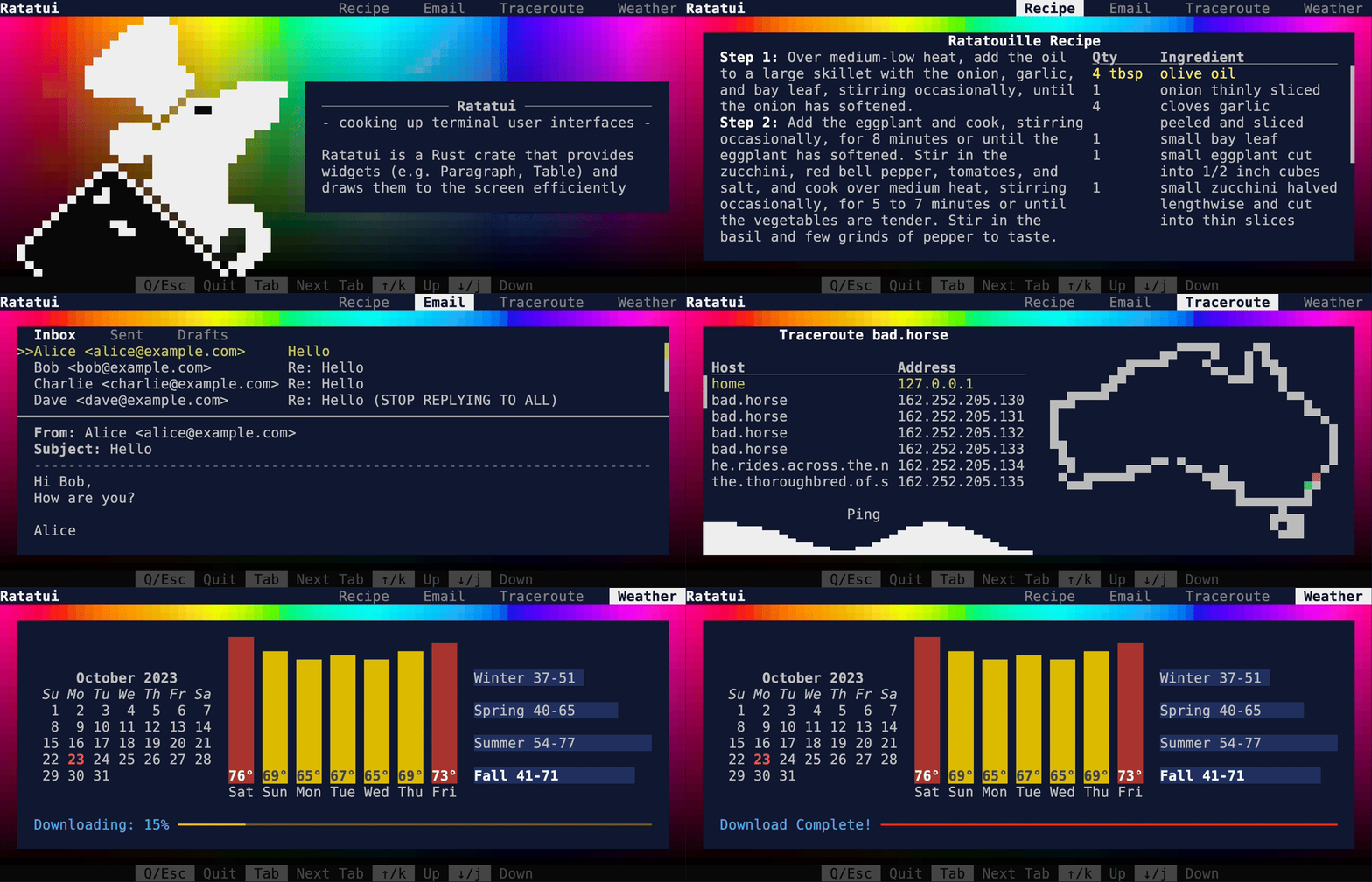
|
||||
@@ -1,75 +0,0 @@
|
||||
use ratatui::{
|
||||
buffer::Buffer,
|
||||
layout::{Alignment, Constraint, Layout, Margin, Rect},
|
||||
widgets::{
|
||||
Block, Borders, Clear, MascotEyeColor, Padding, Paragraph, RatatuiMascot, Widget, Wrap,
|
||||
},
|
||||
};
|
||||
|
||||
use crate::{RgbSwatch, THEME};
|
||||
|
||||
#[derive(Debug, Clone, Copy, Default, PartialEq, Eq)]
|
||||
pub struct AboutTab {
|
||||
row_index: usize,
|
||||
}
|
||||
|
||||
impl AboutTab {
|
||||
pub fn prev_row(&mut self) {
|
||||
self.row_index = self.row_index.saturating_sub(1);
|
||||
}
|
||||
|
||||
pub fn next_row(&mut self) {
|
||||
self.row_index = self.row_index.saturating_add(1);
|
||||
}
|
||||
}
|
||||
|
||||
impl Widget for AboutTab {
|
||||
fn render(self, area: Rect, buf: &mut Buffer) {
|
||||
RgbSwatch.render(area, buf);
|
||||
let horizontal = Layout::horizontal([Constraint::Length(34), Constraint::Min(0)]);
|
||||
let [logo_area, description] = horizontal.areas(area);
|
||||
render_crate_description(description, buf);
|
||||
let eye_state = if self.row_index % 2 == 0 {
|
||||
MascotEyeColor::Default
|
||||
} else {
|
||||
MascotEyeColor::Red
|
||||
};
|
||||
RatatuiMascot::default().set_eye(eye_state).render(
|
||||
logo_area.inner(Margin {
|
||||
vertical: 0,
|
||||
horizontal: 2,
|
||||
}),
|
||||
buf,
|
||||
);
|
||||
}
|
||||
}
|
||||
|
||||
fn render_crate_description(area: Rect, buf: &mut Buffer) {
|
||||
let area = area.inner(Margin {
|
||||
vertical: 4,
|
||||
horizontal: 2,
|
||||
});
|
||||
Clear.render(area, buf); // clear out the color swatches
|
||||
Block::new().style(THEME.content).render(area, buf);
|
||||
let area = area.inner(Margin {
|
||||
vertical: 1,
|
||||
horizontal: 2,
|
||||
});
|
||||
let text = "- cooking up terminal user interfaces -
|
||||
|
||||
Ratatui is a Rust crate that provides widgets (e.g. Paragraph, Table) and draws them to the \
|
||||
screen efficiently every frame.";
|
||||
Paragraph::new(text)
|
||||
.style(THEME.description)
|
||||
.block(
|
||||
Block::new()
|
||||
.title(" Ratatui ")
|
||||
.title_alignment(Alignment::Center)
|
||||
.borders(Borders::TOP)
|
||||
.border_style(THEME.description_title)
|
||||
.padding(Padding::new(0, 0, 0, 0)),
|
||||
)
|
||||
.wrap(Wrap { trim: true })
|
||||
.scroll((0, 0))
|
||||
.render(area, buf);
|
||||
}
|
||||
@@ -1,15 +0,0 @@
|
||||
[package]
|
||||
name = "flex"
|
||||
publish = false
|
||||
license.workspace = true
|
||||
edition.workspace = true
|
||||
rust-version.workspace = true
|
||||
|
||||
[dependencies]
|
||||
color-eyre.workspace = true
|
||||
crossterm.workspace = true
|
||||
ratatui.workspace = true
|
||||
strum.workspace = true
|
||||
|
||||
[lints]
|
||||
workspace = true
|
||||
@@ -1,9 +0,0 @@
|
||||
# Flex demo
|
||||
|
||||
This interactive example shows how to use the flex layouts.
|
||||
|
||||
To run this demo:
|
||||
|
||||
```shell
|
||||
cargo run -p flex
|
||||
```
|
||||
@@ -1,14 +0,0 @@
|
||||
[package]
|
||||
name = "gauge"
|
||||
publish = false
|
||||
license.workspace = true
|
||||
edition.workspace = true
|
||||
rust-version.workspace = true
|
||||
|
||||
[dependencies]
|
||||
color-eyre.workspace = true
|
||||
crossterm.workspace = true
|
||||
ratatui.workspace = true
|
||||
|
||||
[lints]
|
||||
workspace = true
|
||||
@@ -1,9 +0,0 @@
|
||||
# Gauge demo
|
||||
|
||||
This example shows different types of gauges.
|
||||
|
||||
To run this demo:
|
||||
|
||||
```shell
|
||||
cargo run -p gauge
|
||||
```
|
||||
@@ -1,14 +0,0 @@
|
||||
[package]
|
||||
name = "hello-world"
|
||||
publish = false
|
||||
license.workspace = true
|
||||
edition.workspace = true
|
||||
rust-version.workspace = true
|
||||
|
||||
[dependencies]
|
||||
color-eyre.workspace = true
|
||||
crossterm.workspace = true
|
||||
ratatui.workspace = true
|
||||
|
||||
[lints]
|
||||
workspace = true
|
||||
@@ -1,9 +0,0 @@
|
||||
# Hello World demo
|
||||
|
||||
This example shows how to create a simple TUI with a text.
|
||||
|
||||
To run this demo:
|
||||
|
||||
```shell
|
||||
cargo run -p hello-world
|
||||
```
|
||||
@@ -1,15 +0,0 @@
|
||||
[package]
|
||||
name = "hyperlink"
|
||||
publish = false
|
||||
license.workspace = true
|
||||
edition.workspace = true
|
||||
rust-version.workspace = true
|
||||
|
||||
[dependencies]
|
||||
color-eyre.workspace = true
|
||||
crossterm.workspace = true
|
||||
itertools.workspace = true
|
||||
ratatui.workspace = true
|
||||
|
||||
[lints]
|
||||
workspace = true
|
||||
@@ -1,9 +0,0 @@
|
||||
# Hyperlink demo
|
||||
|
||||
This example shows how to render hyperlinks in a terminal using [OSC 8](https://gist.github.com/egmontkob/eb114294efbcd5adb1944c9f3cb5feda).
|
||||
|
||||
To run this demo:
|
||||
|
||||
```shell
|
||||
cargo run -p hyperlink
|
||||
```
|
||||
@@ -1,15 +0,0 @@
|
||||
[package]
|
||||
name = "inline"
|
||||
publish = false
|
||||
license.workspace = true
|
||||
edition.workspace = true
|
||||
rust-version.workspace = true
|
||||
|
||||
[dependencies]
|
||||
color-eyre.workspace = true
|
||||
crossterm.workspace = true
|
||||
rand = "0.9.0"
|
||||
ratatui.workspace = true
|
||||
|
||||
[lints]
|
||||
workspace = true
|
||||
@@ -1,9 +0,0 @@
|
||||
# Inline demo
|
||||
|
||||
This example shows how to use the inlined viewport to render in a specific area of the screen.
|
||||
|
||||
To run this demo:
|
||||
|
||||
```shell
|
||||
cargo run -p inline
|
||||
```
|
||||
@@ -1,16 +0,0 @@
|
||||
[package]
|
||||
name = "input-form"
|
||||
publish = false
|
||||
license.workspace = true
|
||||
edition.workspace = true
|
||||
rust-version.workspace = true
|
||||
|
||||
[dependencies]
|
||||
color-eyre.workspace = true
|
||||
crossterm.workspace = true
|
||||
ratatui.workspace = true
|
||||
serde.workspace = true
|
||||
serde_json.workspace = true
|
||||
|
||||
[lints]
|
||||
workspace = true
|
||||
@@ -1,27 +0,0 @@
|
||||
# Input Form example
|
||||
|
||||
This example demonstrates how to handle input across several form fields (2 strings and an number).
|
||||
It uses an enum to track the focused field, and sends keyboard events to one which is current.
|
||||
|
||||
Run this example with:
|
||||
|
||||
```shell
|
||||
cargo run -p input-form
|
||||
```
|
||||
|
||||
This example does not handle things like cursor movement within the line (just keys and backspace).
|
||||
Most apps would benefit from using the following crates for text input rather than directly using
|
||||
strings:
|
||||
|
||||
- [`tui-input`](https://crates.io/crates/tui-input)
|
||||
- [`tui-prompts`](https://crates.io/crates/tui-prompts)
|
||||
- [`tui-textarea`](https://crates.io/crates/tui-textarea)
|
||||
- [`rat-salsa`](https://crates.io/crates/rat-salsa)
|
||||
|
||||
Some more ideas for handling focus can be found in:
|
||||
|
||||
- [`focusable`](https://crates.io/crates/focusable) (see also [Ratatui forum
|
||||
post](https://forum.ratatui.rs/t/focusable-crate-manage-focus-state-for-your-widgets/73))
|
||||
- [`rat-focus`](https://crates.io/crates/rat-focus)
|
||||
- A useful [`Bevy` discssion](https://github.com/bevyengine/bevy/discussions/15374) about focus
|
||||
more generally.
|
||||
@@ -1,270 +0,0 @@
|
||||
//! A Ratatui example that demonstrates how to handle input form focus
|
||||
//!
|
||||
//! This example demonstrates how to handle cursor and input focus between multiple fields in a
|
||||
//! form. You can navigate between fields using the Tab key.
|
||||
//!
|
||||
//! This does not handle cursor movement etc. This is just a simple example. In a real application,
|
||||
//! consider using [`tui-input`], or [`tui-prompts`], or [`tui-textarea`].
|
||||
//!
|
||||
//! This example runs with the Ratatui library code in the branch that you are currently reading.
|
||||
//! See the [`latest`] branch for the code which works with the most recent Ratatui release.
|
||||
//!
|
||||
//! [`latest`]: https://github.com/ratatui/ratatui/tree/latest
|
||||
//! [`tui-input`]: https://crates.io/crates/tui-input
|
||||
//! [`tui-prompts`]: https://crates.io/crates/tui-prompts
|
||||
//! [`tui-textarea`]: https://crates.io/crates/tui-textarea
|
||||
|
||||
use color_eyre::Result;
|
||||
use crossterm::event::{self, Event, KeyCode, KeyEvent, KeyEventKind};
|
||||
use ratatui::{
|
||||
buffer::Buffer,
|
||||
layout::{Constraint, Layout, Offset, Rect},
|
||||
style::Stylize,
|
||||
text::Line,
|
||||
widgets::Widget,
|
||||
DefaultTerminal, Frame,
|
||||
};
|
||||
use serde::Serialize;
|
||||
|
||||
fn main() -> Result<()> {
|
||||
color_eyre::install()?;
|
||||
let terminal = ratatui::init();
|
||||
let result = App::default().run(terminal);
|
||||
ratatui::restore();
|
||||
|
||||
// serialize the form to JSON if the user submitted it, otherwise print "Canceled"
|
||||
match result {
|
||||
Ok(Some(form)) => println!("{}", serde_json::to_string_pretty(&form)?),
|
||||
Ok(None) => println!("Canceled"),
|
||||
Err(err) => eprintln!("{err}"),
|
||||
}
|
||||
Ok(())
|
||||
}
|
||||
|
||||
#[derive(Default)]
|
||||
struct App {
|
||||
state: AppState,
|
||||
form: InputForm,
|
||||
}
|
||||
|
||||
#[derive(Default, PartialEq, Eq)]
|
||||
enum AppState {
|
||||
#[default]
|
||||
Running,
|
||||
Cancelled,
|
||||
Submitted,
|
||||
}
|
||||
|
||||
impl App {
|
||||
fn run(mut self, mut terminal: DefaultTerminal) -> Result<Option<InputForm>> {
|
||||
while self.state == AppState::Running {
|
||||
terminal.draw(|frame| self.render(frame))?;
|
||||
self.handle_events()?;
|
||||
}
|
||||
match self.state {
|
||||
AppState::Cancelled => Ok(None),
|
||||
AppState::Submitted => Ok(Some(self.form)),
|
||||
AppState::Running => unreachable!(),
|
||||
}
|
||||
}
|
||||
|
||||
fn render(&self, frame: &mut Frame) {
|
||||
self.form.render(frame);
|
||||
}
|
||||
|
||||
fn handle_events(&mut self) -> Result<()> {
|
||||
match event::read()? {
|
||||
Event::Key(event) if event.kind == KeyEventKind::Press => match event.code {
|
||||
KeyCode::Esc => self.state = AppState::Cancelled,
|
||||
KeyCode::Enter => self.state = AppState::Submitted,
|
||||
_ => self.form.on_key_press(event),
|
||||
},
|
||||
_ => {}
|
||||
}
|
||||
Ok(())
|
||||
}
|
||||
}
|
||||
|
||||
#[derive(Serialize)]
|
||||
struct InputForm {
|
||||
#[serde(skip)]
|
||||
focus: Focus,
|
||||
first_name: StringField,
|
||||
last_name: StringField,
|
||||
age: AgeField,
|
||||
}
|
||||
|
||||
impl Default for InputForm {
|
||||
fn default() -> Self {
|
||||
Self {
|
||||
focus: Focus::FirstName,
|
||||
first_name: StringField::new("First Name"),
|
||||
last_name: StringField::new("Last Name"),
|
||||
age: AgeField::new("Age"),
|
||||
}
|
||||
}
|
||||
}
|
||||
|
||||
impl InputForm {
|
||||
// Handle focus navigation or pass the event to the focused field.
|
||||
fn on_key_press(&mut self, event: KeyEvent) {
|
||||
match event.code {
|
||||
KeyCode::Tab => self.focus = self.focus.next(),
|
||||
_ => match self.focus {
|
||||
Focus::FirstName => self.first_name.on_key_press(event),
|
||||
Focus::LastName => self.last_name.on_key_press(event),
|
||||
Focus::Age => self.age.on_key_press(event),
|
||||
},
|
||||
}
|
||||
}
|
||||
|
||||
/// Render the form with the current focus.
|
||||
///
|
||||
/// The cursor is placed at the end of the focused field.
|
||||
fn render(&self, frame: &mut Frame) {
|
||||
let [first_name_area, last_name_area, age_area] =
|
||||
Layout::vertical(Constraint::from_lengths([1, 1, 1])).areas(frame.area());
|
||||
|
||||
frame.render_widget(&self.first_name, first_name_area);
|
||||
frame.render_widget(&self.last_name, last_name_area);
|
||||
frame.render_widget(&self.age, age_area);
|
||||
|
||||
let cursor_position = match self.focus {
|
||||
Focus::FirstName => first_name_area.offset(self.first_name.cursor_offset()),
|
||||
Focus::LastName => last_name_area.offset(self.last_name.cursor_offset()),
|
||||
Focus::Age => age_area.offset(self.age.cursor_offset()),
|
||||
};
|
||||
frame.set_cursor_position(cursor_position);
|
||||
}
|
||||
}
|
||||
|
||||
#[derive(Default, PartialEq, Eq)]
|
||||
enum Focus {
|
||||
#[default]
|
||||
FirstName,
|
||||
LastName,
|
||||
Age,
|
||||
}
|
||||
|
||||
impl Focus {
|
||||
// Round-robin focus order.
|
||||
const fn next(&self) -> Self {
|
||||
match self {
|
||||
Self::FirstName => Self::LastName,
|
||||
Self::LastName => Self::Age,
|
||||
Self::Age => Self::FirstName,
|
||||
}
|
||||
}
|
||||
}
|
||||
|
||||
/// A new-type representing a string field with a label.
|
||||
#[derive(Debug, Serialize)]
|
||||
struct StringField {
|
||||
#[serde(skip)]
|
||||
label: &'static str,
|
||||
value: String,
|
||||
}
|
||||
|
||||
impl StringField {
|
||||
const fn new(label: &'static str) -> Self {
|
||||
Self {
|
||||
label,
|
||||
value: String::new(),
|
||||
}
|
||||
}
|
||||
|
||||
/// Handle input events for the string input.
|
||||
fn on_key_press(&mut self, event: KeyEvent) {
|
||||
match event.code {
|
||||
KeyCode::Char(c) => self.value.push(c),
|
||||
KeyCode::Backspace => {
|
||||
self.value.pop();
|
||||
}
|
||||
_ => {}
|
||||
}
|
||||
}
|
||||
|
||||
fn cursor_offset(&self) -> Offset {
|
||||
let x = (self.label.len() + self.value.len() + 2) as i32;
|
||||
Offset::new(x, 0)
|
||||
}
|
||||
}
|
||||
|
||||
impl Widget for &StringField {
|
||||
fn render(self, area: Rect, buf: &mut Buffer) {
|
||||
let constraints = [
|
||||
Constraint::Length(self.label.len() as u16 + 2),
|
||||
Constraint::Fill(1),
|
||||
];
|
||||
let [label_area, value_area] = Layout::horizontal(constraints).areas(area);
|
||||
let label = Line::from_iter([self.label, ": "]).bold();
|
||||
label.render(label_area, buf);
|
||||
self.value.clone().render(value_area, buf);
|
||||
}
|
||||
}
|
||||
|
||||
/// A new-type representing a person's age in years (0-130).
|
||||
#[derive(Default, Clone, Copy, Serialize)]
|
||||
struct AgeField {
|
||||
#[serde(skip)]
|
||||
label: &'static str,
|
||||
value: u8,
|
||||
}
|
||||
|
||||
impl AgeField {
|
||||
const MAX: u8 = 130;
|
||||
|
||||
const fn new(label: &'static str) -> Self {
|
||||
Self { label, value: 0 }
|
||||
}
|
||||
|
||||
/// Handle input events for the age input.
|
||||
///
|
||||
/// Digits are accepted as input, with any input which would exceed the maximum age being
|
||||
/// ignored. The up/down arrow keys and 'j'/'k' keys can be used to increment/decrement the
|
||||
/// age.
|
||||
fn on_key_press(&mut self, event: KeyEvent) {
|
||||
match event.code {
|
||||
KeyCode::Char(digit @ '0'..='9') => {
|
||||
let value = self
|
||||
.value
|
||||
.saturating_mul(10)
|
||||
.saturating_add(digit as u8 - b'0');
|
||||
if value <= Self::MAX {
|
||||
self.value = value;
|
||||
}
|
||||
}
|
||||
KeyCode::Backspace => self.value /= 10,
|
||||
KeyCode::Up | KeyCode::Char('k') => self.increment(),
|
||||
KeyCode::Down | KeyCode::Char('j') => self.decrement(),
|
||||
_ => {}
|
||||
};
|
||||
}
|
||||
|
||||
fn increment(&mut self) {
|
||||
self.value = self.value.saturating_add(1).min(Self::MAX);
|
||||
}
|
||||
|
||||
fn decrement(&mut self) {
|
||||
self.value = self.value.saturating_sub(1);
|
||||
}
|
||||
|
||||
fn cursor_offset(&self) -> Offset {
|
||||
let x = (self.label.len() + self.value.to_string().len() + 2) as i32;
|
||||
Offset::new(x, 0)
|
||||
}
|
||||
}
|
||||
|
||||
impl Widget for &AgeField {
|
||||
fn render(self, area: Rect, buf: &mut Buffer) {
|
||||
let constraints = [
|
||||
Constraint::Length(self.label.len() as u16 + 2),
|
||||
Constraint::Fill(1),
|
||||
];
|
||||
let [label_area, value_area] = Layout::horizontal(constraints).areas(area);
|
||||
let label = Line::from_iter([self.label, ": "]).bold();
|
||||
let value = self.value.to_string();
|
||||
label.render(label_area, buf);
|
||||
value.render(value_area, buf);
|
||||
}
|
||||
}
|
||||
@@ -1,13 +0,0 @@
|
||||
[package]
|
||||
name = "minimal"
|
||||
publish = false
|
||||
license.workspace = true
|
||||
edition.workspace = true
|
||||
rust-version.workspace = true
|
||||
|
||||
[dependencies]
|
||||
crossterm.workspace = true
|
||||
ratatui.workspace = true
|
||||
|
||||
[lints]
|
||||
workspace = true
|
||||
@@ -1,9 +0,0 @@
|
||||
# Minimal demo
|
||||
|
||||
This example shows how to create a minimal application.
|
||||
|
||||
To run this demo:
|
||||
|
||||
```shell
|
||||
cargo run -p minimal
|
||||
```
|
||||
@@ -1,31 +0,0 @@
|
||||
/// A minimal example of a Ratatui application.
|
||||
///
|
||||
/// This is a bare minimum example. There are many approaches to running an application loop,
|
||||
/// so this is not meant to be prescriptive. See the [examples] folder for more complete
|
||||
/// examples. In particular, the [hello-world] example is a good starting point.
|
||||
///
|
||||
/// This example runs with the Ratatui library code in the branch that you are currently
|
||||
/// reading. See the [`latest`] branch for the code which works with the most recent Ratatui
|
||||
/// release.
|
||||
///
|
||||
/// [`latest`]: https://github.com/ratatui/ratatui/tree/latest
|
||||
/// [examples]: https://github.com/ratatui/ratatui/blob/main/examples
|
||||
/// [hello-world]: https://github.com/ratatui/ratatui/blob/main/examples/apps/hello-world
|
||||
use crossterm::event::{self, Event};
|
||||
use ratatui::{text::Text, Frame};
|
||||
|
||||
fn main() {
|
||||
let mut terminal = ratatui::init();
|
||||
loop {
|
||||
terminal.draw(draw).expect("failed to draw frame");
|
||||
if matches!(event::read().expect("failed to read event"), Event::Key(_)) {
|
||||
break;
|
||||
}
|
||||
}
|
||||
ratatui::restore();
|
||||
}
|
||||
|
||||
fn draw(frame: &mut Frame) {
|
||||
let text = Text::raw("Hello World!");
|
||||
frame.render_widget(text, frame.area());
|
||||
}
|
||||
@@ -1,15 +0,0 @@
|
||||
[package]
|
||||
name = "modifiers"
|
||||
publish = false
|
||||
license.workspace = true
|
||||
edition.workspace = true
|
||||
rust-version.workspace = true
|
||||
|
||||
[dependencies]
|
||||
color-eyre.workspace = true
|
||||
crossterm.workspace = true
|
||||
itertools.workspace = true
|
||||
ratatui.workspace = true
|
||||
|
||||
[lints]
|
||||
workspace = true
|
||||
@@ -1,9 +0,0 @@
|
||||
# Modifiers demo
|
||||
|
||||
This example shows different types of modifiers.
|
||||
|
||||
To run this demo:
|
||||
|
||||
```shell
|
||||
cargo run -p modifiers
|
||||
```
|
||||
@@ -1,17 +0,0 @@
|
||||
[package]
|
||||
name = "mouse-drawing"
|
||||
publish = false
|
||||
license.workspace = true
|
||||
edition.workspace = true
|
||||
rust-version.workspace = true
|
||||
|
||||
[dependencies]
|
||||
color-eyre.workspace = true
|
||||
crossterm.workspace = true
|
||||
## a collection of line drawing algorithms (e.g. Bresenham's line algorithm)
|
||||
line_drawing = "1.0.0"
|
||||
rand = "0.9.0"
|
||||
ratatui.workspace = true
|
||||
|
||||
[lints]
|
||||
workspace = true
|
||||
@@ -1,9 +0,0 @@
|
||||
# Mouse drawing demo
|
||||
|
||||
This example shows how to receive mouse and handle mouse events.
|
||||
|
||||
To run this demo:
|
||||
|
||||
```shell
|
||||
cargo run -p mouse-drawing
|
||||
```
|
||||
@@ -1,123 +0,0 @@
|
||||
/// A Ratatui example that demonstrates how to handle mouse events.
|
||||
///
|
||||
/// This example demonstrates how to handle mouse events in Ratatui. You can draw lines by
|
||||
/// clicking and dragging the mouse.
|
||||
///
|
||||
/// This example runs with the Ratatui library code in the branch that you are currently
|
||||
/// reading. See the [`latest`] branch for the code which works with the most recent Ratatui
|
||||
/// release.
|
||||
///
|
||||
/// [`latest`]: https://github.com/ratatui/ratatui/tree/latest
|
||||
use color_eyre::Result;
|
||||
use crossterm::{
|
||||
event::{
|
||||
self, DisableMouseCapture, EnableMouseCapture, Event, KeyCode, KeyEvent, MouseEvent,
|
||||
MouseEventKind,
|
||||
},
|
||||
execute,
|
||||
};
|
||||
use ratatui::{
|
||||
layout::{Position, Rect, Size},
|
||||
style::{Color, Stylize},
|
||||
symbols,
|
||||
text::Line,
|
||||
DefaultTerminal, Frame,
|
||||
};
|
||||
|
||||
fn main() -> Result<()> {
|
||||
color_eyre::install()?;
|
||||
let terminal = ratatui::init();
|
||||
let result = MouseDrawingApp::default().run(terminal);
|
||||
ratatui::restore();
|
||||
result
|
||||
}
|
||||
|
||||
#[derive(Default)]
|
||||
struct MouseDrawingApp {
|
||||
// Whether the app should exit
|
||||
pub should_exit: bool,
|
||||
// The last known mouse position
|
||||
pub mouse_position: Option<Position>,
|
||||
// The points that have been clicked / drawn by dragging the mouse
|
||||
pub points: Vec<(Position, Color)>,
|
||||
// The color to draw with
|
||||
pub current_color: Color,
|
||||
}
|
||||
|
||||
impl MouseDrawingApp {
|
||||
fn run(mut self, mut terminal: DefaultTerminal) -> Result<()> {
|
||||
execute!(std::io::stdout(), EnableMouseCapture)?;
|
||||
while !self.should_exit {
|
||||
terminal.draw(|frame| self.render(frame))?;
|
||||
self.handle_events()?;
|
||||
}
|
||||
execute!(std::io::stdout(), DisableMouseCapture)?;
|
||||
Ok(())
|
||||
}
|
||||
|
||||
fn handle_events(&mut self) -> Result<()> {
|
||||
match event::read()? {
|
||||
Event::Key(event) => self.on_key_event(event),
|
||||
Event::Mouse(event) => self.on_mouse_event(event),
|
||||
_ => {}
|
||||
}
|
||||
Ok(())
|
||||
}
|
||||
|
||||
/// Quit the app if the user presses 'q' or 'Esc'
|
||||
fn on_key_event(&mut self, event: KeyEvent) {
|
||||
match event.code {
|
||||
KeyCode::Char(' ') => {
|
||||
self.current_color = Color::Rgb(rand::random(), rand::random(), rand::random());
|
||||
}
|
||||
KeyCode::Char('q') | KeyCode::Esc => self.should_exit = true,
|
||||
_ => {}
|
||||
}
|
||||
}
|
||||
|
||||
/// Adds any points which were clicked or dragged to the `points` vector.
|
||||
fn on_mouse_event(&mut self, event: MouseEvent) {
|
||||
let position = Position::new(event.column, event.row);
|
||||
match event.kind {
|
||||
MouseEventKind::Down(_) => self.points.push((position, self.current_color)),
|
||||
MouseEventKind::Drag(_) => self.draw_line(position),
|
||||
_ => {}
|
||||
}
|
||||
self.mouse_position = Some(position);
|
||||
}
|
||||
|
||||
/// Draw a line between the last point and the given position
|
||||
fn draw_line(&mut self, position: Position) {
|
||||
if let Some(start) = self.points.last() {
|
||||
let (x0, y0) = (i32::from(start.0.x), i32::from(start.0.y));
|
||||
let (x1, y1) = (i32::from(position.x), i32::from(position.y));
|
||||
for (x, y) in line_drawing::Bresenham::new((x0, y0), (x1, y1)) {
|
||||
let point = (Position::new(x as u16, y as u16), self.current_color);
|
||||
self.points.push(point);
|
||||
}
|
||||
}
|
||||
}
|
||||
|
||||
fn render(&self, frame: &mut Frame) {
|
||||
// call order is important here as later elements are drawn on top of earlier elements
|
||||
self.render_points(frame);
|
||||
self.render_mouse_cursor(frame);
|
||||
let value = "Mouse Example ('Esc' to quit. Click / drag to draw. 'Space' to change color)";
|
||||
let title = Line::from(value).centered();
|
||||
frame.render_widget(title, frame.area());
|
||||
}
|
||||
|
||||
fn render_points(&self, frame: &mut Frame<'_>) {
|
||||
for (position, color) in &self.points {
|
||||
let area = Rect::from((*position, Size::new(1, 1))).clamp(frame.area());
|
||||
frame.render_widget(symbols::block::FULL.fg(*color), area);
|
||||
}
|
||||
}
|
||||
|
||||
fn render_mouse_cursor(&self, frame: &mut Frame<'_>) {
|
||||
if let Some(position) = self.mouse_position {
|
||||
let area = Rect::from((position, Size::new(1, 1))).clamp(frame.area());
|
||||
frame.render_widget("╳".bg(self.current_color), area);
|
||||
}
|
||||
}
|
||||
}
|
||||
@@ -1,14 +0,0 @@
|
||||
[package]
|
||||
name = "panic"
|
||||
publish = false
|
||||
license.workspace = true
|
||||
edition.workspace = true
|
||||
rust-version.workspace = true
|
||||
|
||||
[dependencies]
|
||||
color-eyre.workspace = true
|
||||
crossterm.workspace = true
|
||||
ratatui.workspace = true
|
||||
|
||||
[lints]
|
||||
workspace = true
|
||||
@@ -1,9 +0,0 @@
|
||||
# Panic demo
|
||||
|
||||
This example shows how to handle panics in your application.
|
||||
|
||||
To run this demo:
|
||||
|
||||
```shell
|
||||
cargo run -p panic
|
||||
```
|
||||
@@ -1,14 +0,0 @@
|
||||
[package]
|
||||
name = "popup"
|
||||
publish = false
|
||||
license.workspace = true
|
||||
edition.workspace = true
|
||||
rust-version.workspace = true
|
||||
|
||||
[dependencies]
|
||||
color-eyre.workspace = true
|
||||
crossterm.workspace = true
|
||||
ratatui.workspace = true
|
||||
|
||||
[lints]
|
||||
workspace = true
|
||||
@@ -1,9 +0,0 @@
|
||||
# Popup demo
|
||||
|
||||
This example shows how to handle popups.
|
||||
|
||||
To run this demo:
|
||||
|
||||
```shell
|
||||
cargo run -p popup
|
||||
```
|
||||
@@ -1,14 +0,0 @@
|
||||
[package]
|
||||
name = "scrollbar"
|
||||
publish = false
|
||||
license.workspace = true
|
||||
edition.workspace = true
|
||||
rust-version.workspace = true
|
||||
|
||||
[dependencies]
|
||||
color-eyre.workspace = true
|
||||
crossterm.workspace = true
|
||||
ratatui.workspace = true
|
||||
|
||||
[lints]
|
||||
workspace = true
|
||||
@@ -1,9 +0,0 @@
|
||||
# Scrollbar demo
|
||||
|
||||
This example shows how to render different types of scrollbars.
|
||||
|
||||
To run this demo:
|
||||
|
||||
```shell
|
||||
cargo run -p scrollbar
|
||||
```
|
||||
@@ -1,17 +0,0 @@
|
||||
[package]
|
||||
name = "table"
|
||||
publish = false
|
||||
license.workspace = true
|
||||
edition.workspace = true
|
||||
rust-version.workspace = true
|
||||
|
||||
[dependencies]
|
||||
color-eyre.workspace = true
|
||||
crossterm.workspace = true
|
||||
fakeit = "1.1"
|
||||
itertools.workspace = true
|
||||
ratatui.workspace = true
|
||||
unicode-width.workspace = true
|
||||
|
||||
[lints]
|
||||
workspace = true
|
||||
@@ -1,9 +0,0 @@
|
||||
# Table demo
|
||||
|
||||
This example shows how to create an interactive table.
|
||||
|
||||
To run this demo:
|
||||
|
||||
```shell
|
||||
cargo run -p table
|
||||
```
|
||||
@@ -1,14 +0,0 @@
|
||||
[package]
|
||||
name = "todo-list"
|
||||
publish = false
|
||||
license.workspace = true
|
||||
edition.workspace = true
|
||||
rust-version.workspace = true
|
||||
|
||||
[dependencies]
|
||||
color-eyre.workspace = true
|
||||
crossterm.workspace = true
|
||||
ratatui.workspace = true
|
||||
|
||||
[lints]
|
||||
workspace = true
|
||||
@@ -1,9 +0,0 @@
|
||||
# Todo list demo
|
||||
|
||||
This example demonstrates a simple todo list application.
|
||||
|
||||
To run this demo:
|
||||
|
||||
```shell
|
||||
cargo run -p todo-list
|
||||
```
|
||||
@@ -1,17 +0,0 @@
|
||||
[package]
|
||||
name = "tracing"
|
||||
publish = false
|
||||
license.workspace = true
|
||||
edition.workspace = true
|
||||
rust-version.workspace = true
|
||||
|
||||
[dependencies]
|
||||
color-eyre.workspace = true
|
||||
crossterm.workspace = true
|
||||
ratatui.workspace = true
|
||||
tracing = "0.1.40"
|
||||
tracing-appender = "0.2.3"
|
||||
tracing-subscriber = { version = "0.3.18", features = ["env-filter"] }
|
||||
|
||||
[lints]
|
||||
workspace = true
|
||||
@@ -1,9 +0,0 @@
|
||||
# Tracing demo
|
||||
|
||||
This example demonstrates how to use the [tracing](https://crates.io/crates/tracing) crate to log to a file.
|
||||
|
||||
To run this demo:
|
||||
|
||||
```shell
|
||||
cargo run -p tracing
|
||||
```
|
||||
@@ -1,14 +0,0 @@
|
||||
[package]
|
||||
name = "user-input"
|
||||
publish = false
|
||||
license.workspace = true
|
||||
edition.workspace = true
|
||||
rust-version.workspace = true
|
||||
|
||||
[dependencies]
|
||||
color-eyre.workspace = true
|
||||
crossterm.workspace = true
|
||||
ratatui.workspace = true
|
||||
|
||||
[lints]
|
||||
workspace = true
|
||||
@@ -1,9 +0,0 @@
|
||||
# User input demo
|
||||
|
||||
This example shows how to handle user input.
|
||||
|
||||
To run this demo:
|
||||
|
||||
```shell
|
||||
cargo run -p user-input
|
||||
```
|
||||
@@ -1,15 +0,0 @@
|
||||
[package]
|
||||
name = "weather"
|
||||
publish = false
|
||||
license.workspace = true
|
||||
edition.workspace = true
|
||||
rust-version.workspace = true
|
||||
|
||||
[dependencies]
|
||||
color-eyre.workspace = true
|
||||
crossterm.workspace = true
|
||||
rand = "0.9.0"
|
||||
ratatui.workspace = true
|
||||
|
||||
[lints]
|
||||
workspace = true
|
||||
@@ -1,9 +0,0 @@
|
||||
# Weather demo
|
||||
|
||||
This example shows how to render weather data using barchart widget.
|
||||
|
||||
To run this demo:
|
||||
|
||||
```shell
|
||||
cargo run -p weather
|
||||
```
|
||||
@@ -1,98 +0,0 @@
|
||||
//! A Ratatui example that demonstrates how to render weather data using [`BarChart`] widget.
|
||||
//!
|
||||
//! Generates random temperature data for each hour of the day and renders it as a vertical bar.
|
||||
//!
|
||||
//! This example runs with the Ratatui library code in the branch that you are currently reading.
|
||||
//! See the [`latest`] branch for the code which works with the most recent Ratatui release.
|
||||
//!
|
||||
//! [`latest`]: https://github.com/ratatui/ratatui/tree/latest
|
||||
//! [`BarChart`]: https://docs.rs/ratatui/latest/ratatui/widgets/struct.BarChart.html
|
||||
|
||||
use color_eyre::Result;
|
||||
use rand::{rng, Rng};
|
||||
use ratatui::{
|
||||
crossterm::event::{self, Event, KeyCode, KeyEventKind},
|
||||
layout::{Constraint, Layout},
|
||||
style::{Color, Style, Stylize},
|
||||
text::Line,
|
||||
widgets::{Bar, BarChart, BarGroup},
|
||||
DefaultTerminal, Frame,
|
||||
};
|
||||
|
||||
fn main() -> Result<()> {
|
||||
color_eyre::install()?;
|
||||
let terminal = ratatui::init();
|
||||
let app_result = App::new().run(terminal);
|
||||
ratatui::restore();
|
||||
app_result
|
||||
}
|
||||
|
||||
struct App {
|
||||
should_exit: bool,
|
||||
temperatures: Vec<u8>,
|
||||
}
|
||||
|
||||
impl App {
|
||||
fn new() -> Self {
|
||||
let mut rng = rng();
|
||||
let temperatures = (0..24).map(|_| rng.random_range(50..90)).collect();
|
||||
Self {
|
||||
should_exit: false,
|
||||
temperatures,
|
||||
}
|
||||
}
|
||||
|
||||
fn run(mut self, mut terminal: DefaultTerminal) -> Result<()> {
|
||||
while !self.should_exit {
|
||||
terminal.draw(|frame| self.draw(frame))?;
|
||||
self.handle_events()?;
|
||||
}
|
||||
Ok(())
|
||||
}
|
||||
|
||||
fn handle_events(&mut self) -> Result<()> {
|
||||
if let Event::Key(key) = event::read()? {
|
||||
if key.kind == KeyEventKind::Press && key.code == KeyCode::Char('q') {
|
||||
self.should_exit = true;
|
||||
}
|
||||
}
|
||||
Ok(())
|
||||
}
|
||||
|
||||
fn draw(&self, frame: &mut Frame) {
|
||||
let [title, main] = Layout::vertical([Constraint::Length(1), Constraint::Fill(1)])
|
||||
.spacing(1)
|
||||
.areas(frame.area());
|
||||
|
||||
frame.render_widget("Weather demo".bold().into_centered_line(), title);
|
||||
frame.render_widget(vertical_barchart(&self.temperatures), main);
|
||||
}
|
||||
}
|
||||
|
||||
/// Create a vertical bar chart from the temperatures data.
|
||||
fn vertical_barchart(temperatures: &[u8]) -> BarChart {
|
||||
let bars: Vec<Bar> = temperatures
|
||||
.iter()
|
||||
.enumerate()
|
||||
.map(|(hour, value)| vertical_bar(hour, value))
|
||||
.collect();
|
||||
BarChart::default()
|
||||
.data(BarGroup::default().bars(&bars))
|
||||
.bar_width(5)
|
||||
}
|
||||
|
||||
fn vertical_bar(hour: usize, temperature: &u8) -> Bar {
|
||||
Bar::default()
|
||||
.value(u64::from(*temperature))
|
||||
.label(Line::from(format!("{hour:>02}:00")))
|
||||
.text_value(format!("{temperature:>3}°"))
|
||||
.style(temperature_style(*temperature))
|
||||
.value_style(temperature_style(*temperature).reversed())
|
||||
}
|
||||
|
||||
/// create a yellow to red value based on the value (50-90)
|
||||
fn temperature_style(value: u8) -> Style {
|
||||
let green = (255.0 * (1.0 - f64::from(value - 50) / 40.0)) as u8;
|
||||
let color = Color::Rgb(255, green, 0);
|
||||
Style::new().fg(color)
|
||||
}
|
||||
@@ -1,14 +0,0 @@
|
||||
[package]
|
||||
name = "widget-ref-container"
|
||||
publish = false
|
||||
license.workspace = true
|
||||
edition.workspace = true
|
||||
rust-version.workspace = true
|
||||
|
||||
[dependencies]
|
||||
color-eyre.workspace = true
|
||||
crossterm.workspace = true
|
||||
ratatui = { workspace = true, features = ["unstable-widget-ref"] }
|
||||
|
||||
[lints]
|
||||
workspace = true
|
||||
@@ -1,9 +0,0 @@
|
||||
# WidgetRef Container demo
|
||||
|
||||
This example shows how to use [`WidgetRef`](https://docs.rs/ratatui/latest/ratatui/widgets/trait.WidgetRef.html) to store widgets in a container.
|
||||
|
||||
To run this demo:
|
||||
|
||||
```shell
|
||||
cargo run -p widget-ref-container
|
||||
```
|
||||
@@ -1,88 +0,0 @@
|
||||
/// An example of how to use [`WidgetRef`] to store heterogeneous widgets in a container.
|
||||
///
|
||||
/// This example creates a `StackContainer` widget that can hold any number of widgets of
|
||||
/// different types. It creates two widgets, `Greeting` and `Farewell`, and stores them in a
|
||||
/// `StackContainer` with a vertical layout. The `StackContainer` widget renders each of its
|
||||
/// child widgets in the order they were added.
|
||||
///
|
||||
/// This example runs with the Ratatui library code in the branch that you are currently
|
||||
/// reading. See the [`latest`] branch for the code which works with the most recent Ratatui
|
||||
/// release.
|
||||
///
|
||||
/// [`latest`]: https://github.com/ratatui/ratatui/tree/latest
|
||||
use std::iter::zip;
|
||||
|
||||
use color_eyre::Result;
|
||||
use crossterm::event;
|
||||
use ratatui::{
|
||||
buffer::Buffer,
|
||||
layout::{Constraint, Direction, Layout, Rect},
|
||||
widgets::{Block, Paragraph, Widget, WidgetRef},
|
||||
DefaultTerminal, Frame,
|
||||
};
|
||||
|
||||
fn main() -> Result<()> {
|
||||
color_eyre::install()?;
|
||||
let terminal = ratatui::init();
|
||||
let result = run(terminal);
|
||||
ratatui::restore();
|
||||
result
|
||||
}
|
||||
|
||||
fn run(mut terminal: DefaultTerminal) -> Result<()> {
|
||||
loop {
|
||||
terminal.draw(render)?;
|
||||
if matches!(event::read()?, event::Event::Key(_)) {
|
||||
break Ok(());
|
||||
}
|
||||
}
|
||||
}
|
||||
|
||||
fn render(frame: &mut Frame) {
|
||||
let container = StackContainer {
|
||||
direction: Direction::Vertical,
|
||||
widgets: vec![
|
||||
(Box::new(&Greeting), Constraint::Percentage(50)),
|
||||
(Box::new(&Farewell), Constraint::Percentage(50)),
|
||||
],
|
||||
};
|
||||
frame.render_widget(&container, frame.area());
|
||||
}
|
||||
|
||||
struct Greeting;
|
||||
|
||||
impl Widget for &Greeting {
|
||||
fn render(self, area: Rect, buf: &mut Buffer) {
|
||||
Paragraph::new("Hello")
|
||||
.block(Block::bordered())
|
||||
.render(area, buf);
|
||||
}
|
||||
}
|
||||
|
||||
struct Farewell;
|
||||
|
||||
impl Widget for &Farewell {
|
||||
fn render(self, area: Rect, buf: &mut Buffer) {
|
||||
Paragraph::new("Goodbye")
|
||||
.block(Block::bordered())
|
||||
.render(area, buf);
|
||||
}
|
||||
}
|
||||
|
||||
struct StackContainer {
|
||||
direction: Direction,
|
||||
widgets: Vec<(Box<dyn WidgetRef>, Constraint)>,
|
||||
}
|
||||
|
||||
impl Widget for &StackContainer {
|
||||
fn render(self, area: Rect, buf: &mut Buffer) {
|
||||
let layout = Layout::default()
|
||||
.direction(self.direction)
|
||||
.constraints(self.widgets.iter().map(|(_, constraint)| *constraint))
|
||||
.split(area);
|
||||
let widgets = self.widgets.iter().map(|(widget, _)| widget);
|
||||
for (widget, area) in zip(widgets, layout.iter()) {
|
||||
widget.render_ref(*area, buf);
|
||||
}
|
||||
}
|
||||
}
|
||||
@@ -1,7 +1,9 @@
|
||||
//! # [Ratatui] Async example
|
||||
//!
|
||||
//! This example demonstrates how to use Ratatui with widgets that fetch data asynchronously. It
|
||||
//! uses the `octocrab` crate to fetch a list of pull requests from the GitHub API.
|
||||
//! uses the `octocrab` crate to fetch a list of pull requests from the GitHub API. You will need an
|
||||
//! environment variable named `GITHUB_TOKEN` with a valid GitHub personal access token. The token
|
||||
//! does not need any special permissions.
|
||||
//!
|
||||
//! <https://docs.github.com/en/authentication/keeping-your-account-and-data-secure/managing-your-personal-access-tokens#creating-a-fine-grained-personal-access-token>
|
||||
//! <https://github.com/settings/tokens/new> to create a new token (select classic, and no scopes)
|
||||
@@ -32,10 +34,11 @@ use std::{
|
||||
time::Duration,
|
||||
};
|
||||
|
||||
use color_eyre::Result;
|
||||
use color_eyre::{eyre::Context, Result, Section};
|
||||
use futures::StreamExt;
|
||||
use octocrab::{
|
||||
params::{pulls::Sort, Direction},
|
||||
Page,
|
||||
OctocrabBuilder, Page,
|
||||
};
|
||||
use ratatui::{
|
||||
buffer::Buffer,
|
||||
@@ -46,17 +49,29 @@ use ratatui::{
|
||||
widgets::{Block, HighlightSpacing, Row, StatefulWidget, Table, TableState, Widget},
|
||||
DefaultTerminal, Frame,
|
||||
};
|
||||
use tokio_stream::StreamExt;
|
||||
|
||||
#[tokio::main]
|
||||
async fn main() -> Result<()> {
|
||||
color_eyre::install()?;
|
||||
init_octocrab()?;
|
||||
let terminal = ratatui::init();
|
||||
let app_result = App::default().run(terminal).await;
|
||||
ratatui::restore();
|
||||
app_result
|
||||
}
|
||||
|
||||
fn init_octocrab() -> Result<()> {
|
||||
let token = std::env::var("GITHUB_TOKEN")
|
||||
.wrap_err("The GITHUB_TOKEN environment variable was not found")
|
||||
.suggestion(
|
||||
"Go to https://github.com/settings/tokens/new to create a token, and re-run:
|
||||
GITHUB_TOKEN=ghp_... cargo run --example async --features crossterm",
|
||||
)?;
|
||||
let crab = OctocrabBuilder::new().personal_token(token).build()?;
|
||||
octocrab::initialise(crab);
|
||||
Ok(())
|
||||
}
|
||||
|
||||
#[derive(Debug, Default)]
|
||||
struct App {
|
||||
should_quit: bool,
|
||||
211
examples/barchart-grouped.rs
Normal file
211
examples/barchart-grouped.rs
Normal file
@@ -0,0 +1,211 @@
|
||||
//! # [Ratatui] `BarChart` example
|
||||
//!
|
||||
//! The latest version of this example is available in the [examples] folder in the repository.
|
||||
//!
|
||||
//! Please note that the examples are designed to be run against the `main` branch of the Github
|
||||
//! repository. This means that you may not be able to compile with the latest release version on
|
||||
//! crates.io, or the one that you have installed locally.
|
||||
//!
|
||||
//! See the [examples readme] for more information on finding examples that match the version of the
|
||||
//! library you are using.
|
||||
//!
|
||||
//! [Ratatui]: https://github.com/ratatui/ratatui
|
||||
//! [examples]: https://github.com/ratatui/ratatui/blob/main/examples
|
||||
//! [examples readme]: https://github.com/ratatui/ratatui/blob/main/examples/README.md
|
||||
|
||||
use std::iter::zip;
|
||||
|
||||
use color_eyre::Result;
|
||||
use ratatui::{
|
||||
crossterm::event::{self, Event, KeyCode, KeyEventKind},
|
||||
layout::{Constraint, Direction, Layout},
|
||||
style::{Color, Style, Stylize},
|
||||
text::Line,
|
||||
widgets::{Bar, BarChart, BarGroup, Block},
|
||||
DefaultTerminal, Frame,
|
||||
};
|
||||
|
||||
fn main() -> Result<()> {
|
||||
color_eyre::install()?;
|
||||
let terminal = ratatui::init();
|
||||
let app_result = App::new().run(terminal);
|
||||
ratatui::restore();
|
||||
app_result
|
||||
}
|
||||
|
||||
const COMPANY_COUNT: usize = 3;
|
||||
const PERIOD_COUNT: usize = 4;
|
||||
|
||||
struct App {
|
||||
should_exit: bool,
|
||||
companies: [Company; COMPANY_COUNT],
|
||||
revenues: [Revenues; PERIOD_COUNT],
|
||||
}
|
||||
|
||||
struct Revenues {
|
||||
period: &'static str,
|
||||
revenues: [u32; COMPANY_COUNT],
|
||||
}
|
||||
|
||||
struct Company {
|
||||
short_name: &'static str,
|
||||
name: &'static str,
|
||||
color: Color,
|
||||
}
|
||||
|
||||
impl App {
|
||||
const fn new() -> Self {
|
||||
Self {
|
||||
should_exit: false,
|
||||
companies: fake_companies(),
|
||||
revenues: fake_revenues(),
|
||||
}
|
||||
}
|
||||
|
||||
fn run(mut self, mut terminal: DefaultTerminal) -> Result<()> {
|
||||
while !self.should_exit {
|
||||
terminal.draw(|frame| self.draw(frame))?;
|
||||
self.handle_events()?;
|
||||
}
|
||||
Ok(())
|
||||
}
|
||||
|
||||
fn handle_events(&mut self) -> Result<()> {
|
||||
if let Event::Key(key) = event::read()? {
|
||||
if key.kind == KeyEventKind::Press && key.code == KeyCode::Char('q') {
|
||||
self.should_exit = true;
|
||||
}
|
||||
}
|
||||
Ok(())
|
||||
}
|
||||
|
||||
fn draw(&self, frame: &mut Frame) {
|
||||
use Constraint::{Fill, Length, Min};
|
||||
let vertical = Layout::vertical([Length(1), Fill(1), Min(20)]).spacing(1);
|
||||
let [title, top, bottom] = vertical.areas(frame.area());
|
||||
|
||||
frame.render_widget("Grouped Barchart".bold().into_centered_line(), title);
|
||||
frame.render_widget(self.vertical_revenue_barchart(), top);
|
||||
frame.render_widget(self.horizontal_revenue_barchart(), bottom);
|
||||
}
|
||||
|
||||
/// Create a vertical revenue bar chart with the data from the `revenues` field.
|
||||
fn vertical_revenue_barchart(&self) -> BarChart<'_> {
|
||||
let mut barchart = BarChart::default()
|
||||
.block(Block::new().title(Line::from("Company revenues (Vertical)").centered()))
|
||||
.bar_gap(0)
|
||||
.bar_width(6)
|
||||
.group_gap(2);
|
||||
|
||||
for group in self
|
||||
.revenues
|
||||
.iter()
|
||||
.map(|revenue| revenue.to_vertical_bar_group(&self.companies))
|
||||
{
|
||||
barchart = barchart.data(group);
|
||||
}
|
||||
barchart
|
||||
}
|
||||
|
||||
/// Create a horizontal revenue bar chart with the data from the `revenues` field.
|
||||
fn horizontal_revenue_barchart(&self) -> BarChart<'_> {
|
||||
let title = Line::from("Company Revenues (Horizontal)").centered();
|
||||
let mut barchart = BarChart::default()
|
||||
.block(Block::new().title(title))
|
||||
.bar_width(1)
|
||||
.group_gap(2)
|
||||
.bar_gap(0)
|
||||
.direction(Direction::Horizontal);
|
||||
for group in self
|
||||
.revenues
|
||||
.iter()
|
||||
.map(|revenue| revenue.to_horizontal_bar_group(&self.companies))
|
||||
{
|
||||
barchart = barchart.data(group);
|
||||
}
|
||||
barchart
|
||||
}
|
||||
}
|
||||
|
||||
/// Generate fake company data
|
||||
const fn fake_companies() -> [Company; COMPANY_COUNT] {
|
||||
[
|
||||
Company::new("BAKE", "Bake my day", Color::LightRed),
|
||||
Company::new("BITE", "Bits and Bites", Color::Blue),
|
||||
Company::new("TART", "Tart of the Table", Color::White),
|
||||
]
|
||||
}
|
||||
|
||||
/// Some fake revenue data
|
||||
const fn fake_revenues() -> [Revenues; PERIOD_COUNT] {
|
||||
[
|
||||
Revenues::new("Jan", [8500, 6500, 7000]),
|
||||
Revenues::new("Feb", [9000, 7500, 8500]),
|
||||
Revenues::new("Mar", [9500, 4500, 8200]),
|
||||
Revenues::new("Apr", [6300, 4000, 5000]),
|
||||
]
|
||||
}
|
||||
|
||||
impl Revenues {
|
||||
/// Create a new instance of `Revenues`
|
||||
const fn new(period: &'static str, revenues: [u32; COMPANY_COUNT]) -> Self {
|
||||
Self { period, revenues }
|
||||
}
|
||||
|
||||
/// Create a `BarGroup` with vertical bars for each company
|
||||
fn to_vertical_bar_group<'a>(&self, companies: &'a [Company]) -> BarGroup<'a> {
|
||||
let bars: Vec<Bar> = zip(companies, self.revenues)
|
||||
.map(|(company, revenue)| company.vertical_revenue_bar(revenue))
|
||||
.collect();
|
||||
BarGroup::default()
|
||||
.label(Line::from(self.period).centered())
|
||||
.bars(&bars)
|
||||
}
|
||||
|
||||
/// Create a `BarGroup` with horizontal bars for each company
|
||||
fn to_horizontal_bar_group<'a>(&'a self, companies: &'a [Company]) -> BarGroup<'a> {
|
||||
let bars: Vec<Bar> = zip(companies, self.revenues)
|
||||
.map(|(company, revenue)| company.horizontal_revenue_bar(revenue))
|
||||
.collect();
|
||||
BarGroup::default()
|
||||
.label(Line::from(self.period).centered())
|
||||
.bars(&bars)
|
||||
}
|
||||
}
|
||||
|
||||
impl Company {
|
||||
/// Create a new instance of `Company`
|
||||
const fn new(short_name: &'static str, name: &'static str, color: Color) -> Self {
|
||||
Self {
|
||||
short_name,
|
||||
name,
|
||||
color,
|
||||
}
|
||||
}
|
||||
|
||||
/// Create a vertical revenue bar for the company
|
||||
///
|
||||
/// The label is the short name of the company, and will be displayed under the bar
|
||||
fn vertical_revenue_bar(&self, revenue: u32) -> Bar {
|
||||
let text_value = format!("{:.1}M", f64::from(revenue) / 1000.);
|
||||
Bar::default()
|
||||
.label(self.short_name.into())
|
||||
.value(u64::from(revenue))
|
||||
.text_value(text_value)
|
||||
.style(self.color)
|
||||
.value_style(Style::new().fg(Color::Black).bg(self.color))
|
||||
}
|
||||
|
||||
/// Create a horizontal revenue bar for the company
|
||||
///
|
||||
/// The label is the long name of the company combined with the revenue and will be displayed
|
||||
/// on the bar
|
||||
fn horizontal_revenue_bar(&self, revenue: u32) -> Bar {
|
||||
let text_value = format!("{} ({:.1} M)", self.name, f64::from(revenue) / 1000.);
|
||||
Bar::default()
|
||||
.value(u64::from(revenue))
|
||||
.text_value(text_value)
|
||||
.style(self.color)
|
||||
.value_style(Style::new().fg(Color::Black).bg(self.color))
|
||||
}
|
||||
}
|
||||
Some files were not shown because too many files have changed in this diff Show More
Reference in New Issue
Block a user