Compare commits
41 Commits
v0.23.1-al
...
v0.24.1-al
| Author | SHA1 | Date | |
|---|---|---|---|

|
1229b96e42 | ||
|
|
fe632d70cb | ||
|
|
c862aa5e9e | ||
|
|
18e19f6ce6 | ||
|
|
7ef0afcb62 | ||
|
|
1e2f0be75a | ||
|
|
a58cce2dba | ||
|
|
ffa78aa67c | ||
|
|
7cbb1060ac | ||
|
|
a05541358e | ||
|
|
1f88da7538 | ||
|
|
36d8c53645 | ||
|
|
ec7b3872b4 | ||
|
|
edacaf7ff4 | ||
|
|
df0eb1f8e9 | ||
|
|
59b9c32fbc | ||
|
|
9f37100096 | ||
|
|
a2f2bd5df5 | ||
|
|
c597b87f72 | ||
|
|
82a0d01a42 | ||
|
|
0e573cd6c7 | ||
|
|
b07000835f | ||
|
|
c6c3f88a79 | ||
|
|
a20bd6adb5 | ||
|
|
5213f78d25 | ||
|
|
12f92911c7 | ||
|
|
ad2dc5646d | ||
|
|
6cbdb06fd8 | ||
|
|
27c5637675 | ||
|
|
0c52ff431a | ||
|
|
8d507c43fa | ||
|
|
b61f65bc20 | ||
|
|
3a57e76ed1 | ||
|
|
6c7bef8d11 | ||
|
|
88ae3485c2 | ||
|
|
e5caf170c8 | ||
|
|
089f8ba66a | ||
|
|
fbf1a451c8 | ||
|
|
4541336514 | ||
|
|
346e7b4f4d | ||
|
|
15641c8475 |
2
.github/CODEOWNERS
vendored
2
.github/CODEOWNERS
vendored
@@ -5,4 +5,4 @@
|
||||
# https://git-scm.com/docs/gitignore#_pattern_format
|
||||
|
||||
# Maintainers
|
||||
* @orhun @mindoodoo @sayanarijit @sophacles @joshka @kdheepak
|
||||
* @orhun @mindoodoo @sayanarijit @joshka @kdheepak
|
||||
|
||||
7
.github/ISSUE_TEMPLATE/config.yml
vendored
7
.github/ISSUE_TEMPLATE/config.yml
vendored
@@ -1 +1,8 @@
|
||||
blank_issues_enabled: false
|
||||
contact_links:
|
||||
- name: Discord Chat
|
||||
url: https://discord.gg/pMCEU9hNEj
|
||||
about: Ask questions about ratatui on Discord
|
||||
- name: Matrix Chat
|
||||
url: https://matrix.to/#/#ratatui:matrix.org
|
||||
about: Ask questions about ratatui on Matrix
|
||||
|
||||
18
.github/dependabot.yml
vendored
Normal file
18
.github/dependabot.yml
vendored
Normal file
@@ -0,0 +1,18 @@
|
||||
# To get started with Dependabot version updates, you'll need to specify which
|
||||
# package ecosystems to update and where the package manifests are located.
|
||||
# Please see the documentation for all configuration options:
|
||||
# https://docs.github.com/github/administering-a-repository/configuration-options-for-dependency-updates
|
||||
|
||||
version: 2
|
||||
updates:
|
||||
# Maintain dependencies for Cargo
|
||||
- package-ecosystem: "cargo"
|
||||
directory: "/" # Location of package manifests
|
||||
schedule:
|
||||
interval: "weekly"
|
||||
# Maintain dependencies for GitHub Actions
|
||||
- package-ecosystem: github-actions
|
||||
directory: "/"
|
||||
schedule:
|
||||
interval: weekly
|
||||
open-pull-requests-limit: 10
|
||||
4
.github/workflows/cd.yml
vendored
4
.github/workflows/cd.yml
vendored
@@ -23,7 +23,7 @@ jobs:
|
||||
if: ${{ !startsWith(github.event.ref, 'refs/tags/v') }}
|
||||
steps:
|
||||
- name: Checkout the repository
|
||||
uses: actions/checkout@v3
|
||||
uses: actions/checkout@v4
|
||||
with:
|
||||
fetch-depth: 0
|
||||
|
||||
@@ -77,7 +77,7 @@ jobs:
|
||||
if: ${{ startsWith(github.event.ref, 'refs/tags/v') }}
|
||||
steps:
|
||||
- name: Checkout the repository
|
||||
uses: actions/checkout@v3
|
||||
uses: actions/checkout@v4
|
||||
|
||||
- name: Publish on crates.io
|
||||
uses: actions-rs/cargo@v1
|
||||
|
||||
2
.github/workflows/check-pr.yml
vendored
2
.github/workflows/check-pr.yml
vendored
@@ -59,7 +59,7 @@ jobs:
|
||||
fi
|
||||
- name: Add label
|
||||
if: steps.check_breaking_change.outputs.breaking_change == 'true'
|
||||
uses: actions/github-script@v6
|
||||
uses: actions/github-script@v7
|
||||
with:
|
||||
github-token: ${{ secrets.GITHUB_TOKEN }}
|
||||
script: |
|
||||
|
||||
18
.github/workflows/ci.yml
vendored
18
.github/workflows/ci.yml
vendored
@@ -30,10 +30,10 @@ jobs:
|
||||
steps:
|
||||
- name: Checkout
|
||||
if: github.event_name != 'pull_request'
|
||||
uses: actions/checkout@v3
|
||||
uses: actions/checkout@v4
|
||||
- name: Checkout
|
||||
if: github.event_name == 'pull_request'
|
||||
uses: actions/checkout@v3
|
||||
uses: actions/checkout@v4
|
||||
with:
|
||||
ref: ${{ github.event.pull_request.head.sha }}
|
||||
- name: Install Rust nightly
|
||||
@@ -60,7 +60,7 @@ jobs:
|
||||
runs-on: ubuntu-latest
|
||||
steps:
|
||||
- name: Checkout
|
||||
uses: actions/checkout@v3
|
||||
uses: actions/checkout@v4
|
||||
- name: Install Rust stable
|
||||
uses: dtolnay/rust-toolchain@stable
|
||||
with:
|
||||
@@ -74,7 +74,7 @@ jobs:
|
||||
runs-on: ubuntu-latest
|
||||
steps:
|
||||
- name: Checkout
|
||||
uses: actions/checkout@v3
|
||||
uses: actions/checkout@v4
|
||||
- name: Install Rust stable
|
||||
uses: dtolnay/rust-toolchain@stable
|
||||
with:
|
||||
@@ -96,11 +96,11 @@ jobs:
|
||||
fail-fast: false
|
||||
matrix:
|
||||
os: [ ubuntu-latest, windows-latest, macos-latest ]
|
||||
toolchain: [ "1.67.0", "stable" ]
|
||||
toolchain: [ "1.70.0", "stable" ]
|
||||
runs-on: ${{ matrix.os }}
|
||||
steps:
|
||||
- name: Checkout
|
||||
uses: actions/checkout@v3
|
||||
uses: actions/checkout@v4
|
||||
- name: Install Rust {{ matrix.toolchain }}
|
||||
uses: dtolnay/rust-toolchain@master
|
||||
with:
|
||||
@@ -120,7 +120,7 @@ jobs:
|
||||
runs-on: ${{ matrix.os }}
|
||||
steps:
|
||||
- name: Checkout
|
||||
uses: actions/checkout@v3
|
||||
uses: actions/checkout@v4
|
||||
- name: Install Rust stable
|
||||
uses: dtolnay/rust-toolchain@stable
|
||||
- name: Install cargo-make
|
||||
@@ -135,7 +135,7 @@ jobs:
|
||||
fail-fast: false
|
||||
matrix:
|
||||
os: [ ubuntu-latest, windows-latest, macos-latest ]
|
||||
toolchain: [ "1.67.0", "stable" ]
|
||||
toolchain: [ "1.70.0", "stable" ]
|
||||
backend: [ crossterm, termion, termwiz ]
|
||||
exclude:
|
||||
# termion is not supported on windows
|
||||
@@ -144,7 +144,7 @@ jobs:
|
||||
runs-on: ${{ matrix.os }}
|
||||
steps:
|
||||
- name: Checkout
|
||||
uses: actions/checkout@v3
|
||||
uses: actions/checkout@v4
|
||||
- name: Install Rust ${{ matrix.toolchain }}}
|
||||
uses: dtolnay/rust-toolchain@master
|
||||
with:
|
||||
|
||||
@@ -6,7 +6,74 @@ github with a [breaking change] label.
|
||||
|
||||
[breaking change]: (https://github.com/ratatui-org/ratatui/issues?q=label%3A%22breaking+change%22)
|
||||
|
||||
## Unreleased (0.24.0)
|
||||
## Summary
|
||||
|
||||
This is a quick summary of the sections below:
|
||||
|
||||
- Unreleased (0.24.1)
|
||||
-`Table::widths()` now accepts `AsRef<[Constraint]>`
|
||||
- Layout::new() now accepts direction and constraint parameters
|
||||
|
||||
- [v0.24.0](#v0240)
|
||||
- MSRV is now 1.70.0
|
||||
- `ScrollbarState`: `position`, `content_length`, and `viewport_content_length` are now `usize`
|
||||
- `BorderType`: `line_symbols` is now `border_symbols` and returns `symbols::border::set`
|
||||
- `Frame<'a, B: Backend>` is now `Frame<'a>`
|
||||
- `Stylize` shorthands for `String` now consume the value and return `Span<'static>`
|
||||
- `Spans` is removed
|
||||
- [v0.23.0](#v0230)
|
||||
- `Scrollbar`: `track_symbol` now takes `Option<&str>`
|
||||
- `Scrollbar`: symbols moved to `symbols` module
|
||||
- MSRV is now 1.67.0
|
||||
- [v0.22.0](#v0220)
|
||||
- serde representation of `Borders` and `Modifiers` has changed
|
||||
- [v0.21.0](#v0210)
|
||||
- MSRV is now 1.65.0
|
||||
- `terminal::ViewPort` is now an enum
|
||||
- `"".as_ref()` must be annotated to implement `Into<Text<'a>>`
|
||||
- `Marker::Block` renders as a block char instead of a bar char
|
||||
- [v0.20.0](#v0200)
|
||||
- MSRV is now 1.63.0
|
||||
- `List` no longer ignores empty strings
|
||||
|
||||
## Unreleased (v0.24.1)
|
||||
|
||||
### `Table::widths()` now accepts `AsRef<[Constraint]>` ([#628])
|
||||
|
||||
[#628]: https://github.com/ratatui-org/ratatui/pull/628
|
||||
|
||||
Previously `Table::widths()` took a slice (`&'a [Constraint]`). This change will introduce clippy
|
||||
`needless_borrow` warnings for places where slices are passed to this method. To fix these, remove
|
||||
the `&`.
|
||||
|
||||
E.g.
|
||||
|
||||
```rust
|
||||
let table = Table::new(rows).widths(&[Constraint::Length(1)]);
|
||||
// becomes
|
||||
let table = Table::new(rows).widths([Constraint::Length(1)]);
|
||||
```
|
||||
|
||||
### Layout::new() now accepts direction and constraint parameters ([#557])
|
||||
|
||||
[#557]: https://github.com/ratatui-org/ratatui/pull/557
|
||||
|
||||
Previously layout new took no parameters. Existing code should either use `Layout::default()` or
|
||||
the new constructor.
|
||||
|
||||
```rust
|
||||
let layout = layout::new()
|
||||
.direction(Direction::Vertical)
|
||||
.constraints([Constraint::Min(1), Constraint::Max(2)]);
|
||||
// becomes either
|
||||
let layout = layout::default()
|
||||
.direction(Direction::Vertical)
|
||||
.constraints([Constraint::Min(1), Constraint::Max(2)]);
|
||||
// or
|
||||
let layout = layout::new(Direction::Vertical, [Constraint::Min(1), Constraint::Max(2)]);
|
||||
```
|
||||
|
||||
## [v0.24.0](https://github.com/ratatui-org/ratatui/releases/tag/v0.24.0)
|
||||
|
||||
### ScrollbarState field type changed from `u16` to `usize` ([#456])
|
||||
|
||||
|
||||
669
CHANGELOG.md
669
CHANGELOG.md
@@ -2,6 +2,675 @@
|
||||
|
||||
All notable changes to this project will be documented in this file.
|
||||
|
||||
## [0.24.0](https://github.com/ratatui-org/ratatui/releases/tag/0.24.0) - 2023-10-23
|
||||
|
||||
We are excited to announce the new version of `ratatui` - a Rust library that's all about cooking up TUIs 🐭
|
||||
|
||||
In this version, we've introduced features like window size API, enhanced chart rendering, and more.
|
||||
The list of \*breaking changes\* can be found [here](https://github.com/ratatui-org/ratatui/blob/main/BREAKING-CHANGES.md) ⚠️.
|
||||
Also, we created various tutorials and walkthroughs in [Ratatui Book](https://github.com/ratatui-org/ratatui-book) which is available at <https://ratatui.rs> 🚀
|
||||
|
||||
✨ **Release highlights**: <https://ratatui.rs/highlights/v0.24.html>
|
||||
|
||||
### Features
|
||||
|
||||
- [c6c3f88](https://github.com/ratatui-org/ratatui/commit/c6c3f88a79515a085fb8a96fe150843dab6dd5bc)
|
||||
_(backend)_ Implement common traits for `WindowSize` ([#586](https://github.com/ratatui-org/ratatui/issues/586))
|
||||
|
||||
- [d077903](https://github.com/ratatui-org/ratatui/commit/d0779034e741834aac36b5b7a87c54bd8c50b7f2)
|
||||
_(backend)_ Backend provides window_size, add Size struct ([#276](https://github.com/ratatui-org/ratatui/issues/276))
|
||||
|
||||
```text
|
||||
For image (sixel, iTerm2, Kitty...) support that handles graphics in
|
||||
terms of `Rect` so that the image area can be included in layouts.
|
||||
|
||||
For example: an image is loaded with a known pixel-size, and drawn, but
|
||||
the image protocol has no mechanism of knowing the actual cell/character
|
||||
area that been drawn on. It is then impossible to skip overdrawing the
|
||||
area.
|
||||
|
||||
Returning the window size in pixel-width / pixel-height, together with
|
||||
columns / rows, it can be possible to account the pixel size of each cell
|
||||
/ character, and then known the `Rect` of a given image, and also resize
|
||||
the image so that it fits exactly in a `Rect`.
|
||||
|
||||
Crossterm and termwiz also both return both sizes from one syscall,
|
||||
while termion does two.
|
||||
|
||||
Add a `Size` struct for the cases where a `Rect`'s `x`/`y` is unused
|
||||
(always zero).
|
||||
|
||||
`Size` is not "clipped" for `area < u16::max_value()` like `Rect`. This
|
||||
is why there are `From` implementations between the two.
|
||||
```
|
||||
|
||||
- [301366c](https://github.com/ratatui-org/ratatui/commit/301366c4fa33524b0634bbd3dcf1abd1a1ebe7c6)
|
||||
_(barchart)_ Render charts smaller than 3 lines ([#532](https://github.com/ratatui-org/ratatui/issues/532))
|
||||
|
||||
```text
|
||||
The bar values are not shown if the value width is equal the bar width
|
||||
and the bar is height is less than one line
|
||||
|
||||
Add an internal structure `LabelInfo` which stores the reserved height
|
||||
for the labels (0, 1 or 2) and also whether the labels will be shown.
|
||||
|
||||
Fixes ratatui-org#513
|
||||
```
|
||||
|
||||
- [32e4619](https://github.com/ratatui-org/ratatui/commit/32e461953c8c9231edeef65c410b295916f26f3e)
|
||||
_(block)_ Allow custom symbols for borders ([#529](https://github.com/ratatui-org/ratatui/issues/529)) [**breaking**]
|
||||
|
||||
````text
|
||||
Adds a new `Block::border_set` method that allows the user to specify
|
||||
the symbols used for the border.
|
||||
|
||||
Added two new border types: `BorderType::QuadrantOutside` and
|
||||
`BorderType::QuadrantInside`. These are used to draw borders using the
|
||||
unicode quadrant characters (which look like half block "pixels").
|
||||
|
||||
```
|
||||
▛▀▀▜
|
||||
▌ ▐
|
||||
▙▄▄▟
|
||||
|
||||
▗▄▄▖
|
||||
▐ ▌
|
||||
▝▀▀▘
|
||||
```
|
||||
Fixes: https://github.com/ratatui-org/ratatui/issues/528
|
||||
|
||||
BREAKING CHANGES:
|
||||
- BorderType::to_line_set is renamed to to_border_set
|
||||
- BorderType::line_symbols is renamed to border_symbols
|
||||
````
|
||||
|
||||
- [4541336](https://github.com/ratatui-org/ratatui/commit/45413365146ede5472dc28e0ee1970d245e2fa02)
|
||||
_(canvas)_ Implement half block marker ([#550](https://github.com/ratatui-org/ratatui/issues/550))
|
||||
|
||||
```text
|
||||
* feat(canvas): implement half block marker
|
||||
|
||||
A useful technique for the terminal is to use half blocks to draw a grid
|
||||
of "pixels" on the screen. Because we can set two colors per cell, and
|
||||
because terminal cells are about twice as tall as they are wide, we can
|
||||
draw a grid of half blocks that looks like a grid of square pixels.
|
||||
|
||||
This commit adds a new `HalfBlock` marker that can be used in the Canvas
|
||||
widget and the associated HalfBlockGrid.
|
||||
|
||||
Also updated demo2 to use the new marker as it looks much nicer.
|
||||
|
||||
Adds docs for many of the methods and structs on canvas.
|
||||
|
||||
Changes the grid resolution method to return the pixel count
|
||||
rather than the index of the last pixel.
|
||||
This is an internal detail with no user impact.
|
||||
```
|
||||
|
||||
- [be55a5f](https://github.com/ratatui-org/ratatui/commit/be55a5fbcdffc4fd6aeb7edffa32f6e6c942a41e)
|
||||
_(examples)_ Add demo2 example ([#500](https://github.com/ratatui-org/ratatui/issues/500))
|
||||
|
||||
- [082cbcb](https://github.com/ratatui-org/ratatui/commit/082cbcbc501d4284dc7e142227f9e04ef17da61d)
|
||||
_(frame)_ Remove generic Backend parameter ([#530](https://github.com/ratatui-org/ratatui/issues/530)) [**breaking**]
|
||||
|
||||
````text
|
||||
This change simplifies UI code that uses the Frame type. E.g.:
|
||||
|
||||
```rust
|
||||
fn draw<B: Backend>(frame: &mut Frame<B>) {
|
||||
// ...
|
||||
}
|
||||
```
|
||||
|
||||
Frame was generic over Backend because it stored a reference to the
|
||||
terminal in the field. Instead it now directly stores the viewport area
|
||||
and current buffer. These are provided at creation time and are valid
|
||||
for the duration of the frame.
|
||||
|
||||
BREAKING CHANGE: Frame is no longer generic over Backend. Code that
|
||||
accepted a Frame<Backend> will now need to accept a Frame.
|
||||
````
|
||||
|
||||
- [d67fa2c](https://github.com/ratatui-org/ratatui/commit/d67fa2c00d6d6125eeefa0eeeb032664dae9a4de)
|
||||
_(line)_ Add `Line::raw` constructor ([#511](https://github.com/ratatui-org/ratatui/issues/511))
|
||||
|
||||
```text
|
||||
* feat(line): add `Line::raw` constructor
|
||||
|
||||
There is already `Span::raw` and `Text::raw` methods
|
||||
and this commit simply adds `Line::raw` method for symmetry.
|
||||
|
||||
Multi-line content is converted to multiple spans with the new line removed
|
||||
```
|
||||
|
||||
- [cbf86da](https://github.com/ratatui-org/ratatui/commit/cbf86da0e7e4a2d99ace8df68854de74157a665a)
|
||||
_(rect)_ Add is_empty() to simplify some common checks ([#534](https://github.com/ratatui-org/ratatui/issues/534))
|
||||
|
||||
```text
|
||||
- add `Rect::is_empty()` that checks whether either height or width == 0
|
||||
- refactored `Rect` into layout/rect.rs from layout.rs. No public API change as
|
||||
the module is private and the type is re-exported under the `layout` module.
|
||||
```
|
||||
|
||||
- [15641c8](https://github.com/ratatui-org/ratatui/commit/15641c8475b7596c97a0affce0d6082c4b9586c2)
|
||||
_(uncategorized)_ Add `buffer_mut` method on `Frame` ✨ ([#548](https://github.com/ratatui-org/ratatui/issues/548))
|
||||
|
||||
### Bug Fixes
|
||||
|
||||
- [638d596](https://github.com/ratatui-org/ratatui/commit/638d596a3b7aec723a2354cf0e261b207ac412f8)
|
||||
_(layout)_ Use LruCache for layout cache ([#487](https://github.com/ratatui-org/ratatui/issues/487))
|
||||
|
||||
```text
|
||||
The layout cache now uses a LruCache with default size set to 16 entries.
|
||||
Previously the cache was backed by a HashMap, and was able to grow
|
||||
without bounds as a new entry was added for every new combination of
|
||||
layout parameters.
|
||||
|
||||
- Added a new method (`layout::init_cache(usize)`) that allows the cache
|
||||
size to be changed if necessary. This will only have an effect if it is called
|
||||
prior to any calls to `layout::split()` as the cache is wrapped in a `OnceLock`
|
||||
```
|
||||
|
||||
- [8d507c4](https://github.com/ratatui-org/ratatui/commit/8d507c43fa866ab4c0eda9fd169f307fba2a1109)
|
||||
_(backend)_ Add feature flag for underline-color ([#570](https://github.com/ratatui-org/ratatui/issues/570))
|
||||
|
||||
````text
|
||||
Windows 7 doesn't support the underline color attribute, so we need to
|
||||
make it optional. This commit adds a feature flag for the underline
|
||||
color attribute - it is enabled by default, but can be disabled by
|
||||
passing `--no-default-features` to cargo.
|
||||
|
||||
We could specically check for Windows 7 and disable the feature flag
|
||||
automatically, but I think it's better for this check to be done by the
|
||||
crossterm crate, since it's the one that actually knows about the
|
||||
underlying terminal.
|
||||
|
||||
To disable the feature flag in an application that supports Windows 7,
|
||||
add the following to your Cargo.toml:
|
||||
|
||||
```toml
|
||||
ratatui = { version = "0.24.0", default-features = false, features = ["crossterm"] }
|
||||
```
|
||||
|
||||
Fixes https://github.com/ratatui-org/ratatui/issues/555
|
||||
````
|
||||
|
||||
- [c3155a2](https://github.com/ratatui-org/ratatui/commit/c3155a24895ec4dfb1a8e580fb9ee3d31e9af139)
|
||||
_(barchart)_ Add horizontal labels([#518](https://github.com/ratatui-org/ratatui/issues/518))
|
||||
|
||||
```text
|
||||
Labels were missed in the initial implementation of the horizontal
|
||||
mode for the BarChart widget. This adds them.
|
||||
|
||||
Fixes https://github.com/ratatui-org/ratatui/issues/499
|
||||
```
|
||||
|
||||
- [c5ea656](https://github.com/ratatui-org/ratatui/commit/c5ea656385843c880b3bef45dccbe8ea57431d10)
|
||||
_(barchart)_ Avoid divide by zero in rendering ([#525](https://github.com/ratatui-org/ratatui/issues/525))
|
||||
|
||||
- [c9b8e7c](https://github.com/ratatui-org/ratatui/commit/c9b8e7cf412de235082f1fcd1698468c4b1b6171)
|
||||
_(barchart)_ Render value labels with unicode correctly ([#515](https://github.com/ratatui-org/ratatui/issues/515))
|
||||
|
||||
```text
|
||||
An earlier change introduced a bug where the width of value labels with
|
||||
unicode characters was incorrectly using the string length in bytes
|
||||
instead of the unicode character count. This reverts the earlier change.
|
||||
```
|
||||
|
||||
- [c8ab2d5](https://github.com/ratatui-org/ratatui/commit/c8ab2d59087f5b475ecf6ffa31b89ce24b6b1d28)
|
||||
_(chart)_ Use graph style for top line ([#462](https://github.com/ratatui-org/ratatui/issues/462))
|
||||
|
||||
```text
|
||||
A bug in the rendering caused the top line of the chart to be rendered
|
||||
using the style of the chart, instead of the dataset style. This is
|
||||
fixed by only setting the style for the width of the text, and not the
|
||||
entire row.
|
||||
```
|
||||
|
||||
- [0c7d547](https://github.com/ratatui-org/ratatui/commit/0c7d547db196a7cf65a6bf8cde74bd908407a3ff)
|
||||
_(docs)_ Don't fail rustdoc due to termion ([#503](https://github.com/ratatui-org/ratatui/issues/503))
|
||||
|
||||
```text
|
||||
Windows cannot compile termion, so it is not included in the docs.
|
||||
Rustdoc will fail if it cannot find a link, so the docs fail to build
|
||||
on windows.
|
||||
|
||||
This replaces the link to TermionBackend with one that does not fail
|
||||
during checks.
|
||||
|
||||
Fixes https://github.com/ratatui-org/ratatui/issues/498
|
||||
```
|
||||
|
||||
- [0c52ff4](https://github.com/ratatui-org/ratatui/commit/0c52ff431a1eedb0e38b5c8fb6623d4da17fa97e)
|
||||
_(gauge)_ Fix gauge widget colors ([#572](https://github.com/ratatui-org/ratatui/issues/572))
|
||||
|
||||
```text
|
||||
The background colors of the gauge had a workaround for the issue we had
|
||||
with VHS / TTYD rendering the background color of the gauge. This
|
||||
workaround is no longer necessary in the updated versions of VHS / TTYD.
|
||||
|
||||
Fixes https://github.com/ratatui-org/ratatui/issues/501
|
||||
```
|
||||
|
||||
- [11076d0](https://github.com/ratatui-org/ratatui/commit/11076d0af3a76229af579fb40684fdd37df172dd)
|
||||
_(rect)_ Fix arithmetic overflow edge cases ([#543](https://github.com/ratatui-org/ratatui/issues/543))
|
||||
|
||||
```text
|
||||
Fixes https://github.com/ratatui-org/ratatui/issues/258
|
||||
```
|
||||
|
||||
- [21303f2](https://github.com/ratatui-org/ratatui/commit/21303f21672de1405135bb785497c30150644078)
|
||||
_(rect)_ Prevent overflow in inner() and area() ([#523](https://github.com/ratatui-org/ratatui/issues/523))
|
||||
|
||||
- [ebd3680](https://github.com/ratatui-org/ratatui/commit/ebd3680a471d96ae1d8f52cd9e4a8a80c142d060)
|
||||
_(stylize)_ Add Stylize impl for String ([#466](https://github.com/ratatui-org/ratatui/issues/466)) [**breaking**]
|
||||
|
||||
```text
|
||||
Although the `Stylize` trait is already implemented for `&str` which
|
||||
extends to `String`, it is not implemented for `String` itself. This
|
||||
commit adds an impl of Stylize that returns a Span<'static> for `String`
|
||||
so that code can call Stylize methods on temporary `String`s.
|
||||
|
||||
E.g. the following now compiles instead of failing with a compile error
|
||||
about referencing a temporary value:
|
||||
|
||||
let s = format!("hello {name}!", "world").red();
|
||||
|
||||
BREAKING CHANGE: This may break some code that expects to call Stylize
|
||||
methods on `String` values and then use the String value later. This
|
||||
will now fail to compile because the String is consumed by set_style
|
||||
instead of a slice being created and consumed.
|
||||
|
||||
This can be fixed by cloning the `String`. E.g.:
|
||||
|
||||
let s = String::from("hello world");
|
||||
let line = Line::from(vec![s.red(), s.green()]); // fails to compile
|
||||
let line = Line::from(vec![s.clone().red(), s.green()]); // works
|
||||
|
||||
Fixes https://discord.com/channels/1070692720437383208/1072907135664529508/1148229700821450833
|
||||
```
|
||||
|
||||
### Refactor
|
||||
|
||||
- [2fd85af](https://github.com/ratatui-org/ratatui/commit/2fd85af33c5cb7c04286e4e4198a939b4857eadc)
|
||||
_(barchart)_ Simplify internal implementation ([#544](https://github.com/ratatui-org/ratatui/issues/544))
|
||||
|
||||
```text
|
||||
Replace `remove_invisible_groups_and_bars` with `group_ticks`
|
||||
`group_ticks` calculates the visible bar length in ticks. (A cell contains 8 ticks).
|
||||
|
||||
It is used for 2 purposes:
|
||||
1. to get the bar length in ticks for rendering
|
||||
2. since it delivers only the values of the visible bars, If we zip these values
|
||||
with the groups and bars, then we will filter out the invisible groups and bars
|
||||
```
|
||||
|
||||
### Documentation
|
||||
|
||||
- [0c68ebe](https://github.com/ratatui-org/ratatui/commit/0c68ebed4f63a595811006e0af221b11a83780cf)
|
||||
_(block)_ Add documentation to Block ([#469](https://github.com/ratatui-org/ratatui/issues/469))
|
||||
|
||||
- [0fe7385](https://github.com/ratatui-org/ratatui/commit/0fe738500cd461aeafa0a63b37ed6250777f3599)
|
||||
_(gauge)_ Add docs for `Gauge` and `LineGauge` ([#514](https://github.com/ratatui-org/ratatui/issues/514))
|
||||
|
||||
- [27c5637](https://github.com/ratatui-org/ratatui/commit/27c56376756b854db6d2fd8939419bd8578f8a90)
|
||||
_(readme)_ Fix links to CONTRIBUTING.md and BREAKING-CHANGES.md ([#577](https://github.com/ratatui-org/ratatui/issues/577))
|
||||
|
||||
- [1947c58](https://github.com/ratatui-org/ratatui/commit/1947c58c60127ee7d1a72bcd408ee23062b8c4ec)
|
||||
_(backend)_ Improve backend module docs ([#489](https://github.com/ratatui-org/ratatui/issues/489))
|
||||
|
||||
- [e098731](https://github.com/ratatui-org/ratatui/commit/e098731d6c1a68a0319d544301ac91cf2d05ccb2)
|
||||
_(barchart)_ Add documentation to `BarChart` ([#449](https://github.com/ratatui-org/ratatui/issues/449))
|
||||
|
||||
```text
|
||||
Add documentation to the `BarChart` widgets and its sub-modules.
|
||||
```
|
||||
|
||||
- [17797d8](https://github.com/ratatui-org/ratatui/commit/17797d83dab07dc6b76e7a3838e3e17fc3c94711)
|
||||
_(canvas)_ Add support note for Braille marker ([#472](https://github.com/ratatui-org/ratatui/issues/472))
|
||||
|
||||
- [3cf0b83](https://github.com/ratatui-org/ratatui/commit/3cf0b83bda5deee18b8a1233acec0a21fde1f5f4)
|
||||
_(color)_ Document true color support ([#477](https://github.com/ratatui-org/ratatui/issues/477))
|
||||
|
||||
```text
|
||||
* refactor(style): move Color to separate color mod
|
||||
|
||||
* docs(color): document true color support
|
||||
```
|
||||
|
||||
- [e5caf17](https://github.com/ratatui-org/ratatui/commit/e5caf170c8c304b952cbff7499fd4da17ab154ea)
|
||||
_(custom_widget)_ Make button sticky when clicking with mouse ([#561](https://github.com/ratatui-org/ratatui/issues/561))
|
||||
|
||||
- [ad2dc56](https://github.com/ratatui-org/ratatui/commit/ad2dc5646dae04fa5502e677182cdeb0c3630cce)
|
||||
_(examples)_ Update examples readme ([#576](https://github.com/ratatui-org/ratatui/issues/576))
|
||||
|
||||
```text
|
||||
remove VHS bug info, tweak colors_rgb image, update some of the instructions. add demo2
|
||||
```
|
||||
|
||||
- [b61f65b](https://github.com/ratatui-org/ratatui/commit/b61f65bc20918380f2854253d4301ea804fc7437)
|
||||
_(examples)_ Update theme to Aardvark Blue ([#574](https://github.com/ratatui-org/ratatui/issues/574))
|
||||
|
||||
```text
|
||||
This is a nicer theme that makes the colors pop
|
||||
```
|
||||
|
||||
- [61af0d9](https://github.com/ratatui-org/ratatui/commit/61af0d99069ec99b3075cd499ede13cc2143401f)
|
||||
_(examples)_ Make custom widget example into a button ([#539](https://github.com/ratatui-org/ratatui/issues/539))
|
||||
|
||||
```text
|
||||
The widget also now supports mouse
|
||||
```
|
||||
|
||||
- [6b8725f](https://github.com/ratatui-org/ratatui/commit/6b8725f09173f418e9f17933d8ef8c943af444de)
|
||||
_(examples)_ Add colors_rgb example ([#476](https://github.com/ratatui-org/ratatui/issues/476))
|
||||
|
||||
- [5c785b2](https://github.com/ratatui-org/ratatui/commit/5c785b22709fb64a0982722e4f6d0021ccf621b2)
|
||||
_(examples)_ Move example gifs to github ([#460](https://github.com/ratatui-org/ratatui/issues/460))
|
||||
|
||||
```text
|
||||
- A new orphan branch named "images" is created to store the example
|
||||
images
|
||||
```
|
||||
|
||||
- [ca9bcd3](https://github.com/ratatui-org/ratatui/commit/ca9bcd3156f55cd2df4edf003aa1401abbed9b12)
|
||||
_(examples)_ Add descriptions and update theme ([#460](https://github.com/ratatui-org/ratatui/issues/460))
|
||||
|
||||
```text
|
||||
- Use the OceanicMaterial consistently in examples
|
||||
```
|
||||
|
||||
- [080a05b](https://github.com/ratatui-org/ratatui/commit/080a05bbd3357cde3f0a02721a0f7f1aa206206b)
|
||||
_(paragraph)_ Add docs for alignment fn ([#467](https://github.com/ratatui-org/ratatui/issues/467))
|
||||
|
||||
- [1e20475](https://github.com/ratatui-org/ratatui/commit/1e204750617acccf952b1845a3c7ce86e2b90cf7)
|
||||
_(stylize)_ Improve docs for style shorthands ([#491](https://github.com/ratatui-org/ratatui/issues/491))
|
||||
|
||||
```text
|
||||
The Stylize trait was introduced in 0.22 to make styling less verbose.
|
||||
This adds a bunch of documentation comments to the style module and
|
||||
types to make this easier to discover.
|
||||
```
|
||||
|
||||
- [dd9a8df](https://github.com/ratatui-org/ratatui/commit/dd9a8df03ab09d2381ef5ddd0c2b6ef5517b44df)
|
||||
_(table)_ Add documentation for `block` and `header` methods of the `Table` widget ([#505](https://github.com/ratatui-org/ratatui/issues/505))
|
||||
|
||||
- [232be80](https://github.com/ratatui-org/ratatui/commit/232be80325cb899359ea1389516c421e57bc9cce)
|
||||
_(table)_ Add documentation for `Table::new()` ([#471](https://github.com/ratatui-org/ratatui/issues/471))
|
||||
|
||||
- [3bda372](https://github.com/ratatui-org/ratatui/commit/3bda37284781b62560cde2a7fa774211f651ec25)
|
||||
_(tabs)_ Add documentation to `Tabs` ([#535](https://github.com/ratatui-org/ratatui/issues/535))
|
||||
|
||||
- [42f8169](https://github.com/ratatui-org/ratatui/commit/42f816999e2cd573c498c4885069a5523707663c)
|
||||
_(terminal)_ Add docs for terminal module ([#486](https://github.com/ratatui-org/ratatui/issues/486))
|
||||
|
||||
```text
|
||||
- moves the impl Terminal block up to be closer to the type definition
|
||||
```
|
||||
|
||||
- [28e7fd4](https://github.com/ratatui-org/ratatui/commit/28e7fd4bc58edf537b66b69095691ae06872acd8)
|
||||
_(terminal)_ Fix doc comment ([#452](https://github.com/ratatui-org/ratatui/issues/452))
|
||||
|
||||
- [51fdcbe](https://github.com/ratatui-org/ratatui/commit/51fdcbe7e936b3af3ee6a8ae8fee43df31aab27c)
|
||||
_(title)_ Add documentation to title ([#443](https://github.com/ratatui-org/ratatui/issues/443))
|
||||
|
||||
```text
|
||||
This adds documentation for Title and Position
|
||||
```
|
||||
|
||||
- [d4976d4](https://github.com/ratatui-org/ratatui/commit/d4976d4b63d4a17adb31bbe853a82109e2caaf1b)
|
||||
_(widgets)_ Update the list of available widgets ([#496](https://github.com/ratatui-org/ratatui/issues/496))
|
||||
|
||||
- [6c7bef8](https://github.com/ratatui-org/ratatui/commit/6c7bef8d111bbc3ecfe228b14002c5db9634841c)
|
||||
_(uncategorized)_ Replace colons with dashes in README.md for consistency ([#566](https://github.com/ratatui-org/ratatui/issues/566))
|
||||
|
||||
- [88ae348](https://github.com/ratatui-org/ratatui/commit/88ae3485c2c540b4ee630ab13e613e84efa7440a)
|
||||
_(uncategorized)_ Update `Frame` docstring to remove reference to generic backend ([#564](https://github.com/ratatui-org/ratatui/issues/564))
|
||||
|
||||
- [089f8ba](https://github.com/ratatui-org/ratatui/commit/089f8ba66a50847780c4416b9b8833778a95e558)
|
||||
_(uncategorized)_ Add double quotes to instructions for features ([#560](https://github.com/ratatui-org/ratatui/issues/560))
|
||||
|
||||
- [346e7b4](https://github.com/ratatui-org/ratatui/commit/346e7b4f4d53063ee13b04758b1b994e4f14e51c)
|
||||
_(uncategorized)_ Add summary to breaking changes ([#549](https://github.com/ratatui-org/ratatui/issues/549))
|
||||
|
||||
- [401a7a7](https://github.com/ratatui-org/ratatui/commit/401a7a7f7111989d7dda11524b211a488483e732)
|
||||
_(uncategorized)_ Improve clarity in documentation for `Frame` and `Terminal` 📚 ([#545](https://github.com/ratatui-org/ratatui/issues/545))
|
||||
|
||||
- [e35e413](https://github.com/ratatui-org/ratatui/commit/e35e4135c9080389baa99e13814aace7784d9cb3)
|
||||
_(uncategorized)_ Fix terminal comment ([#547](https://github.com/ratatui-org/ratatui/issues/547))
|
||||
|
||||
- [8ae4403](https://github.com/ratatui-org/ratatui/commit/8ae4403b63a82d353b224c898b15249f30215476)
|
||||
_(uncategorized)_ Fix `Terminal` docstring ([#546](https://github.com/ratatui-org/ratatui/issues/546))
|
||||
|
||||
- [9cfb133](https://github.com/ratatui-org/ratatui/commit/9cfb133a981c070a27342d78f4b9451673d8b349)
|
||||
_(uncategorized)_ Document alpha release process ([#542](https://github.com/ratatui-org/ratatui/issues/542))
|
||||
|
||||
```text
|
||||
Fixes https://github.com/ratatui-org/ratatui/issues/412
|
||||
```
|
||||
|
||||
- [4548a9b](https://github.com/ratatui-org/ratatui/commit/4548a9b7e22b07c1bd6839280c44123b8679589d)
|
||||
_(uncategorized)_ Add BREAKING-CHANGES.md ([#538](https://github.com/ratatui-org/ratatui/issues/538))
|
||||
|
||||
```text
|
||||
Document the breaking changes in each version. This document is
|
||||
manually curated by summarizing the breaking changes in the changelog.
|
||||
```
|
||||
|
||||
- [c0991cc](https://github.com/ratatui-org/ratatui/commit/c0991cc576b3ade02494cb33fd7c290aba55bfb8)
|
||||
_(uncategorized)_ Make library and README consistent ([#526](https://github.com/ratatui-org/ratatui/issues/526))
|
||||
|
||||
```text
|
||||
* docs: make library and README consistent
|
||||
|
||||
Generate the bulk of the README from the library documentation, so that
|
||||
they are consistent using cargo-rdme.
|
||||
|
||||
- Removed the Contributors section, as it is redundant with the github
|
||||
contributors list.
|
||||
- Removed the info about the other backends and replaced it with a
|
||||
pointer to the documentation.
|
||||
- add docsrs example, vhs tape and images that will end up in the README
|
||||
```
|
||||
|
||||
- [1414fbc](https://github.com/ratatui-org/ratatui/commit/1414fbcc05b4dfd7706cc68fcaba7d883e22f869)
|
||||
_(uncategorized)_ Import prelude::\* in doc examples ([#490](https://github.com/ratatui-org/ratatui/issues/490))
|
||||
|
||||
```text
|
||||
This commit adds `prelude::*` all doc examples and widget::* to those
|
||||
that need it. This is done to highlight the use of the prelude and
|
||||
simplify the examples.
|
||||
|
||||
- Examples in Type and module level comments show all imports and use
|
||||
`prelude::*` and `widget::*` where possible.
|
||||
- Function level comments hide imports unless there are imports other
|
||||
than `prelude::*` and `widget::*`.
|
||||
```
|
||||
|
||||
- [74c5244](https://github.com/ratatui-org/ratatui/commit/74c5244be12031e372797c3c7949914552293f5c)
|
||||
_(uncategorized)_ Add logo and favicon to docs.rs page ([#473](https://github.com/ratatui-org/ratatui/issues/473))
|
||||
|
||||
- [927a5d8](https://github.com/ratatui-org/ratatui/commit/927a5d8251a7947446100f4bb4d7a8e3ec2ad962)
|
||||
_(uncategorized)_ Fix documentation lint warnings ([#450](https://github.com/ratatui-org/ratatui/issues/450))
|
||||
|
||||
- [eda2fb7](https://github.com/ratatui-org/ratatui/commit/eda2fb7077dcf0b158d1a69d2725aeb9464162be)
|
||||
_(uncategorized)_ Use ratatui 📚 ([#446](https://github.com/ratatui-org/ratatui/issues/446))
|
||||
|
||||
### Testing
|
||||
|
||||
- [ea70bff](https://github.com/ratatui-org/ratatui/commit/ea70bffe5d3ec68dcf9eff015437d2474c08f855)
|
||||
_(barchart)_ Add benchmarks ([#455](https://github.com/ratatui-org/ratatui/issues/455))
|
||||
|
||||
- [94af2a2](https://github.com/ratatui-org/ratatui/commit/94af2a29e10248ed709bbc8a7bf2f569894abc62)
|
||||
_(buffer)_ Allow with_lines to accept Vec<Into<Line>> ([#494](https://github.com/ratatui-org/ratatui/issues/494))
|
||||
|
||||
```text
|
||||
This allows writing unit tests without having to call set_style on the
|
||||
expected buffer.
|
||||
```
|
||||
|
||||
### Miscellaneous Tasks
|
||||
|
||||
- [1278131](https://github.com/ratatui-org/ratatui/commit/127813120eb17a7652b90e4333bb576e510ff51b)
|
||||
_(changelog)_ Make the scopes lowercase in the changelog ([#479](https://github.com/ratatui-org/ratatui/issues/479))
|
||||
|
||||
- [82b40be](https://github.com/ratatui-org/ratatui/commit/82b40be4ab8aa735070dff1681c3d711147792e1)
|
||||
_(ci)_ Improve checking the PR title ([#464](https://github.com/ratatui-org/ratatui/issues/464))
|
||||
|
||||
```text
|
||||
- Use [`action-semantic-pull-request`](https://github.com/amannn/action-semantic-pull-request)
|
||||
- Allow only reading the PR contents
|
||||
- Enable merge group
|
||||
```
|
||||
|
||||
- [a20bd6a](https://github.com/ratatui-org/ratatui/commit/a20bd6adb5431d19140acdf1f9201381a31b2b24)
|
||||
_(deps)_ Update lru requirement from 0.11.1 to 0.12.0 ([#581](https://github.com/ratatui-org/ratatui/issues/581))
|
||||
|
||||
```text
|
||||
Updates the requirements on [lru](https://github.com/jeromefroe/lru-rs) to permit the latest version.
|
||||
- [Changelog](https://github.com/jeromefroe/lru-rs/blob/master/CHANGELOG.md)
|
||||
- [Commits](https://github.com/jeromefroe/lru-rs/compare/0.11.1...0.12.0)
|
||||
|
||||
---
|
||||
updated-dependencies:
|
||||
- dependency-name: lru
|
||||
dependency-type: direct:production
|
||||
...
|
||||
```
|
||||
|
||||
- [5213f78](https://github.com/ratatui-org/ratatui/commit/5213f78d25927d834ada29b8c1023fcba5c891c6)
|
||||
_(deps)_ Bump actions/checkout from 3 to 4 ([#580](https://github.com/ratatui-org/ratatui/issues/580))
|
||||
|
||||
```text
|
||||
Bumps [actions/checkout](https://github.com/actions/checkout) from 3 to 4.
|
||||
- [Release notes](https://github.com/actions/checkout/releases)
|
||||
- [Changelog](https://github.com/actions/checkout/blob/main/CHANGELOG.md)
|
||||
- [Commits](https://github.com/actions/checkout/compare/v3...v4)
|
||||
|
||||
---
|
||||
updated-dependencies:
|
||||
- dependency-name: actions/checkout
|
||||
dependency-type: direct:production
|
||||
update-type: version-update:semver-major
|
||||
...
|
||||
```
|
||||
|
||||
- [6cbdb06](https://github.com/ratatui-org/ratatui/commit/6cbdb06fd86858849d2454d09393a8e43c10741f)
|
||||
_(examples)_ Refactor some examples ([#578](https://github.com/ratatui-org/ratatui/issues/578))
|
||||
|
||||
```text
|
||||
* chore(examples): Simplify timeout calculation with `Duration::saturating_sub`
|
||||
```
|
||||
|
||||
- [12f9291](https://github.com/ratatui-org/ratatui/commit/12f92911c74211a22c6c142762ccb459d399763b)
|
||||
_(github)_ Create dependabot.yml ([#575](https://github.com/ratatui-org/ratatui/issues/575))
|
||||
|
||||
```text
|
||||
* chore: Create dependabot.yml
|
||||
|
||||
* Update .github/dependabot.yml
|
||||
```
|
||||
|
||||
- [3a57e76](https://github.com/ratatui-org/ratatui/commit/3a57e76ed18b93f0bcee264d818a469920ce70db)
|
||||
_(github)_ Add contact links for issues ([#567](https://github.com/ratatui-org/ratatui/issues/567))
|
||||
|
||||
- [5498a88](https://github.com/ratatui-org/ratatui/commit/5498a889ae8bd4ccb51b04d3a848dd2f58935906)
|
||||
_(spans)_ Remove deprecated `Spans` type ([#426](https://github.com/ratatui-org/ratatui/issues/426))
|
||||
|
||||
```text
|
||||
The `Spans` type (plural, not singular) was replaced with a more ergonomic `Line` type
|
||||
in Ratatui v0.21.0 and marked deprecated byt left for backwards compatibility. This is now
|
||||
removed.
|
||||
|
||||
- `Line` replaces `Spans`
|
||||
- `Buffer::set_line` replaces `Buffer::set_spans`
|
||||
```
|
||||
|
||||
- [fbf1a45](https://github.com/ratatui-org/ratatui/commit/fbf1a451c85871db598cf1df2ad9a50edbe07cd2)
|
||||
_(uncategorized)_ Simplify constraints ([#556](https://github.com/ratatui-org/ratatui/issues/556))
|
||||
|
||||
```text
|
||||
Use bare arrays rather than array refs / Vecs for all constraint
|
||||
examples.
|
||||
```
|
||||
|
||||
- [a7bf4b3](https://github.com/ratatui-org/ratatui/commit/a7bf4b3f36f3281017d112ac1a67af7e82308261)
|
||||
_(uncategorized)_ Use modern modules syntax ([#492](https://github.com/ratatui-org/ratatui/issues/492))
|
||||
|
||||
```text
|
||||
Move xxx/mod.rs to xxx.rs
|
||||
```
|
||||
|
||||
- [af36282](https://github.com/ratatui-org/ratatui/commit/af36282df5d8dd1b4e6b32bba0539dba3382c23c)
|
||||
_(uncategorized)_ Only run check pr action on pull_request_target events ([#485](https://github.com/ratatui-org/ratatui/issues/485))
|
||||
|
||||
- [322e46f](https://github.com/ratatui-org/ratatui/commit/322e46f15d8326d18c951be4c57e3b47005285bc)
|
||||
_(uncategorized)_ Prevent PR merge with do not merge labels ♻️ ([#484](https://github.com/ratatui-org/ratatui/issues/484))
|
||||
|
||||
- [983ea7f](https://github.com/ratatui-org/ratatui/commit/983ea7f7a5371dd608891a0e2a7444a16e9fdc54)
|
||||
_(uncategorized)_ Fix check for if breaking change label should be added ♻️ ([#483](https://github.com/ratatui-org/ratatui/issues/483))
|
||||
|
||||
- [384e616](https://github.com/ratatui-org/ratatui/commit/384e616231c1579328e7a4ba1a7130f624753ad1)
|
||||
_(uncategorized)_ Add a check for if breaking change label should be added ♻️ ([#481](https://github.com/ratatui-org/ratatui/issues/481))
|
||||
|
||||
- [5f6aa30](https://github.com/ratatui-org/ratatui/commit/5f6aa30be54ea5dfcef730d709707a814e64deee)
|
||||
_(uncategorized)_ Check documentation lint ([#454](https://github.com/ratatui-org/ratatui/issues/454))
|
||||
|
||||
- [47ae602](https://github.com/ratatui-org/ratatui/commit/47ae602df43674928f10016e2edc97c550b01ba2)
|
||||
_(uncategorized)_ Check that PR title matches conventional commit guidelines ♻️ ([#459](https://github.com/ratatui-org/ratatui/issues/459))
|
||||
|
||||
- [28c6157](https://github.com/ratatui-org/ratatui/commit/28c61571e8a90345a866285a6f8459b24b70578a)
|
||||
_(uncategorized)_ Add documentation guidelines ([#447](https://github.com/ratatui-org/ratatui/issues/447))
|
||||
|
||||
### Continuous Integration
|
||||
|
||||
- [343c6cd](https://github.com/ratatui-org/ratatui/commit/343c6cdc47c4fe38e64633d982aa413be356fb90)
|
||||
_(lint)_ Move formatting and doc checks first ([#465](https://github.com/ratatui-org/ratatui/issues/465))
|
||||
|
||||
```text
|
||||
Putting the formatting and doc checks first to ensure that more critical
|
||||
errors are caught first (e.g. a conventional commit error or typo should
|
||||
not prevent the formatting and doc checks from running).
|
||||
```
|
||||
|
||||
- [c95a75c](https://github.com/ratatui-org/ratatui/commit/c95a75c5d5e0370c98a2a37bcbd65bde996b2306)
|
||||
_(makefile)_ Remove termion dependency from doc lint ([#470](https://github.com/ratatui-org/ratatui/issues/470))
|
||||
|
||||
```text
|
||||
Only build termion on non-windows targets
|
||||
```
|
||||
|
||||
- [b996102](https://github.com/ratatui-org/ratatui/commit/b996102837dad7c77710bcbbc524c6e9691bd96f)
|
||||
_(makefile)_ Add format target ([#468](https://github.com/ratatui-org/ratatui/issues/468))
|
||||
|
||||
```text
|
||||
- add format target to Makefile.toml that actually fixes the formatting
|
||||
- rename fmt target to lint-format
|
||||
- rename style-check target to lint-style
|
||||
- rename typos target to lint-typos
|
||||
- rename check-docs target to lint-docs
|
||||
- add section to CONTRIBUTING.md about formatting
|
||||
```
|
||||
|
||||
- [572df75](https://github.com/ratatui-org/ratatui/commit/572df758ba1056759aa6f79c9e975854d27331db)
|
||||
_(uncategorized)_ Put commit id first in changelog ([#463](https://github.com/ratatui-org/ratatui/issues/463))
|
||||
|
||||
- [878b6fc](https://github.com/ratatui-org/ratatui/commit/878b6fc258110b41e85833c35150d7dfcedf31ca)
|
||||
_(uncategorized)_ Ignore benches from code coverage ([#461](https://github.com/ratatui-org/ratatui/issues/461))
|
||||
|
||||
### Contributors
|
||||
|
||||
Thank you so much to everyone that contributed to this release!
|
||||
|
||||
Here is the list of contributors who have contributed to `ratatui` for the first time!
|
||||
|
||||
- @[aatukaj](https://github.com/aatukaj)
|
||||
- @[DreadedHippy](https://github.com/DreadedHippy)
|
||||
- @[marianomarciello](https://github.com/marianomarciello)
|
||||
- @[HeeillWang](https://github.com/HeeillWang)
|
||||
- @[tz629](https://github.com/tz629)
|
||||
- @[hueblu](https://github.com/hueblu)
|
||||
|
||||
## [v0.23.0](https://github.com/ratatui-org/ratatui/releases/tag/v0.23.0) - 2023-08-28
|
||||
|
||||
We are thrilled to release the new version of `ratatui` 🐭, the official successor[\*](https://github.com/fdehau/tui-rs/commit/335f5a4563342f9a4ee19e2462059e1159dcbf25) of [`tui-rs`](https://github.com/fdehau/tui-rs).
|
||||
|
||||
37
Cargo.toml
37
Cargo.toml
@@ -1,6 +1,6 @@
|
||||
[package]
|
||||
name = "ratatui"
|
||||
version = "0.23.0" # crate version
|
||||
version = "0.24.0" # crate version
|
||||
authors = ["Florian Dehau <work@fdehau.com>", "The Ratatui Developers"]
|
||||
description = "A library that's all about cooking up terminal user interfaces"
|
||||
documentation = "https://docs.rs/ratatui/latest/ratatui/"
|
||||
@@ -18,33 +18,27 @@ exclude = [
|
||||
]
|
||||
autoexamples = true
|
||||
edition = "2021"
|
||||
rust-version = "1.67.0"
|
||||
rust-version = "1.70.0"
|
||||
|
||||
[badges]
|
||||
|
||||
[dependencies]
|
||||
#! The crate provides a set of optional features that can be enabled in your `cargo.toml` file.
|
||||
#!
|
||||
#! Generally an application will only use one backend, so you should only enable one of the following features:
|
||||
## enables the [`CrosstermBackend`] backend and adds a dependency on the [Crossterm crate].
|
||||
crossterm = { version = "0.27", optional = true }
|
||||
## enables the [`TermionBackend`] backend and adds a dependency on the [Termion crate].
|
||||
termion = { version = "2.0", optional = true }
|
||||
## enables the [`TermwizBackend`] backend and adds a dependency on the [Termwiz crate].
|
||||
termwiz = { version = "0.20.0", optional = true }
|
||||
|
||||
serde = { version = "1", optional = true, features = ["derive"] }
|
||||
bitflags = "2.3"
|
||||
cassowary = "0.3"
|
||||
indoc = "2.0"
|
||||
itertools = "0.11"
|
||||
itertools = "0.12"
|
||||
paste = "1.0.2"
|
||||
strum = { version = "0.25", features = ["derive"] }
|
||||
time = { version = "0.3.11", optional = true, features = ["local-offset"] }
|
||||
unicode-segmentation = "1.10"
|
||||
unicode-width = "0.1"
|
||||
document-features = { version = "0.2.7", optional = true }
|
||||
lru = "0.11.1"
|
||||
lru = "0.12.0"
|
||||
|
||||
[dev-dependencies]
|
||||
anyhow = "1.0.71"
|
||||
@@ -60,7 +54,20 @@ palette = "0.7.3"
|
||||
pretty_assertions = "1.4.0"
|
||||
|
||||
[features]
|
||||
default = ["crossterm"]
|
||||
#! The crate provides a set of optional features that can be enabled in your `cargo.toml` file.
|
||||
#!
|
||||
## By default, we enable the crossterm backend as this is a reasonable choice for most applications
|
||||
## as it is supported on Linux/Mac/Windows systems. We also enable the `underline-color` feature
|
||||
## which allows you to set the underline color of text.
|
||||
default = ["crossterm", "underline-color"]
|
||||
#! Generally an application will only use one backend, so you should only enable one of the following features:
|
||||
## enables the [`CrosstermBackend`] backend and adds a dependency on the [Crossterm crate].
|
||||
crossterm = ["dep:crossterm"]
|
||||
## enables the [`TermionBackend`] backend and adds a dependency on the [Termion crate].
|
||||
termion = ["dep:termion"]
|
||||
## enables the [`TermwizBackend`] backend and adds a dependency on the [Termwiz crate].
|
||||
termwiz = ["dep:termwiz"]
|
||||
|
||||
#! The following optional features are available for all backends:
|
||||
## enables serialization and deserialization of style and color types using the [Serde crate].
|
||||
## This is useful if you want to save themes to a file.
|
||||
@@ -77,6 +84,11 @@ all-widgets = ["widget-calendar"]
|
||||
## enables the [`calendar`] widget module and adds a dependency on the [Time crate].
|
||||
widget-calendar = ["dep:time"]
|
||||
|
||||
#! Underline color is only supported by the [`CrosstermBackend`] backend, and is not supported
|
||||
#! on Windows 7.
|
||||
## enables the backend code that sets the underline color.
|
||||
underline-color = ["dep:crossterm"]
|
||||
|
||||
[package.metadata.docs.rs]
|
||||
all-features = true
|
||||
# see https://doc.rust-lang.org/nightly/rustdoc/scraped-examples.html
|
||||
@@ -95,6 +107,9 @@ harness = false
|
||||
name = "list"
|
||||
harness = false
|
||||
|
||||
[lib]
|
||||
bench = false
|
||||
|
||||
[[bench]]
|
||||
name = "paragraph"
|
||||
harness = false
|
||||
|
||||
@@ -9,9 +9,9 @@ ALL_FEATURES = "all-widgets,macros,serde"
|
||||
|
||||
# Windows does not support building termion, so this avoids the build failure by providing two
|
||||
# sets of flags, one for Windows and one for other platforms.
|
||||
# Windows: --features=all-widgets,macros,serde,crossterm,termwiz
|
||||
# Other: --all-features
|
||||
ALL_FEATURES_FLAG = { source = "${CARGO_MAKE_RUST_TARGET_OS}", default_value = "--all-features", mapping = { "windows" = "--features=all-widgets,macros,serde,crossterm,termwiz" } }
|
||||
# Windows: --features=all-widgets,macros,serde,crossterm,termwiz,underline-color
|
||||
# Other: --features=all-widgets,macros,serde,crossterm,termion,termwiz,underline-color
|
||||
ALL_FEATURES_FLAG = { source = "${CARGO_MAKE_RUST_TARGET_OS}", default_value = "--features=all-widgets,macros,serde,crossterm,termion,termwiz", mapping = { "windows" = "--features=all-widgets,macros,serde,crossterm,termwiz" } }
|
||||
|
||||
[tasks.default]
|
||||
alias = "ci"
|
||||
|
||||
47
README.md
47
README.md
@@ -21,7 +21,7 @@
|
||||
|
||||
<!-- cargo-rdme start -->
|
||||
|
||||
|
||||
|
||||
|
||||
<div align="center">
|
||||
|
||||
@@ -188,14 +188,15 @@ section of the [Ratatui Book] for more info.
|
||||
use ratatui::{prelude::*, widgets::*};
|
||||
|
||||
fn ui(frame: &mut Frame) {
|
||||
let main_layout = Layout::default()
|
||||
.direction(Direction::Vertical)
|
||||
.constraints(vec![
|
||||
let main_layout = Layout::new(
|
||||
Direction::Vertical,
|
||||
[
|
||||
Constraint::Length(1),
|
||||
Constraint::Min(0),
|
||||
Constraint::Length(1),
|
||||
])
|
||||
.split(frame.size());
|
||||
]
|
||||
)
|
||||
.split(frame.size());
|
||||
frame.render_widget(
|
||||
Block::new().borders(Borders::TOP).title("Title Bar"),
|
||||
main_layout[0],
|
||||
@@ -205,10 +206,11 @@ fn ui(frame: &mut Frame) {
|
||||
main_layout[2],
|
||||
);
|
||||
|
||||
let inner_layout = Layout::default()
|
||||
.direction(Direction::Horizontal)
|
||||
.constraints(vec![Constraint::Percentage(50), Constraint::Percentage(50)])
|
||||
.split(main_layout[1]);
|
||||
let inner_layout = Layout::new(
|
||||
Direction::Horizontal,
|
||||
[Constraint::Percentage(50), Constraint::Percentage(50)]
|
||||
)
|
||||
.split(main_layout[1]);
|
||||
frame.render_widget(
|
||||
Block::default().borders(Borders::ALL).title("Left"),
|
||||
inner_layout[0],
|
||||
@@ -240,16 +242,17 @@ short-hand syntax to apply a style to widgets and text. See the [Styling Text] s
|
||||
use ratatui::{prelude::*, widgets::*};
|
||||
|
||||
fn ui(frame: &mut Frame) {
|
||||
let areas = Layout::default()
|
||||
.direction(Direction::Vertical)
|
||||
.constraints(vec![
|
||||
let areas = Layout::new(
|
||||
Direction::Vertical,
|
||||
[
|
||||
Constraint::Length(1),
|
||||
Constraint::Length(1),
|
||||
Constraint::Length(1),
|
||||
Constraint::Length(1),
|
||||
Constraint::Min(0),
|
||||
])
|
||||
.split(frame.size());
|
||||
]
|
||||
)
|
||||
.split(frame.size());
|
||||
|
||||
let span1 = Span::raw("Hello ");
|
||||
let span2 = Span::styled(
|
||||
@@ -293,7 +296,7 @@ Running this example produces the following output:
|
||||
[Backends]: https://ratatui.rs/concepts/backends/index.html
|
||||
[Widgets]: https://ratatui.rs/how-to/widgets/index.html
|
||||
[Handling Events]: https://ratatui.rs/concepts/event_handling.html
|
||||
[Layout]: https://ratatui.rs/how-to/layout/index.html
|
||||
[Layout]: https://ratatui.rs/concepts/layout/index.html
|
||||
[Styling Text]: https://ratatui.rs/how-to/render/style-text.html
|
||||
[rust-tui-template]: https://github.com/ratatui-org/rust-tui-template
|
||||
[ratatui-async-template]: https://ratatui-org.github.io/ratatui-async-template/
|
||||
@@ -303,8 +306,8 @@ Running this example produces the following output:
|
||||
[Conventional Commits]: https://www.conventionalcommits.org
|
||||
[API Documentation]: https://docs.rs/ratatui
|
||||
[Changelog]: https://github.com/ratatui-org/ratatui/blob/main/CHANGELOG.md
|
||||
[Contributing]: https:://github.com/ratatui-org/ratatui/blob/main/CONTRIBUTING.md
|
||||
[Breaking Changes]: https:://github.com/ratatui-org/ratatui/blob/main/BREAKING-CHANGES.md
|
||||
[Contributing]: https://github.com/ratatui-org/ratatui/blob/main/CONTRIBUTING.md
|
||||
[Breaking Changes]: https://github.com/ratatui-org/ratatui/blob/main/BREAKING-CHANGES.md
|
||||
[docsrs-hello]: https://github.com/ratatui-org/ratatui/blob/c3c3c289b1eb8d562afb1931adb4dc719cd48490/examples/docsrs-hello.png?raw=true
|
||||
[docsrs-layout]: https://github.com/ratatui-org/ratatui/blob/c3c3c289b1eb8d562afb1931adb4dc719cd48490/examples/docsrs-layout.png?raw=true
|
||||
[docsrs-styling]: https://github.com/ratatui-org/ratatui/blob/c3c3c289b1eb8d562afb1931adb4dc719cd48490/examples/docsrs-styling.png?raw=true
|
||||
@@ -412,15 +415,15 @@ be installed with `cargo install cargo-make`).
|
||||
with a React/Elm inspired approach
|
||||
- [tui-realm-treeview](https://github.com/veeso/tui-realm-treeview) — Treeview component for
|
||||
Tui-realm
|
||||
- [tui-rs-tree-widgets](https://github.com/EdJoPaTo/tui-rs-tree-widget): Widget for tree data
|
||||
- [tui-rs-tree-widgets](https://github.com/EdJoPaTo/tui-rs-tree-widget) — Widget for tree data
|
||||
structures.
|
||||
- [tui-windows](https://github.com/markatk/tui-windows-rs) — Tui-rs abstraction to handle multiple
|
||||
windows and their rendering
|
||||
- [tui-textarea](https://github.com/rhysd/tui-textarea): Simple yet powerful multi-line text editor
|
||||
- [tui-textarea](https://github.com/rhysd/tui-textarea) — Simple yet powerful multi-line text editor
|
||||
widget supporting several key shortcuts, undo/redo, text search, etc.
|
||||
- [tui-input](https://github.com/sayanarijit/tui-input): TUI input library supporting multiple
|
||||
- [tui-input](https://github.com/sayanarijit/tui-input) — TUI input library supporting multiple
|
||||
backends and tui-rs.
|
||||
- [tui-term](https://github.com/a-kenji/tui-term): A pseudoterminal widget library
|
||||
- [tui-term](https://github.com/a-kenji/tui-term) — A pseudoterminal widget library
|
||||
that enables the rendering of terminal applications as ratatui widgets.
|
||||
|
||||
## Apps
|
||||
|
||||
@@ -17,7 +17,6 @@ actions](.github/workflows/cd.yml) and triggered by pushing a tag.
|
||||
Avoid adding the gif to the git repo as binary files tend to bloat repositories.
|
||||
|
||||
1. Bump the version in [Cargo.toml](Cargo.toml).
|
||||
1. Bump versions in the doc comments of [lib.rs](src/lib.rs).
|
||||
1. Ensure [CHANGELOG.md](CHANGELOG.md) is updated. [git-cliff](https://github.com/orhun/git-cliff)
|
||||
can be used for generating the entries.
|
||||
1. Ensure that any breaking changes are documented in [BREAKING-CHANGES.md](./BREAKING-CHANGES.md)
|
||||
|
||||
@@ -80,6 +80,8 @@ commit_parsers = [
|
||||
{ message = "^chore\\(release\\): prepare for", skip = true },
|
||||
{ message = "^chore\\(pr\\)", skip = true },
|
||||
{ message = "^chore\\(pull\\)", skip = true },
|
||||
{ message = "^chore\\(deps\\)", skip = true },
|
||||
{ message = "^chore\\(changelog\\)", skip = true },
|
||||
{ message = "^[cC]hore", group = "<!-- 07 -->Miscellaneous Tasks" },
|
||||
{ body = ".*security", group = "<!-- 08 -->Security" },
|
||||
{ message = "^build", group = "<!-- 09 -->Build" },
|
||||
|
||||
11
codecov.yml
11
codecov.yml
@@ -1,3 +1,14 @@
|
||||
coverage: # https://docs.codecov.com/docs/codecovyml-reference#coverage
|
||||
precision: 1 # e.g. 89.1%
|
||||
round: down
|
||||
range: 85..100 # https://docs.codecov.com/docs/coverage-configuration#section-range
|
||||
status: # https://docs.codecov.com/docs/commit-status
|
||||
project:
|
||||
default:
|
||||
threshold: 1% # Avoid false negatives
|
||||
ignore:
|
||||
- "examples"
|
||||
- "benches"
|
||||
comment: # https://docs.codecov.com/docs/pull-request-comments
|
||||
# make the comments less noisy
|
||||
require_changes: true
|
||||
|
||||
@@ -1,10 +1,18 @@
|
||||
# Examples
|
||||
|
||||
These gifs were created using [Charm VHS](https://github.com/charmbracelet/vhs).
|
||||
These gifs were created using [VHS](https://github.com/charmbracelet/vhs). Each example has a
|
||||
corresponding `.tape` file that holds instructions for how to generate the images. Note that the
|
||||
images themselves are stored in a separate git branch to avoid bloating the main repository.
|
||||
|
||||
VHS has a problem rendering some background color transitions, which shows up in several examples
|
||||
below. See <https://github.com/charmbracelet/vhs/issues/344> for more info. These problems don't
|
||||
occur in a terminal.
|
||||
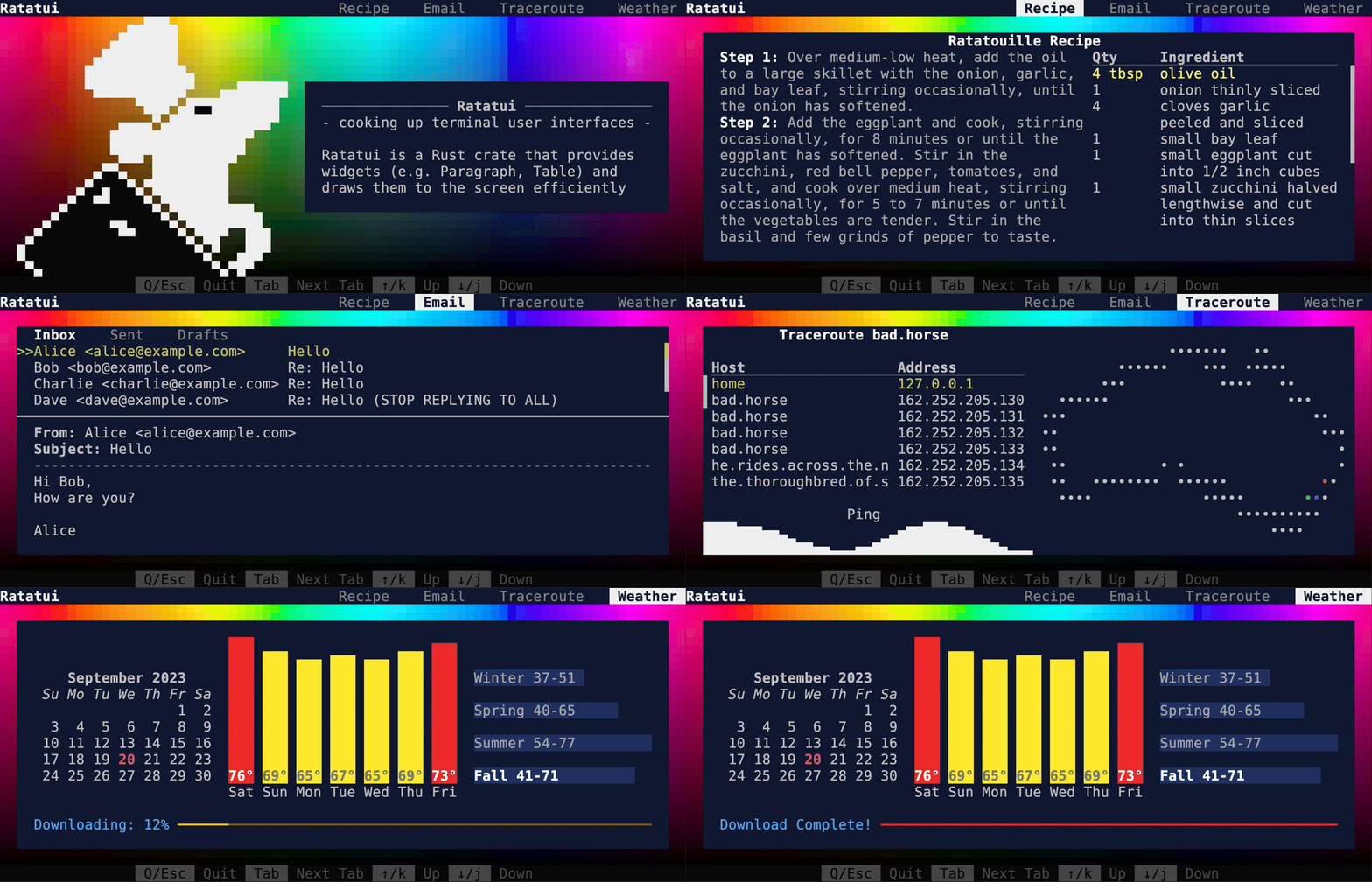
## Demo2
|
||||
|
||||
This is the demo example from the main README and crate page. Source: [demo2](./demo2/).
|
||||
|
||||
```shell
|
||||
cargo run --example=demo2 --features="crossterm widget-calendar"
|
||||
```
|
||||
|
||||
![Demo2][demo2.gif]
|
||||
|
||||
## Demo
|
||||
|
||||
@@ -58,7 +66,7 @@ Demonstrates the [`Calendar`](https://docs.rs/ratatui/latest/ratatui/widgets/cal
|
||||
widget. Source: [calendar.rs](./calendar.rs).
|
||||
|
||||
```shell
|
||||
cargo run --example=calendar --features=crossterm widget-calendar
|
||||
cargo run --example=calendar --features="crossterm widget-calendar"
|
||||
```
|
||||
|
||||
![Calendar][calendar.gif]
|
||||
@@ -102,19 +110,20 @@ cargo run --example=colors --features=crossterm
|
||||
|
||||
Demonstrates the available RGB
|
||||
[`Color`](https://docs.rs/ratatui/latest/ratatui/style/enum.Color.html) options. These can be used
|
||||
in any style field. Source: [colors_rgb.rs](./colors_rgb.rs).
|
||||
in any style field. Source: [colors_rgb.rs](./colors_rgb.rs). Uses a half block technique to render
|
||||
two square-ish pixels in the space of a single rectangular terminal cell.
|
||||
|
||||
```shell
|
||||
cargo run --example=colors_rgb --features=crossterm
|
||||
```
|
||||
|
||||
![Colors RGB][colors_rgb.gif]
|
||||
![Colors RGB][colors_rgb.png]
|
||||
|
||||
## Custom Widget
|
||||
|
||||
Demonstrates how to implement the
|
||||
[`Widget`](https://docs.rs/ratatui/latest/ratatui/widgets/trait.Widget.html) trait. Source:
|
||||
[custom_widget.rs](./custom_widget.rs).
|
||||
[`Widget`](https://docs.rs/ratatui/latest/ratatui/widgets/trait.Widget.html) trait. Also shows mouse
|
||||
interaction. Source: [custom_widget.rs](./custom_widget.rs).
|
||||
|
||||
```shell
|
||||
cargo run --example=custom_widget --features=crossterm
|
||||
@@ -127,10 +136,6 @@ cargo run --example=custom_widget --features=crossterm
|
||||
Demonstrates the [`Gauge`](https://docs.rs/ratatui/latest/ratatui/widgets/struct.Gauge.html) widget.
|
||||
Source: [gauge.rs](./gauge.rs).
|
||||
|
||||
> [!NOTE] The backgrounds render poorly when we generate this example using VHS. This problem
|
||||
> doesn't generally happen during normal rendering in a terminal. See
|
||||
> [vhs#344](https://github.com/charmbracelet/vhs/issues/344) for more details.
|
||||
|
||||
```shell
|
||||
cargo run --example=gauge --features=crossterm
|
||||
```
|
||||
@@ -139,7 +144,7 @@ cargo run --example=gauge --features=crossterm
|
||||
|
||||
## Inline
|
||||
|
||||
Demonstrates the
|
||||
Demonstrates how to use the
|
||||
[`Inline`](https://docs.rs/ratatui/latest/ratatui/terminal/enum.Viewport.html#variant.Inline)
|
||||
Viewport mode for ratatui apps. Source: [inline.rs](./inline.rs).
|
||||
|
||||
@@ -216,10 +221,6 @@ Demonstrates how to render a widget over the top of previously rendered widgets
|
||||
cargo run --example=popup --features=crossterm
|
||||
```
|
||||
|
||||
> [!NOTE] The background renders poorly after the popup when we generate this example using VHS.
|
||||
> This problem doesn't generally happen during normal rendering in a terminal. See
|
||||
> [vhs#344](https://github.com/charmbracelet/vhs/issues/344) for more details.
|
||||
|
||||
![Popup][popup.gif]
|
||||
|
||||
## Scrollbar
|
||||
@@ -238,10 +239,6 @@ cargo run --example=scrollbar --features=crossterm
|
||||
Demonstrates the [`Sparkline`](https://docs.rs/ratatui/latest/ratatui/widgets/struct.Sparkline.html)
|
||||
widget. Source: [sparkline.rs](./sparkline.rs).
|
||||
|
||||
> [!NOTE] The background renders poorly in the second sparkline when we generate this example using
|
||||
> VHS. This problem doesn't generally happen during normal rendering in a terminal. See
|
||||
> [vhs#344](https://github.com/charmbracelet/vhs/issues/344) for more details.
|
||||
|
||||
```shell
|
||||
cargo run --example=sparkline --features=crossterm
|
||||
```
|
||||
@@ -292,15 +289,17 @@ To update these examples in bulk:
|
||||
examples/generate.bash
|
||||
```
|
||||
-->
|
||||
|
||||
[barchart.gif]: https://github.com/ratatui-org/ratatui/blob/images/examples/barchart.gif?raw=true
|
||||
[block.gif]: https://github.com/ratatui-org/ratatui/blob/images/examples/block.gif?raw=true
|
||||
[calendar.gif]: https://github.com/ratatui-org/ratatui/blob/images/examples/calendar.gif?raw=true
|
||||
[canvas.gif]: https://github.com/ratatui-org/ratatui/blob/images/examples/canvas.gif?raw=true
|
||||
[chart.gif]: https://github.com/ratatui-org/ratatui/blob/images/examples/chart.gif?raw=true
|
||||
[colors.gif]: https://github.com/ratatui-org/ratatui/blob/images/examples/colors.gif?raw=true
|
||||
[colors_rgb.gif]: https://github.com/ratatui-org/ratatui/blob/images/examples/colors_rgb.gif?raw=true
|
||||
[colors_rgb.png]: https://github.com/ratatui-org/ratatui/blob/images/examples/colors_rgb.png?raw=true
|
||||
[custom_widget.gif]: https://github.com/ratatui-org/ratatui/blob/images/examples/custom_widget.gif?raw=true
|
||||
[demo.gif]: https://github.com/ratatui-org/ratatui/blob/images/examples/demo.gif?raw=true
|
||||
[demo2.gif]: https://github.com/ratatui-org/ratatui/blob/images/examples/demo2.gif?raw=true
|
||||
[gauge.gif]: https://github.com/ratatui-org/ratatui/blob/images/examples/gauge.gif?raw=true
|
||||
[hello_world.gif]: https://github.com/ratatui-org/ratatui/blob/images/examples/hello_world.gif?raw=true
|
||||
[inline.gif]: https://github.com/ratatui-org/ratatui/blob/images/examples/inline.gif?raw=true
|
||||
|
||||
@@ -119,9 +119,7 @@ fn run_app<B: Backend>(
|
||||
loop {
|
||||
terminal.draw(|f| ui(f, &app))?;
|
||||
|
||||
let timeout = tick_rate
|
||||
.checked_sub(last_tick.elapsed())
|
||||
.unwrap_or_else(|| Duration::from_secs(0));
|
||||
let timeout = tick_rate.saturating_sub(last_tick.elapsed());
|
||||
if crossterm::event::poll(timeout)? {
|
||||
if let Event::Key(key) = event::read()? {
|
||||
if let KeyCode::Char('q') = key.code {
|
||||
@@ -139,7 +137,7 @@ fn run_app<B: Backend>(
|
||||
fn ui(f: &mut Frame, app: &App) {
|
||||
let chunks = Layout::default()
|
||||
.direction(Direction::Vertical)
|
||||
.constraints([Constraint::Ratio(1, 3), Constraint::Ratio(2, 3)].as_ref())
|
||||
.constraints([Constraint::Ratio(1, 3), Constraint::Ratio(2, 3)])
|
||||
.split(f.size());
|
||||
|
||||
let barchart = BarChart::default()
|
||||
@@ -152,7 +150,7 @@ fn ui(f: &mut Frame, app: &App) {
|
||||
|
||||
let chunks = Layout::default()
|
||||
.direction(Direction::Horizontal)
|
||||
.constraints([Constraint::Percentage(50), Constraint::Percentage(50)].as_ref())
|
||||
.constraints([Constraint::Percentage(50), Constraint::Percentage(50)])
|
||||
.split(chunks[1]);
|
||||
|
||||
draw_bar_with_group_labels(f, app, chunks[0]);
|
||||
|
||||
@@ -1,7 +1,7 @@
|
||||
# This is a vhs script. See https://github.com/charmbracelet/vhs for more info.
|
||||
# To run this script, install vhs and run `vhs ./examples/barchart.tape`
|
||||
Output "target/barchart.gif"
|
||||
Set Theme "OceanicMaterial"
|
||||
Set Theme "Aardvark Blue"
|
||||
Set Width 1200
|
||||
Set Height 800
|
||||
Hide
|
||||
|
||||
@@ -105,18 +105,18 @@ fn ui(frame: &mut Frame) {
|
||||
fn calculate_layout(area: Rect) -> (Rect, Vec<Vec<Rect>>) {
|
||||
let layout = Layout::default()
|
||||
.direction(Direction::Vertical)
|
||||
.constraints(vec![Constraint::Length(1), Constraint::Min(0)])
|
||||
.constraints([Constraint::Length(1), Constraint::Min(0)])
|
||||
.split(area);
|
||||
let title_area = layout[0];
|
||||
let main_areas = Layout::default()
|
||||
.direction(Direction::Vertical)
|
||||
.constraints(vec![Constraint::Max(4); 9])
|
||||
.constraints([Constraint::Max(4); 9])
|
||||
.split(layout[1])
|
||||
.iter()
|
||||
.map(|&area| {
|
||||
Layout::default()
|
||||
.direction(Direction::Horizontal)
|
||||
.constraints(vec![Constraint::Percentage(50), Constraint::Percentage(50)])
|
||||
.constraints([Constraint::Percentage(50), Constraint::Percentage(50)])
|
||||
.split(area)
|
||||
.to_vec()
|
||||
})
|
||||
|
||||
@@ -1,7 +1,7 @@
|
||||
# This is a vhs script. See https://github.com/charmbracelet/vhs for more info.
|
||||
# To run this script, install vhs and run `vhs ./examples/block.tape`
|
||||
Output "target/block.gif"
|
||||
Set Theme "OceanicMaterial"
|
||||
Set Theme "Aardvark Blue"
|
||||
Set Width 1200
|
||||
Set Height 1200
|
||||
Hide
|
||||
|
||||
@@ -69,14 +69,11 @@ fn split_rows(area: &Rect) -> Rc<[Rect]> {
|
||||
let list_layout = Layout::default()
|
||||
.direction(Direction::Vertical)
|
||||
.margin(0)
|
||||
.constraints(
|
||||
[
|
||||
Constraint::Percentage(33),
|
||||
Constraint::Percentage(33),
|
||||
Constraint::Percentage(33),
|
||||
]
|
||||
.as_ref(),
|
||||
);
|
||||
.constraints([
|
||||
Constraint::Percentage(33),
|
||||
Constraint::Percentage(33),
|
||||
Constraint::Percentage(33),
|
||||
]);
|
||||
|
||||
list_layout.split(*area)
|
||||
}
|
||||
@@ -85,15 +82,12 @@ fn split_cols(area: &Rect) -> Rc<[Rect]> {
|
||||
let list_layout = Layout::default()
|
||||
.direction(Direction::Horizontal)
|
||||
.margin(0)
|
||||
.constraints(
|
||||
[
|
||||
Constraint::Percentage(25),
|
||||
Constraint::Percentage(25),
|
||||
Constraint::Percentage(25),
|
||||
Constraint::Percentage(25),
|
||||
]
|
||||
.as_ref(),
|
||||
);
|
||||
.constraints([
|
||||
Constraint::Percentage(25),
|
||||
Constraint::Percentage(25),
|
||||
Constraint::Percentage(25),
|
||||
Constraint::Percentage(25),
|
||||
]);
|
||||
|
||||
list_layout.split(*area)
|
||||
}
|
||||
|
||||
@@ -1,7 +1,7 @@
|
||||
# This is a vhs script. See https://github.com/charmbracelet/vhs for more info.
|
||||
# To run this script, install vhs and run `vhs ./examples/calendar.tape`
|
||||
Output "target/calendar.gif"
|
||||
Set Theme "OceanicMaterial"
|
||||
Set Theme "Aardvark Blue"
|
||||
Set Width 1200
|
||||
Set Height 800
|
||||
Hide
|
||||
|
||||
@@ -1,28 +1,29 @@
|
||||
use std::{
|
||||
error::Error,
|
||||
io,
|
||||
io::{self, stdout, Stdout},
|
||||
time::{Duration, Instant},
|
||||
};
|
||||
|
||||
use crossterm::{
|
||||
event::{self, DisableMouseCapture, EnableMouseCapture, Event, KeyCode},
|
||||
execute,
|
||||
event::{self, Event, KeyCode},
|
||||
terminal::{disable_raw_mode, enable_raw_mode, EnterAlternateScreen, LeaveAlternateScreen},
|
||||
ExecutableCommand,
|
||||
};
|
||||
use ratatui::{
|
||||
prelude::*,
|
||||
widgets::{canvas::*, *},
|
||||
};
|
||||
|
||||
fn main() -> io::Result<()> {
|
||||
App::run()
|
||||
}
|
||||
|
||||
struct App {
|
||||
x: f64,
|
||||
y: f64,
|
||||
ball: Rectangle,
|
||||
ball: Circle,
|
||||
playground: Rect,
|
||||
vx: f64,
|
||||
vy: f64,
|
||||
dir_x: bool,
|
||||
dir_y: bool,
|
||||
tick_count: u64,
|
||||
marker: Marker,
|
||||
}
|
||||
@@ -32,155 +33,166 @@ impl App {
|
||||
App {
|
||||
x: 0.0,
|
||||
y: 0.0,
|
||||
ball: Rectangle {
|
||||
x: 10.0,
|
||||
y: 30.0,
|
||||
width: 10.0,
|
||||
height: 10.0,
|
||||
ball: Circle {
|
||||
x: 20.0,
|
||||
y: 40.0,
|
||||
radius: 10.0,
|
||||
color: Color::Yellow,
|
||||
},
|
||||
playground: Rect::new(10, 10, 100, 100),
|
||||
playground: Rect::new(10, 10, 200, 100),
|
||||
vx: 1.0,
|
||||
vy: 1.0,
|
||||
dir_x: true,
|
||||
dir_y: true,
|
||||
tick_count: 0,
|
||||
marker: Marker::Dot,
|
||||
}
|
||||
}
|
||||
|
||||
fn on_tick(&mut self) {
|
||||
self.tick_count += 1;
|
||||
// only change marker every 4 ticks (1s) to avoid stroboscopic effect
|
||||
if (self.tick_count % 4) == 0 {
|
||||
self.marker = match self.marker {
|
||||
Marker::Dot => Marker::Block,
|
||||
Marker::Block => Marker::Bar,
|
||||
Marker::Bar => Marker::Braille,
|
||||
Marker::Braille => Marker::Dot,
|
||||
};
|
||||
}
|
||||
if self.ball.x < self.playground.left() as f64
|
||||
|| self.ball.x + self.ball.width > self.playground.right() as f64
|
||||
{
|
||||
self.dir_x = !self.dir_x;
|
||||
}
|
||||
if self.ball.y < self.playground.top() as f64
|
||||
|| self.ball.y + self.ball.height > self.playground.bottom() as f64
|
||||
{
|
||||
self.dir_y = !self.dir_y;
|
||||
}
|
||||
|
||||
if self.dir_x {
|
||||
self.ball.x += self.vx;
|
||||
} else {
|
||||
self.ball.x -= self.vx;
|
||||
}
|
||||
|
||||
if self.dir_y {
|
||||
self.ball.y += self.vy;
|
||||
} else {
|
||||
self.ball.y -= self.vy
|
||||
}
|
||||
}
|
||||
}
|
||||
|
||||
fn main() -> Result<(), Box<dyn Error>> {
|
||||
// setup terminal
|
||||
enable_raw_mode()?;
|
||||
let mut stdout = io::stdout();
|
||||
execute!(stdout, EnterAlternateScreen, EnableMouseCapture)?;
|
||||
let backend = CrosstermBackend::new(stdout);
|
||||
let mut terminal = Terminal::new(backend)?;
|
||||
|
||||
// create app and run it
|
||||
let tick_rate = Duration::from_millis(250);
|
||||
let app = App::new();
|
||||
let res = run_app(&mut terminal, app, tick_rate);
|
||||
|
||||
// restore terminal
|
||||
disable_raw_mode()?;
|
||||
execute!(
|
||||
terminal.backend_mut(),
|
||||
LeaveAlternateScreen,
|
||||
DisableMouseCapture
|
||||
)?;
|
||||
terminal.show_cursor()?;
|
||||
|
||||
if let Err(err) = res {
|
||||
println!("{err:?}");
|
||||
}
|
||||
|
||||
Ok(())
|
||||
}
|
||||
|
||||
fn run_app<B: Backend>(
|
||||
terminal: &mut Terminal<B>,
|
||||
mut app: App,
|
||||
tick_rate: Duration,
|
||||
) -> io::Result<()> {
|
||||
let mut last_tick = Instant::now();
|
||||
loop {
|
||||
terminal.draw(|f| ui(f, &app))?;
|
||||
|
||||
let timeout = tick_rate
|
||||
.checked_sub(last_tick.elapsed())
|
||||
.unwrap_or_else(|| Duration::from_secs(0));
|
||||
if event::poll(timeout)? {
|
||||
if let Event::Key(key) = event::read()? {
|
||||
match key.code {
|
||||
KeyCode::Char('q') => {
|
||||
return Ok(());
|
||||
pub fn run() -> io::Result<()> {
|
||||
let mut terminal = init_terminal()?;
|
||||
let mut app = App::new();
|
||||
let mut last_tick = Instant::now();
|
||||
let tick_rate = Duration::from_millis(16);
|
||||
loop {
|
||||
let _ = terminal.draw(|frame| app.ui(frame));
|
||||
let timeout = tick_rate.saturating_sub(last_tick.elapsed());
|
||||
if event::poll(timeout)? {
|
||||
if let Event::Key(key) = event::read()? {
|
||||
match key.code {
|
||||
KeyCode::Char('q') => break,
|
||||
KeyCode::Down => app.y += 1.0,
|
||||
KeyCode::Up => app.y -= 1.0,
|
||||
KeyCode::Right => app.x += 1.0,
|
||||
KeyCode::Left => app.x -= 1.0,
|
||||
_ => {}
|
||||
}
|
||||
KeyCode::Down => {
|
||||
app.y += 1.0;
|
||||
}
|
||||
KeyCode::Up => {
|
||||
app.y -= 1.0;
|
||||
}
|
||||
KeyCode::Right => {
|
||||
app.x += 1.0;
|
||||
}
|
||||
KeyCode::Left => {
|
||||
app.x -= 1.0;
|
||||
}
|
||||
_ => {}
|
||||
}
|
||||
}
|
||||
|
||||
if last_tick.elapsed() >= tick_rate {
|
||||
app.on_tick();
|
||||
last_tick = Instant::now();
|
||||
}
|
||||
}
|
||||
restore_terminal()
|
||||
}
|
||||
|
||||
fn on_tick(&mut self) {
|
||||
self.tick_count += 1;
|
||||
// only change marker every 180 ticks (3s) to avoid stroboscopic effect
|
||||
if (self.tick_count % 180) == 0 {
|
||||
self.marker = match self.marker {
|
||||
Marker::Dot => Marker::Braille,
|
||||
Marker::Braille => Marker::Block,
|
||||
Marker::Block => Marker::HalfBlock,
|
||||
Marker::HalfBlock => Marker::Bar,
|
||||
Marker::Bar => Marker::Dot,
|
||||
};
|
||||
}
|
||||
// bounce the ball by flipping the velocity vector
|
||||
let ball = &self.ball;
|
||||
let playground = self.playground;
|
||||
if ball.x - ball.radius < playground.left() as f64
|
||||
|| ball.x + ball.radius > playground.right() as f64
|
||||
{
|
||||
self.vx = -self.vx;
|
||||
}
|
||||
if ball.y - ball.radius < playground.top() as f64
|
||||
|| ball.y + ball.radius > playground.bottom() as f64
|
||||
{
|
||||
self.vy = -self.vy;
|
||||
}
|
||||
|
||||
if last_tick.elapsed() >= tick_rate {
|
||||
app.on_tick();
|
||||
last_tick = Instant::now();
|
||||
}
|
||||
self.ball.x += self.vx;
|
||||
self.ball.y += self.vy;
|
||||
}
|
||||
|
||||
fn ui(&self, frame: &mut Frame) {
|
||||
let main_layout = Layout::default()
|
||||
.direction(Direction::Horizontal)
|
||||
.constraints([Constraint::Percentage(50), Constraint::Percentage(50)])
|
||||
.split(frame.size());
|
||||
|
||||
let right_layout = Layout::default()
|
||||
.direction(Direction::Vertical)
|
||||
.constraints([Constraint::Percentage(50), Constraint::Percentage(50)])
|
||||
.split(main_layout[1]);
|
||||
|
||||
frame.render_widget(self.map_canvas(), main_layout[0]);
|
||||
frame.render_widget(self.pong_canvas(), right_layout[0]);
|
||||
frame.render_widget(self.boxes_canvas(right_layout[1]), right_layout[1]);
|
||||
}
|
||||
|
||||
fn map_canvas(&self) -> impl Widget + '_ {
|
||||
Canvas::default()
|
||||
.block(Block::default().borders(Borders::ALL).title("World"))
|
||||
.marker(self.marker)
|
||||
.paint(|ctx| {
|
||||
ctx.draw(&Map {
|
||||
color: Color::Green,
|
||||
resolution: MapResolution::High,
|
||||
});
|
||||
ctx.print(self.x, -self.y, "You are here".yellow());
|
||||
})
|
||||
.x_bounds([-180.0, 180.0])
|
||||
.y_bounds([-90.0, 90.0])
|
||||
}
|
||||
|
||||
fn pong_canvas(&self) -> impl Widget + '_ {
|
||||
Canvas::default()
|
||||
.block(Block::default().borders(Borders::ALL).title("Pong"))
|
||||
.marker(self.marker)
|
||||
.paint(|ctx| {
|
||||
ctx.draw(&self.ball);
|
||||
})
|
||||
.x_bounds([10.0, 210.0])
|
||||
.y_bounds([10.0, 110.0])
|
||||
}
|
||||
|
||||
fn boxes_canvas(&self, area: Rect) -> impl Widget {
|
||||
let (left, right, bottom, top) =
|
||||
(0.0, area.width as f64, 0.0, area.height as f64 * 2.0 - 4.0);
|
||||
Canvas::default()
|
||||
.block(Block::default().borders(Borders::ALL).title("Rects"))
|
||||
.marker(self.marker)
|
||||
.x_bounds([left, right])
|
||||
.y_bounds([bottom, top])
|
||||
.paint(|ctx| {
|
||||
for i in 0..=11 {
|
||||
ctx.draw(&Rectangle {
|
||||
x: (i * i + 3 * i) as f64 / 2.0 + 2.0,
|
||||
y: 2.0,
|
||||
width: i as f64,
|
||||
height: i as f64,
|
||||
color: Color::Red,
|
||||
});
|
||||
ctx.draw(&Rectangle {
|
||||
x: (i * i + 3 * i) as f64 / 2.0 + 2.0,
|
||||
y: 21.0,
|
||||
width: i as f64,
|
||||
height: i as f64,
|
||||
color: Color::Blue,
|
||||
});
|
||||
}
|
||||
for i in 0..100 {
|
||||
if i % 10 != 0 {
|
||||
ctx.print(i as f64 + 1.0, 0.0, format!("{i}", i = i % 10));
|
||||
}
|
||||
if i % 2 == 0 && i % 10 != 0 {
|
||||
ctx.print(0.0, i as f64, format!("{i}", i = i % 10));
|
||||
}
|
||||
}
|
||||
})
|
||||
}
|
||||
}
|
||||
|
||||
fn ui(f: &mut Frame, app: &App) {
|
||||
let chunks = Layout::default()
|
||||
.direction(Direction::Horizontal)
|
||||
.constraints([Constraint::Percentage(50), Constraint::Percentage(50)].as_ref())
|
||||
.split(f.size());
|
||||
let canvas = Canvas::default()
|
||||
.block(Block::default().borders(Borders::ALL).title("World"))
|
||||
.marker(app.marker)
|
||||
.paint(|ctx| {
|
||||
ctx.draw(&Map {
|
||||
color: Color::White,
|
||||
resolution: MapResolution::High,
|
||||
});
|
||||
ctx.print(app.x, -app.y, "You are here".yellow());
|
||||
})
|
||||
.x_bounds([-180.0, 180.0])
|
||||
.y_bounds([-90.0, 90.0]);
|
||||
f.render_widget(canvas, chunks[0]);
|
||||
let canvas = Canvas::default()
|
||||
.block(Block::default().borders(Borders::ALL).title("Pong"))
|
||||
.marker(app.marker)
|
||||
.paint(|ctx| {
|
||||
ctx.draw(&app.ball);
|
||||
})
|
||||
.x_bounds([10.0, 110.0])
|
||||
.y_bounds([10.0, 110.0]);
|
||||
f.render_widget(canvas, chunks[1]);
|
||||
fn init_terminal() -> io::Result<Terminal<CrosstermBackend<Stdout>>> {
|
||||
enable_raw_mode()?;
|
||||
stdout().execute(EnterAlternateScreen)?;
|
||||
Terminal::new(CrosstermBackend::new(stdout()))
|
||||
}
|
||||
|
||||
fn restore_terminal() -> io::Result<()> {
|
||||
disable_raw_mode()?;
|
||||
stdout().execute(LeaveAlternateScreen)?;
|
||||
Ok(())
|
||||
}
|
||||
|
||||
@@ -1,12 +1,13 @@
|
||||
# This is a vhs script. See https://github.com/charmbracelet/vhs for more info.
|
||||
# To run this script, install vhs and run `vhs ./examples/canvas.tape`
|
||||
Output "target/canvas.gif"
|
||||
Set Theme "OceanicMaterial"
|
||||
Set Theme "Aardvark Blue"
|
||||
Set FontSize 12
|
||||
Set Width 1200
|
||||
Set Height 800
|
||||
Hide
|
||||
Type "cargo run --example=canvas --features=crossterm"
|
||||
Enter
|
||||
Sleep 1s
|
||||
Sleep 2s
|
||||
Show
|
||||
Sleep 5s
|
||||
Sleep 30s
|
||||
|
||||
@@ -125,9 +125,7 @@ fn run_app<B: Backend>(
|
||||
loop {
|
||||
terminal.draw(|f| ui(f, &app))?;
|
||||
|
||||
let timeout = tick_rate
|
||||
.checked_sub(last_tick.elapsed())
|
||||
.unwrap_or_else(|| Duration::from_secs(0));
|
||||
let timeout = tick_rate.saturating_sub(last_tick.elapsed());
|
||||
if crossterm::event::poll(timeout)? {
|
||||
if let Event::Key(key) = event::read()? {
|
||||
if let KeyCode::Char('q') = key.code {
|
||||
@@ -146,14 +144,11 @@ fn ui(f: &mut Frame, app: &App) {
|
||||
let size = f.size();
|
||||
let chunks = Layout::default()
|
||||
.direction(Direction::Vertical)
|
||||
.constraints(
|
||||
[
|
||||
Constraint::Ratio(1, 3),
|
||||
Constraint::Ratio(1, 3),
|
||||
Constraint::Ratio(1, 3),
|
||||
]
|
||||
.as_ref(),
|
||||
)
|
||||
.constraints([
|
||||
Constraint::Ratio(1, 3),
|
||||
Constraint::Ratio(1, 3),
|
||||
Constraint::Ratio(1, 3),
|
||||
])
|
||||
.split(size);
|
||||
let x_labels = vec![
|
||||
Span::styled(
|
||||
|
||||
@@ -1,7 +1,7 @@
|
||||
# This is a vhs script. See https://github.com/charmbracelet/vhs for more info.
|
||||
# To run this script, install vhs and run `vhs ./examples/chart.tape`
|
||||
Output "target/chart.gif"
|
||||
Set Theme "OceanicMaterial"
|
||||
Set Theme "Aardvark Blue"
|
||||
Set Width 1200
|
||||
Set Height 800
|
||||
Hide
|
||||
|
||||
@@ -44,7 +44,7 @@ fn run_app<B: Backend>(terminal: &mut Terminal<B>) -> io::Result<()> {
|
||||
fn ui(frame: &mut Frame) {
|
||||
let layout = Layout::default()
|
||||
.direction(Direction::Vertical)
|
||||
.constraints(vec![
|
||||
.constraints([
|
||||
Constraint::Length(30),
|
||||
Constraint::Length(17),
|
||||
Constraint::Length(2),
|
||||
@@ -78,7 +78,7 @@ const NAMED_COLORS: [Color; 16] = [
|
||||
fn render_named_colors(frame: &mut Frame, area: Rect) {
|
||||
let layout = Layout::default()
|
||||
.direction(Direction::Vertical)
|
||||
.constraints(vec![Constraint::Length(3); 10])
|
||||
.constraints([Constraint::Length(3); 10])
|
||||
.split(area);
|
||||
|
||||
render_fg_named_colors(frame, Color::Reset, layout[0]);
|
||||
@@ -101,13 +101,13 @@ fn render_fg_named_colors(frame: &mut Frame, bg: Color, area: Rect) {
|
||||
|
||||
let layout = Layout::default()
|
||||
.direction(Direction::Vertical)
|
||||
.constraints(vec![Constraint::Length(1); 2])
|
||||
.constraints([Constraint::Length(1); 2])
|
||||
.split(inner)
|
||||
.iter()
|
||||
.flat_map(|area| {
|
||||
Layout::default()
|
||||
.direction(Direction::Horizontal)
|
||||
.constraints(vec![Constraint::Ratio(1, 8); 8])
|
||||
.constraints([Constraint::Ratio(1, 8); 8])
|
||||
.split(*area)
|
||||
.to_vec()
|
||||
})
|
||||
@@ -126,13 +126,13 @@ fn render_bg_named_colors(frame: &mut Frame, fg: Color, area: Rect) {
|
||||
|
||||
let layout = Layout::default()
|
||||
.direction(Direction::Vertical)
|
||||
.constraints(vec![Constraint::Length(1); 2])
|
||||
.constraints([Constraint::Length(1); 2])
|
||||
.split(inner)
|
||||
.iter()
|
||||
.flat_map(|area| {
|
||||
Layout::default()
|
||||
.direction(Direction::Horizontal)
|
||||
.constraints(vec![Constraint::Ratio(1, 8); 8])
|
||||
.constraints([Constraint::Ratio(1, 8); 8])
|
||||
.split(*area)
|
||||
.to_vec()
|
||||
})
|
||||
@@ -151,7 +151,7 @@ fn render_indexed_colors(frame: &mut Frame, area: Rect) {
|
||||
|
||||
let layout = Layout::default()
|
||||
.direction(Direction::Vertical)
|
||||
.constraints(vec![
|
||||
.constraints([
|
||||
Constraint::Length(1), // 0 - 15
|
||||
Constraint::Length(1), // blank
|
||||
Constraint::Min(6), // 16 - 123
|
||||
@@ -164,7 +164,7 @@ fn render_indexed_colors(frame: &mut Frame, area: Rect) {
|
||||
// 0 1 2 3 4 5 6 7 8 9 10 11 12 13 14 15
|
||||
let color_layout = Layout::default()
|
||||
.direction(Direction::Horizontal)
|
||||
.constraints(vec![Constraint::Length(5); 16])
|
||||
.constraints([Constraint::Length(5); 16])
|
||||
.split(layout[0]);
|
||||
for i in 0..16 {
|
||||
let color = Color::Indexed(i);
|
||||
@@ -198,7 +198,7 @@ fn render_indexed_colors(frame: &mut Frame, area: Rect) {
|
||||
.flat_map(|area| {
|
||||
Layout::default()
|
||||
.direction(Direction::Horizontal)
|
||||
.constraints(vec![Constraint::Length(27); 3])
|
||||
.constraints([Constraint::Length(27); 3])
|
||||
.split(*area)
|
||||
.to_vec()
|
||||
})
|
||||
@@ -206,7 +206,7 @@ fn render_indexed_colors(frame: &mut Frame, area: Rect) {
|
||||
.flat_map(|area| {
|
||||
Layout::default()
|
||||
.direction(Direction::Vertical)
|
||||
.constraints(vec![Constraint::Length(1); 6])
|
||||
.constraints([Constraint::Length(1); 6])
|
||||
.split(area)
|
||||
.to_vec()
|
||||
})
|
||||
@@ -214,7 +214,7 @@ fn render_indexed_colors(frame: &mut Frame, area: Rect) {
|
||||
.flat_map(|area| {
|
||||
Layout::default()
|
||||
.direction(Direction::Horizontal)
|
||||
.constraints(vec![Constraint::Min(4); 6])
|
||||
.constraints([Constraint::Min(4); 6])
|
||||
.split(area)
|
||||
.to_vec()
|
||||
})
|
||||
@@ -246,7 +246,7 @@ fn title_block(title: String) -> Block<'static> {
|
||||
fn render_indexed_grayscale(frame: &mut Frame, area: Rect) {
|
||||
let layout = Layout::default()
|
||||
.direction(Direction::Vertical)
|
||||
.constraints(vec![
|
||||
.constraints([
|
||||
Constraint::Length(1), // 232 - 243
|
||||
Constraint::Length(1), // 244 - 255
|
||||
])
|
||||
@@ -255,7 +255,7 @@ fn render_indexed_grayscale(frame: &mut Frame, area: Rect) {
|
||||
.flat_map(|area| {
|
||||
Layout::default()
|
||||
.direction(Direction::Horizontal)
|
||||
.constraints(vec![Constraint::Length(6); 12])
|
||||
.constraints([Constraint::Length(6); 12])
|
||||
.split(*area)
|
||||
.to_vec()
|
||||
})
|
||||
|
||||
@@ -1,13 +1,7 @@
|
||||
# This is a vhs script. See https://github.com/charmbracelet/vhs for more info.
|
||||
# To run this script, install vhs and run `vhs ./examples/colors.tape`
|
||||
Output "target/colors.gif"
|
||||
# The OceanicMaterial theme is a good choice for this example (Obsidian is almost as good) because:
|
||||
# - Black is dark and distinct from the default background
|
||||
# - White is light and distinct from the default foreground
|
||||
# - Normal and bright colors are distinct
|
||||
# - Black and DarkGray are distinct
|
||||
# - White and Gray are distinct
|
||||
Set Theme "OceanicMaterial"
|
||||
Set Theme "Aardvark Blue"
|
||||
Set Width 1200
|
||||
Set Height 1410
|
||||
Hide
|
||||
|
||||
@@ -89,7 +89,7 @@ impl RgbColors {
|
||||
fn layout(area: Rect) -> Rc<[Rect]> {
|
||||
Layout::default()
|
||||
.direction(Direction::Vertical)
|
||||
.constraints(vec![Constraint::Length(1), Constraint::Min(0)])
|
||||
.constraints([Constraint::Length(1), Constraint::Min(0)])
|
||||
.split(area)
|
||||
}
|
||||
|
||||
|
||||
@@ -1,18 +1,13 @@
|
||||
# This is a vhs script. See https://github.com/charmbracelet/vhs for more info.
|
||||
# To run this script, install vhs and run `vhs ./examples/colors_rgb.tape`
|
||||
Output "target/colors_rgb.gif"
|
||||
# The OceanicMaterial theme is a good choice for this example (Obsidian is almost as good) because:
|
||||
# - Black is dark and distinct from the default background
|
||||
# - White is light and distinct from the default foreground
|
||||
# - Normal and bright colors are distinct
|
||||
# - Black and DarkGray are distinct
|
||||
# - White and Gray are distinct
|
||||
Set Theme "OceanicMaterial"
|
||||
Set Theme "Aardvark Blue"
|
||||
Set Width 1200
|
||||
Set Height 1410
|
||||
Set Height 800
|
||||
Hide
|
||||
Type "cargo run --example=colors_rgb --features=crossterm"
|
||||
Enter
|
||||
Sleep 2s
|
||||
Screenshot "target/colors_rgb.png"
|
||||
Show
|
||||
Sleep 1s
|
||||
|
||||
@@ -173,7 +173,7 @@ fn run_app<B: Backend>(terminal: &mut Terminal<B>) -> io::Result<()> {
|
||||
fn ui(frame: &mut Frame, states: &[State; 3]) {
|
||||
let layout = Layout::default()
|
||||
.direction(Direction::Vertical)
|
||||
.constraints(vec![
|
||||
.constraints([
|
||||
Constraint::Length(1),
|
||||
Constraint::Max(3),
|
||||
Constraint::Length(1),
|
||||
@@ -194,7 +194,7 @@ fn ui(frame: &mut Frame, states: &[State; 3]) {
|
||||
fn render_buttons(frame: &mut Frame<'_>, area: Rect, states: &[State; 3]) {
|
||||
let layout = Layout::default()
|
||||
.direction(Direction::Horizontal)
|
||||
.constraints(vec![
|
||||
.constraints([
|
||||
Constraint::Length(15),
|
||||
Constraint::Length(15),
|
||||
Constraint::Length(15),
|
||||
@@ -252,8 +252,12 @@ fn handle_mouse_event(
|
||||
_ => 2,
|
||||
};
|
||||
if old_selected_button != *selected_button {
|
||||
button_states[old_selected_button] = State::Normal;
|
||||
button_states[*selected_button] = State::Selected;
|
||||
if button_states[old_selected_button] != State::Active {
|
||||
button_states[old_selected_button] = State::Normal;
|
||||
}
|
||||
if button_states[*selected_button] != State::Active {
|
||||
button_states[*selected_button] = State::Selected;
|
||||
}
|
||||
}
|
||||
}
|
||||
MouseEventKind::Down(MouseButton::Left) => {
|
||||
|
||||
@@ -1,7 +1,7 @@
|
||||
# This is a vhs script. See https://github.com/charmbracelet/vhs for more info.
|
||||
# To run this script, install vhs and run `vhs ./examples/custom_widget.tape`
|
||||
Output "target/custom_widget.gif"
|
||||
Set Theme "OceanicMaterial"
|
||||
Set Theme "Aardvark Blue"
|
||||
Set Width 760
|
||||
Set Height 260
|
||||
Hide
|
||||
|
||||
@@ -1,7 +1,7 @@
|
||||
# This is a vhs script. See https://github.com/charmbracelet/vhs for more info.
|
||||
# To run this script, install vhs and run `vhs ./examples/demo.tape`
|
||||
Output "target/demo.gif"
|
||||
Set Theme "OceanicMaterial"
|
||||
Set Theme "Aardvark Blue"
|
||||
Set Width 1200
|
||||
Set Height 1200
|
||||
Set PlaybackSpeed 0.5
|
||||
|
||||
@@ -50,9 +50,7 @@ fn run_app<B: Backend>(
|
||||
loop {
|
||||
terminal.draw(|f| ui::draw(f, &mut app))?;
|
||||
|
||||
let timeout = tick_rate
|
||||
.checked_sub(last_tick.elapsed())
|
||||
.unwrap_or_else(|| Duration::from_secs(0));
|
||||
let timeout = tick_rate.saturating_sub(last_tick.elapsed());
|
||||
if crossterm::event::poll(timeout)? {
|
||||
if let Event::Key(key) = event::read()? {
|
||||
if key.kind == KeyEventKind::Press {
|
||||
|
||||
@@ -1,6 +1,5 @@
|
||||
use std::{
|
||||
error::Error,
|
||||
io,
|
||||
time::{Duration, Instant},
|
||||
};
|
||||
|
||||
@@ -32,19 +31,17 @@ fn run_app(
|
||||
terminal: &mut Terminal<TermwizBackend>,
|
||||
mut app: App,
|
||||
tick_rate: Duration,
|
||||
) -> io::Result<()> {
|
||||
) -> Result<(), Box<dyn Error>> {
|
||||
let mut last_tick = Instant::now();
|
||||
loop {
|
||||
terminal.draw(|f| ui::draw(f, &mut app))?;
|
||||
|
||||
let timeout = tick_rate
|
||||
.checked_sub(last_tick.elapsed())
|
||||
.unwrap_or_else(|| Duration::from_secs(0));
|
||||
if let Ok(Some(input)) = terminal
|
||||
let timeout = tick_rate.saturating_sub(last_tick.elapsed());
|
||||
if let Some(input) = terminal
|
||||
.backend_mut()
|
||||
.buffered_terminal_mut()
|
||||
.terminal()
|
||||
.poll_input(Some(timeout))
|
||||
.poll_input(Some(timeout))?
|
||||
{
|
||||
match input {
|
||||
InputEvent::Key(key_code) => match key_code.key {
|
||||
|
||||
@@ -7,7 +7,7 @@ use crate::app::App;
|
||||
|
||||
pub fn draw(f: &mut Frame, app: &mut App) {
|
||||
let chunks = Layout::default()
|
||||
.constraints([Constraint::Length(3), Constraint::Min(0)].as_ref())
|
||||
.constraints([Constraint::Length(3), Constraint::Min(0)])
|
||||
.split(f.size());
|
||||
let titles = app
|
||||
.tabs
|
||||
@@ -30,14 +30,11 @@ pub fn draw(f: &mut Frame, app: &mut App) {
|
||||
|
||||
fn draw_first_tab(f: &mut Frame, app: &mut App, area: Rect) {
|
||||
let chunks = Layout::default()
|
||||
.constraints(
|
||||
[
|
||||
Constraint::Length(9),
|
||||
Constraint::Min(8),
|
||||
Constraint::Length(7),
|
||||
]
|
||||
.as_ref(),
|
||||
)
|
||||
.constraints([
|
||||
Constraint::Length(9),
|
||||
Constraint::Min(8),
|
||||
Constraint::Length(7),
|
||||
])
|
||||
.split(area);
|
||||
draw_gauges(f, app, chunks[0]);
|
||||
draw_charts(f, app, chunks[1]);
|
||||
@@ -46,14 +43,11 @@ fn draw_first_tab(f: &mut Frame, app: &mut App, area: Rect) {
|
||||
|
||||
fn draw_gauges(f: &mut Frame, app: &mut App, area: Rect) {
|
||||
let chunks = Layout::default()
|
||||
.constraints(
|
||||
[
|
||||
Constraint::Length(2),
|
||||
Constraint::Length(3),
|
||||
Constraint::Length(1),
|
||||
]
|
||||
.as_ref(),
|
||||
)
|
||||
.constraints([
|
||||
Constraint::Length(2),
|
||||
Constraint::Length(3),
|
||||
Constraint::Length(1),
|
||||
])
|
||||
.margin(1)
|
||||
.split(area);
|
||||
let block = Block::default().borders(Borders::ALL).title("Graphs");
|
||||
@@ -108,11 +102,11 @@ fn draw_charts(f: &mut Frame, app: &mut App, area: Rect) {
|
||||
.split(area);
|
||||
{
|
||||
let chunks = Layout::default()
|
||||
.constraints([Constraint::Percentage(50), Constraint::Percentage(50)].as_ref())
|
||||
.constraints([Constraint::Percentage(50), Constraint::Percentage(50)])
|
||||
.split(chunks[0]);
|
||||
{
|
||||
let chunks = Layout::default()
|
||||
.constraints([Constraint::Percentage(50), Constraint::Percentage(50)].as_ref())
|
||||
.constraints([Constraint::Percentage(50), Constraint::Percentage(50)])
|
||||
.direction(Direction::Horizontal)
|
||||
.split(chunks[0]);
|
||||
|
||||
@@ -280,7 +274,7 @@ fn draw_text(f: &mut Frame, area: Rect) {
|
||||
|
||||
fn draw_second_tab(f: &mut Frame, app: &mut App, area: Rect) {
|
||||
let chunks = Layout::default()
|
||||
.constraints([Constraint::Percentage(30), Constraint::Percentage(70)].as_ref())
|
||||
.constraints([Constraint::Percentage(30), Constraint::Percentage(70)])
|
||||
.direction(Direction::Horizontal)
|
||||
.split(area);
|
||||
let up_style = Style::default().fg(Color::Green);
|
||||
@@ -302,7 +296,7 @@ fn draw_second_tab(f: &mut Frame, app: &mut App, area: Rect) {
|
||||
.bottom_margin(1),
|
||||
)
|
||||
.block(Block::default().title("Servers").borders(Borders::ALL))
|
||||
.widths(&[
|
||||
.widths([
|
||||
Constraint::Length(15),
|
||||
Constraint::Length(15),
|
||||
Constraint::Length(10),
|
||||
@@ -401,7 +395,7 @@ fn draw_third_tab(f: &mut Frame, _app: &mut App, area: Rect) {
|
||||
.collect();
|
||||
let table = Table::new(items)
|
||||
.block(Block::default().title("Colors").borders(Borders::ALL))
|
||||
.widths(&[
|
||||
.widths([
|
||||
Constraint::Ratio(1, 3),
|
||||
Constraint::Ratio(1, 3),
|
||||
Constraint::Ratio(1, 3),
|
||||
|
||||
@@ -2,7 +2,7 @@
|
||||
# To run this script, install vhs and run `vhs ./examples/demo.tape`
|
||||
|
||||
Output "target/demo2-social.gif"
|
||||
Set Theme "OceanicMaterial"
|
||||
Set Theme "Aardvark Blue"
|
||||
# Github social preview size (1280x640 with 80px padding) and must be < 1MB
|
||||
# This puts some constraints on the amount of interactivity we can do.
|
||||
Set Width 1280
|
||||
|
||||
@@ -2,7 +2,7 @@
|
||||
# To run this script, install vhs and run `vhs ./examples/demo.tape`
|
||||
# NOTE: Requires VHS 0.6.1 or later for Screenshot support
|
||||
Output "target/demo2.gif"
|
||||
Set Theme "OceanicMaterial"
|
||||
Set Theme "Aardvark Blue"
|
||||
# The reason for this strange size is that the social preview image for this
|
||||
# demo is 1280x64 with 80 pixels of padding on each side. We want a version
|
||||
# without the padding for README.md, etc.
|
||||
|
||||
@@ -149,7 +149,7 @@ fn render_ingredients(selected_row: usize, area: Rect, buf: &mut Buffer) {
|
||||
Table::new(rows)
|
||||
.block(Block::new().style(theme.ingredients))
|
||||
.header(Row::new(vec!["Qty", "Ingredient"]).style(theme.ingredients_header))
|
||||
.widths(&[Constraint::Length(7), Constraint::Length(30)])
|
||||
.widths([Constraint::Length(7), Constraint::Length(30)])
|
||||
.highlight_style(Style::new().light_yellow()),
|
||||
area,
|
||||
buf,
|
||||
|
||||
@@ -30,7 +30,7 @@ impl Widget for TracerouteTab {
|
||||
Block::new().style(THEME.content).render(area, buf);
|
||||
let area = Layout::default()
|
||||
.direction(Direction::Horizontal)
|
||||
.constraints(vec![Constraint::Ratio(1, 2), Constraint::Ratio(1, 2)])
|
||||
.constraints([Constraint::Ratio(1, 2), Constraint::Ratio(1, 2)])
|
||||
.split(area);
|
||||
let left_area = layout(area[0], Direction::Vertical, vec![0, 3]);
|
||||
render_hops(self.selected_row, left_area[0], buf);
|
||||
@@ -52,7 +52,7 @@ fn render_hops(selected_row: usize, area: Rect, buf: &mut Buffer) {
|
||||
StatefulWidget::render(
|
||||
Table::new(rows)
|
||||
.header(Row::new(vec!["Host", "Address"]).set_style(THEME.traceroute.header))
|
||||
.widths(&[Constraint::Max(100), Constraint::Length(15)])
|
||||
.widths([Constraint::Max(100), Constraint::Length(15)])
|
||||
.highlight_style(THEME.traceroute.selected)
|
||||
.block(block),
|
||||
area,
|
||||
@@ -111,11 +111,11 @@ fn render_map(selected_row: usize, area: Rect, buf: &mut Buffer) {
|
||||
.padding(Padding::new(1, 0, 1, 0))
|
||||
.style(theme.style),
|
||||
)
|
||||
.marker(Marker::Dot)
|
||||
.marker(Marker::HalfBlock)
|
||||
// picked to show Australia for the demo as it's the most interesting part of the map
|
||||
// (and the only part with hops ;))
|
||||
.x_bounds([113.0, 154.0])
|
||||
.y_bounds([-42.0, -11.0])
|
||||
.x_bounds([112.0, 155.0])
|
||||
.y_bounds([-46.0, -11.0])
|
||||
.paint(|context| {
|
||||
context.draw(&map);
|
||||
if let Some(path) = path {
|
||||
|
||||
@@ -55,7 +55,7 @@ fn handle_events() -> io::Result<bool> {
|
||||
fn layout(frame: &mut Frame) {
|
||||
let main_layout = Layout::default()
|
||||
.direction(Direction::Vertical)
|
||||
.constraints(vec![
|
||||
.constraints([
|
||||
Constraint::Length(1),
|
||||
Constraint::Min(0),
|
||||
Constraint::Length(1),
|
||||
@@ -72,7 +72,7 @@ fn layout(frame: &mut Frame) {
|
||||
|
||||
let inner_layout = Layout::default()
|
||||
.direction(Direction::Horizontal)
|
||||
.constraints(vec![Constraint::Percentage(50), Constraint::Percentage(50)])
|
||||
.constraints([Constraint::Percentage(50), Constraint::Percentage(50)])
|
||||
.split(main_layout[1]);
|
||||
frame.render_widget(
|
||||
Block::default().borders(Borders::ALL).title("Left"),
|
||||
@@ -87,7 +87,7 @@ fn layout(frame: &mut Frame) {
|
||||
fn styling(frame: &mut Frame) {
|
||||
let areas = Layout::default()
|
||||
.direction(Direction::Vertical)
|
||||
.constraints(vec![
|
||||
.constraints([
|
||||
Constraint::Length(1),
|
||||
Constraint::Length(1),
|
||||
Constraint::Length(1),
|
||||
|
||||
@@ -2,7 +2,7 @@
|
||||
# To run this script, install vhs and run `vhs ./examples/demo.tape`
|
||||
# NOTE: Requires VHS 0.6.1 or later for Screenshot support
|
||||
Output "target/docsrs.gif"
|
||||
Set Theme "OceanicMaterial"
|
||||
Set Theme "Aardvark Blue"
|
||||
# The reason for this strange size is that the social preview image for this
|
||||
# demo is 1280x64 with 80 pixels of padding on each side. We want a version
|
||||
# without the padding for README.md, etc.
|
||||
|
||||
@@ -1,17 +1,32 @@
|
||||
use std::{
|
||||
error::Error,
|
||||
io,
|
||||
time::{Duration, Instant},
|
||||
io::{self, stdout, Stdout},
|
||||
rc::Rc,
|
||||
time::Duration,
|
||||
};
|
||||
|
||||
use anyhow::Result;
|
||||
use crossterm::{
|
||||
event::{self, DisableMouseCapture, EnableMouseCapture, Event, KeyCode},
|
||||
execute,
|
||||
event::{self, Event, KeyCode, KeyEventKind},
|
||||
terminal::{disable_raw_mode, enable_raw_mode, EnterAlternateScreen, LeaveAlternateScreen},
|
||||
ExecutableCommand,
|
||||
};
|
||||
use ratatui::{prelude::*, widgets::*};
|
||||
use ratatui::{
|
||||
prelude::*,
|
||||
widgets::{block::Title, *},
|
||||
};
|
||||
|
||||
fn main() -> Result<()> {
|
||||
App::run()
|
||||
}
|
||||
|
||||
struct App {
|
||||
term: Term,
|
||||
should_quit: bool,
|
||||
state: AppState,
|
||||
}
|
||||
|
||||
#[derive(Debug, Default, Clone, Copy)]
|
||||
struct AppState {
|
||||
progress1: u16,
|
||||
progress2: u16,
|
||||
progress3: f64,
|
||||
@@ -19,141 +34,154 @@ struct App {
|
||||
}
|
||||
|
||||
impl App {
|
||||
fn new() -> App {
|
||||
App {
|
||||
progress1: 0,
|
||||
progress2: 0,
|
||||
progress3: 0.45,
|
||||
progress4: 0,
|
||||
fn run() -> Result<()> {
|
||||
// run at ~10 fps minus the time it takes to draw
|
||||
let timeout = Duration::from_secs_f32(1.0 / 10.0);
|
||||
let mut app = Self::start()?;
|
||||
while !app.should_quit {
|
||||
app.update();
|
||||
app.draw()?;
|
||||
app.handle_events(timeout)?;
|
||||
}
|
||||
app.stop()?;
|
||||
Ok(())
|
||||
}
|
||||
|
||||
fn on_tick(&mut self) {
|
||||
self.progress1 += 1;
|
||||
if self.progress1 > 100 {
|
||||
self.progress1 = 0;
|
||||
}
|
||||
self.progress2 += 2;
|
||||
if self.progress2 > 100 {
|
||||
self.progress2 = 0;
|
||||
}
|
||||
self.progress3 += 0.001;
|
||||
if self.progress3 > 1.0 {
|
||||
self.progress3 = 0.0;
|
||||
}
|
||||
self.progress4 += 1;
|
||||
if self.progress4 > 100 {
|
||||
self.progress4 = 0;
|
||||
}
|
||||
}
|
||||
}
|
||||
|
||||
fn main() -> Result<(), Box<dyn Error>> {
|
||||
// setup terminal
|
||||
enable_raw_mode()?;
|
||||
let mut stdout = io::stdout();
|
||||
execute!(stdout, EnterAlternateScreen, EnableMouseCapture)?;
|
||||
let backend = CrosstermBackend::new(stdout);
|
||||
let mut terminal = Terminal::new(backend)?;
|
||||
|
||||
// create app and run it
|
||||
let tick_rate = Duration::from_millis(250);
|
||||
let app = App::new();
|
||||
let res = run_app(&mut terminal, app, tick_rate);
|
||||
|
||||
// restore terminal
|
||||
disable_raw_mode()?;
|
||||
execute!(
|
||||
terminal.backend_mut(),
|
||||
LeaveAlternateScreen,
|
||||
DisableMouseCapture
|
||||
)?;
|
||||
terminal.show_cursor()?;
|
||||
|
||||
if let Err(err) = res {
|
||||
println!("{err:?}");
|
||||
fn start() -> Result<Self> {
|
||||
Ok(App {
|
||||
term: Term::start()?,
|
||||
should_quit: false,
|
||||
state: AppState {
|
||||
progress1: 0,
|
||||
progress2: 0,
|
||||
progress3: 0.0,
|
||||
progress4: 0,
|
||||
},
|
||||
})
|
||||
}
|
||||
|
||||
Ok(())
|
||||
}
|
||||
fn stop(&mut self) -> Result<()> {
|
||||
Term::stop()?;
|
||||
Ok(())
|
||||
}
|
||||
|
||||
fn run_app<B: Backend>(
|
||||
terminal: &mut Terminal<B>,
|
||||
mut app: App,
|
||||
tick_rate: Duration,
|
||||
) -> io::Result<()> {
|
||||
let mut last_tick = Instant::now();
|
||||
loop {
|
||||
terminal.draw(|f| ui(f, &app))?;
|
||||
fn update(&mut self) {
|
||||
self.state.progress1 = (self.state.progress1 + 4).min(100);
|
||||
self.state.progress2 = (self.state.progress2 + 3).min(100);
|
||||
self.state.progress3 = (self.state.progress3 + 0.02).min(1.0);
|
||||
self.state.progress4 = (self.state.progress4 + 1).min(100);
|
||||
}
|
||||
|
||||
let timeout = tick_rate
|
||||
.checked_sub(last_tick.elapsed())
|
||||
.unwrap_or_else(|| Duration::from_secs(0));
|
||||
if crossterm::event::poll(timeout)? {
|
||||
fn draw(&mut self) -> Result<()> {
|
||||
self.term.draw(|frame| {
|
||||
let state = self.state;
|
||||
let layout = Self::equal_layout(frame);
|
||||
Self::render_gauge1(state.progress1, frame, layout[0]);
|
||||
Self::render_gauge2(state.progress2, frame, layout[1]);
|
||||
Self::render_gauge3(state.progress3, frame, layout[2]);
|
||||
Self::render_gauge4(state.progress4, frame, layout[3]);
|
||||
})?;
|
||||
Ok(())
|
||||
}
|
||||
|
||||
fn handle_events(&mut self, timeout: Duration) -> io::Result<()> {
|
||||
if event::poll(timeout)? {
|
||||
if let Event::Key(key) = event::read()? {
|
||||
if let KeyCode::Char('q') = key.code {
|
||||
return Ok(());
|
||||
if key.kind == KeyEventKind::Press {
|
||||
if let KeyCode::Char('q') = key.code {
|
||||
self.should_quit = true;
|
||||
}
|
||||
}
|
||||
}
|
||||
}
|
||||
if last_tick.elapsed() >= tick_rate {
|
||||
app.on_tick();
|
||||
last_tick = Instant::now();
|
||||
}
|
||||
Ok(())
|
||||
}
|
||||
|
||||
fn equal_layout(frame: &Frame) -> Rc<[Rect]> {
|
||||
Layout::default()
|
||||
.direction(Direction::Vertical)
|
||||
.constraints([
|
||||
Constraint::Percentage(25),
|
||||
Constraint::Percentage(25),
|
||||
Constraint::Percentage(25),
|
||||
Constraint::Percentage(25),
|
||||
])
|
||||
.split(frame.size())
|
||||
}
|
||||
|
||||
fn render_gauge1(progress: u16, frame: &mut Frame, area: Rect) {
|
||||
let title = Self::title_block("Gauge with percentage progress");
|
||||
let gauge = Gauge::default()
|
||||
.block(title)
|
||||
.gauge_style(Style::new().light_red())
|
||||
.percent(progress);
|
||||
frame.render_widget(gauge, area);
|
||||
}
|
||||
|
||||
fn render_gauge2(progress: u16, frame: &mut Frame, area: Rect) {
|
||||
let title = Self::title_block("Gauge with percentage progress and custom label");
|
||||
let label = format!("{}/100", progress);
|
||||
let gauge = Gauge::default()
|
||||
.block(title)
|
||||
.gauge_style(Style::new().blue().on_light_blue())
|
||||
.percent(progress)
|
||||
.label(label);
|
||||
frame.render_widget(gauge, area);
|
||||
}
|
||||
|
||||
fn render_gauge3(progress: f64, frame: &mut Frame, area: Rect) {
|
||||
let title =
|
||||
Self::title_block("Gauge with ratio progress, custom label with style, and unicode");
|
||||
let label = Span::styled(
|
||||
format!("{:.2}%", progress * 100.0),
|
||||
Style::new().red().italic().bold(),
|
||||
);
|
||||
let gauge = Gauge::default()
|
||||
.block(title)
|
||||
.gauge_style(Style::default().fg(Color::Yellow))
|
||||
.ratio(progress)
|
||||
.label(label)
|
||||
.use_unicode(true);
|
||||
frame.render_widget(gauge, area);
|
||||
}
|
||||
|
||||
fn render_gauge4(progress: u16, frame: &mut Frame, area: Rect) {
|
||||
let title = Self::title_block("Gauge with percentage progress and label");
|
||||
let label = format!("{}/100", progress);
|
||||
let gauge = Gauge::default()
|
||||
.block(title)
|
||||
.gauge_style(Style::new().green().italic())
|
||||
.percent(progress)
|
||||
.label(label);
|
||||
frame.render_widget(gauge, area);
|
||||
}
|
||||
|
||||
fn title_block(title: &str) -> Block {
|
||||
let title = Title::from(title).alignment(Alignment::Center);
|
||||
Block::default().title(title).borders(Borders::TOP)
|
||||
}
|
||||
}
|
||||
|
||||
fn ui(f: &mut Frame, app: &App) {
|
||||
let chunks = Layout::default()
|
||||
.direction(Direction::Vertical)
|
||||
.constraints(
|
||||
[
|
||||
Constraint::Percentage(25),
|
||||
Constraint::Percentage(25),
|
||||
Constraint::Percentage(25),
|
||||
Constraint::Percentage(25),
|
||||
]
|
||||
.as_ref(),
|
||||
)
|
||||
.split(f.size());
|
||||
|
||||
let gauge = Gauge::default()
|
||||
.block(Block::default().title("Gauge1").borders(Borders::ALL))
|
||||
.gauge_style(Style::default().fg(Color::Yellow))
|
||||
.percent(app.progress1);
|
||||
f.render_widget(gauge, chunks[0]);
|
||||
|
||||
let label = format!("{}/100", app.progress2);
|
||||
let gauge = Gauge::default()
|
||||
.block(Block::default().title("Gauge2").borders(Borders::ALL))
|
||||
.gauge_style(Style::default().fg(Color::Magenta).bg(Color::Green))
|
||||
.percent(app.progress2)
|
||||
.label(label);
|
||||
f.render_widget(gauge, chunks[1]);
|
||||
|
||||
let label = Span::styled(
|
||||
format!("{:.2}%", app.progress3 * 100.0),
|
||||
Style::default()
|
||||
.fg(Color::Red)
|
||||
.add_modifier(Modifier::ITALIC | Modifier::BOLD),
|
||||
);
|
||||
let gauge = Gauge::default()
|
||||
.block(Block::default().title("Gauge3").borders(Borders::ALL))
|
||||
.gauge_style(Style::default().fg(Color::Yellow))
|
||||
.ratio(app.progress3)
|
||||
.label(label)
|
||||
.use_unicode(true);
|
||||
f.render_widget(gauge, chunks[2]);
|
||||
|
||||
let label = format!("{}/100", app.progress4);
|
||||
let gauge = Gauge::default()
|
||||
.block(Block::default().title("Gauge4").borders(Borders::ALL))
|
||||
.gauge_style(
|
||||
Style::default()
|
||||
.fg(Color::Cyan)
|
||||
.add_modifier(Modifier::ITALIC),
|
||||
)
|
||||
.percent(app.progress4)
|
||||
.label(label);
|
||||
f.render_widget(gauge, chunks[3]);
|
||||
struct Term {
|
||||
terminal: Terminal<CrosstermBackend<Stdout>>,
|
||||
}
|
||||
|
||||
impl Term {
|
||||
pub fn start() -> io::Result<Term> {
|
||||
stdout().execute(EnterAlternateScreen)?;
|
||||
enable_raw_mode()?;
|
||||
let terminal = Terminal::new(CrosstermBackend::new(stdout()))?;
|
||||
Ok(Self { terminal })
|
||||
}
|
||||
|
||||
pub fn stop() -> io::Result<()> {
|
||||
disable_raw_mode()?;
|
||||
stdout().execute(LeaveAlternateScreen)?;
|
||||
Ok(())
|
||||
}
|
||||
|
||||
fn draw(&mut self, frame: impl FnOnce(&mut Frame)) -> Result<()> {
|
||||
self.terminal.draw(frame)?;
|
||||
Ok(())
|
||||
}
|
||||
}
|
||||
|
||||
@@ -1,9 +1,9 @@
|
||||
# This is a vhs script. See https://github.com/charmbracelet/vhs for more info.
|
||||
# To run this script, install vhs and run `vhs ./examples/gauge.tape`
|
||||
Output "target/gauge.gif"
|
||||
Set Theme "OceanicMaterial"
|
||||
Set Theme "Aardvark Blue"
|
||||
Set Width 1200
|
||||
Set Height 600
|
||||
Set Height 550
|
||||
Hide
|
||||
Type "cargo run --example=gauge --features=crossterm"
|
||||
Enter
|
||||
|
||||
@@ -5,7 +5,11 @@
|
||||
# - cargo: https://doc.rust-lang.org/cargo/getting-started/installation.html
|
||||
# - gh: https://github.com/cli/cli
|
||||
# - git: https://git-scm.com/
|
||||
# - vhs: https://github.com/charmbracelet/vhs
|
||||
# - vhs: https://github.com/charmbracelet/vhs - currently this needs to be installed from the
|
||||
# main branch, as the latest release doesn't support the theme we use or the Screenshot
|
||||
# command. Install using `go install github.com/charmbracelet/vhs@main``
|
||||
# - go: https://golang.org/doc/install
|
||||
# - ttyd: https://github.com/tsl0922/ttyd
|
||||
|
||||
# Exit on error. Append "|| true" if you expect an error.
|
||||
set -o errexit
|
||||
@@ -21,11 +25,10 @@ set -o pipefail
|
||||
# ensure that running each example doesn't have to wait for the build
|
||||
cargo build --examples --features=crossterm,all-widgets
|
||||
|
||||
for tape in examples/*.tape
|
||||
do
|
||||
gif=${tape/examples\/}
|
||||
for tape in examples/*.tape; do
|
||||
gif=${tape/examples\//}
|
||||
gif=${gif/.tape/.gif}
|
||||
vhs $tape --quiet
|
||||
~/go/bin/vhs $tape --quiet
|
||||
# this can be pasted into the examples README.md
|
||||
echo "[${gif}]: https://github.com/ratatui-org/ratatui/blob/images/examples/${gif}?raw=true"
|
||||
done
|
||||
@@ -35,4 +38,4 @@ cp target/*.gif examples/
|
||||
git add examples/*.gif
|
||||
git commit -m 'docs(examples): update images'
|
||||
gh pr create
|
||||
git sw main
|
||||
git sw -
|
||||
|
||||
@@ -1,7 +1,7 @@
|
||||
# This is a vhs script. See https://github.com/charmbracelet/vhs for more info.
|
||||
# To run this script, install vhs and run `vhs ./examples/hello_world.tape`
|
||||
Output "target/hello_world.gif"
|
||||
Set Theme "OceanicMaterial"
|
||||
Set Theme "Aardvark Blue"
|
||||
Set Width 1200
|
||||
Set Height 200
|
||||
Hide
|
||||
|
||||
@@ -98,9 +98,7 @@ fn input_handling(tx: mpsc::Sender<Event>) {
|
||||
let mut last_tick = Instant::now();
|
||||
loop {
|
||||
// poll for tick rate duration, if no events, sent tick event.
|
||||
let timeout = tick_rate
|
||||
.checked_sub(last_tick.elapsed())
|
||||
.unwrap_or_else(|| Duration::from_secs(0));
|
||||
let timeout = tick_rate.saturating_sub(last_tick.elapsed());
|
||||
if crossterm::event::poll(timeout).unwrap() {
|
||||
match crossterm::event::read().unwrap() {
|
||||
crossterm::event::Event::Key(key) => tx.send(Event::Input(key)).unwrap(),
|
||||
@@ -223,7 +221,7 @@ fn ui(f: &mut Frame, downloads: &Downloads) {
|
||||
f.render_widget(block, size);
|
||||
|
||||
let chunks = Layout::default()
|
||||
.constraints(vec![Constraint::Length(2), Constraint::Length(4)])
|
||||
.constraints([Constraint::Length(2), Constraint::Length(4)])
|
||||
.margin(1)
|
||||
.split(size);
|
||||
|
||||
@@ -237,7 +235,7 @@ fn ui(f: &mut Frame, downloads: &Downloads) {
|
||||
|
||||
let chunks = Layout::default()
|
||||
.direction(Direction::Horizontal)
|
||||
.constraints(vec![Constraint::Percentage(20), Constraint::Percentage(80)])
|
||||
.constraints([Constraint::Percentage(20), Constraint::Percentage(80)])
|
||||
.split(chunks[1]);
|
||||
|
||||
// in progress downloads
|
||||
|
||||
@@ -1,7 +1,7 @@
|
||||
# This is a vhs script. See https://github.com/charmbracelet/vhs for more info.
|
||||
# To run this script, install vhs and run `vhs ./examples/inline.tape`
|
||||
Output "target/inline.gif"
|
||||
Set Theme "OceanicMaterial"
|
||||
Set Theme "Aardvark Blue"
|
||||
Set Width 1200
|
||||
Set Height 600
|
||||
Type "cargo run --example=inline --features=crossterm"
|
||||
|
||||
@@ -50,7 +50,7 @@ fn run_app<B: Backend>(terminal: &mut Terminal<B>) -> io::Result<()> {
|
||||
fn ui(frame: &mut Frame) {
|
||||
let main_layout = Layout::default()
|
||||
.direction(Direction::Vertical)
|
||||
.constraints(vec![
|
||||
.constraints([
|
||||
Length(4), // text
|
||||
Length(50), // examples
|
||||
Min(0), // fills remaining space
|
||||
@@ -71,7 +71,7 @@ fn ui(frame: &mut Frame) {
|
||||
|
||||
let example_rows = Layout::default()
|
||||
.direction(Direction::Vertical)
|
||||
.constraints(vec![
|
||||
.constraints([
|
||||
Length(9),
|
||||
Length(9),
|
||||
Length(9),
|
||||
@@ -85,7 +85,7 @@ fn ui(frame: &mut Frame) {
|
||||
.flat_map(|area| {
|
||||
Layout::default()
|
||||
.direction(Direction::Horizontal)
|
||||
.constraints(vec![
|
||||
.constraints([
|
||||
Length(14),
|
||||
Length(14),
|
||||
Length(14),
|
||||
|
||||
@@ -1,7 +1,7 @@
|
||||
# This is a vhs script. See https://github.com/charmbracelet/vhs for more info.
|
||||
# To run this script, install vhs and run `vhs ./examples/layout.tape`
|
||||
Output "target/layout.gif"
|
||||
Set Theme "OceanicMaterial"
|
||||
Set Theme "Aardvark Blue"
|
||||
Set Width 1200
|
||||
Set Height 1410
|
||||
Hide
|
||||
|
||||
@@ -175,9 +175,7 @@ fn run_app<B: Backend>(
|
||||
loop {
|
||||
terminal.draw(|f| ui(f, &mut app))?;
|
||||
|
||||
let timeout = tick_rate
|
||||
.checked_sub(last_tick.elapsed())
|
||||
.unwrap_or_else(|| Duration::from_secs(0));
|
||||
let timeout = tick_rate.saturating_sub(last_tick.elapsed());
|
||||
if crossterm::event::poll(timeout)? {
|
||||
if let Event::Key(key) = event::read()? {
|
||||
if key.kind == KeyEventKind::Press {
|
||||
@@ -202,7 +200,7 @@ fn ui(f: &mut Frame, app: &mut App) {
|
||||
// Create two chunks with equal horizontal screen space
|
||||
let chunks = Layout::default()
|
||||
.direction(Direction::Horizontal)
|
||||
.constraints([Constraint::Percentage(50), Constraint::Percentage(50)].as_ref())
|
||||
.constraints([Constraint::Percentage(50), Constraint::Percentage(50)])
|
||||
.split(f.size());
|
||||
|
||||
// Iterate through all elements in the `items` app and append some debug text to it.
|
||||
|
||||
@@ -1,7 +1,7 @@
|
||||
# This is a vhs script. See https://github.com/charmbracelet/vhs for more info.
|
||||
# To run this script, install vhs and run `vhs ./examples/list.tape`
|
||||
Output "target/list.gif"
|
||||
Set Theme "OceanicMaterial"
|
||||
Set Theme "Aardvark Blue"
|
||||
Set Width 1200
|
||||
Set Height 600
|
||||
Hide
|
||||
|
||||
@@ -46,7 +46,7 @@ fn run_app<B: Backend>(terminal: &mut Terminal<B>) -> io::Result<()> {
|
||||
fn ui(frame: &mut Frame) {
|
||||
let layout = Layout::default()
|
||||
.direction(Direction::Vertical)
|
||||
.constraints(vec![Constraint::Length(1), Constraint::Min(0)])
|
||||
.constraints([Constraint::Length(1), Constraint::Min(0)])
|
||||
.split(frame.size());
|
||||
frame.render_widget(
|
||||
Paragraph::new("Note: not all terminals support all modifiers")
|
||||
@@ -55,13 +55,13 @@ fn ui(frame: &mut Frame) {
|
||||
);
|
||||
let layout = Layout::default()
|
||||
.direction(Direction::Vertical)
|
||||
.constraints(vec![Constraint::Length(1); 50])
|
||||
.constraints([Constraint::Length(1); 50])
|
||||
.split(layout[1])
|
||||
.iter()
|
||||
.flat_map(|area| {
|
||||
Layout::default()
|
||||
.direction(Direction::Horizontal)
|
||||
.constraints(vec![Constraint::Percentage(20); 5])
|
||||
.constraints([Constraint::Percentage(20); 5])
|
||||
.split(*area)
|
||||
.to_vec()
|
||||
})
|
||||
|
||||
@@ -1,7 +1,7 @@
|
||||
# This is a vhs script. See https://github.com/charmbracelet/vhs for more info.
|
||||
# To run this script, install vhs and run `vhs ./examples/modifiers.tape`
|
||||
Output "target/modifiers.gif"
|
||||
Set Theme "OceanicMaterial"
|
||||
Set Theme "Aardvark Blue"
|
||||
Set Width 1200
|
||||
Set Height 1460
|
||||
Hide
|
||||
|
||||
@@ -1,7 +1,7 @@
|
||||
# This is a vhs script. See https://github.com/charmbracelet/vhs for more info.
|
||||
# To run this script, install vhs and run `vhs ./examples/panic.tape`
|
||||
Output "target/panic.gif"
|
||||
Set Theme "OceanicMaterial"
|
||||
Set Theme "Aardvark Blue"
|
||||
Set Width 1200
|
||||
Set Height 600
|
||||
Type "cargo run --example=panic --features=crossterm"
|
||||
|
||||
@@ -64,9 +64,7 @@ fn run_app<B: Backend>(
|
||||
loop {
|
||||
terminal.draw(|f| ui(f, &app))?;
|
||||
|
||||
let timeout = tick_rate
|
||||
.checked_sub(last_tick.elapsed())
|
||||
.unwrap_or_else(|| Duration::from_secs(0));
|
||||
let timeout = tick_rate.saturating_sub(last_tick.elapsed());
|
||||
if crossterm::event::poll(timeout)? {
|
||||
if let Event::Key(key) = event::read()? {
|
||||
if let KeyCode::Char('q') = key.code {
|
||||
@@ -94,15 +92,12 @@ fn ui(f: &mut Frame, app: &App) {
|
||||
|
||||
let chunks = Layout::default()
|
||||
.direction(Direction::Vertical)
|
||||
.constraints(
|
||||
[
|
||||
Constraint::Percentage(25),
|
||||
Constraint::Percentage(25),
|
||||
Constraint::Percentage(25),
|
||||
Constraint::Percentage(25),
|
||||
]
|
||||
.as_ref(),
|
||||
)
|
||||
.constraints([
|
||||
Constraint::Percentage(25),
|
||||
Constraint::Percentage(25),
|
||||
Constraint::Percentage(25),
|
||||
Constraint::Percentage(25),
|
||||
])
|
||||
.split(size);
|
||||
|
||||
let text = vec![
|
||||
|
||||
@@ -1,7 +1,7 @@
|
||||
# This is a vhs script. See https://github.com/charmbracelet/vhs for more info.
|
||||
# To run this script, install vhs and run `vhs ./examples/paragraph.tape`
|
||||
Output "target/paragraph.gif"
|
||||
Set Theme "OceanicMaterial"
|
||||
Set Theme "Aardvark Blue"
|
||||
Set Width 1200
|
||||
Set Height 1800
|
||||
Hide
|
||||
|
||||
@@ -65,7 +65,7 @@ fn ui(f: &mut Frame, app: &App) {
|
||||
let size = f.size();
|
||||
|
||||
let chunks = Layout::default()
|
||||
.constraints([Constraint::Percentage(20), Constraint::Percentage(80)].as_ref())
|
||||
.constraints([Constraint::Percentage(20), Constraint::Percentage(80)])
|
||||
.split(size);
|
||||
|
||||
let text = if app.show_popup {
|
||||
@@ -96,25 +96,19 @@ fn ui(f: &mut Frame, app: &App) {
|
||||
fn centered_rect(percent_x: u16, percent_y: u16, r: Rect) -> Rect {
|
||||
let popup_layout = Layout::default()
|
||||
.direction(Direction::Vertical)
|
||||
.constraints(
|
||||
[
|
||||
Constraint::Percentage((100 - percent_y) / 2),
|
||||
Constraint::Percentage(percent_y),
|
||||
Constraint::Percentage((100 - percent_y) / 2),
|
||||
]
|
||||
.as_ref(),
|
||||
)
|
||||
.constraints([
|
||||
Constraint::Percentage((100 - percent_y) / 2),
|
||||
Constraint::Percentage(percent_y),
|
||||
Constraint::Percentage((100 - percent_y) / 2),
|
||||
])
|
||||
.split(r);
|
||||
|
||||
Layout::default()
|
||||
.direction(Direction::Horizontal)
|
||||
.constraints(
|
||||
[
|
||||
Constraint::Percentage((100 - percent_x) / 2),
|
||||
Constraint::Percentage(percent_x),
|
||||
Constraint::Percentage((100 - percent_x) / 2),
|
||||
]
|
||||
.as_ref(),
|
||||
)
|
||||
.constraints([
|
||||
Constraint::Percentage((100 - percent_x) / 2),
|
||||
Constraint::Percentage(percent_x),
|
||||
Constraint::Percentage((100 - percent_x) / 2),
|
||||
])
|
||||
.split(popup_layout[1])[1]
|
||||
}
|
||||
|
||||
@@ -1,7 +1,7 @@
|
||||
# This is a vhs script. See https://github.com/charmbracelet/vhs for more info.
|
||||
# To run this script, install vhs and run `vhs ./examples/popup.tape`
|
||||
Output "target/popup.gif"
|
||||
Set Theme "OceanicMaterial"
|
||||
Set Theme "Aardvark Blue"
|
||||
Set Width 1200
|
||||
Set Height 600
|
||||
Hide
|
||||
|
||||
@@ -57,9 +57,7 @@ fn run_app<B: Backend>(
|
||||
loop {
|
||||
terminal.draw(|f| ui(f, &mut app))?;
|
||||
|
||||
let timeout = tick_rate
|
||||
.checked_sub(last_tick.elapsed())
|
||||
.unwrap_or_else(|| Duration::from_secs(0));
|
||||
let timeout = tick_rate.saturating_sub(last_tick.elapsed());
|
||||
if crossterm::event::poll(timeout)? {
|
||||
if let Event::Key(key) = event::read()? {
|
||||
match key.code {
|
||||
@@ -107,16 +105,13 @@ fn ui(f: &mut Frame, app: &mut App) {
|
||||
|
||||
let chunks = Layout::default()
|
||||
.direction(Direction::Vertical)
|
||||
.constraints(
|
||||
[
|
||||
Constraint::Min(1),
|
||||
Constraint::Percentage(25),
|
||||
Constraint::Percentage(25),
|
||||
Constraint::Percentage(25),
|
||||
Constraint::Percentage(25),
|
||||
]
|
||||
.as_ref(),
|
||||
)
|
||||
.constraints([
|
||||
Constraint::Min(1),
|
||||
Constraint::Percentage(25),
|
||||
Constraint::Percentage(25),
|
||||
Constraint::Percentage(25),
|
||||
Constraint::Percentage(25),
|
||||
])
|
||||
.split(size);
|
||||
|
||||
let text = vec![
|
||||
|
||||
@@ -1,7 +1,7 @@
|
||||
# This is a vhs script. See https://github.com/charmbracelet/vhs for more info.
|
||||
# To run this script, install vhs and run `vhs ./examples/scrollbar.tape`
|
||||
Output "target/scrollbar.gif"
|
||||
Set Theme "OceanicMaterial"
|
||||
Set Theme "Aardvark Blue"
|
||||
Set Width 1200
|
||||
Set Height 1200
|
||||
Hide
|
||||
|
||||
@@ -109,9 +109,7 @@ fn run_app<B: Backend>(
|
||||
loop {
|
||||
terminal.draw(|f| ui(f, &app))?;
|
||||
|
||||
let timeout = tick_rate
|
||||
.checked_sub(last_tick.elapsed())
|
||||
.unwrap_or_else(|| Duration::from_secs(0));
|
||||
let timeout = tick_rate.saturating_sub(last_tick.elapsed());
|
||||
if crossterm::event::poll(timeout)? {
|
||||
if let Event::Key(key) = event::read()? {
|
||||
if let KeyCode::Char('q') = key.code {
|
||||
@@ -129,14 +127,11 @@ fn run_app<B: Backend>(
|
||||
fn ui(f: &mut Frame, app: &App) {
|
||||
let chunks = Layout::default()
|
||||
.direction(Direction::Vertical)
|
||||
.constraints(
|
||||
[
|
||||
Constraint::Length(3),
|
||||
Constraint::Length(3),
|
||||
Constraint::Min(0),
|
||||
]
|
||||
.as_ref(),
|
||||
)
|
||||
.constraints([
|
||||
Constraint::Length(3),
|
||||
Constraint::Length(3),
|
||||
Constraint::Min(0),
|
||||
])
|
||||
.split(f.size());
|
||||
let sparkline = Sparkline::default()
|
||||
.block(
|
||||
|
||||
@@ -1,7 +1,7 @@
|
||||
# This is a vhs script. See https://github.com/charmbracelet/vhs for more info.
|
||||
# To run this script, install vhs and run `vhs ./examples/sparkline.tape`
|
||||
Output "target/sparkline.gif"
|
||||
Set Theme "OceanicMaterial"
|
||||
Set Theme "Aardvark Blue"
|
||||
Set Width 1200
|
||||
Set Height 600
|
||||
Hide
|
||||
|
||||
@@ -115,7 +115,7 @@ fn run_app<B: Backend>(terminal: &mut Terminal<B>, mut app: App) -> io::Result<(
|
||||
|
||||
fn ui(f: &mut Frame, app: &mut App) {
|
||||
let rects = Layout::default()
|
||||
.constraints([Constraint::Percentage(100)].as_ref())
|
||||
.constraints([Constraint::Percentage(100)])
|
||||
.split(f.size());
|
||||
|
||||
let selected_style = Style::default().add_modifier(Modifier::REVERSED);
|
||||
@@ -142,7 +142,7 @@ fn ui(f: &mut Frame, app: &mut App) {
|
||||
.block(Block::default().borders(Borders::ALL).title("Table"))
|
||||
.highlight_style(selected_style)
|
||||
.highlight_symbol(">> ")
|
||||
.widths(&[
|
||||
.widths([
|
||||
Constraint::Percentage(50),
|
||||
Constraint::Max(30),
|
||||
Constraint::Min(10),
|
||||
|
||||
@@ -1,7 +1,7 @@
|
||||
# This is a vhs script. See https://github.com/charmbracelet/vhs for more info.
|
||||
# To run this script, install vhs and run `vhs ./examples/table.tape`
|
||||
Output "target/table.gif"
|
||||
Set Theme "OceanicMaterial"
|
||||
Set Theme "Aardvark Blue"
|
||||
Set Width 1200
|
||||
Set Height 600
|
||||
Hide
|
||||
|
||||
@@ -82,7 +82,7 @@ fn ui(f: &mut Frame, app: &App) {
|
||||
let size = f.size();
|
||||
let chunks = Layout::default()
|
||||
.direction(Direction::Vertical)
|
||||
.constraints([Constraint::Length(3), Constraint::Min(0)].as_ref())
|
||||
.constraints([Constraint::Length(3), Constraint::Min(0)])
|
||||
.split(size);
|
||||
|
||||
let block = Block::default().on_white().black();
|
||||
|
||||
@@ -1,7 +1,7 @@
|
||||
# This is a vhs script. See https://github.com/charmbracelet/vhs for more info.
|
||||
# To run this script, install vhs and run `vhs ./examples/tabs.tape`
|
||||
Output "target/tabs.gif"
|
||||
Set Theme "OceanicMaterial"
|
||||
Set Theme "Aardvark Blue"
|
||||
Set Width 1200
|
||||
Set Height 300
|
||||
Hide
|
||||
|
||||
@@ -174,14 +174,11 @@ fn run_app<B: Backend>(terminal: &mut Terminal<B>, mut app: App) -> io::Result<(
|
||||
fn ui(f: &mut Frame, app: &App) {
|
||||
let chunks = Layout::default()
|
||||
.direction(Direction::Vertical)
|
||||
.constraints(
|
||||
[
|
||||
Constraint::Length(1),
|
||||
Constraint::Length(3),
|
||||
Constraint::Min(1),
|
||||
]
|
||||
.as_ref(),
|
||||
)
|
||||
.constraints([
|
||||
Constraint::Length(1),
|
||||
Constraint::Length(3),
|
||||
Constraint::Min(1),
|
||||
])
|
||||
.split(f.size());
|
||||
|
||||
let (msg, style) = match app.input_mode {
|
||||
|
||||
@@ -1,7 +1,7 @@
|
||||
# This is a vhs script. See https://github.com/charmbracelet/vhs for more info.
|
||||
# To run this script, install vhs and run `vhs ./examples/user_input.tape`
|
||||
Output "target/user_input.gif"
|
||||
Set Theme "OceanicMaterial"
|
||||
Set Theme "Aardvark Blue"
|
||||
Set Width 1200
|
||||
Set Height 600
|
||||
Hide
|
||||
|
||||
@@ -140,6 +140,7 @@ pub enum ClearType {
|
||||
}
|
||||
|
||||
/// The window size in characters (columns / rows) as well as pixels.
|
||||
#[derive(Debug, Clone, Copy, Eq, PartialEq, Hash)]
|
||||
pub struct WindowSize {
|
||||
/// Size of the window in characters (columns / rows).
|
||||
pub columns_rows: Size,
|
||||
@@ -227,7 +228,7 @@ pub trait Backend {
|
||||
/// [`get_cursor`]: Backend::get_cursor
|
||||
fn set_cursor(&mut self, x: u16, y: u16) -> io::Result<()>;
|
||||
|
||||
/// Clears the whole terminal scree
|
||||
/// Clears the whole terminal screen
|
||||
///
|
||||
/// # Example
|
||||
///
|
||||
|
||||
@@ -4,12 +4,14 @@
|
||||
//! [Crossterm]: https://crates.io/crates/crossterm
|
||||
use std::io::{self, Write};
|
||||
|
||||
#[cfg(feature = "underline-color")]
|
||||
use crossterm::style::SetUnderlineColor;
|
||||
use crossterm::{
|
||||
cursor::{Hide, MoveTo, Show},
|
||||
execute, queue,
|
||||
style::{
|
||||
Attribute as CAttribute, Color as CColor, Print, SetAttribute, SetBackgroundColor,
|
||||
SetForegroundColor, SetUnderlineColor,
|
||||
SetForegroundColor,
|
||||
},
|
||||
terminal::{self, Clear},
|
||||
};
|
||||
@@ -124,6 +126,7 @@ where
|
||||
{
|
||||
let mut fg = Color::Reset;
|
||||
let mut bg = Color::Reset;
|
||||
#[cfg(feature = "underline-color")]
|
||||
let mut underline_color = Color::Reset;
|
||||
let mut modifier = Modifier::empty();
|
||||
let mut last_pos: Option<(u16, u16)> = None;
|
||||
@@ -151,22 +154,31 @@ where
|
||||
queue!(self.writer, SetBackgroundColor(color))?;
|
||||
bg = cell.bg;
|
||||
}
|
||||
#[cfg(feature = "underline-color")]
|
||||
if cell.underline_color != underline_color {
|
||||
let color = CColor::from(cell.underline_color);
|
||||
queue!(self.writer, SetUnderlineColor(color))?;
|
||||
underline_color = cell.underline_color;
|
||||
}
|
||||
|
||||
queue!(self.writer, Print(&cell.symbol))?;
|
||||
queue!(self.writer, Print(cell.symbol()))?;
|
||||
}
|
||||
|
||||
queue!(
|
||||
#[cfg(feature = "underline-color")]
|
||||
return queue!(
|
||||
self.writer,
|
||||
SetForegroundColor(CColor::Reset),
|
||||
SetBackgroundColor(CColor::Reset),
|
||||
SetUnderlineColor(CColor::Reset),
|
||||
SetAttribute(CAttribute::Reset)
|
||||
)
|
||||
SetAttribute(CAttribute::Reset),
|
||||
);
|
||||
#[cfg(not(feature = "underline-color"))]
|
||||
return queue!(
|
||||
self.writer,
|
||||
SetForegroundColor(CColor::Reset),
|
||||
SetBackgroundColor(CColor::Reset),
|
||||
SetAttribute(CAttribute::Reset),
|
||||
);
|
||||
}
|
||||
|
||||
fn hide_cursor(&mut self) -> io::Result<()> {
|
||||
|
||||
@@ -179,7 +179,7 @@ where
|
||||
write!(string, "{}", Bg(cell.bg)).unwrap();
|
||||
bg = cell.bg;
|
||||
}
|
||||
string.push_str(&cell.symbol);
|
||||
string.push_str(cell.symbol());
|
||||
}
|
||||
write!(
|
||||
self.writer,
|
||||
|
||||
@@ -176,7 +176,7 @@ impl Backend for TermwizBackend {
|
||||
},
|
||||
)));
|
||||
|
||||
self.buffered_terminal.add_change(&cell.symbol);
|
||||
self.buffered_terminal.add_change(cell.symbol());
|
||||
}
|
||||
Ok(())
|
||||
}
|
||||
|
||||
@@ -9,7 +9,7 @@ use std::{
|
||||
use unicode_width::UnicodeWidthStr;
|
||||
|
||||
use crate::{
|
||||
backend::{Backend, WindowSize},
|
||||
backend::{Backend, ClearType, WindowSize},
|
||||
buffer::{Buffer, Cell},
|
||||
layout::{Rect, Size},
|
||||
};
|
||||
@@ -56,11 +56,11 @@ fn buffer_view(buffer: &Buffer) -> String {
|
||||
view.push('"');
|
||||
for (x, c) in cells.iter().enumerate() {
|
||||
if skip == 0 {
|
||||
view.push_str(&c.symbol);
|
||||
view.push_str(c.symbol());
|
||||
} else {
|
||||
overwritten.push((x, &c.symbol));
|
||||
overwritten.push((x, c.symbol()));
|
||||
}
|
||||
skip = std::cmp::max(skip, c.symbol.width()).saturating_sub(1);
|
||||
skip = std::cmp::max(skip, c.symbol().width()).saturating_sub(1);
|
||||
}
|
||||
view.push('"');
|
||||
if !overwritten.is_empty() {
|
||||
@@ -179,6 +179,71 @@ impl Backend for TestBackend {
|
||||
Ok(())
|
||||
}
|
||||
|
||||
fn clear_region(&mut self, clear_type: super::ClearType) -> io::Result<()> {
|
||||
match clear_type {
|
||||
ClearType::All => self.clear()?,
|
||||
ClearType::AfterCursor => {
|
||||
let index = self.buffer.index_of(self.pos.0, self.pos.1) + 1;
|
||||
self.buffer.content[index..].fill(Cell::default());
|
||||
}
|
||||
ClearType::BeforeCursor => {
|
||||
let index = self.buffer.index_of(self.pos.0, self.pos.1);
|
||||
self.buffer.content[..index].fill(Cell::default());
|
||||
}
|
||||
ClearType::CurrentLine => {
|
||||
let line_start_index = self.buffer.index_of(0, self.pos.1);
|
||||
let line_end_index = self.buffer.index_of(self.width - 1, self.pos.1);
|
||||
self.buffer.content[line_start_index..=line_end_index].fill(Cell::default());
|
||||
}
|
||||
ClearType::UntilNewLine => {
|
||||
let index = self.buffer.index_of(self.pos.0, self.pos.1);
|
||||
let line_end_index = self.buffer.index_of(self.width - 1, self.pos.1);
|
||||
self.buffer.content[index..=line_end_index].fill(Cell::default());
|
||||
}
|
||||
}
|
||||
Ok(())
|
||||
}
|
||||
|
||||
/// Inserts n line breaks at the current cursor position.
|
||||
///
|
||||
/// After the insertion, the cursor x position will be incremented by 1 (unless it's already
|
||||
/// at the end of line). This is a common behaviour of terminals in raw mode.
|
||||
///
|
||||
/// If the number of lines to append is fewer than the number of lines in the buffer after the
|
||||
/// cursor y position then the cursor is moved down by n rows.
|
||||
///
|
||||
/// If the number of lines to append is greater than the number of lines in the buffer after
|
||||
/// the cursor y position then that number of empty lines (at most the buffer's height in this
|
||||
/// case but this limit is instead replaced with scrolling in most backend implementations) will
|
||||
/// be added after the current position and the cursor will be moved to the last row.
|
||||
fn append_lines(&mut self, n: u16) -> io::Result<()> {
|
||||
let (cur_x, cur_y) = self.get_cursor()?;
|
||||
|
||||
// the next column ensuring that we don't go past the last column
|
||||
let new_cursor_x = cur_x.saturating_add(1).min(self.width.saturating_sub(1));
|
||||
|
||||
let max_y = self.height.saturating_sub(1);
|
||||
let lines_after_cursor = max_y.saturating_sub(cur_y);
|
||||
if n > lines_after_cursor {
|
||||
let rotate_by = n.saturating_sub(lines_after_cursor).min(max_y);
|
||||
|
||||
if rotate_by == self.height - 1 {
|
||||
self.clear()?;
|
||||
}
|
||||
|
||||
self.set_cursor(0, rotate_by)?;
|
||||
self.clear_region(ClearType::BeforeCursor)?;
|
||||
self.buffer
|
||||
.content
|
||||
.rotate_left((self.width * rotate_by).into());
|
||||
}
|
||||
|
||||
let new_cursor_y = cur_y.saturating_add(n).min(max_y);
|
||||
self.set_cursor(new_cursor_x, new_cursor_y)?;
|
||||
|
||||
Ok(())
|
||||
}
|
||||
|
||||
fn size(&self) -> Result<Rect, io::Error> {
|
||||
Ok(Rect::new(0, 0, self.width, self.height))
|
||||
}
|
||||
@@ -310,13 +375,299 @@ mod tests {
|
||||
|
||||
#[test]
|
||||
fn clear() {
|
||||
let mut backend = TestBackend::new(10, 2);
|
||||
let mut backend = TestBackend::new(10, 4);
|
||||
let mut cell = Cell::default();
|
||||
cell.set_symbol("a");
|
||||
backend.draw([(0, 0, &cell)].into_iter()).unwrap();
|
||||
backend.draw([(0, 1, &cell)].into_iter()).unwrap();
|
||||
backend.clear().unwrap();
|
||||
backend.assert_buffer(&Buffer::with_lines(vec![" "; 2]));
|
||||
backend.assert_buffer(&Buffer::with_lines(vec![
|
||||
" ",
|
||||
" ",
|
||||
" ",
|
||||
" ",
|
||||
]));
|
||||
}
|
||||
|
||||
#[test]
|
||||
fn clear_region_all() {
|
||||
let mut backend = TestBackend::new(10, 5);
|
||||
backend.buffer = Buffer::with_lines(vec![
|
||||
"aaaaaaaaaa",
|
||||
"aaaaaaaaaa",
|
||||
"aaaaaaaaaa",
|
||||
"aaaaaaaaaa",
|
||||
"aaaaaaaaaa",
|
||||
]);
|
||||
|
||||
backend.clear_region(ClearType::All).unwrap();
|
||||
backend.assert_buffer(&Buffer::with_lines(vec![
|
||||
" ",
|
||||
" ",
|
||||
" ",
|
||||
" ",
|
||||
" ",
|
||||
]));
|
||||
}
|
||||
|
||||
#[test]
|
||||
fn clear_region_after_cursor() {
|
||||
let mut backend = TestBackend::new(10, 5);
|
||||
backend.buffer = Buffer::with_lines(vec![
|
||||
"aaaaaaaaaa",
|
||||
"aaaaaaaaaa",
|
||||
"aaaaaaaaaa",
|
||||
"aaaaaaaaaa",
|
||||
"aaaaaaaaaa",
|
||||
]);
|
||||
|
||||
backend.set_cursor(3, 2).unwrap();
|
||||
backend.clear_region(ClearType::AfterCursor).unwrap();
|
||||
backend.assert_buffer(&Buffer::with_lines(vec![
|
||||
"aaaaaaaaaa",
|
||||
"aaaaaaaaaa",
|
||||
"aaaa ",
|
||||
" ",
|
||||
" ",
|
||||
]));
|
||||
}
|
||||
|
||||
#[test]
|
||||
fn clear_region_before_cursor() {
|
||||
let mut backend = TestBackend::new(10, 5);
|
||||
backend.buffer = Buffer::with_lines(vec![
|
||||
"aaaaaaaaaa",
|
||||
"aaaaaaaaaa",
|
||||
"aaaaaaaaaa",
|
||||
"aaaaaaaaaa",
|
||||
"aaaaaaaaaa",
|
||||
]);
|
||||
|
||||
backend.set_cursor(5, 3).unwrap();
|
||||
backend.clear_region(ClearType::BeforeCursor).unwrap();
|
||||
backend.assert_buffer(&Buffer::with_lines(vec![
|
||||
" ",
|
||||
" ",
|
||||
" ",
|
||||
" aaaaa",
|
||||
"aaaaaaaaaa",
|
||||
]));
|
||||
}
|
||||
|
||||
#[test]
|
||||
fn clear_region_current_line() {
|
||||
let mut backend = TestBackend::new(10, 5);
|
||||
backend.buffer = Buffer::with_lines(vec![
|
||||
"aaaaaaaaaa",
|
||||
"aaaaaaaaaa",
|
||||
"aaaaaaaaaa",
|
||||
"aaaaaaaaaa",
|
||||
"aaaaaaaaaa",
|
||||
]);
|
||||
|
||||
backend.set_cursor(3, 1).unwrap();
|
||||
backend.clear_region(ClearType::CurrentLine).unwrap();
|
||||
backend.assert_buffer(&Buffer::with_lines(vec![
|
||||
"aaaaaaaaaa",
|
||||
" ",
|
||||
"aaaaaaaaaa",
|
||||
"aaaaaaaaaa",
|
||||
"aaaaaaaaaa",
|
||||
]));
|
||||
}
|
||||
|
||||
#[test]
|
||||
fn clear_region_until_new_line() {
|
||||
let mut backend = TestBackend::new(10, 5);
|
||||
backend.buffer = Buffer::with_lines(vec![
|
||||
"aaaaaaaaaa",
|
||||
"aaaaaaaaaa",
|
||||
"aaaaaaaaaa",
|
||||
"aaaaaaaaaa",
|
||||
"aaaaaaaaaa",
|
||||
]);
|
||||
|
||||
backend.set_cursor(3, 0).unwrap();
|
||||
backend.clear_region(ClearType::UntilNewLine).unwrap();
|
||||
backend.assert_buffer(&Buffer::with_lines(vec![
|
||||
"aaa ",
|
||||
"aaaaaaaaaa",
|
||||
"aaaaaaaaaa",
|
||||
"aaaaaaaaaa",
|
||||
"aaaaaaaaaa",
|
||||
]));
|
||||
}
|
||||
|
||||
#[test]
|
||||
fn append_lines_not_at_last_line() {
|
||||
let mut backend = TestBackend::new(10, 5);
|
||||
backend.buffer = Buffer::with_lines(vec![
|
||||
"aaaaaaaaaa",
|
||||
"bbbbbbbbbb",
|
||||
"cccccccccc",
|
||||
"dddddddddd",
|
||||
"eeeeeeeeee",
|
||||
]);
|
||||
|
||||
backend.set_cursor(0, 0).unwrap();
|
||||
|
||||
// If the cursor is not at the last line in the terminal the addition of a
|
||||
// newline simply moves the cursor down and to the right
|
||||
|
||||
backend.append_lines(1).unwrap();
|
||||
assert_eq!(backend.get_cursor().unwrap(), (1, 1));
|
||||
|
||||
backend.append_lines(1).unwrap();
|
||||
assert_eq!(backend.get_cursor().unwrap(), (2, 2));
|
||||
|
||||
backend.append_lines(1).unwrap();
|
||||
assert_eq!(backend.get_cursor().unwrap(), (3, 3));
|
||||
|
||||
backend.append_lines(1).unwrap();
|
||||
assert_eq!(backend.get_cursor().unwrap(), (4, 4));
|
||||
|
||||
// As such the buffer should remain unchanged
|
||||
backend.assert_buffer(&Buffer::with_lines(vec![
|
||||
"aaaaaaaaaa",
|
||||
"bbbbbbbbbb",
|
||||
"cccccccccc",
|
||||
"dddddddddd",
|
||||
"eeeeeeeeee",
|
||||
]));
|
||||
}
|
||||
|
||||
#[test]
|
||||
fn append_lines_at_last_line() {
|
||||
let mut backend = TestBackend::new(10, 5);
|
||||
backend.buffer = Buffer::with_lines(vec![
|
||||
"aaaaaaaaaa",
|
||||
"bbbbbbbbbb",
|
||||
"cccccccccc",
|
||||
"dddddddddd",
|
||||
"eeeeeeeeee",
|
||||
]);
|
||||
|
||||
// If the cursor is at the last line in the terminal the addition of a
|
||||
// newline will scroll the contents of the buffer
|
||||
backend.set_cursor(0, 4).unwrap();
|
||||
|
||||
backend.append_lines(1).unwrap();
|
||||
|
||||
backend.buffer = Buffer::with_lines(vec![
|
||||
"bbbbbbbbbb",
|
||||
"cccccccccc",
|
||||
"dddddddddd",
|
||||
"eeeeeeeeee",
|
||||
" ",
|
||||
]);
|
||||
|
||||
// It also moves the cursor to the right, as is common of the behaviour of
|
||||
// terminals in raw-mode
|
||||
assert_eq!(backend.get_cursor().unwrap(), (1, 4));
|
||||
}
|
||||
|
||||
#[test]
|
||||
fn append_multiple_lines_not_at_last_line() {
|
||||
let mut backend = TestBackend::new(10, 5);
|
||||
backend.buffer = Buffer::with_lines(vec![
|
||||
"aaaaaaaaaa",
|
||||
"bbbbbbbbbb",
|
||||
"cccccccccc",
|
||||
"dddddddddd",
|
||||
"eeeeeeeeee",
|
||||
]);
|
||||
|
||||
backend.set_cursor(0, 0).unwrap();
|
||||
|
||||
// If the cursor is not at the last line in the terminal the addition of multiple
|
||||
// newlines simply moves the cursor n lines down and to the right by 1
|
||||
|
||||
backend.append_lines(4).unwrap();
|
||||
assert_eq!(backend.get_cursor().unwrap(), (1, 4));
|
||||
|
||||
// As such the buffer should remain unchanged
|
||||
backend.assert_buffer(&Buffer::with_lines(vec![
|
||||
"aaaaaaaaaa",
|
||||
"bbbbbbbbbb",
|
||||
"cccccccccc",
|
||||
"dddddddddd",
|
||||
"eeeeeeeeee",
|
||||
]));
|
||||
}
|
||||
|
||||
#[test]
|
||||
fn append_multiple_lines_past_last_line() {
|
||||
let mut backend = TestBackend::new(10, 5);
|
||||
backend.buffer = Buffer::with_lines(vec![
|
||||
"aaaaaaaaaa",
|
||||
"bbbbbbbbbb",
|
||||
"cccccccccc",
|
||||
"dddddddddd",
|
||||
"eeeeeeeeee",
|
||||
]);
|
||||
|
||||
backend.set_cursor(0, 3).unwrap();
|
||||
|
||||
backend.append_lines(3).unwrap();
|
||||
assert_eq!(backend.get_cursor().unwrap(), (1, 4));
|
||||
|
||||
backend.assert_buffer(&Buffer::with_lines(vec![
|
||||
"cccccccccc",
|
||||
"dddddddddd",
|
||||
"eeeeeeeeee",
|
||||
" ",
|
||||
" ",
|
||||
]));
|
||||
}
|
||||
|
||||
#[test]
|
||||
fn append_multiple_lines_where_cursor_at_end_appends_height_lines() {
|
||||
let mut backend = TestBackend::new(10, 5);
|
||||
backend.buffer = Buffer::with_lines(vec![
|
||||
"aaaaaaaaaa",
|
||||
"bbbbbbbbbb",
|
||||
"cccccccccc",
|
||||
"dddddddddd",
|
||||
"eeeeeeeeee",
|
||||
]);
|
||||
|
||||
backend.set_cursor(0, 4).unwrap();
|
||||
|
||||
backend.append_lines(5).unwrap();
|
||||
assert_eq!(backend.get_cursor().unwrap(), (1, 4));
|
||||
|
||||
backend.assert_buffer(&Buffer::with_lines(vec![
|
||||
" ",
|
||||
" ",
|
||||
" ",
|
||||
" ",
|
||||
" ",
|
||||
]));
|
||||
}
|
||||
|
||||
#[test]
|
||||
fn append_multiple_lines_where_cursor_appends_height_lines() {
|
||||
let mut backend = TestBackend::new(10, 5);
|
||||
backend.buffer = Buffer::with_lines(vec![
|
||||
"aaaaaaaaaa",
|
||||
"bbbbbbbbbb",
|
||||
"cccccccccc",
|
||||
"dddddddddd",
|
||||
"eeeeeeeeee",
|
||||
]);
|
||||
|
||||
backend.set_cursor(0, 0).unwrap();
|
||||
|
||||
backend.append_lines(5).unwrap();
|
||||
assert_eq!(backend.get_cursor().unwrap(), (1, 4));
|
||||
|
||||
backend.assert_buffer(&Buffer::with_lines(vec![
|
||||
"bbbbbbbbbb",
|
||||
"cccccccccc",
|
||||
"dddddddddd",
|
||||
"eeeeeeeeee",
|
||||
" ",
|
||||
]));
|
||||
}
|
||||
|
||||
#[test]
|
||||
|
||||
@@ -16,16 +16,27 @@ use crate::{
|
||||
#[derive(Debug, Clone, Eq, PartialEq, Hash)]
|
||||
#[cfg_attr(feature = "serde", derive(serde::Serialize, serde::Deserialize))]
|
||||
pub struct Cell {
|
||||
#[deprecated(
|
||||
since = "0.24.1",
|
||||
note = "This field will be hidden at next major version. Use `Cell::symbol` method to get \
|
||||
the value. Use `Cell::set_symbol` to update the field. Use `Cell::default` to \
|
||||
create `Cell` instance"
|
||||
)]
|
||||
pub symbol: String,
|
||||
pub fg: Color,
|
||||
pub bg: Color,
|
||||
#[cfg(feature = "crossterm")]
|
||||
#[cfg(feature = "underline-color")]
|
||||
pub underline_color: Color,
|
||||
pub modifier: Modifier,
|
||||
pub skip: bool,
|
||||
}
|
||||
|
||||
#[allow(deprecated)] // For Cell::symbol
|
||||
impl Cell {
|
||||
pub fn symbol(&self) -> &str {
|
||||
self.symbol.as_str()
|
||||
}
|
||||
|
||||
pub fn set_symbol(&mut self, symbol: &str) -> &mut Cell {
|
||||
self.symbol.clear();
|
||||
self.symbol.push_str(symbol);
|
||||
@@ -55,7 +66,7 @@ impl Cell {
|
||||
if let Some(c) = style.bg {
|
||||
self.bg = c;
|
||||
}
|
||||
#[cfg(feature = "crossterm")]
|
||||
#[cfg(feature = "underline-color")]
|
||||
if let Some(c) = style.underline_color {
|
||||
self.underline_color = c;
|
||||
}
|
||||
@@ -64,7 +75,7 @@ impl Cell {
|
||||
self
|
||||
}
|
||||
|
||||
#[cfg(feature = "crossterm")]
|
||||
#[cfg(feature = "underline-color")]
|
||||
pub fn style(&self) -> Style {
|
||||
Style::default()
|
||||
.fg(self.fg)
|
||||
@@ -73,7 +84,7 @@ impl Cell {
|
||||
.add_modifier(self.modifier)
|
||||
}
|
||||
|
||||
#[cfg(not(feature = "crossterm"))]
|
||||
#[cfg(not(feature = "underline-color"))]
|
||||
pub fn style(&self) -> Style {
|
||||
Style::default()
|
||||
.fg(self.fg)
|
||||
@@ -95,7 +106,7 @@ impl Cell {
|
||||
self.symbol.push(' ');
|
||||
self.fg = Color::Reset;
|
||||
self.bg = Color::Reset;
|
||||
#[cfg(feature = "crossterm")]
|
||||
#[cfg(feature = "underline-color")]
|
||||
{
|
||||
self.underline_color = Color::Reset;
|
||||
}
|
||||
@@ -106,11 +117,12 @@ impl Cell {
|
||||
|
||||
impl Default for Cell {
|
||||
fn default() -> Cell {
|
||||
#[allow(deprecated)] // For Cell::symbol
|
||||
Cell {
|
||||
symbol: " ".into(),
|
||||
fg: Color::Reset,
|
||||
bg: Color::Reset,
|
||||
#[cfg(feature = "crossterm")]
|
||||
#[cfg(feature = "underline-color")]
|
||||
underline_color: Color::Reset,
|
||||
modifier: Modifier::empty(),
|
||||
skip: false,
|
||||
@@ -132,19 +144,16 @@ impl Default for Cell {
|
||||
///
|
||||
/// let mut buf = Buffer::empty(Rect{x: 0, y: 0, width: 10, height: 5});
|
||||
/// buf.get_mut(0, 2).set_symbol("x");
|
||||
/// assert_eq!(buf.get(0, 2).symbol, "x");
|
||||
/// assert_eq!(buf.get(0, 2).symbol(), "x");
|
||||
///
|
||||
/// buf.set_string(3, 0, "string", Style::default().fg(Color::Red).bg(Color::White));
|
||||
/// assert_eq!(buf.get(5, 0), &Cell{
|
||||
/// symbol: String::from("r"),
|
||||
/// fg: Color::Red,
|
||||
/// bg: Color::White,
|
||||
/// #[cfg(feature = "crossterm")]
|
||||
/// underline_color: Color::Reset,
|
||||
/// modifier: Modifier::empty(),
|
||||
/// skip: false
|
||||
/// });
|
||||
/// let cell = buf.get_mut(5, 0);
|
||||
/// assert_eq!(cell.symbol(), "r");
|
||||
/// assert_eq!(cell.fg, Color::Red);
|
||||
/// assert_eq!(cell.bg, Color::White);
|
||||
///
|
||||
/// buf.get_mut(5, 0).set_char('x');
|
||||
/// assert_eq!(buf.get(5, 0).symbol, "x");
|
||||
/// assert_eq!(buf.get(5, 0).symbol(), "x");
|
||||
/// ```
|
||||
#[derive(Default, Clone, Eq, PartialEq, Hash)]
|
||||
#[cfg_attr(feature = "serde", derive(serde::Serialize, serde::Deserialize))]
|
||||
@@ -471,9 +480,9 @@ impl Buffer {
|
||||
updates.push((x, y, &next_buffer[i]));
|
||||
}
|
||||
|
||||
to_skip = current.symbol.width().saturating_sub(1);
|
||||
to_skip = current.symbol().width().saturating_sub(1);
|
||||
|
||||
let affected_width = std::cmp::max(current.symbol.width(), previous.symbol.width());
|
||||
let affected_width = std::cmp::max(current.symbol().width(), previous.symbol().width());
|
||||
invalidated = std::cmp::max(affected_width, invalidated).saturating_sub(1);
|
||||
}
|
||||
updates
|
||||
@@ -555,12 +564,12 @@ impl Debug for Buffer {
|
||||
f.write_str(" \"")?;
|
||||
for (x, c) in line.iter().enumerate() {
|
||||
if skip == 0 {
|
||||
f.write_str(&c.symbol)?;
|
||||
f.write_str(c.symbol())?;
|
||||
} else {
|
||||
overwritten.push((x, &c.symbol));
|
||||
overwritten.push((x, c.symbol()));
|
||||
}
|
||||
skip = std::cmp::max(skip, c.symbol.width()).saturating_sub(1);
|
||||
#[cfg(feature = "crossterm")]
|
||||
skip = std::cmp::max(skip, c.symbol().width()).saturating_sub(1);
|
||||
#[cfg(feature = "underline-color")]
|
||||
{
|
||||
let style = (c.fg, c.bg, c.underline_color, c.modifier);
|
||||
if last_style != Some(style) {
|
||||
@@ -568,7 +577,7 @@ impl Debug for Buffer {
|
||||
styles.push((x, y, c.fg, c.bg, c.underline_color, c.modifier));
|
||||
}
|
||||
}
|
||||
#[cfg(not(feature = "crossterm"))]
|
||||
#[cfg(not(feature = "underline-color"))]
|
||||
{
|
||||
let style = (c.fg, c.bg, c.modifier);
|
||||
if last_style != Some(style) {
|
||||
@@ -586,12 +595,12 @@ impl Debug for Buffer {
|
||||
}
|
||||
f.write_str(" ],\n styles: [\n")?;
|
||||
for s in styles {
|
||||
#[cfg(feature = "crossterm")]
|
||||
#[cfg(feature = "underline-color")]
|
||||
f.write_fmt(format_args!(
|
||||
" x: {}, y: {}, fg: {:?}, bg: {:?}, underline: {:?}, modifier: {:?},\n",
|
||||
s.0, s.1, s.2, s.3, s.4, s.5
|
||||
))?;
|
||||
#[cfg(not(feature = "crossterm"))]
|
||||
#[cfg(not(feature = "underline-color"))]
|
||||
f.write_fmt(format_args!(
|
||||
" x: {}, y: {}, fg: {:?}, bg: {:?}, modifier: {:?},\n",
|
||||
s.0, s.1, s.2, s.3, s.4
|
||||
@@ -625,7 +634,7 @@ mod tests {
|
||||
.bg(Color::Yellow)
|
||||
.add_modifier(Modifier::BOLD),
|
||||
);
|
||||
#[cfg(feature = "crossterm")]
|
||||
#[cfg(feature = "underline-color")]
|
||||
assert_eq!(
|
||||
format!("{buf:?}"),
|
||||
indoc::indoc!(
|
||||
@@ -643,7 +652,7 @@ mod tests {
|
||||
}"
|
||||
)
|
||||
);
|
||||
#[cfg(not(feature = "crossterm"))]
|
||||
#[cfg(not(feature = "underline-color"))]
|
||||
assert_eq!(
|
||||
format!("{buf:?}"),
|
||||
indoc::indoc!(
|
||||
@@ -1043,4 +1052,14 @@ mod tests {
|
||||
buf.set_string(0, 1, "bar", Style::new().blue());
|
||||
assert_eq!(buf, Buffer::with_lines(vec!["foo".red(), "bar".blue()]));
|
||||
}
|
||||
|
||||
#[test]
|
||||
fn cell_symbol_field() {
|
||||
let mut cell = Cell::default();
|
||||
assert_eq!(cell.symbol(), " ");
|
||||
cell.set_symbol("あ"); // Multi-byte character
|
||||
assert_eq!(cell.symbol(), "あ");
|
||||
cell.set_symbol("👨👩👧👦"); // Multiple code units combined with ZWJ
|
||||
assert_eq!(cell.symbol(), "👨👩👧👦");
|
||||
}
|
||||
}
|
||||
|
||||
190
src/layout.rs
190
src/layout.rs
@@ -196,10 +196,11 @@ pub(crate) enum SegmentSize {
|
||||
/// use ratatui::{prelude::*, widgets::*};
|
||||
///
|
||||
/// fn render(frame: &mut Frame, area: Rect) {
|
||||
/// let layout = Layout::default()
|
||||
/// .direction(Direction::Vertical)
|
||||
/// .constraints(vec![Constraint::Length(5), Constraint::Min(0)])
|
||||
/// .split(Rect::new(0, 0, 10, 10));
|
||||
/// let layout = Layout::new(
|
||||
/// Direction::Vertical,
|
||||
/// [Constraint::Length(5), Constraint::Min(0)],
|
||||
/// )
|
||||
/// .split(Rect::new(0, 0, 10, 10));
|
||||
/// frame.render_widget(Paragraph::new("foo"), layout[0]);
|
||||
/// frame.render_widget(Paragraph::new("bar"), layout[1]);
|
||||
/// }
|
||||
@@ -223,7 +224,7 @@ pub struct Layout {
|
||||
|
||||
impl Default for Layout {
|
||||
fn default() -> Layout {
|
||||
Layout::new()
|
||||
Layout::new(Direction::Vertical, [])
|
||||
}
|
||||
}
|
||||
|
||||
@@ -231,18 +232,13 @@ impl Layout {
|
||||
pub const DEFAULT_CACHE_SIZE: usize = 16;
|
||||
/// Creates a new layout with default values.
|
||||
///
|
||||
/// - direction: [Direction::Vertical]
|
||||
/// - margin: 0, 0
|
||||
/// - constraints: empty
|
||||
/// - segment_size: SegmentSize::LastTakesRemainder
|
||||
pub const fn new() -> Layout {
|
||||
pub fn new<C: AsRef<[Constraint]>>(direction: Direction, constraints: C) -> Layout {
|
||||
Layout {
|
||||
direction: Direction::Vertical,
|
||||
margin: Margin {
|
||||
horizontal: 0,
|
||||
vertical: 0,
|
||||
},
|
||||
constraints: Vec::new(),
|
||||
direction,
|
||||
margin: Margin::new(0, 0),
|
||||
constraints: constraints.as_ref().to_vec(),
|
||||
segment_size: SegmentSize::LastTakesRemainder,
|
||||
}
|
||||
}
|
||||
@@ -276,7 +272,7 @@ impl Layout {
|
||||
/// ```rust
|
||||
/// # use ratatui::prelude::*;
|
||||
/// let layout = Layout::default()
|
||||
/// .constraints(vec![
|
||||
/// .constraints([
|
||||
/// Constraint::Percentage(20),
|
||||
/// Constraint::Ratio(1, 5),
|
||||
/// Constraint::Length(2),
|
||||
@@ -292,11 +288,8 @@ impl Layout {
|
||||
/// Rect::new(0, 8, 10, 2),
|
||||
/// ]);
|
||||
/// ```
|
||||
pub fn constraints<C>(mut self, constraints: C) -> Layout
|
||||
where
|
||||
C: Into<Vec<Constraint>>,
|
||||
{
|
||||
self.constraints = constraints.into();
|
||||
pub fn constraints<C: AsRef<[Constraint]>>(mut self, constraints: C) -> Layout {
|
||||
self.constraints = constraints.as_ref().to_vec();
|
||||
self
|
||||
}
|
||||
|
||||
@@ -307,7 +300,7 @@ impl Layout {
|
||||
/// ```rust
|
||||
/// # use ratatui::prelude::*;
|
||||
/// let layout = Layout::default()
|
||||
/// .constraints(vec![Constraint::Min(0)])
|
||||
/// .constraints([Constraint::Min(0)])
|
||||
/// .margin(2)
|
||||
/// .split(Rect::new(0, 0, 10, 10));
|
||||
/// assert_eq!(layout[..], [Rect::new(2, 2, 6, 6)]);
|
||||
@@ -327,7 +320,7 @@ impl Layout {
|
||||
/// ```rust
|
||||
/// # use ratatui::prelude::*;
|
||||
/// let layout = Layout::default()
|
||||
/// .constraints(vec![Constraint::Min(0)])
|
||||
/// .constraints([Constraint::Min(0)])
|
||||
/// .horizontal_margin(2)
|
||||
/// .split(Rect::new(0, 0, 10, 10));
|
||||
/// assert_eq!(layout[..], [Rect::new(2, 0, 6, 10)]);
|
||||
@@ -344,7 +337,7 @@ impl Layout {
|
||||
/// ```rust
|
||||
/// # use ratatui::prelude::*;
|
||||
/// let layout = Layout::default()
|
||||
/// .constraints(vec![Constraint::Min(0)])
|
||||
/// .constraints([Constraint::Min(0)])
|
||||
/// .vertical_margin(2)
|
||||
/// .split(Rect::new(0, 0, 10, 10));
|
||||
/// assert_eq!(layout[..], [Rect::new(0, 2, 10, 6)]);
|
||||
@@ -362,13 +355,13 @@ impl Layout {
|
||||
/// # use ratatui::prelude::*;
|
||||
/// let layout = Layout::default()
|
||||
/// .direction(Direction::Horizontal)
|
||||
/// .constraints(vec![Constraint::Length(5), Constraint::Min(0)])
|
||||
/// .constraints([Constraint::Length(5), Constraint::Min(0)])
|
||||
/// .split(Rect::new(0, 0, 10, 10));
|
||||
/// assert_eq!(layout[..], [Rect::new(0, 0, 5, 10), Rect::new(5, 0, 5, 10)]);
|
||||
///
|
||||
/// let layout = Layout::default()
|
||||
/// .direction(Direction::Vertical)
|
||||
/// .constraints(vec![Constraint::Length(5), Constraint::Min(0)])
|
||||
/// .constraints([Constraint::Length(5), Constraint::Min(0)])
|
||||
/// .split(Rect::new(0, 0, 10, 10));
|
||||
/// assert_eq!(layout[..], [Rect::new(0, 0, 10, 5), Rect::new(0, 5, 10, 5)]);
|
||||
/// ```
|
||||
@@ -397,13 +390,13 @@ impl Layout {
|
||||
/// # use ratatui::prelude::*;
|
||||
/// let layout = Layout::default()
|
||||
/// .direction(Direction::Vertical)
|
||||
/// .constraints(vec![Constraint::Length(5), Constraint::Min(0)])
|
||||
/// .constraints([Constraint::Length(5), Constraint::Min(0)])
|
||||
/// .split(Rect::new(2, 2, 10, 10));
|
||||
/// assert_eq!(layout[..], [Rect::new(2, 2, 10, 5), Rect::new(2, 7, 10, 5)]);
|
||||
///
|
||||
/// let layout = Layout::default()
|
||||
/// .direction(Direction::Horizontal)
|
||||
/// .constraints(vec![Constraint::Ratio(1, 3), Constraint::Ratio(2, 3)])
|
||||
/// .constraints([Constraint::Ratio(1, 3), Constraint::Ratio(2, 3)])
|
||||
/// .split(Rect::new(0, 0, 9, 2));
|
||||
/// assert_eq!(layout[..], [Rect::new(0, 0, 3, 2), Rect::new(3, 0, 6, 2)]);
|
||||
/// ```
|
||||
@@ -605,14 +598,11 @@ mod tests {
|
||||
|
||||
Layout::default()
|
||||
.direction(Direction::Vertical)
|
||||
.constraints(
|
||||
[
|
||||
Constraint::Percentage(10),
|
||||
Constraint::Max(5),
|
||||
Constraint::Min(1),
|
||||
]
|
||||
.as_ref(),
|
||||
)
|
||||
.constraints([
|
||||
Constraint::Percentage(10),
|
||||
Constraint::Max(5),
|
||||
Constraint::Min(1),
|
||||
])
|
||||
.split(target);
|
||||
assert!(!Layout::init_cache(15));
|
||||
LAYOUT_CACHE.with(|c| {
|
||||
@@ -623,6 +613,117 @@ mod tests {
|
||||
})
|
||||
}
|
||||
|
||||
#[test]
|
||||
fn layout_new() {
|
||||
// array
|
||||
let fixed_size_array = [Constraint::Min(0)];
|
||||
let layout = Layout::new(Direction::Horizontal, fixed_size_array);
|
||||
assert_eq!(layout.direction, Direction::Horizontal);
|
||||
assert_eq!(layout.constraints, [Constraint::Min(0)]);
|
||||
|
||||
// slice of a fixed size array
|
||||
let slice_of_fixed_size_array = &[Constraint::Min(0)];
|
||||
let layout = Layout::new(Direction::Horizontal, slice_of_fixed_size_array);
|
||||
assert_eq!(layout.direction, Direction::Horizontal);
|
||||
assert_eq!(layout.constraints, [Constraint::Min(0)]);
|
||||
|
||||
// slice of vec
|
||||
let vec = &[Constraint::Min(0)].to_vec();
|
||||
let constraints = vec.as_slice();
|
||||
let layout = Layout::new(Direction::Horizontal, constraints);
|
||||
assert_eq!(layout.direction, Direction::Horizontal);
|
||||
assert_eq!(layout.constraints, [Constraint::Min(0)]);
|
||||
|
||||
// vec
|
||||
let layout = Layout::new(Direction::Horizontal, vec);
|
||||
assert_eq!(layout.direction, Direction::Horizontal);
|
||||
assert_eq!(layout.constraints, [Constraint::Min(0)]);
|
||||
}
|
||||
|
||||
#[test]
|
||||
#[allow(clippy::needless_borrow, clippy::unnecessary_to_owned)]
|
||||
fn layout_constraints() {
|
||||
const CONSTRAINTS: [Constraint; 2] = [Constraint::Min(0), Constraint::Max(10)];
|
||||
let fixed_size_array = CONSTRAINTS;
|
||||
assert_eq!(
|
||||
Layout::default().constraints(fixed_size_array).constraints,
|
||||
CONSTRAINTS,
|
||||
"constraints should be settable with an array"
|
||||
);
|
||||
|
||||
let slice_of_fixed_size_array = &CONSTRAINTS;
|
||||
assert_eq!(
|
||||
Layout::default()
|
||||
.constraints(slice_of_fixed_size_array)
|
||||
.constraints,
|
||||
CONSTRAINTS,
|
||||
"constraints should be settable with a slice"
|
||||
);
|
||||
|
||||
let vec = CONSTRAINTS.to_vec();
|
||||
let slice_of_vec = vec.as_slice();
|
||||
assert_eq!(
|
||||
Layout::default().constraints(slice_of_vec).constraints,
|
||||
CONSTRAINTS,
|
||||
"constraints should be settable with a slice"
|
||||
);
|
||||
|
||||
assert_eq!(
|
||||
Layout::default().constraints(vec).constraints,
|
||||
CONSTRAINTS,
|
||||
"constraints should be settable with a Vec"
|
||||
);
|
||||
}
|
||||
|
||||
#[test]
|
||||
fn layout_direction() {
|
||||
assert_eq!(
|
||||
Layout::default().direction(Direction::Horizontal).direction,
|
||||
Direction::Horizontal
|
||||
);
|
||||
assert_eq!(
|
||||
Layout::default().direction(Direction::Vertical).direction,
|
||||
Direction::Vertical
|
||||
);
|
||||
}
|
||||
|
||||
#[test]
|
||||
fn layout_margins() {
|
||||
assert_eq!(Layout::default().margin(10).margin, Margin::new(10, 10));
|
||||
assert_eq!(
|
||||
Layout::default().horizontal_margin(10).margin,
|
||||
Margin::new(10, 0)
|
||||
);
|
||||
assert_eq!(
|
||||
Layout::default().vertical_margin(10).margin,
|
||||
Margin::new(0, 10)
|
||||
);
|
||||
assert_eq!(
|
||||
Layout::default()
|
||||
.horizontal_margin(10)
|
||||
.vertical_margin(20)
|
||||
.margin,
|
||||
Margin::new(10, 20)
|
||||
);
|
||||
}
|
||||
|
||||
#[test]
|
||||
fn layout_segment_size() {
|
||||
assert_eq!(
|
||||
Layout::default()
|
||||
.segment_size(EvenDistribution)
|
||||
.segment_size,
|
||||
EvenDistribution
|
||||
);
|
||||
assert_eq!(
|
||||
Layout::default()
|
||||
.segment_size(LastTakesRemainder)
|
||||
.segment_size,
|
||||
LastTakesRemainder
|
||||
);
|
||||
assert_eq!(Layout::default().segment_size(None).segment_size, None);
|
||||
}
|
||||
|
||||
#[test]
|
||||
fn corner_to_string() {
|
||||
assert_eq!(Corner::BottomLeft.to_string(), "BottomLeft");
|
||||
@@ -846,17 +947,6 @@ mod tests {
|
||||
assert_eq!(Constraint::Min(u16::MAX).apply(100), u16::MAX);
|
||||
}
|
||||
|
||||
#[test]
|
||||
fn layout_can_be_const() {
|
||||
const _LAYOUT: Layout = Layout::new();
|
||||
const _DEFAULT_LAYOUT: Layout = Layout::new()
|
||||
.direction(Direction::Horizontal)
|
||||
.margin(1)
|
||||
.segment_size(SegmentSize::LastTakesRemainder);
|
||||
const _HORIZONTAL_LAYOUT: Layout = Layout::new().horizontal_margin(1);
|
||||
const _VERTICAL_LAYOUT: Layout = Layout::new().vertical_margin(1);
|
||||
}
|
||||
|
||||
/// Tests for the `Layout::split()` function.
|
||||
///
|
||||
/// There are many tests in this as the number of edge cases that are caused by the interaction
|
||||
@@ -1239,7 +1329,7 @@ mod tests {
|
||||
#[test]
|
||||
fn edge_cases() {
|
||||
let layout = Layout::default()
|
||||
.constraints(vec![
|
||||
.constraints([
|
||||
Constraint::Percentage(50),
|
||||
Constraint::Percentage(50),
|
||||
Constraint::Min(0),
|
||||
@@ -1255,7 +1345,7 @@ mod tests {
|
||||
);
|
||||
|
||||
let layout = Layout::default()
|
||||
.constraints(vec![
|
||||
.constraints([
|
||||
Constraint::Max(1),
|
||||
Constraint::Percentage(99),
|
||||
Constraint::Min(0),
|
||||
@@ -1273,7 +1363,7 @@ mod tests {
|
||||
// minimal bug from
|
||||
// https://github.com/ratatui-org/ratatui/pull/404#issuecomment-1681850644
|
||||
let layout = Layout::default()
|
||||
.constraints(vec![Min(1), Length(0), Min(1)])
|
||||
.constraints([Min(1), Length(0), Min(1)])
|
||||
.direction(Direction::Horizontal)
|
||||
.split(Rect::new(0, 0, 1, 1));
|
||||
assert_eq!(
|
||||
@@ -1286,7 +1376,7 @@ mod tests {
|
||||
);
|
||||
|
||||
let layout = Layout::default()
|
||||
.constraints(vec![Length(3), Min(4), Length(1), Min(4)])
|
||||
.constraints([Length(3), Min(4), Length(1), Min(4)])
|
||||
.direction(Direction::Horizontal)
|
||||
.split(Rect::new(0, 0, 7, 1));
|
||||
assert_eq!(
|
||||
|
||||
@@ -6,6 +6,10 @@ use std::{
|
||||
|
||||
use crate::prelude::*;
|
||||
|
||||
mod offset;
|
||||
|
||||
pub use offset::*;
|
||||
|
||||
/// A simple rectangle used in the computation of the layout and to give widgets a hint about the
|
||||
/// area they are supposed to render to.
|
||||
#[derive(Debug, Default, Clone, Copy, Eq, PartialEq, Hash)]
|
||||
@@ -106,6 +110,26 @@ impl Rect {
|
||||
}
|
||||
}
|
||||
|
||||
/// Moves the `Rect` without modifying its size.
|
||||
///
|
||||
/// Moves the `Rect` according to the given offset without modifying its [`width`](Rect::width)
|
||||
/// or [`height`](Rect::height).
|
||||
/// - Positive `x` moves the whole `Rect` to the right, negative to the left.
|
||||
/// - Positive `y` moves the whole `Rect` to the bottom, negative to the top.
|
||||
///
|
||||
/// See [`Offset`] for details.
|
||||
pub fn offset(self, offset: Offset) -> Rect {
|
||||
Rect {
|
||||
x: i32::from(self.x)
|
||||
.saturating_add(offset.x)
|
||||
.clamp(0, (u16::MAX - self.width) as i32) as u16,
|
||||
y: i32::from(self.y)
|
||||
.saturating_add(offset.y)
|
||||
.clamp(0, (u16::MAX - self.height) as i32) as u16,
|
||||
..self
|
||||
}
|
||||
}
|
||||
|
||||
/// Returns a new rect that contains both the current one and the given one.
|
||||
pub fn union(self, other: Rect) -> Rect {
|
||||
let x1 = min(self.x, other.x);
|
||||
@@ -207,6 +231,39 @@ mod tests {
|
||||
);
|
||||
}
|
||||
|
||||
#[test]
|
||||
fn offset() {
|
||||
assert_eq!(
|
||||
Rect::new(1, 2, 3, 4).offset(Offset { x: 5, y: 6 }),
|
||||
Rect::new(6, 8, 3, 4),
|
||||
);
|
||||
}
|
||||
|
||||
#[test]
|
||||
fn negative_offset() {
|
||||
assert_eq!(
|
||||
Rect::new(4, 3, 3, 4).offset(Offset { x: -2, y: -1 }),
|
||||
Rect::new(2, 2, 3, 4),
|
||||
);
|
||||
}
|
||||
|
||||
#[test]
|
||||
fn negative_offset_saturate() {
|
||||
assert_eq!(
|
||||
Rect::new(1, 2, 3, 4).offset(Offset { x: -5, y: -6 }),
|
||||
Rect::new(0, 0, 3, 4),
|
||||
);
|
||||
}
|
||||
|
||||
/// Offsets a [`Rect`] making it go outside [`u16::MAX`], it should keep its size.
|
||||
#[test]
|
||||
fn offset_saturate_max() {
|
||||
assert_eq!(
|
||||
Rect::new(u16::MAX - 500, u16::MAX - 500, 100, 100).offset(Offset { x: 1000, y: 1000 }),
|
||||
Rect::new(u16::MAX - 100, u16::MAX - 100, 100, 100),
|
||||
);
|
||||
}
|
||||
|
||||
#[test]
|
||||
fn union() {
|
||||
assert_eq!(
|
||||
|
||||
12
src/layout/rect/offset.rs
Normal file
12
src/layout/rect/offset.rs
Normal file
@@ -0,0 +1,12 @@
|
||||
/// Amounts by which to move a [`Rect`](super::Rect).
|
||||
///
|
||||
/// Positive numbers move to the right/bottom and negative to the left/top.
|
||||
///
|
||||
/// See [`Rect::offset`](super::Rect::offset)
|
||||
#[derive(Debug, Default, Clone, Copy)]
|
||||
pub struct Offset {
|
||||
/// How much to move on the X axis
|
||||
pub x: i32,
|
||||
/// How much to move on the Y axis
|
||||
pub y: i32,
|
||||
}
|
||||
39
src/lib.rs
39
src/lib.rs
@@ -1,6 +1,6 @@
|
||||
#![forbid(unsafe_code)]
|
||||
|
||||
//! 
|
||||
//! 
|
||||
//!
|
||||
//! <div align="center">
|
||||
//!
|
||||
@@ -167,14 +167,15 @@
|
||||
//! use ratatui::{prelude::*, widgets::*};
|
||||
//!
|
||||
//! fn ui(frame: &mut Frame) {
|
||||
//! let main_layout = Layout::default()
|
||||
//! .direction(Direction::Vertical)
|
||||
//! .constraints(vec![
|
||||
//! let main_layout = Layout::new(
|
||||
//! Direction::Vertical,
|
||||
//! [
|
||||
//! Constraint::Length(1),
|
||||
//! Constraint::Min(0),
|
||||
//! Constraint::Length(1),
|
||||
//! ])
|
||||
//! .split(frame.size());
|
||||
//! ]
|
||||
//! )
|
||||
//! .split(frame.size());
|
||||
//! frame.render_widget(
|
||||
//! Block::new().borders(Borders::TOP).title("Title Bar"),
|
||||
//! main_layout[0],
|
||||
@@ -184,10 +185,11 @@
|
||||
//! main_layout[2],
|
||||
//! );
|
||||
//!
|
||||
//! let inner_layout = Layout::default()
|
||||
//! .direction(Direction::Horizontal)
|
||||
//! .constraints(vec![Constraint::Percentage(50), Constraint::Percentage(50)])
|
||||
//! .split(main_layout[1]);
|
||||
//! let inner_layout = Layout::new(
|
||||
//! Direction::Horizontal,
|
||||
//! [Constraint::Percentage(50), Constraint::Percentage(50)]
|
||||
//! )
|
||||
//! .split(main_layout[1]);
|
||||
//! frame.render_widget(
|
||||
//! Block::default().borders(Borders::ALL).title("Left"),
|
||||
//! inner_layout[0],
|
||||
@@ -219,16 +221,17 @@
|
||||
//! use ratatui::{prelude::*, widgets::*};
|
||||
//!
|
||||
//! fn ui(frame: &mut Frame) {
|
||||
//! let areas = Layout::default()
|
||||
//! .direction(Direction::Vertical)
|
||||
//! .constraints(vec![
|
||||
//! let areas = Layout::new(
|
||||
//! Direction::Vertical,
|
||||
//! [
|
||||
//! Constraint::Length(1),
|
||||
//! Constraint::Length(1),
|
||||
//! Constraint::Length(1),
|
||||
//! Constraint::Length(1),
|
||||
//! Constraint::Min(0),
|
||||
//! ])
|
||||
//! .split(frame.size());
|
||||
//! ]
|
||||
//! )
|
||||
//! .split(frame.size());
|
||||
//!
|
||||
//! let span1 = Span::raw("Hello ");
|
||||
//! let span2 = Span::styled(
|
||||
@@ -290,7 +293,7 @@
|
||||
//! [Backends]: https://ratatui.rs/concepts/backends/index.html
|
||||
//! [Widgets]: https://ratatui.rs/how-to/widgets/index.html
|
||||
//! [Handling Events]: https://ratatui.rs/concepts/event_handling.html
|
||||
//! [Layout]: https://ratatui.rs/how-to/layout/index.html
|
||||
//! [Layout]: https://ratatui.rs/concepts/layout/index.html
|
||||
//! [Styling Text]: https://ratatui.rs/how-to/render/style-text.html
|
||||
//! [rust-tui-template]: https://github.com/ratatui-org/rust-tui-template
|
||||
//! [ratatui-async-template]: https://ratatui-org.github.io/ratatui-async-template/
|
||||
@@ -300,8 +303,8 @@
|
||||
//! [Conventional Commits]: https://www.conventionalcommits.org
|
||||
//! [API Documentation]: https://docs.rs/ratatui
|
||||
//! [Changelog]: https://github.com/ratatui-org/ratatui/blob/main/CHANGELOG.md
|
||||
//! [Contributing]: https:://github.com/ratatui-org/ratatui/blob/main/CONTRIBUTING.md
|
||||
//! [Breaking Changes]: https:://github.com/ratatui-org/ratatui/blob/main/BREAKING-CHANGES.md
|
||||
//! [Contributing]: https://github.com/ratatui-org/ratatui/blob/main/CONTRIBUTING.md
|
||||
//! [Breaking Changes]: https://github.com/ratatui-org/ratatui/blob/main/BREAKING-CHANGES.md
|
||||
//! [docsrs-hello]: https://github.com/ratatui-org/ratatui/blob/c3c3c289b1eb8d562afb1931adb4dc719cd48490/examples/docsrs-hello.png?raw=true
|
||||
//! [docsrs-layout]: https://github.com/ratatui-org/ratatui/blob/c3c3c289b1eb8d562afb1931adb4dc719cd48490/examples/docsrs-layout.png?raw=true
|
||||
//! [docsrs-styling]: https://github.com/ratatui-org/ratatui/blob/c3c3c289b1eb8d562afb1931adb4dc719cd48490/examples/docsrs-styling.png?raw=true
|
||||
|
||||
29
src/style.rs
29
src/style.rs
@@ -140,7 +140,7 @@ impl fmt::Debug for Modifier {
|
||||
/// let styles = [
|
||||
/// Style::default().fg(Color::Blue).add_modifier(Modifier::BOLD | Modifier::ITALIC),
|
||||
/// Style::default().bg(Color::Red).add_modifier(Modifier::UNDERLINED),
|
||||
/// #[cfg(feature = "crossterm")]
|
||||
/// #[cfg(feature = "underline-color")]
|
||||
/// Style::default().underline_color(Color::Green),
|
||||
/// Style::default().fg(Color::Yellow).remove_modifier(Modifier::ITALIC),
|
||||
/// ];
|
||||
@@ -152,7 +152,7 @@ impl fmt::Debug for Modifier {
|
||||
/// Style {
|
||||
/// fg: Some(Color::Yellow),
|
||||
/// bg: Some(Color::Red),
|
||||
/// #[cfg(feature = "crossterm")]
|
||||
/// #[cfg(feature = "underline-color")]
|
||||
/// underline_color: Some(Color::Green),
|
||||
/// add_modifier: Modifier::BOLD | Modifier::UNDERLINED,
|
||||
/// sub_modifier: Modifier::empty(),
|
||||
@@ -179,7 +179,7 @@ impl fmt::Debug for Modifier {
|
||||
/// Style {
|
||||
/// fg: Some(Color::Yellow),
|
||||
/// bg: Some(Color::Reset),
|
||||
/// #[cfg(feature = "crossterm")]
|
||||
/// #[cfg(feature = "underline-color")]
|
||||
/// underline_color: Some(Color::Reset),
|
||||
/// add_modifier: Modifier::empty(),
|
||||
/// sub_modifier: Modifier::empty(),
|
||||
@@ -192,7 +192,7 @@ impl fmt::Debug for Modifier {
|
||||
pub struct Style {
|
||||
pub fg: Option<Color>,
|
||||
pub bg: Option<Color>,
|
||||
#[cfg(feature = "crossterm")]
|
||||
#[cfg(feature = "underline-color")]
|
||||
pub underline_color: Option<Color>,
|
||||
pub add_modifier: Modifier,
|
||||
pub sub_modifier: Modifier,
|
||||
@@ -220,7 +220,7 @@ impl Style {
|
||||
Style {
|
||||
fg: None,
|
||||
bg: None,
|
||||
#[cfg(feature = "crossterm")]
|
||||
#[cfg(feature = "underline-color")]
|
||||
underline_color: None,
|
||||
add_modifier: Modifier::empty(),
|
||||
sub_modifier: Modifier::empty(),
|
||||
@@ -232,7 +232,7 @@ impl Style {
|
||||
Style {
|
||||
fg: Some(Color::Reset),
|
||||
bg: Some(Color::Reset),
|
||||
#[cfg(feature = "crossterm")]
|
||||
#[cfg(feature = "underline-color")]
|
||||
underline_color: Some(Color::Reset),
|
||||
add_modifier: Modifier::empty(),
|
||||
sub_modifier: Modifier::all(),
|
||||
@@ -249,6 +249,7 @@ impl Style {
|
||||
/// let diff = Style::default().fg(Color::Red);
|
||||
/// assert_eq!(style.patch(diff), Style::default().fg(Color::Red));
|
||||
/// ```
|
||||
#[must_use = "`fg` returns the modified style without modifying the original"]
|
||||
pub const fn fg(mut self, color: Color) -> Style {
|
||||
self.fg = Some(color);
|
||||
self
|
||||
@@ -264,6 +265,7 @@ impl Style {
|
||||
/// let diff = Style::default().bg(Color::Red);
|
||||
/// assert_eq!(style.patch(diff), Style::default().bg(Color::Red));
|
||||
/// ```
|
||||
#[must_use = "`bg` returns the modified style without modifying the original"]
|
||||
pub const fn bg(mut self, color: Color) -> Style {
|
||||
self.bg = Some(color);
|
||||
self
|
||||
@@ -272,9 +274,12 @@ impl Style {
|
||||
/// Changes the underline color. The text must be underlined with a modifier for this to work.
|
||||
///
|
||||
/// This uses a non-standard ANSI escape sequence. It is supported by most terminal emulators,
|
||||
/// but is only implemented in the crossterm backend.
|
||||
/// but is only implemented in the crossterm backend and enabled by the `underline-color`
|
||||
/// feature flag.
|
||||
///
|
||||
/// See [Wikipedia](https://en.wikipedia.org/wiki/ANSI_escape_code#SGR_(Select_Graphic_Rendition)_parameters) code `58` and `59` for more information.
|
||||
/// See
|
||||
/// [Wikipedia](https://en.wikipedia.org/wiki/ANSI_escape_code#SGR_(Select_Graphic_Rendition)_parameters)
|
||||
/// code `58` and `59` for more information.
|
||||
///
|
||||
/// ## Examples
|
||||
///
|
||||
@@ -284,7 +289,8 @@ impl Style {
|
||||
/// let diff = Style::default().underline_color(Color::Red).add_modifier(Modifier::UNDERLINED);
|
||||
/// assert_eq!(style.patch(diff), Style::default().underline_color(Color::Red).add_modifier(Modifier::UNDERLINED));
|
||||
/// ```
|
||||
#[cfg(feature = "crossterm")]
|
||||
#[cfg(feature = "underline-color")]
|
||||
#[must_use = "`underline_color` returns the modified style without modifying the original"]
|
||||
pub const fn underline_color(mut self, color: Color) -> Style {
|
||||
self.underline_color = Some(color);
|
||||
self
|
||||
@@ -304,6 +310,7 @@ impl Style {
|
||||
/// assert_eq!(patched.add_modifier, Modifier::BOLD | Modifier::ITALIC);
|
||||
/// assert_eq!(patched.sub_modifier, Modifier::empty());
|
||||
/// ```
|
||||
#[must_use = "`add_modifier` returns the modified style without modifying the original"]
|
||||
pub const fn add_modifier(mut self, modifier: Modifier) -> Style {
|
||||
self.sub_modifier = self.sub_modifier.difference(modifier);
|
||||
self.add_modifier = self.add_modifier.union(modifier);
|
||||
@@ -324,6 +331,7 @@ impl Style {
|
||||
/// assert_eq!(patched.add_modifier, Modifier::BOLD);
|
||||
/// assert_eq!(patched.sub_modifier, Modifier::ITALIC);
|
||||
/// ```
|
||||
#[must_use = "`remove_modifier` returns the modified style without modifying the original"]
|
||||
pub const fn remove_modifier(mut self, modifier: Modifier) -> Style {
|
||||
self.add_modifier = self.add_modifier.difference(modifier);
|
||||
self.sub_modifier = self.sub_modifier.union(modifier);
|
||||
@@ -343,11 +351,12 @@ impl Style {
|
||||
/// Style::default().patch(style_1).patch(style_2),
|
||||
/// Style::default().patch(combined));
|
||||
/// ```
|
||||
#[must_use = "`patch` returns the modified style without modifying the original"]
|
||||
pub fn patch(mut self, other: Style) -> Style {
|
||||
self.fg = other.fg.or(self.fg);
|
||||
self.bg = other.bg.or(self.bg);
|
||||
|
||||
#[cfg(feature = "crossterm")]
|
||||
#[cfg(feature = "underline-color")]
|
||||
{
|
||||
self.underline_color = other.underline_color.or(self.underline_color);
|
||||
}
|
||||
|
||||
@@ -40,11 +40,13 @@ macro_rules! color {
|
||||
( $color:ident ) => {
|
||||
paste! {
|
||||
#[doc = "Sets the foreground color to [`" $color "`](Color::" $color:camel ")."]
|
||||
#[must_use = concat!("`", stringify!($color), "` returns the modified style without modifying the original")]
|
||||
fn $color(self) -> T {
|
||||
self.fg(Color::[<$color:camel>])
|
||||
}
|
||||
|
||||
#[doc = "Sets the background color to [`" $color "`](Color::" $color:camel ")."]
|
||||
#[must_use = concat!("`on_", stringify!($color), "` returns the modified style without modifying the original")]
|
||||
fn [<on_ $color>](self) -> T {
|
||||
self.bg(Color::[<$color:camel>])
|
||||
}
|
||||
@@ -76,6 +78,7 @@ macro_rules! modifier {
|
||||
( $modifier:ident ) => {
|
||||
paste! {
|
||||
#[doc = "Adds the [`" $modifier:upper "`](Modifier::" $modifier:upper ") modifier."]
|
||||
#[must_use = concat!("`", stringify!($modifier), "` returns the modified style without modifying the original")]
|
||||
fn [<$modifier>](self) -> T {
|
||||
self.add_modifier(Modifier::[<$modifier:upper>])
|
||||
}
|
||||
@@ -83,6 +86,7 @@ macro_rules! modifier {
|
||||
|
||||
paste! {
|
||||
#[doc = "Removes the [`" $modifier:upper "`](Modifier::" $modifier:upper ") modifier."]
|
||||
#[must_use = concat!("`not_", stringify!($modifier), "` returns the modified style without modifying the original")]
|
||||
fn [<not_ $modifier>](self) -> T {
|
||||
self.remove_modifier(Modifier::[<$modifier:upper>])
|
||||
}
|
||||
@@ -126,10 +130,15 @@ macro_rules! modifier {
|
||||
/// let block = Block::default().title("Title").borders(Borders::ALL).on_white().bold();
|
||||
/// ```
|
||||
pub trait Stylize<'a, T>: Sized {
|
||||
#[must_use = "`bg` returns the modified style without modifying the original"]
|
||||
fn bg(self, color: Color) -> T;
|
||||
#[must_use = "`fg` returns the modified style without modifying the original"]
|
||||
fn fg<S: Into<Color>>(self, color: S) -> T;
|
||||
#[must_use = "`reset` returns the modified style without modifying the original"]
|
||||
fn reset(self) -> T;
|
||||
#[must_use = "`add_modifier` returns the modified style without modifying the original"]
|
||||
fn add_modifier(self, modifier: Modifier) -> T;
|
||||
#[must_use = "`remove_modifier` returns the modified style without modifying the original"]
|
||||
fn remove_modifier(self, modifier: Modifier) -> T;
|
||||
|
||||
color!(black);
|
||||
|
||||
@@ -54,6 +54,12 @@ pub mod block {
|
||||
};
|
||||
}
|
||||
|
||||
pub mod half_block {
|
||||
pub const UPPER: char = '▀';
|
||||
pub const LOWER: char = '▄';
|
||||
pub const FULL: char = '█';
|
||||
}
|
||||
|
||||
pub mod bar {
|
||||
pub const FULL: &str = "█";
|
||||
pub const SEVEN_EIGHTHS: &str = "▇";
|
||||
@@ -408,6 +414,10 @@ pub enum Marker {
|
||||
/// Braille Patterns. If your terminal does not support this, you will see unicode replacement
|
||||
/// characters (<28>) instead of Braille dots.
|
||||
Braille,
|
||||
/// Use the unicode block and half block characters ("█", "▄", and "▀") to represent points in
|
||||
/// a grid that is double the resolution of the terminal. Because each terminal cell is
|
||||
/// generally about twice as tall as it is wide, this allows for a square grid of pixels.
|
||||
HalfBlock,
|
||||
}
|
||||
|
||||
pub mod scrollbar {
|
||||
|
||||
@@ -471,38 +471,50 @@ where
|
||||
return Ok(());
|
||||
}
|
||||
|
||||
// Clear the viewport off the screen
|
||||
self.clear()?;
|
||||
let height = height.min(self.last_known_size.height);
|
||||
self.backend.append_lines(height)?;
|
||||
let missing_lines =
|
||||
height.saturating_sub(self.last_known_size.bottom() - self.viewport_area.top());
|
||||
|
||||
// Move the viewport by height, but don't move it past the bottom of the terminal
|
||||
let viewport_at_bottom = self.last_known_size.bottom() - self.viewport_area.height;
|
||||
self.set_viewport_area(Rect {
|
||||
y: self
|
||||
.viewport_area
|
||||
.y
|
||||
.saturating_add(height)
|
||||
.min(viewport_at_bottom),
|
||||
..self.viewport_area
|
||||
});
|
||||
|
||||
// Draw contents into buffer
|
||||
let area = Rect {
|
||||
x: self.viewport_area.left(),
|
||||
y: self.viewport_area.top().saturating_sub(missing_lines),
|
||||
y: 0,
|
||||
width: self.viewport_area.width,
|
||||
height,
|
||||
};
|
||||
let mut buffer = Buffer::empty(area);
|
||||
|
||||
draw_fn(&mut buffer);
|
||||
|
||||
let iter = buffer.content.iter().enumerate().map(|(i, c)| {
|
||||
let (x, y) = buffer.pos_of(i);
|
||||
(x, y, c)
|
||||
});
|
||||
self.backend.draw(iter)?;
|
||||
self.backend.flush()?;
|
||||
// Split buffer into screen-sized chunks and draw
|
||||
let max_chunk_size = (self.viewport_area.top() * area.width).into();
|
||||
for buffer_content_chunk in buffer.content.chunks(max_chunk_size) {
|
||||
let chunk_size = buffer_content_chunk.len() as u16 / area.width;
|
||||
|
||||
let remaining_lines = self.last_known_size.height - area.bottom();
|
||||
let missing_lines = self.viewport_area.height.saturating_sub(remaining_lines);
|
||||
self.backend.append_lines(self.viewport_area.height)?;
|
||||
self.backend
|
||||
.append_lines(self.viewport_area.height.saturating_sub(1) + chunk_size)?;
|
||||
|
||||
self.set_viewport_area(Rect {
|
||||
x: area.left(),
|
||||
y: area.bottom().saturating_sub(missing_lines),
|
||||
width: area.width,
|
||||
height: self.viewport_area.height,
|
||||
});
|
||||
let iter = buffer_content_chunk.iter().enumerate().map(|(i, c)| {
|
||||
let (x, y) = buffer.pos_of(i);
|
||||
(
|
||||
x,
|
||||
self.viewport_area.top().saturating_sub(chunk_size) + y,
|
||||
c,
|
||||
)
|
||||
});
|
||||
self.backend.draw(iter)?;
|
||||
self.backend.flush()?;
|
||||
self.set_cursor(self.viewport_area.left(), self.viewport_area.top())?;
|
||||
}
|
||||
|
||||
Ok(())
|
||||
}
|
||||
@@ -548,20 +560,10 @@ fn compute_inline_size<B: Backend>(
|
||||
/// This is obtained via the closure argument of [`Terminal::draw`]. It is used to render widgets
|
||||
/// to the terminal and control the cursor position.
|
||||
///
|
||||
/// The changes drawn to the frame are applied only to the current buffer.
|
||||
/// The changes drawn to the frame are applied only to the current [`Buffer`].
|
||||
/// After the closure returns, the current buffer is compared to the previous
|
||||
/// buffer and only the changes are applied to the terminal.
|
||||
///
|
||||
/// The [`Frame`] is generic over a [`Backend`] implementation which is used to interface with the
|
||||
/// underlying terminal library. The [`Backend`] trait is implemented for three popular Rust
|
||||
/// terminal libraries: [Crossterm], [Termion] and [Termwiz]. See the [`backend`] module for more
|
||||
/// information.
|
||||
///
|
||||
/// [Crossterm]: https://crates.io/crates/crossterm
|
||||
/// [Termion]: https://crates.io/crates/termion
|
||||
/// [Termwiz]: https://crates.io/crates/termwiz
|
||||
/// [`backend`]: crate::backend
|
||||
/// [`Backend`]: crate::backend::Backend
|
||||
/// [`Buffer`]: crate::buffer::Buffer
|
||||
#[derive(Debug, Hash)]
|
||||
pub struct Frame<'a> {
|
||||
@@ -651,6 +653,11 @@ impl Frame<'_> {
|
||||
pub fn set_cursor(&mut self, x: u16, y: u16) {
|
||||
self.cursor_position = Some((x, y));
|
||||
}
|
||||
|
||||
/// Gets the buffer that this `Frame` draws into as a mutable reference.
|
||||
pub fn buffer_mut(&mut self) -> &mut Buffer {
|
||||
self.buffer
|
||||
}
|
||||
}
|
||||
|
||||
/// `CompletedFrame` represents the state of the terminal after all changes performed in the last
|
||||
|
||||
@@ -5,7 +5,9 @@ mod points;
|
||||
mod rectangle;
|
||||
mod world;
|
||||
|
||||
use std::fmt::Debug;
|
||||
use std::{fmt::Debug, iter::zip};
|
||||
|
||||
use itertools::Itertools;
|
||||
|
||||
pub use self::{
|
||||
circle::Circle,
|
||||
@@ -36,36 +38,78 @@ pub struct Label<'a> {
|
||||
line: TextLine<'a>,
|
||||
}
|
||||
|
||||
/// A single layer of the canvas.
|
||||
///
|
||||
/// This allows the canvas to be drawn in multiple layers. This is useful if you want to draw
|
||||
/// multiple shapes on the canvas in specific order.
|
||||
#[derive(Debug, Default, Clone, Eq, PartialEq, Hash)]
|
||||
struct Layer {
|
||||
// a string of characters representing the grid. This will be wrapped to the width of the grid
|
||||
// when rendering
|
||||
string: String,
|
||||
colors: Vec<Color>,
|
||||
// colors for foreground and background
|
||||
colors: Vec<(Color, Color)>,
|
||||
}
|
||||
|
||||
/// A grid of cells that can be painted on.
|
||||
///
|
||||
/// The grid represents a particular screen region measured in rows and columns. The underlying
|
||||
/// resolution of the grid might exceed the number of rows and columns. For example, a grid of
|
||||
/// Braille patterns will have a resolution of 2x4 dots per cell. This means that a grid of 10x10
|
||||
/// cells will have a resolution of 20x40 dots.
|
||||
trait Grid: Debug {
|
||||
/// Get the width of the grid in number of terminal columns
|
||||
fn width(&self) -> u16;
|
||||
/// Get the height of the grid in number of terminal rows
|
||||
fn height(&self) -> u16;
|
||||
/// Get the resolution of the grid in number of dots. This doesn't have to be the same as the
|
||||
/// number of rows and columns of the grid. For example, a grid of Braille patterns will have a
|
||||
/// resolution of 2x4 dots per cell. This means that a grid of 10x10 cells will have a
|
||||
/// resolution of 20x40 dots.
|
||||
fn resolution(&self) -> (f64, f64);
|
||||
/// Paint a point of the grid. The point is expressed in number of dots starting at the origin
|
||||
/// of the grid in the top left corner. Note that this is not the same as the (x, y) coordinates
|
||||
/// of the canvas.
|
||||
fn paint(&mut self, x: usize, y: usize, color: Color);
|
||||
/// Save the current state of the grid as a layer to be rendered
|
||||
fn save(&self) -> Layer;
|
||||
/// Reset the grid to its initial state
|
||||
fn reset(&mut self);
|
||||
}
|
||||
|
||||
/// The BrailleGrid is a grid made up of cells each containing a Braille pattern.
|
||||
///
|
||||
/// This makes it possible to draw shapes with a resolution of 2x4 dots per cell. This is useful
|
||||
/// when you want to draw shapes with a high resolution. Font support for Braille patterns is
|
||||
/// required to see the dots. If your terminal or font does not support this unicode block, you
|
||||
/// will see unicode replacement characters (<28>) instead of braille dots.
|
||||
///
|
||||
/// This grid type only supports a single foreground color for each 2x4 dots cell. There is no way
|
||||
/// to set the individual color of each dot in the braille pattern.
|
||||
#[derive(Debug, Default, Clone, Eq, PartialEq, Hash)]
|
||||
struct BrailleGrid {
|
||||
/// width of the grid in number of terminal columns
|
||||
width: u16,
|
||||
/// height of the grid in number of terminal rows
|
||||
height: u16,
|
||||
cells: Vec<u16>,
|
||||
/// represents the unicode braille patterns. Will take a value between 0x2800 and 0x28FF
|
||||
/// this is converted to a utf16 string when converting to a layer. See
|
||||
/// <https://en.wikipedia.org/wiki/Braille_Patterns> for more info.
|
||||
utf16_code_points: Vec<u16>,
|
||||
/// The color of each cell only supports foreground colors for now as there's no way to
|
||||
/// individually set the background color of each dot in the braille pattern.
|
||||
colors: Vec<Color>,
|
||||
}
|
||||
|
||||
impl BrailleGrid {
|
||||
/// Create a new BrailleGrid with the given width and height measured in terminal columns and
|
||||
/// rows respectively.
|
||||
fn new(width: u16, height: u16) -> BrailleGrid {
|
||||
let length = usize::from(width * height);
|
||||
BrailleGrid {
|
||||
width,
|
||||
height,
|
||||
cells: vec![symbols::braille::BLANK; length],
|
||||
utf16_code_points: vec![symbols::braille::BLANK; length],
|
||||
colors: vec![Color::Reset; length],
|
||||
}
|
||||
}
|
||||
@@ -81,31 +125,26 @@ impl Grid for BrailleGrid {
|
||||
}
|
||||
|
||||
fn resolution(&self) -> (f64, f64) {
|
||||
(
|
||||
f64::from(self.width) * 2.0 - 1.0,
|
||||
f64::from(self.height) * 4.0 - 1.0,
|
||||
)
|
||||
(f64::from(self.width) * 2.0, f64::from(self.height) * 4.0)
|
||||
}
|
||||
|
||||
fn save(&self) -> Layer {
|
||||
Layer {
|
||||
string: String::from_utf16(&self.cells).unwrap(),
|
||||
colors: self.colors.clone(),
|
||||
}
|
||||
let string = String::from_utf16(&self.utf16_code_points).unwrap();
|
||||
// the background color is always reset for braille patterns
|
||||
let colors = self.colors.iter().map(|c| (*c, Color::Reset)).collect();
|
||||
Layer { string, colors }
|
||||
}
|
||||
|
||||
fn reset(&mut self) {
|
||||
for c in &mut self.cells {
|
||||
*c = symbols::braille::BLANK;
|
||||
}
|
||||
for c in &mut self.colors {
|
||||
*c = Color::Reset;
|
||||
}
|
||||
self.utf16_code_points.fill(symbols::braille::BLANK);
|
||||
self.colors.fill(Color::Reset);
|
||||
}
|
||||
|
||||
fn paint(&mut self, x: usize, y: usize, color: Color) {
|
||||
let index = y / 4 * self.width as usize + x / 2;
|
||||
if let Some(c) = self.cells.get_mut(index) {
|
||||
// using get_mut here because we are indexing the vector with usize values
|
||||
// and we want to make sure we don't panic if the index is out of bounds
|
||||
if let Some(c) = self.utf16_code_points.get_mut(index) {
|
||||
*c |= symbols::braille::DOTS[y % 4][x % 2];
|
||||
}
|
||||
if let Some(c) = self.colors.get_mut(index) {
|
||||
@@ -114,16 +153,27 @@ impl Grid for BrailleGrid {
|
||||
}
|
||||
}
|
||||
|
||||
/// The CharGrid is a grid made up of cells each containing a single character.
|
||||
///
|
||||
/// This makes it possible to draw shapes with a resolution of 1x1 dots per cell. This is useful
|
||||
/// when you want to draw shapes with a low resolution.
|
||||
#[derive(Debug, Default, Clone, Eq, PartialEq, Hash)]
|
||||
struct CharGrid {
|
||||
/// width of the grid in number of terminal columns
|
||||
width: u16,
|
||||
/// height of the grid in number of terminal rows
|
||||
height: u16,
|
||||
/// represents a single character for each cell
|
||||
cells: Vec<char>,
|
||||
/// The color of each cell
|
||||
colors: Vec<Color>,
|
||||
/// The character to use for every cell - e.g. a block, dot, etc.
|
||||
cell_char: char,
|
||||
}
|
||||
|
||||
impl CharGrid {
|
||||
/// Create a new CharGrid with the given width and height measured in terminal columns and
|
||||
/// rows respectively.
|
||||
fn new(width: u16, height: u16, cell_char: char) -> CharGrid {
|
||||
let length = usize::from(width * height);
|
||||
CharGrid {
|
||||
@@ -146,27 +196,25 @@ impl Grid for CharGrid {
|
||||
}
|
||||
|
||||
fn resolution(&self) -> (f64, f64) {
|
||||
(f64::from(self.width) - 1.0, f64::from(self.height) - 1.0)
|
||||
(f64::from(self.width), f64::from(self.height))
|
||||
}
|
||||
|
||||
fn save(&self) -> Layer {
|
||||
Layer {
|
||||
string: self.cells.iter().collect(),
|
||||
colors: self.colors.clone(),
|
||||
colors: self.colors.iter().map(|c| (*c, Color::Reset)).collect(),
|
||||
}
|
||||
}
|
||||
|
||||
fn reset(&mut self) {
|
||||
for c in &mut self.cells {
|
||||
*c = ' ';
|
||||
}
|
||||
for c in &mut self.colors {
|
||||
*c = Color::Reset;
|
||||
}
|
||||
self.cells.fill(' ');
|
||||
self.colors.fill(Color::Reset);
|
||||
}
|
||||
|
||||
fn paint(&mut self, x: usize, y: usize, color: Color) {
|
||||
let index = y * self.width as usize + x;
|
||||
// using get_mut here because we are indexing the vector with usize values
|
||||
// and we want to make sure we don't panic if the index is out of bounds
|
||||
if let Some(c) = self.cells.get_mut(index) {
|
||||
*c = self.cell_char;
|
||||
}
|
||||
@@ -176,6 +224,128 @@ impl Grid for CharGrid {
|
||||
}
|
||||
}
|
||||
|
||||
/// The HalfBlockGrid is a grid made up of cells each containing a half block character.
|
||||
///
|
||||
/// In terminals, each character is usually twice as tall as it is wide. Unicode has a couple of
|
||||
/// vertical half block characters, the upper half block '▀' and lower half block '▄' which take up
|
||||
/// half the height of a normal character but the full width. Together with an empty space ' ' and a
|
||||
/// full block '█', we can effectively double the resolution of a single cell. In addition, because
|
||||
/// each character can have a foreground and background color, we can control the color of the upper
|
||||
/// and lower half of each cell. This allows us to draw shapes with a resolution of 1x2 "pixels" per
|
||||
/// cell.
|
||||
///
|
||||
/// This allows for more flexibility than the BrailleGrid which only supports a single
|
||||
/// foreground color for each 2x4 dots cell, and the CharGrid which only supports a single
|
||||
/// character for each cell.
|
||||
#[derive(Debug, Default, Clone, Eq, PartialEq, Hash)]
|
||||
struct HalfBlockGrid {
|
||||
/// width of the grid in number of terminal columns
|
||||
width: u16,
|
||||
/// height of the grid in number of terminal rows
|
||||
height: u16,
|
||||
/// represents a single color for each "pixel" arranged in column, row order
|
||||
pixels: Vec<Vec<Color>>,
|
||||
}
|
||||
|
||||
impl HalfBlockGrid {
|
||||
/// Create a new HalfBlockGrid with the given width and height measured in terminal columns and
|
||||
/// rows respectively.
|
||||
fn new(width: u16, height: u16) -> HalfBlockGrid {
|
||||
HalfBlockGrid {
|
||||
width,
|
||||
height,
|
||||
pixels: vec![vec![Color::Reset; width as usize]; height as usize * 2],
|
||||
}
|
||||
}
|
||||
}
|
||||
|
||||
impl Grid for HalfBlockGrid {
|
||||
fn width(&self) -> u16 {
|
||||
self.width
|
||||
}
|
||||
|
||||
fn height(&self) -> u16 {
|
||||
self.height
|
||||
}
|
||||
|
||||
fn resolution(&self) -> (f64, f64) {
|
||||
(f64::from(self.width), f64::from(self.height) * 2.0)
|
||||
}
|
||||
|
||||
fn save(&self) -> Layer {
|
||||
// Given that we store the pixels in a grid, and that we want to use 2 pixels arranged
|
||||
// vertically to form a single terminal cell, which can be either empty, upper half block,
|
||||
// lower half block or full block, we need examine the pixels in vertical pairs to decide
|
||||
// what character to print in each cell. So these are the 4 states we use to represent each
|
||||
// cell:
|
||||
//
|
||||
// 1. upper: reset, lower: reset => ' ' fg: reset / bg: reset
|
||||
// 2. upper: reset, lower: color => '▄' fg: lower color / bg: reset
|
||||
// 3. upper: color, lower: reset => '▀' fg: upper color / bg: reset
|
||||
// 4. upper: color, lower: color => '▀' fg: upper color / bg: lower color
|
||||
//
|
||||
// Note that because the foreground reset color (i.e. default foreground color) is usually
|
||||
// not the same as the background reset color (i.e. default background color), we need to
|
||||
// swap around the colors for that state (2 reset/color).
|
||||
//
|
||||
// When the upper and lower colors are the same, we could continue to use an upper half
|
||||
// block, but we choose to use a full block instead. This allows us to write unit tests that
|
||||
// treat the cell as a single character instead of two half block characters.
|
||||
|
||||
// first we join each adjacent row together to get an iterator that contains vertical pairs
|
||||
// of pixels, with the lower row being the first element in the pair
|
||||
let vertical_color_pairs = self
|
||||
.pixels
|
||||
.iter()
|
||||
.tuples()
|
||||
.flat_map(|(upper_row, lower_row)| zip(upper_row, lower_row));
|
||||
|
||||
// then we work out what character to print for each pair of pixels
|
||||
let string = vertical_color_pairs
|
||||
.clone()
|
||||
.map(|(upper, lower)| match (upper, lower) {
|
||||
(Color::Reset, Color::Reset) => ' ',
|
||||
(Color::Reset, _) => symbols::half_block::LOWER,
|
||||
(_, Color::Reset) => symbols::half_block::UPPER,
|
||||
(&lower, &upper) => {
|
||||
if lower == upper {
|
||||
symbols::half_block::FULL
|
||||
} else {
|
||||
symbols::half_block::UPPER
|
||||
}
|
||||
}
|
||||
})
|
||||
.collect();
|
||||
|
||||
// then we convert these each vertical pair of pixels into a foreground and background color
|
||||
let colors = vertical_color_pairs
|
||||
.map(|(upper, lower)| {
|
||||
let (fg, bg) = match (upper, lower) {
|
||||
(Color::Reset, Color::Reset) => (Color::Reset, Color::Reset),
|
||||
(Color::Reset, &lower) => (lower, Color::Reset),
|
||||
(&upper, Color::Reset) => (upper, Color::Reset),
|
||||
(&upper, &lower) => (upper, lower),
|
||||
};
|
||||
(fg, bg)
|
||||
})
|
||||
.collect();
|
||||
|
||||
Layer { string, colors }
|
||||
}
|
||||
|
||||
fn reset(&mut self) {
|
||||
self.pixels.fill(vec![Color::Reset; self.width as usize]);
|
||||
}
|
||||
|
||||
fn paint(&mut self, x: usize, y: usize, color: Color) {
|
||||
self.pixels[y][x] = color;
|
||||
}
|
||||
}
|
||||
|
||||
/// Painter is an abstraction over the [`Context`] that allows to draw shapes on the grid.
|
||||
///
|
||||
/// It is used by the [`Shape`] trait to draw shapes on the grid. It can be useful to think of this
|
||||
/// as similar to the [`Buffer`] struct that is used to draw widgets on the terminal.
|
||||
#[derive(Debug)]
|
||||
pub struct Painter<'a, 'b> {
|
||||
context: &'a mut Context<'b>,
|
||||
@@ -185,6 +355,17 @@ pub struct Painter<'a, 'b> {
|
||||
impl<'a, 'b> Painter<'a, 'b> {
|
||||
/// Convert the (x, y) coordinates to location of a point on the grid
|
||||
///
|
||||
/// (x, y) coordinates are expressed in the coordinate system of the canvas. The origin is in
|
||||
/// the lower left corner of the canvas (unlike most other coordinates in Ratatui where the
|
||||
/// origin is the upper left corner). The x and y bounds of the canvas define the specific area
|
||||
/// of some coordinate system that will be drawn on the canvas. The resolution of the grid is
|
||||
/// used to convert the (x, y) coordinates to the location of a point on the grid.
|
||||
///
|
||||
/// The grid coordinates are expressed in the coordinate system of the grid. The origin is in
|
||||
/// the top left corner of the grid. The x and y bounds of the grid are always [0, width - 1]
|
||||
/// and [0, height - 1] respectively. The resolution of the grid is used to convert the (x, y)
|
||||
/// coordinates to the location of a point on the grid.
|
||||
///
|
||||
/// # Examples:
|
||||
/// ```
|
||||
/// use ratatui::{prelude::*, widgets::canvas::*};
|
||||
@@ -215,8 +396,8 @@ impl<'a, 'b> Painter<'a, 'b> {
|
||||
if width == 0.0 || height == 0.0 {
|
||||
return None;
|
||||
}
|
||||
let x = ((x - left) * self.resolution.0 / width) as usize;
|
||||
let y = ((top - y) * self.resolution.1 / height) as usize;
|
||||
let x = ((x - left) * (self.resolution.0 - 1.0) / width) as usize;
|
||||
let y = ((top - y) * (self.resolution.1 - 1.0) / height) as usize;
|
||||
Some((x, y))
|
||||
}
|
||||
|
||||
@@ -246,6 +427,11 @@ impl<'a, 'b> From<&'a mut Context<'b>> for Painter<'a, 'b> {
|
||||
}
|
||||
|
||||
/// Holds the state of the Canvas when painting to it.
|
||||
///
|
||||
/// This is used by the [`Canvas`] widget to draw shapes on the grid. It can be useful to think of
|
||||
/// this as similar to the [`Frame`] struct that is used to draw widgets on the terminal.
|
||||
///
|
||||
/// [`Frame`]: crate::prelude::Frame
|
||||
#[derive(Debug)]
|
||||
pub struct Context<'a> {
|
||||
x_bounds: [f64; 2],
|
||||
@@ -257,6 +443,22 @@ pub struct Context<'a> {
|
||||
}
|
||||
|
||||
impl<'a> Context<'a> {
|
||||
/// Create a new Context with the given width and height measured in terminal columns and rows
|
||||
/// respectively. The x and y bounds define the specific area of some coordinate system that
|
||||
/// will be drawn on the canvas. The marker defines the type of points used to draw the shapes.
|
||||
///
|
||||
/// Applications should not use this directly but rather use the [`Canvas`] widget. This will be
|
||||
/// created by the [`Canvas::paint`] moethod and passed to the closure that is used to draw on
|
||||
/// the canvas.
|
||||
///
|
||||
/// The x and y bounds should be specified as left/right and bottom/top respectively. For
|
||||
/// example, if you want to draw a map of the world, you might want to use the following bounds:
|
||||
///
|
||||
/// ```
|
||||
/// use ratatui::{prelude::*, widgets::canvas::*};
|
||||
///
|
||||
/// let ctx = Context::new(100, 100, [-180.0, 180.0], [-90.0, 90.0], symbols::Marker::Braille);
|
||||
/// ```
|
||||
pub fn new(
|
||||
width: u16,
|
||||
height: u16,
|
||||
@@ -272,6 +474,7 @@ impl<'a> Context<'a> {
|
||||
symbols::Marker::Block => Box::new(CharGrid::new(width, height, block)),
|
||||
symbols::Marker::Bar => Box::new(CharGrid::new(width, height, bar)),
|
||||
symbols::Marker::Braille => Box::new(BrailleGrid::new(width, height)),
|
||||
symbols::Marker::HalfBlock => Box::new(HalfBlockGrid::new(width, height)),
|
||||
};
|
||||
Context {
|
||||
x_bounds,
|
||||
@@ -293,14 +496,16 @@ impl<'a> Context<'a> {
|
||||
shape.draw(&mut painter);
|
||||
}
|
||||
|
||||
/// Go one layer above in the canvas.
|
||||
/// Save the existing state of the grid as a layer to be rendered and reset the grid to its
|
||||
/// initial state for the next layer.
|
||||
pub fn layer(&mut self) {
|
||||
self.layers.push(self.grid.save());
|
||||
self.grid.reset();
|
||||
self.dirty = false;
|
||||
}
|
||||
|
||||
/// Print a string on the canvas at the given position
|
||||
/// Print a string on the canvas at the given position. Note that the text is always printed
|
||||
/// on top of the canvas and is not affected by the layers.
|
||||
pub fn print<T>(&mut self, x: f64, y: f64, line: T)
|
||||
where
|
||||
T: Into<TextLine<'a>>,
|
||||
@@ -330,6 +535,22 @@ impl<'a> Context<'a> {
|
||||
///
|
||||
/// See [Unicode Braille Patterns](https://en.wikipedia.org/wiki/Braille_Patterns) for more info.
|
||||
///
|
||||
/// The HalfBlock marker is useful when you want to draw shapes with a higher resolution than a
|
||||
/// CharGrid but lower than a BrailleGrid. This grid type supports a foreground and background color
|
||||
/// for each terminal cell. This allows for more flexibility than the BrailleGrid which only
|
||||
/// supports a single foreground color for each 2x4 dots cell.
|
||||
///
|
||||
/// The Canvas widget is used by calling the [`Canvas::paint`] method and passing a closure that
|
||||
/// will be used to draw on the canvas. The closure will be passed a [`Context`] object that can be
|
||||
/// used to draw shapes on the canvas.
|
||||
///
|
||||
/// The [`Context`] object provides a [`Context::draw`] method that can be used to draw shapes on
|
||||
/// the canvas. The [`Context::layer`] method can be used to save the current state of the canvas
|
||||
/// and start a new layer. This is useful if you want to draw multiple shapes on the canvas in
|
||||
/// specific order. The [`Context`] object also provides a [`Context::print`] method that can be
|
||||
/// used to print text on the canvas. Note that the text is always printed on top of the canvas and
|
||||
/// is not affected by the layers.
|
||||
///
|
||||
/// # Examples
|
||||
///
|
||||
/// ```
|
||||
@@ -371,7 +592,7 @@ where
|
||||
block: Option<Block<'a>>,
|
||||
x_bounds: [f64; 2],
|
||||
y_bounds: [f64; 2],
|
||||
painter: Option<F>,
|
||||
paint_func: Option<F>,
|
||||
background_color: Color,
|
||||
marker: symbols::Marker,
|
||||
}
|
||||
@@ -385,7 +606,7 @@ where
|
||||
block: None,
|
||||
x_bounds: [0.0, 0.0],
|
||||
y_bounds: [0.0, 0.0],
|
||||
painter: None,
|
||||
paint_func: None,
|
||||
background_color: Color::Reset,
|
||||
marker: symbols::Marker::Braille,
|
||||
}
|
||||
@@ -396,6 +617,7 @@ impl<'a, F> Canvas<'a, F>
|
||||
where
|
||||
F: Fn(&mut Context),
|
||||
{
|
||||
/// Set the block that will be rendered around the canvas
|
||||
pub fn block(mut self, block: Block<'a>) -> Canvas<'a, F> {
|
||||
self.block = Some(block);
|
||||
self
|
||||
@@ -420,10 +642,11 @@ where
|
||||
|
||||
/// Store the closure that will be used to draw to the Canvas
|
||||
pub fn paint(mut self, f: F) -> Canvas<'a, F> {
|
||||
self.painter = Some(f);
|
||||
self.paint_func = Some(f);
|
||||
self
|
||||
}
|
||||
|
||||
/// Change the background color of the canvas
|
||||
pub fn background_color(mut self, color: Color) -> Canvas<'a, F> {
|
||||
self.background_color = color;
|
||||
self
|
||||
@@ -433,12 +656,18 @@ where
|
||||
/// as they provide a more fine grained result but you might want to use the simple dot or
|
||||
/// block instead if the targeted terminal does not support those symbols.
|
||||
///
|
||||
/// The HalfBlock marker is useful when you want to draw shapes with a higher resolution than a
|
||||
/// CharGrid but lower than a BrailleGrid. This grid type supports a foreground and background
|
||||
/// color for each terminal cell. This allows for more flexibility than the BrailleGrid which
|
||||
/// only supports a single foreground color for each 2x4 dots cell.
|
||||
///
|
||||
/// # Examples
|
||||
///
|
||||
/// ```
|
||||
/// use ratatui::{prelude::*, widgets::canvas::*};
|
||||
///
|
||||
/// Canvas::default().marker(symbols::Marker::Braille).paint(|ctx| {});
|
||||
/// Canvas::default().marker(symbols::Marker::HalfBlock).paint(|ctx| {});
|
||||
/// Canvas::default().marker(symbols::Marker::Dot).paint(|ctx| {});
|
||||
/// Canvas::default().marker(symbols::Marker::Block).paint(|ctx| {});
|
||||
/// ```
|
||||
@@ -466,7 +695,7 @@ where
|
||||
|
||||
let width = canvas_area.width as usize;
|
||||
|
||||
let Some(ref painter) = self.painter else {
|
||||
let Some(ref painter) = self.paint_func else {
|
||||
return;
|
||||
};
|
||||
|
||||
@@ -484,17 +713,19 @@ where
|
||||
|
||||
// Retrieve painted points for each layer
|
||||
for layer in ctx.layers {
|
||||
for (i, (ch, color)) in layer
|
||||
.string
|
||||
.chars()
|
||||
.zip(layer.colors.into_iter())
|
||||
.enumerate()
|
||||
{
|
||||
for (index, (ch, colors)) in layer.string.chars().zip(layer.colors).enumerate() {
|
||||
if ch != ' ' && ch != '\u{2800}' {
|
||||
let (x, y) = (i % width, i / width);
|
||||
buf.get_mut(x as u16 + canvas_area.left(), y as u16 + canvas_area.top())
|
||||
.set_char(ch)
|
||||
.set_fg(color);
|
||||
let (x, y) = (
|
||||
(index % width) as u16 + canvas_area.left(),
|
||||
(index / width) as u16 + canvas_area.top(),
|
||||
);
|
||||
let cell = buf.get_mut(x, y).set_char(ch);
|
||||
if colors.0 != Color::Reset {
|
||||
cell.set_fg(colors.0);
|
||||
}
|
||||
if colors.1 != Color::Reset {
|
||||
cell.set_bg(colors.1);
|
||||
}
|
||||
}
|
||||
}
|
||||
}
|
||||
|
||||
@@ -128,7 +128,7 @@ mod tests {
|
||||
|
||||
let mut expected = Buffer::with_lines(expected_lines);
|
||||
for cell in expected.content.iter_mut() {
|
||||
if cell.symbol == "•" {
|
||||
if cell.symbol() == "•" {
|
||||
cell.set_style(Style::new().red());
|
||||
}
|
||||
}
|
||||
|
||||
@@ -94,6 +94,41 @@ mod tests {
|
||||
assert_buffer_eq!(buffer, expected);
|
||||
}
|
||||
|
||||
#[test]
|
||||
fn draw_half_block_lines() {
|
||||
let mut buffer = Buffer::empty(Rect::new(0, 0, 10, 10));
|
||||
let canvas = Canvas::default()
|
||||
.marker(Marker::HalfBlock)
|
||||
.x_bounds([0.0, 10.0])
|
||||
.y_bounds([0.0, 10.0])
|
||||
.paint(|context| {
|
||||
context.draw(&Rectangle {
|
||||
x: 0.0,
|
||||
y: 0.0,
|
||||
width: 10.0,
|
||||
height: 10.0,
|
||||
color: Color::Red,
|
||||
});
|
||||
});
|
||||
canvas.render(buffer.area, &mut buffer);
|
||||
let mut expected = Buffer::with_lines(vec![
|
||||
"█▀▀▀▀▀▀▀▀█",
|
||||
"█ █",
|
||||
"█ █",
|
||||
"█ █",
|
||||
"█ █",
|
||||
"█ █",
|
||||
"█ █",
|
||||
"█ █",
|
||||
"█ █",
|
||||
"█▄▄▄▄▄▄▄▄█",
|
||||
]);
|
||||
expected.set_style(buffer.area, Style::new().red().on_red());
|
||||
expected.set_style(buffer.area.inner(&Margin::new(1, 0)), Style::reset().red());
|
||||
expected.set_style(buffer.area.inner(&Margin::new(1, 1)), Style::reset());
|
||||
assert_buffer_eq!(buffer, expected);
|
||||
}
|
||||
|
||||
#[test]
|
||||
fn draw_braille_lines() {
|
||||
let mut buffer = Buffer::empty(Rect::new(0, 0, 10, 10));
|
||||
|
||||
@@ -335,7 +335,12 @@ impl<'a> Chart<'a> {
|
||||
.map(|l| l.iter().map(Span::width).max().unwrap_or_default() as u16)
|
||||
.unwrap_or_default();
|
||||
|
||||
if let Some(first_x_label) = self.x_axis.labels.as_ref().and_then(|labels| labels.get(0)) {
|
||||
if let Some(first_x_label) = self
|
||||
.x_axis
|
||||
.labels
|
||||
.as_ref()
|
||||
.and_then(|labels| labels.first())
|
||||
{
|
||||
let first_label_width = first_x_label.content.width() as u16;
|
||||
let width_left_of_y_axis = match self.x_axis.labels_alignment {
|
||||
Alignment::Left => {
|
||||
|
||||
@@ -185,14 +185,14 @@ impl<'a> Widget for Gauge<'a> {
|
||||
// render the filled area (left to end)
|
||||
for x in gauge_area.left()..end {
|
||||
let cell = buf.get_mut(x, y);
|
||||
if self.use_unicode {
|
||||
// Use full block for the filled part of the gauge and spaces for the part that is
|
||||
// covered by the label. Note that the background and foreground colors are swapped
|
||||
// for the label part, otherwise the gauge will be inverted
|
||||
if x < label_col || x > label_col + clamped_label_width || y != label_row {
|
||||
cell.set_symbol(symbols::block::FULL)
|
||||
.set_fg(self.gauge_style.fg.unwrap_or(Color::Reset))
|
||||
.set_bg(self.gauge_style.bg.unwrap_or(Color::Reset));
|
||||
} else {
|
||||
// spaces are needed to apply the background styling.
|
||||
// note that the background and foreground colors are swapped
|
||||
// otherwise the gauge will be inverted
|
||||
cell.set_symbol(" ")
|
||||
.set_fg(self.gauge_style.bg.unwrap_or(Color::Reset))
|
||||
.set_bg(self.gauge_style.fg.unwrap_or(Color::Reset));
|
||||
@@ -366,7 +366,7 @@ impl<'a> Widget for LineGauge<'a> {
|
||||
.set_style(Style {
|
||||
fg: self.gauge_style.fg,
|
||||
bg: None,
|
||||
#[cfg(feature = "crossterm")]
|
||||
#[cfg(feature = "underline-color")]
|
||||
underline_color: self.gauge_style.underline_color,
|
||||
add_modifier: self.gauge_style.add_modifier,
|
||||
sub_modifier: self.gauge_style.sub_modifier,
|
||||
@@ -378,7 +378,7 @@ impl<'a> Widget for LineGauge<'a> {
|
||||
.set_style(Style {
|
||||
fg: self.gauge_style.bg,
|
||||
bg: None,
|
||||
#[cfg(feature = "crossterm")]
|
||||
#[cfg(feature = "underline-color")]
|
||||
underline_color: self.gauge_style.underline_color,
|
||||
add_modifier: self.gauge_style.add_modifier,
|
||||
sub_modifier: self.gauge_style.sub_modifier,
|
||||
|
||||
@@ -2,7 +2,7 @@ use unicode_width::UnicodeWidthStr;
|
||||
|
||||
use crate::{
|
||||
buffer::Buffer,
|
||||
layout::{Corner, Rect},
|
||||
layout::{Alignment, Corner, Rect},
|
||||
style::{Style, Styled},
|
||||
text::Text,
|
||||
widgets::{Block, HighlightSpacing, StatefulWidget, Widget},
|
||||
@@ -286,7 +286,14 @@ impl<'a> StatefulWidget for List<'a> {
|
||||
} else {
|
||||
(x, list_area.width)
|
||||
};
|
||||
buf.set_line(elem_x, y + j as u16, line, max_element_width);
|
||||
let x_offset = match line.alignment {
|
||||
Some(Alignment::Center) => {
|
||||
(area.width / 2).saturating_sub(line.width() as u16 / 2)
|
||||
}
|
||||
Some(Alignment::Right) => area.width.saturating_sub(line.width() as u16),
|
||||
_ => 0,
|
||||
};
|
||||
buf.set_line(elem_x + x_offset, y + j as u16, line, max_element_width);
|
||||
}
|
||||
if is_selected {
|
||||
buf.set_style(area, self.highlight_style);
|
||||
@@ -333,6 +340,7 @@ mod tests {
|
||||
use super::*;
|
||||
use crate::{
|
||||
assert_buffer_eq,
|
||||
prelude::Alignment,
|
||||
style::{Color, Modifier, Stylize},
|
||||
text::{Line, Span},
|
||||
widgets::{Borders, StatefulWidget, Widget},
|
||||
@@ -1065,4 +1073,160 @@ mod tests {
|
||||
.remove_modifier(Modifier::DIM)
|
||||
)
|
||||
}
|
||||
|
||||
#[test]
|
||||
fn test_render_list_with_alignment() {
|
||||
let items = [
|
||||
Line::from("Left").alignment(Alignment::Left),
|
||||
Line::from("Center").alignment(Alignment::Center),
|
||||
Line::from("Right").alignment(Alignment::Right),
|
||||
]
|
||||
.into_iter()
|
||||
.map(ListItem::new)
|
||||
.collect::<Vec<ListItem>>();
|
||||
let list = List::new(items);
|
||||
let buffer = render_widget(list, 10, 5);
|
||||
let expected = Buffer::with_lines(vec![
|
||||
"Left ",
|
||||
" Center ",
|
||||
" Right",
|
||||
" ",
|
||||
" ",
|
||||
]);
|
||||
assert_buffer_eq!(buffer, expected);
|
||||
}
|
||||
|
||||
#[test]
|
||||
fn test_render_list_alignment_odd_line_odd_area() {
|
||||
let items = [
|
||||
Line::from("Odd").alignment(Alignment::Left),
|
||||
Line::from("Even").alignment(Alignment::Center),
|
||||
Line::from("Width").alignment(Alignment::Right),
|
||||
]
|
||||
.into_iter()
|
||||
.map(ListItem::new)
|
||||
.collect::<Vec<ListItem>>();
|
||||
let list = List::new(items);
|
||||
let buffer = render_widget(list, 7, 5);
|
||||
let expected =
|
||||
Buffer::with_lines(vec!["Odd ", " Even ", " Width", " ", " "]);
|
||||
assert_buffer_eq!(buffer, expected);
|
||||
}
|
||||
|
||||
#[test]
|
||||
fn test_render_list_alignment_even_line_even_area() {
|
||||
let items = [
|
||||
Line::from("Odd").alignment(Alignment::Left),
|
||||
Line::from("Even").alignment(Alignment::Center),
|
||||
Line::from("Width").alignment(Alignment::Right),
|
||||
]
|
||||
.into_iter()
|
||||
.map(ListItem::new)
|
||||
.collect::<Vec<ListItem>>();
|
||||
let list = List::new(items);
|
||||
let buffer = render_widget(list, 6, 4);
|
||||
let expected = Buffer::with_lines(vec!["Odd ", " Even ", " Width", " "]);
|
||||
assert_buffer_eq!(buffer, expected);
|
||||
}
|
||||
|
||||
#[test]
|
||||
fn test_render_list_alignment_odd_line_even_area() {
|
||||
let items = [
|
||||
Line::from("Odd").alignment(Alignment::Left),
|
||||
Line::from("Even").alignment(Alignment::Center),
|
||||
Line::from("Width").alignment(Alignment::Right),
|
||||
]
|
||||
.into_iter()
|
||||
.map(ListItem::new)
|
||||
.collect::<Vec<ListItem>>();
|
||||
let list = List::new(items);
|
||||
let buffer = render_widget(list, 8, 4);
|
||||
let expected = Buffer::with_lines(vec!["Odd ", " Even ", " Width", " "]);
|
||||
assert_buffer_eq!(buffer, expected);
|
||||
}
|
||||
|
||||
#[test]
|
||||
fn test_render_list_alignment_even_line_odd_area() {
|
||||
let items = [
|
||||
Line::from("Odd").alignment(Alignment::Left),
|
||||
Line::from("Even").alignment(Alignment::Center),
|
||||
Line::from("Width").alignment(Alignment::Right),
|
||||
]
|
||||
.into_iter()
|
||||
.map(ListItem::new)
|
||||
.collect::<Vec<ListItem>>();
|
||||
let list = List::new(items);
|
||||
let buffer = render_widget(list, 6, 5);
|
||||
let expected = Buffer::with_lines(vec!["Odd ", " Even ", " Width", " ", " "]);
|
||||
assert_buffer_eq!(buffer, expected);
|
||||
}
|
||||
|
||||
#[test]
|
||||
fn test_render_list_alignment_zero_line_width() {
|
||||
let items = [Line::from("This line has zero width").alignment(Alignment::Center)]
|
||||
.into_iter()
|
||||
.map(ListItem::new)
|
||||
.collect::<Vec<ListItem>>();
|
||||
let list = List::new(items);
|
||||
let buffer = render_widget(list, 0, 5);
|
||||
let expected = Buffer::with_lines(vec!["", "", "", "", ""]);
|
||||
assert_buffer_eq!(buffer, expected);
|
||||
}
|
||||
|
||||
#[test]
|
||||
fn test_render_list_alignment_zero_area_width() {
|
||||
let items = [Line::from("Text").alignment(Alignment::Left)]
|
||||
.into_iter()
|
||||
.map(ListItem::new)
|
||||
.collect::<Vec<ListItem>>();
|
||||
let list = List::new(items);
|
||||
// assert_buffer_eq! doesn't handle zero height buffers so we call this test manually
|
||||
// rather than using render_widget
|
||||
let mut buffer = Buffer::empty(Rect::new(0, 0, 4, 1));
|
||||
Widget::render(list, Rect::new(0, 0, 4, 0), &mut buffer);
|
||||
let expected = Buffer::with_lines(vec![" "]);
|
||||
assert_buffer_eq!(buffer, expected);
|
||||
}
|
||||
|
||||
#[test]
|
||||
fn test_render_list_alignment_line_less_than_width() {
|
||||
let items = [Line::from("Small").alignment(Alignment::Center)]
|
||||
.into_iter()
|
||||
.map(ListItem::new)
|
||||
.collect::<Vec<ListItem>>();
|
||||
let list = List::new(items);
|
||||
let buffer = render_widget(list, 10, 5);
|
||||
let expected = Buffer::with_lines(vec![
|
||||
" Small ",
|
||||
" ",
|
||||
" ",
|
||||
" ",
|
||||
" ",
|
||||
]);
|
||||
assert_buffer_eq!(buffer, expected);
|
||||
}
|
||||
|
||||
#[test]
|
||||
fn test_render_list_alignment_line_equal_to_width() {
|
||||
let items = [Line::from("Exact").alignment(Alignment::Left)]
|
||||
.into_iter()
|
||||
.map(ListItem::new)
|
||||
.collect::<Vec<ListItem>>();
|
||||
let list = List::new(items);
|
||||
let buffer = render_widget(list, 5, 3);
|
||||
let expected = Buffer::with_lines(vec!["Exact", " ", " "]);
|
||||
assert_buffer_eq!(buffer, expected);
|
||||
}
|
||||
|
||||
#[test]
|
||||
fn test_render_list_alignment_line_greater_than_width() {
|
||||
let items = [Line::from("Large line").alignment(Alignment::Left)]
|
||||
.into_iter()
|
||||
.map(ListItem::new)
|
||||
.collect::<Vec<ListItem>>();
|
||||
let list = List::new(items);
|
||||
let buffer = render_widget(list, 5, 3);
|
||||
let expected = Buffer::with_lines(vec!["Large", " ", " "]);
|
||||
assert_buffer_eq!(buffer, expected);
|
||||
}
|
||||
}
|
||||
|
||||
@@ -226,49 +226,50 @@ impl<'a> Widget for Paragraph<'a> {
|
||||
return;
|
||||
}
|
||||
|
||||
let style = self.style;
|
||||
let styled = self.text.lines.iter().map(|line| {
|
||||
(
|
||||
line.spans
|
||||
.iter()
|
||||
.flat_map(|span| span.styled_graphemes(style)),
|
||||
line.alignment.unwrap_or(self.alignment),
|
||||
)
|
||||
let graphemes = line
|
||||
.spans
|
||||
.iter()
|
||||
.flat_map(|span| span.styled_graphemes(self.style));
|
||||
let alignment = line.alignment.unwrap_or(self.alignment);
|
||||
(graphemes, alignment)
|
||||
});
|
||||
|
||||
let mut line_composer: Box<dyn LineComposer> = if let Some(Wrap { trim }) = self.wrap {
|
||||
Box::new(WordWrapper::new(styled, text_area.width, trim))
|
||||
if let Some(Wrap { trim }) = self.wrap {
|
||||
let line_composer = WordWrapper::new(styled, text_area.width, trim);
|
||||
self.render_text(line_composer, text_area, buf);
|
||||
} else {
|
||||
let mut line_composer = Box::new(LineTruncator::new(styled, text_area.width));
|
||||
let mut line_composer = LineTruncator::new(styled, text_area.width);
|
||||
line_composer.set_horizontal_offset(self.scroll.1);
|
||||
line_composer
|
||||
};
|
||||
self.render_text(line_composer, text_area, buf);
|
||||
}
|
||||
}
|
||||
}
|
||||
|
||||
impl<'a> Paragraph<'a> {
|
||||
fn render_text<C: LineComposer<'a>>(&self, mut composer: C, area: Rect, buf: &mut Buffer) {
|
||||
let mut y = 0;
|
||||
while let Some((current_line, current_line_width, current_line_alignment)) =
|
||||
line_composer.next_line()
|
||||
composer.next_line()
|
||||
{
|
||||
if y >= self.scroll.0 {
|
||||
let mut x =
|
||||
get_line_offset(current_line_width, text_area.width, current_line_alignment);
|
||||
let mut x = get_line_offset(current_line_width, area.width, current_line_alignment);
|
||||
for StyledGrapheme { symbol, style } in current_line {
|
||||
let width = symbol.width();
|
||||
if width == 0 {
|
||||
continue;
|
||||
}
|
||||
buf.get_mut(text_area.left() + x, text_area.top() + y - self.scroll.0)
|
||||
.set_symbol(if symbol.is_empty() {
|
||||
// If the symbol is empty, the last char which rendered last time will
|
||||
// leave on the line. It's a quick fix.
|
||||
" "
|
||||
} else {
|
||||
symbol
|
||||
})
|
||||
// If the symbol is empty, the last char which rendered last time will
|
||||
// leave on the line. It's a quick fix.
|
||||
let symbol = if symbol.is_empty() { " " } else { symbol };
|
||||
buf.get_mut(area.left() + x, area.top() + y - self.scroll.0)
|
||||
.set_symbol(symbol)
|
||||
.set_style(*style);
|
||||
x += width as u16;
|
||||
}
|
||||
}
|
||||
y += 1;
|
||||
if y >= text_area.height + self.scroll.0 {
|
||||
if y >= area.height + self.scroll.0 {
|
||||
break;
|
||||
}
|
||||
}
|
||||
|
||||
@@ -1,3 +1,4 @@
|
||||
#![warn(missing_docs)]
|
||||
use std::cmp::min;
|
||||
|
||||
use strum::{Display, EnumString};
|
||||
@@ -12,6 +13,18 @@ use crate::{
|
||||
|
||||
/// Widget to render a sparkline over one or more lines.
|
||||
///
|
||||
/// You can create a `Sparkline` using [`Sparkline::default`].
|
||||
///
|
||||
/// `Sparkline` can be styled either using [`Sparkline::style`] or preferably using the methods
|
||||
/// provided by the [`Stylize`](crate::style::Stylize) trait.
|
||||
///
|
||||
/// # Builder methods
|
||||
///
|
||||
/// - [`Sparkline::block`] wraps the sparkline in a [`Block`]
|
||||
/// - [`Sparkline::data`] defines the dataset, you'll almost always want to use it
|
||||
/// - [`Sparkline::max`] sets the maximum value of bars
|
||||
/// - [`Sparkline::direction`] sets the render direction
|
||||
///
|
||||
/// # Examples
|
||||
///
|
||||
/// ```
|
||||
@@ -21,7 +34,8 @@ use crate::{
|
||||
/// .block(Block::default().title("Sparkline").borders(Borders::ALL))
|
||||
/// .data(&[0, 2, 3, 4, 1, 4, 10])
|
||||
/// .max(5)
|
||||
/// .style(Style::default().fg(Color::Red).bg(Color::White));
|
||||
/// .direction(RenderDirection::RightToLeft)
|
||||
/// .style(Style::default().red().on_white());
|
||||
/// ```
|
||||
#[derive(Debug, Clone, Eq, PartialEq)]
|
||||
pub struct Sparkline<'a> {
|
||||
@@ -40,10 +54,15 @@ pub struct Sparkline<'a> {
|
||||
direction: RenderDirection,
|
||||
}
|
||||
|
||||
/// Defines the direction in which sparkline will be rendered.
|
||||
///
|
||||
/// See [`Sparkline::direction`].
|
||||
#[derive(Debug, Default, Display, EnumString, Clone, Copy, Eq, PartialEq, Hash)]
|
||||
pub enum RenderDirection {
|
||||
/// The first value is on the left, going to the right
|
||||
#[default]
|
||||
LeftToRight,
|
||||
/// The first value is on the right, going to the left
|
||||
RightToLeft,
|
||||
}
|
||||
|
||||
@@ -61,31 +80,58 @@ impl<'a> Default for Sparkline<'a> {
|
||||
}
|
||||
|
||||
impl<'a> Sparkline<'a> {
|
||||
/// Wraps the sparkline with the given `block`.
|
||||
pub fn block(mut self, block: Block<'a>) -> Sparkline<'a> {
|
||||
self.block = Some(block);
|
||||
self
|
||||
}
|
||||
|
||||
/// Sets the style of the entire widget.
|
||||
///
|
||||
/// The foreground corresponds to the bars while the background is everything else.
|
||||
pub fn style(mut self, style: Style) -> Sparkline<'a> {
|
||||
self.style = style;
|
||||
self
|
||||
}
|
||||
|
||||
/// Sets the dataset for the sparkline.
|
||||
///
|
||||
/// # Example
|
||||
///
|
||||
/// ```
|
||||
/// # use ratatui::{prelude::*, widgets::*};
|
||||
/// # fn ui(frame: &mut Frame) {
|
||||
/// # let area = Rect::default();
|
||||
/// let sparkline = Sparkline::default().data(&[1, 2, 3]);
|
||||
/// frame.render_widget(sparkline, area);
|
||||
/// # }
|
||||
/// ```
|
||||
pub fn data(mut self, data: &'a [u64]) -> Sparkline<'a> {
|
||||
self.data = data;
|
||||
self
|
||||
}
|
||||
|
||||
/// Sets the maximum value of bars.
|
||||
///
|
||||
/// Every bar will be scaled accordingly. If no max is given, this will be the max in the
|
||||
/// dataset.
|
||||
pub fn max(mut self, max: u64) -> Sparkline<'a> {
|
||||
self.max = Some(max);
|
||||
self
|
||||
}
|
||||
|
||||
/// Sets the characters used to display the bars.
|
||||
///
|
||||
/// Can be [`symbols::bar::THREE_LEVELS`], [`symbols::bar::NINE_LEVELS`] (default) or a custom
|
||||
/// [`Set`](symbols::bar::Set).
|
||||
pub fn bar_set(mut self, bar_set: symbols::bar::Set) -> Sparkline<'a> {
|
||||
self.bar_set = bar_set;
|
||||
self
|
||||
}
|
||||
|
||||
/// Sets the direction of the sparkline.
|
||||
///
|
||||
/// [`RenderDirection::LeftToRight`] by default.
|
||||
pub fn direction(mut self, direction: RenderDirection) -> Sparkline<'a> {
|
||||
self.direction = direction;
|
||||
self
|
||||
|
||||
@@ -1,3 +1,6 @@
|
||||
use std::iter;
|
||||
|
||||
use itertools::Itertools;
|
||||
use strum::{Display, EnumString};
|
||||
use unicode_width::UnicodeWidthStr;
|
||||
|
||||
@@ -251,7 +254,7 @@ pub struct Table<'a> {
|
||||
/// Base style for the widget
|
||||
style: Style,
|
||||
/// Width constraints for each column
|
||||
widths: &'a [Constraint],
|
||||
widths: Vec<Constraint>,
|
||||
/// Space between each column
|
||||
column_spacing: u16,
|
||||
/// Style used to render the selected row
|
||||
@@ -294,7 +297,7 @@ impl<'a> Table<'a> {
|
||||
Self {
|
||||
block: None,
|
||||
style: Style::default(),
|
||||
widths: &[],
|
||||
widths: vec![],
|
||||
column_spacing: 1,
|
||||
highlight_style: Style::default(),
|
||||
highlight_symbol: None,
|
||||
@@ -355,7 +358,24 @@ impl<'a> Table<'a> {
|
||||
self
|
||||
}
|
||||
|
||||
pub fn widths(mut self, widths: &'a [Constraint]) -> Self {
|
||||
/// Set the widths of the columns of the [`Table`] widget.
|
||||
///
|
||||
/// The `widths` parameter accepts `AsRef<[Constraint]>`` which can be an array, slice, or Vec.
|
||||
///
|
||||
/// # Examples
|
||||
///
|
||||
/// ```rust
|
||||
/// # use ratatui::{prelude::*, widgets::*};
|
||||
/// let table = Table::new(vec![]).widths([Constraint::Length(5), Constraint::Length(5)]);
|
||||
/// let table = Table::new(vec![]).widths(&[Constraint::Length(5), Constraint::Length(5)]);
|
||||
///
|
||||
/// // widths could also be computed at runtime
|
||||
/// let widths = vec![Constraint::Length(5), Constraint::Length(5)];
|
||||
/// let table = Table::new(vec![]).widths(widths.clone());
|
||||
/// let table = Table::new(vec![]).widths(&widths);
|
||||
/// ```
|
||||
pub fn widths<T: AsRef<[Constraint]>>(mut self, widths: T) -> Self {
|
||||
let widths = widths.as_ref().to_vec();
|
||||
let between_0_and_100 = |&w| match w {
|
||||
Constraint::Percentage(p) => p <= 100,
|
||||
_ => true,
|
||||
@@ -399,29 +419,21 @@ impl<'a> Table<'a> {
|
||||
/// Get all offsets and widths of all user specified columns
|
||||
/// Returns (x, width)
|
||||
fn get_columns_widths(&self, max_width: u16, selection_width: u16) -> Vec<(u16, u16)> {
|
||||
let mut constraints = Vec::with_capacity(self.widths.len() * 2 + 1);
|
||||
constraints.push(Constraint::Length(selection_width));
|
||||
for constraint in self.widths {
|
||||
constraints.push(*constraint);
|
||||
constraints.push(Constraint::Length(self.column_spacing));
|
||||
}
|
||||
if !self.widths.is_empty() {
|
||||
constraints.pop();
|
||||
}
|
||||
let chunks = Layout::default()
|
||||
let constraints = iter::once(Constraint::Length(selection_width))
|
||||
.chain(Itertools::intersperse(
|
||||
self.widths.iter().cloned(),
|
||||
Constraint::Length(self.column_spacing),
|
||||
))
|
||||
.collect_vec();
|
||||
let layout = Layout::default()
|
||||
.direction(Direction::Horizontal)
|
||||
.constraints(constraints)
|
||||
.segment_size(SegmentSize::None)
|
||||
.split(Rect {
|
||||
x: 0,
|
||||
y: 0,
|
||||
width: max_width,
|
||||
height: 1,
|
||||
});
|
||||
chunks
|
||||
.split(Rect::new(0, 0, max_width, 1));
|
||||
layout
|
||||
.iter()
|
||||
.skip(1)
|
||||
.step_by(2)
|
||||
.skip(1) // skip selection column
|
||||
.step_by(2) // skip spacing between columns
|
||||
.map(|c| (c.x, c.width))
|
||||
.collect()
|
||||
}
|
||||
@@ -661,7 +673,31 @@ mod tests {
|
||||
#[test]
|
||||
#[should_panic]
|
||||
fn table_invalid_percentages() {
|
||||
Table::new(vec![]).widths(&[Constraint::Percentage(110)]);
|
||||
Table::new(vec![]).widths([Constraint::Percentage(110)]);
|
||||
}
|
||||
|
||||
#[test]
|
||||
fn widths_conversions() {
|
||||
let array = [Constraint::Percentage(100)];
|
||||
let table = Table::new(vec![]).widths(array);
|
||||
assert_eq!(table.widths, vec![Constraint::Percentage(100)], "array");
|
||||
|
||||
let array_ref = &[Constraint::Percentage(100)];
|
||||
let table = Table::new(vec![]).widths(array_ref);
|
||||
assert_eq!(table.widths, vec![Constraint::Percentage(100)], "array ref");
|
||||
|
||||
let vec = vec![Constraint::Percentage(100)];
|
||||
let slice = vec.as_slice();
|
||||
let table = Table::new(vec![]).widths(slice);
|
||||
assert_eq!(table.widths, vec![Constraint::Percentage(100)], "slice");
|
||||
|
||||
let vec = vec![Constraint::Percentage(100)];
|
||||
let table = Table::new(vec![]).widths(vec);
|
||||
assert_eq!(table.widths, vec![Constraint::Percentage(100)], "vec");
|
||||
|
||||
let vec_ref = &vec![Constraint::Percentage(100)];
|
||||
let table = Table::new(vec![]).widths(vec_ref);
|
||||
assert_eq!(table.widths, vec![Constraint::Percentage(100)], "vec ref");
|
||||
}
|
||||
|
||||
// test how constraints interact with table column width allocation
|
||||
@@ -779,7 +815,7 @@ mod tests {
|
||||
Row::new(vec![Line::from("Center").alignment(Alignment::Center)]),
|
||||
Row::new(vec![Line::from("Right").alignment(Alignment::Right)]),
|
||||
])
|
||||
.widths(&[Percentage(100)]);
|
||||
.widths([Percentage(100)]);
|
||||
|
||||
Widget::render(table, Rect::new(0, 0, 20, 3), &mut buf);
|
||||
|
||||
|
||||
@@ -1,10 +1,12 @@
|
||||
use std::error::Error;
|
||||
|
||||
use ratatui::{
|
||||
assert_buffer_eq,
|
||||
backend::{Backend, TestBackend},
|
||||
layout::Rect,
|
||||
widgets::Paragraph,
|
||||
Terminal,
|
||||
prelude::Buffer,
|
||||
widgets::{Paragraph, Widget},
|
||||
Terminal, TerminalOptions, Viewport,
|
||||
};
|
||||
|
||||
#[test]
|
||||
@@ -23,9 +25,9 @@ fn swap_buffer_clears_prev_buffer() {
|
||||
terminal
|
||||
.current_buffer_mut()
|
||||
.set_string(0, 0, "Hello", ratatui::style::Style::reset());
|
||||
assert_eq!(terminal.current_buffer_mut().content()[0].symbol, "H");
|
||||
assert_eq!(terminal.current_buffer_mut().content()[0].symbol(), "H");
|
||||
terminal.swap_buffers();
|
||||
assert_eq!(terminal.current_buffer_mut().content()[0].symbol, " ");
|
||||
assert_eq!(terminal.current_buffer_mut().content()[0].symbol(), " ");
|
||||
}
|
||||
|
||||
#[test]
|
||||
@@ -36,14 +38,158 @@ fn terminal_draw_returns_the_completed_frame() -> Result<(), Box<dyn Error>> {
|
||||
let paragraph = Paragraph::new("Test");
|
||||
f.render_widget(paragraph, f.size());
|
||||
})?;
|
||||
assert_eq!(frame.buffer.get(0, 0).symbol, "T");
|
||||
assert_eq!(frame.buffer.get(0, 0).symbol(), "T");
|
||||
assert_eq!(frame.area, Rect::new(0, 0, 10, 10));
|
||||
terminal.backend_mut().resize(8, 8);
|
||||
let frame = terminal.draw(|f| {
|
||||
let paragraph = Paragraph::new("test");
|
||||
f.render_widget(paragraph, f.size());
|
||||
})?;
|
||||
assert_eq!(frame.buffer.get(0, 0).symbol, "t");
|
||||
assert_eq!(frame.buffer.get(0, 0).symbol(), "t");
|
||||
assert_eq!(frame.area, Rect::new(0, 0, 8, 8));
|
||||
Ok(())
|
||||
}
|
||||
|
||||
#[test]
|
||||
fn terminal_insert_before_moves_viewport() -> Result<(), Box<dyn Error>> {
|
||||
// When we have a terminal with 5 lines, and a single line viewport, if we insert a
|
||||
// number of lines less than the `terminal height - viewport height` it should move
|
||||
// viewport down to accommodate the new lines.
|
||||
|
||||
let backend = TestBackend::new(20, 5);
|
||||
let mut terminal = Terminal::with_options(
|
||||
backend,
|
||||
TerminalOptions {
|
||||
viewport: Viewport::Inline(1),
|
||||
},
|
||||
)?;
|
||||
|
||||
// insert_before cannot guarantee the contents of the viewport remain unharmed
|
||||
// by potential scrolling as such it is necessary to call draw afterwards to
|
||||
// redraw the contents of the viewport over the newly designated area.
|
||||
terminal.insert_before(2, |buf| {
|
||||
Paragraph::new(vec![
|
||||
"------ Line 1 ------".into(),
|
||||
"------ Line 2 ------".into(),
|
||||
])
|
||||
.render(buf.area, buf);
|
||||
})?;
|
||||
|
||||
terminal.draw(|f| {
|
||||
let paragraph = Paragraph::new("[---- Viewport ----]");
|
||||
f.render_widget(paragraph, f.size());
|
||||
})?;
|
||||
|
||||
assert_buffer_eq!(
|
||||
terminal.backend().buffer().clone(),
|
||||
Buffer::with_lines(vec![
|
||||
"------ Line 1 ------",
|
||||
"------ Line 2 ------",
|
||||
"[---- Viewport ----]",
|
||||
" ",
|
||||
" ",
|
||||
])
|
||||
);
|
||||
|
||||
Ok(())
|
||||
}
|
||||
|
||||
#[test]
|
||||
fn terminal_insert_before_scrolls_on_large_input() -> Result<(), Box<dyn Error>> {
|
||||
// When we have a terminal with 5 lines, and a single line viewport, if we insert many
|
||||
// lines before the viewport (greater than `terminal height - viewport height`) it should
|
||||
// move the viewport down to the bottom of the terminal and scroll all lines above the viewport
|
||||
// until all have been added to the buffer.
|
||||
|
||||
let backend = TestBackend::new(20, 5);
|
||||
let mut terminal = Terminal::with_options(
|
||||
backend,
|
||||
TerminalOptions {
|
||||
viewport: Viewport::Inline(1),
|
||||
},
|
||||
)?;
|
||||
|
||||
terminal.insert_before(5, |buf| {
|
||||
Paragraph::new(vec![
|
||||
"------ Line 1 ------".into(),
|
||||
"------ Line 2 ------".into(),
|
||||
"------ Line 3 ------".into(),
|
||||
"------ Line 4 ------".into(),
|
||||
"------ Line 5 ------".into(),
|
||||
])
|
||||
.render(buf.area, buf);
|
||||
})?;
|
||||
|
||||
terminal.draw(|f| {
|
||||
let paragraph = Paragraph::new("[---- Viewport ----]");
|
||||
f.render_widget(paragraph, f.size());
|
||||
})?;
|
||||
|
||||
assert_buffer_eq!(
|
||||
terminal.backend().buffer().clone(),
|
||||
Buffer::with_lines(vec![
|
||||
"------ Line 2 ------",
|
||||
"------ Line 3 ------",
|
||||
"------ Line 4 ------",
|
||||
"------ Line 5 ------",
|
||||
"[---- Viewport ----]",
|
||||
])
|
||||
);
|
||||
|
||||
Ok(())
|
||||
}
|
||||
|
||||
#[test]
|
||||
fn terminal_insert_before_scrolls_on_many_inserts() -> Result<(), Box<dyn Error>> {
|
||||
// This test ensures similar behaviour to `terminal_insert_before_scrolls_on_large_input`
|
||||
// but covers a bug previously present whereby multiple small insertions
|
||||
// (less than `terminal height - viewport height`) would have disparate behaviour to one large
|
||||
// insertion. This was caused by an undocumented cap on the height to be inserted, which has now
|
||||
// been removed.
|
||||
|
||||
let backend = TestBackend::new(20, 5);
|
||||
let mut terminal = Terminal::with_options(
|
||||
backend,
|
||||
TerminalOptions {
|
||||
viewport: Viewport::Inline(1),
|
||||
},
|
||||
)?;
|
||||
|
||||
terminal.insert_before(1, |buf| {
|
||||
Paragraph::new(vec!["------ Line 1 ------".into()]).render(buf.area, buf);
|
||||
})?;
|
||||
|
||||
terminal.insert_before(1, |buf| {
|
||||
Paragraph::new(vec!["------ Line 2 ------".into()]).render(buf.area, buf);
|
||||
})?;
|
||||
|
||||
terminal.insert_before(1, |buf| {
|
||||
Paragraph::new(vec!["------ Line 3 ------".into()]).render(buf.area, buf);
|
||||
})?;
|
||||
|
||||
terminal.insert_before(1, |buf| {
|
||||
Paragraph::new(vec!["------ Line 4 ------".into()]).render(buf.area, buf);
|
||||
})?;
|
||||
|
||||
terminal.insert_before(1, |buf| {
|
||||
Paragraph::new(vec!["------ Line 5 ------".into()]).render(buf.area, buf);
|
||||
})?;
|
||||
|
||||
terminal.draw(|f| {
|
||||
let paragraph = Paragraph::new("[---- Viewport ----]");
|
||||
f.render_widget(paragraph, f.size());
|
||||
})?;
|
||||
|
||||
assert_buffer_eq!(
|
||||
terminal.backend().buffer().clone(),
|
||||
Buffer::with_lines(vec![
|
||||
"------ Line 2 ------",
|
||||
"------ Line 3 ------",
|
||||
"------ Line 4 ------",
|
||||
"------ Line 5 ------",
|
||||
"[---- Viewport ----]",
|
||||
])
|
||||
);
|
||||
|
||||
Ok(())
|
||||
}
|
||||
|
||||
@@ -2,7 +2,7 @@ use ratatui::{
|
||||
backend::TestBackend,
|
||||
buffer::Buffer,
|
||||
layout::{Constraint, Direction, Layout, Rect},
|
||||
style::{Color, Modifier, Style},
|
||||
style::{Color, Modifier, Style, Stylize},
|
||||
symbols,
|
||||
text::Span,
|
||||
widgets::{Block, Borders, Gauge, LineGauge},
|
||||
@@ -18,7 +18,7 @@ fn widgets_gauge_renders() {
|
||||
let chunks = Layout::default()
|
||||
.direction(Direction::Vertical)
|
||||
.margin(2)
|
||||
.constraints([Constraint::Percentage(50), Constraint::Percentage(50)].as_ref())
|
||||
.constraints([Constraint::Percentage(50), Constraint::Percentage(50)])
|
||||
.split(f.size());
|
||||
|
||||
let gauge = Gauge::default()
|
||||
@@ -47,32 +47,12 @@ fn widgets_gauge_renders() {
|
||||
" ",
|
||||
" ",
|
||||
]);
|
||||
expected.set_style(Rect::new(3, 3, 34, 1), Style::new().red().on_blue());
|
||||
|
||||
for i in 3..17 {
|
||||
expected
|
||||
.get_mut(i, 3)
|
||||
.set_bg(Color::Blue)
|
||||
.set_fg(Color::Red);
|
||||
}
|
||||
for i in 17..37 {
|
||||
expected
|
||||
.get_mut(i, 3)
|
||||
.set_bg(Color::Blue)
|
||||
.set_fg(Color::Red);
|
||||
}
|
||||
|
||||
for i in 3..20 {
|
||||
expected
|
||||
.get_mut(i, 6)
|
||||
.set_bg(Color::Blue)
|
||||
.set_fg(Color::Red);
|
||||
}
|
||||
for i in 20..37 {
|
||||
expected
|
||||
.get_mut(i, 6)
|
||||
.set_bg(Color::Blue)
|
||||
.set_fg(Color::Red);
|
||||
}
|
||||
expected.set_style(Rect::new(3, 6, 15, 1), Style::new().red().on_blue());
|
||||
// Note that filled part of the gauge only covers the 5 and the 1, not the % symbol
|
||||
expected.set_style(Rect::new(18, 6, 2, 1), Style::new().blue().on_red());
|
||||
expected.set_style(Rect::new(20, 6, 17, 1), Style::new().red().on_blue());
|
||||
|
||||
terminal.backend().assert_buffer(&expected);
|
||||
}
|
||||
@@ -87,7 +67,7 @@ fn widgets_gauge_renders_no_unicode() {
|
||||
let chunks = Layout::default()
|
||||
.direction(Direction::Vertical)
|
||||
.margin(2)
|
||||
.constraints([Constraint::Percentage(50), Constraint::Percentage(50)].as_ref())
|
||||
.constraints([Constraint::Percentage(50), Constraint::Percentage(50)])
|
||||
.split(f.size());
|
||||
|
||||
let gauge = Gauge::default()
|
||||
@@ -106,10 +86,10 @@ fn widgets_gauge_renders_no_unicode() {
|
||||
" ",
|
||||
" ",
|
||||
" ┌Percentage────────────────────────┐ ",
|
||||
" │ 43% │ ",
|
||||
" │███████████████43% │ ",
|
||||
" └──────────────────────────────────┘ ",
|
||||
" ┌Ratio─────────────────────────────┐ ",
|
||||
" │ 21% │ ",
|
||||
" │███████ 21% │ ",
|
||||
" └──────────────────────────────────┘ ",
|
||||
" ",
|
||||
" ",
|
||||
@@ -143,9 +123,9 @@ fn widgets_gauge_applies_styles() {
|
||||
.unwrap();
|
||||
let mut expected = Buffer::with_lines(vec![
|
||||
"┌Test──────┐",
|
||||
"│ │",
|
||||
"│ 43% │",
|
||||
"│ │",
|
||||
"│████ │",
|
||||
"│███43% │",
|
||||
"│████ │",
|
||||
"└──────────┘",
|
||||
]);
|
||||
// title
|
||||
@@ -156,13 +136,10 @@ fn widgets_gauge_applies_styles() {
|
||||
Style::default().fg(Color::Blue).bg(Color::Red),
|
||||
);
|
||||
// filled area
|
||||
for y in 1..4 {
|
||||
expected.set_style(
|
||||
Rect::new(1, y, 4, 1),
|
||||
// filled style is invert of gauge_style
|
||||
Style::default().fg(Color::Red).bg(Color::Blue),
|
||||
);
|
||||
}
|
||||
expected.set_style(
|
||||
Rect::new(1, 1, 4, 3),
|
||||
Style::default().fg(Color::Blue).bg(Color::Red),
|
||||
);
|
||||
// label (foreground and modifier from label style)
|
||||
expected.set_style(
|
||||
Rect::new(4, 2, 1, 1),
|
||||
|
||||
@@ -27,7 +27,7 @@ fn widgets_table_column_spacing_can_be_changed() {
|
||||
])
|
||||
.header(Row::new(vec!["Head1", "Head2", "Head3"]).bottom_margin(1))
|
||||
.block(Block::default().borders(Borders::ALL))
|
||||
.widths(&[
|
||||
.widths([
|
||||
Constraint::Length(5),
|
||||
Constraint::Length(5),
|
||||
Constraint::Length(5),
|
||||
@@ -198,7 +198,8 @@ fn widgets_table_columns_widths_can_use_fixed_length_constraints() {
|
||||
|
||||
#[test]
|
||||
fn widgets_table_columns_widths_can_use_percentage_constraints() {
|
||||
let test_case = |widths, expected| {
|
||||
#[track_caller]
|
||||
fn test_case(widths: &[Constraint], expected: Buffer) {
|
||||
let backend = TestBackend::new(30, 10);
|
||||
let mut terminal = Terminal::new(backend).unwrap();
|
||||
|
||||
@@ -219,7 +220,7 @@ fn widgets_table_columns_widths_can_use_percentage_constraints() {
|
||||
})
|
||||
.unwrap();
|
||||
terminal.backend().assert_buffer(&expected);
|
||||
};
|
||||
}
|
||||
|
||||
// columns of zero width show nothing
|
||||
test_case(
|
||||
@@ -536,7 +537,7 @@ fn widgets_table_can_have_rows_with_multi_lines() {
|
||||
.header(Row::new(vec!["Head1", "Head2", "Head3"]).bottom_margin(1))
|
||||
.block(Block::default().borders(Borders::ALL))
|
||||
.highlight_symbol(">> ")
|
||||
.widths(&[
|
||||
.widths([
|
||||
Constraint::Length(5),
|
||||
Constraint::Length(5),
|
||||
Constraint::Length(5),
|
||||
@@ -631,7 +632,7 @@ fn widgets_table_enable_always_highlight_spacing() {
|
||||
.block(Block::default().borders(Borders::ALL))
|
||||
.highlight_symbol(">> ")
|
||||
.highlight_spacing(space)
|
||||
.widths(&[
|
||||
.widths([
|
||||
Constraint::Length(5),
|
||||
Constraint::Length(5),
|
||||
Constraint::Length(5),
|
||||
@@ -772,7 +773,7 @@ fn widgets_table_can_have_elements_styled_individually() {
|
||||
.block(Block::default().borders(Borders::LEFT | Borders::RIGHT))
|
||||
.highlight_symbol(">> ")
|
||||
.highlight_style(Style::default().add_modifier(Modifier::BOLD))
|
||||
.widths(&[
|
||||
.widths([
|
||||
Constraint::Length(6),
|
||||
Constraint::Length(6),
|
||||
Constraint::Length(6),
|
||||
@@ -833,7 +834,7 @@ fn widgets_table_should_render_even_if_empty() {
|
||||
let table = Table::new(vec![])
|
||||
.header(Row::new(vec!["Head1", "Head2", "Head3"]))
|
||||
.block(Block::default().borders(Borders::LEFT | Borders::RIGHT))
|
||||
.widths(&[
|
||||
.widths([
|
||||
Constraint::Length(6),
|
||||
Constraint::Length(6),
|
||||
Constraint::Length(6),
|
||||
@@ -873,7 +874,7 @@ fn widgets_table_columns_dont_panic() {
|
||||
.block(Block::default().borders(Borders::ALL))
|
||||
.highlight_symbol(">> ")
|
||||
.column_spacing(1)
|
||||
.widths(&[
|
||||
.widths([
|
||||
Constraint::Percentage(15),
|
||||
Constraint::Percentage(15),
|
||||
Constraint::Percentage(25),
|
||||
@@ -908,7 +909,7 @@ fn widgets_table_should_clamp_offset_if_rows_are_removed() {
|
||||
])
|
||||
.header(Row::new(vec!["Head1", "Head2", "Head3"]).bottom_margin(1))
|
||||
.block(Block::default().borders(Borders::ALL))
|
||||
.widths(&[
|
||||
.widths([
|
||||
Constraint::Length(5),
|
||||
Constraint::Length(5),
|
||||
Constraint::Length(5),
|
||||
@@ -937,7 +938,7 @@ fn widgets_table_should_clamp_offset_if_rows_are_removed() {
|
||||
let table = Table::new(vec![Row::new(vec!["Row31", "Row32", "Row33"])])
|
||||
.header(Row::new(vec!["Head1", "Head2", "Head3"]).bottom_margin(1))
|
||||
.block(Block::default().borders(Borders::ALL))
|
||||
.widths(&[
|
||||
.widths([
|
||||
Constraint::Length(5),
|
||||
Constraint::Length(5),
|
||||
Constraint::Length(5),
|
||||
|
||||
@@ -2,3 +2,8 @@
|
||||
|
||||
[default.extend-words]
|
||||
ratatui = "ratatui"
|
||||
|
||||
[type.md]
|
||||
extend-ignore-re = [
|
||||
"\\[[[:xdigit:]]{7}\\]\\(https://github.com/ratatui-org/ratatui/commit/[[:xdigit:]]{40}\\)",
|
||||
]
|
||||
|
||||
Reference in New Issue
Block a user